

- Build in the crate
- 2.0.7
- Made by the team at
- Roland Cloud
- Menu languages offered
- English
- How you pay for it
- k'ed by Team V.R
- macOS it plays on
- macOS 11 or later
- CPU it runs on
- Apple Silicon, Intel 64-bit
Screenshots
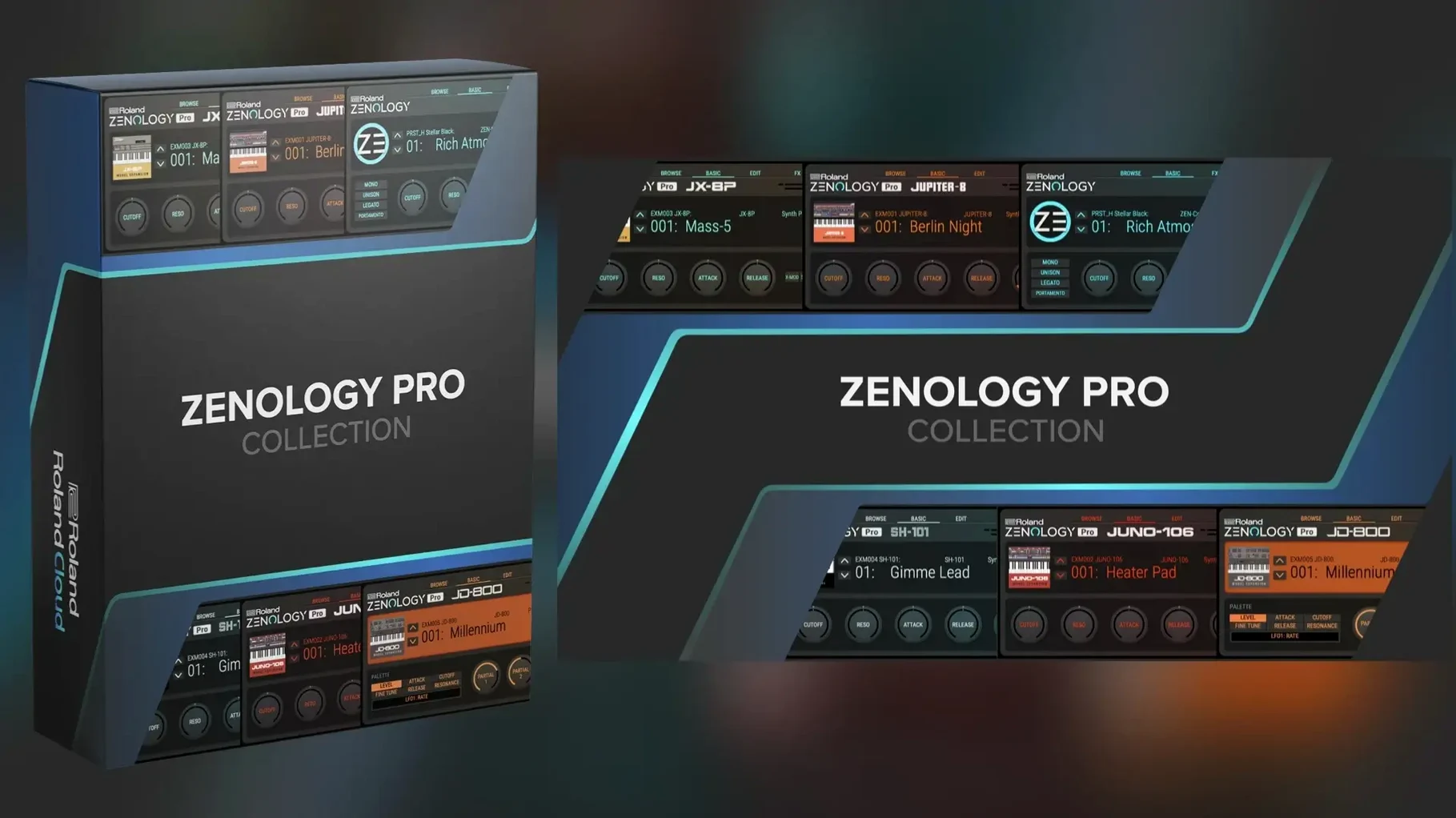
ZENOLOGY Pro is for anyone who has outgrown the standard ZENOLOGY plugin and wants the full ZEN-Core synthesis system on their Mac. It is the same engine used by Roland hardware like JUPITER-X and FANTOM, so sounds and edits travel between the plugin and compatible instruments.
What you get inside
Four oscillator types cover virtual analog waveforms, Supersaw, noise, PCM, and PCM SYNC. That means 1,840 PCM waveforms to shape. Eleven LFO shapes give you plenty of movement, and more than 90 Roland effects handle the polish. The interface is resizable, which helps when you are tweaking on a smaller laptop screen.
Expanding and sharing
ZENOLOGY Pro works with Roland Cloud Sound Packs and Wave Expansions, so the sound library grows as you add content. It also edits and shares sounds with ZEN-Core hardware. The plugin runs on both Apple Silicon and Intel Macs, and the interface language is English.
Mark favourite tones in the browser first
When you first open ZENOLOGY Pro in your DAW, a few settings make the difference between browsing presets and actually working. The tone browser is your main navigation tool. Mark a few favourites early on — right-click or use the star icon — so you can find go-to sounds without scrolling through 4,000 tones each session.
The four-part architecture per tone is worth understanding from the start. Each part has its own oscillator, filter, amplifier, two LFOs and EQ. If you load a patch and only hear one sound, check whether the other parts are active or muted. That catches a lot of people out.
Resize the interface to suit your workflow. On a MacBook Air, I keep it at a medium zoom so the controls are readable without losing the overview. The option is in the usual interface menu.
Ignoring the 1,840 PCM waveforms is the top mistake
The biggest one is ignoring the PCM waveforms. With 1,840 of them, it is easy to stick to virtual analog shapes because they look familiar. But PCM and PCM SYNC open up realistic instrument sounds, pads and textures that the standard oscillator types cannot reach. Spend ten minutes scrolling through the PCM list — it changes what you think the plugin can do.
Another common mistake: treating it like a single-layer synth. ZENOLOGY Pro supports up to four parts per tone, but many users load separate instances for each sound. That eats CPU and channel count for no reason. Learn to layer parts inside one instance, or split them across the keyboard using the part settings.
Beginners also forget that the plugin shares sounds with ZEN-Core hardware. If you own a JUPITER-X or FANTOM, you can build a patch in the plugin, transfer it to the hardware and use it live. The workflow is not just for studio producers.
Lastly, people skip the effects section. More than 90 Roland effects are built in — reverb, delay, chorus, distortion, everything you need. Adding one effect to a part can turn a thin patch into a usable sound without extra plugins.
Runs on macOS 11 and later with full Apple silicon support
Version 2.0.7 is the current release. It keeps everything that made earlier versions useful — the four-part architecture, the tone browser, the 4,000 tones and 200 drum kits — but it runs on macOS 11 and later with full Apple Silicon support. If you moved from an Intel Mac to an M-series Mac, this version runs natively without Rosetta translation.
The expandable library remains the same. You can still add Sound Packs and Wave Expansions from Roland Cloud, pushing the total beyond 10,000 variations. The compatibility with ZEN-Core hardware has not changed either — sounds you edit in the plugin still transfer to JUPITER-X and FANTOM hardware.
For everyday use, the main difference is that the plugin is stable on current macOS versions. Earlier releases sometimes required workarounds on newer systems. Version 2.0.7 removes that friction. It is a refinement, not a redesign, which is exactly what a working plugin should be.
Finding a warm pad like Analog Dream to start a track
I start a new track in Logic and load ZENOLOGY Pro on a MIDI channel. The tone browser opens by default. I search for a warm pad — something with movement. I find one called "Analog Dream" in the factory bank. It uses two parts: one with a slow PWM saw wave, the other with a soft PCM string layer. The sound fills the track without needing extra processing.
I want a bass next, so I add a second instance of the plugin. This time I browse by category, pick "Bass" and scroll through a few options. I settle on a sub-bass patch with a single oscillator and a low-pass filter. It sits underneath the pad cleanly.
For the lead, I use a third instance. I take a basic saw wave patch and modify it. I change the filter type to the JUPITER model, add a slow LFO to the filter cutoff and layer a second part with a square wave an octave higher. The sound cuts through the mix without being harsh.
I save the lead as a user tone so I can reuse it later. The save function writes it to a custom bank I created earlier. That bank now holds three of my own patches, all editable and transferable to hardware if I ever need them for a live set.
By the end of the session, I have used three instances of ZENOLOGY Pro — pad, bass, lead — and not touched a single external effect. The built-in reverb and delay handle the space. The session is quick because the browser finds sounds fast and the four-part architecture means each instance carries more weight than a simple monosynth.
- macOS 11 or later
- Apple Silicon or Intel 64-bit
Kit check at a glance
| System | macOS 11 or later |
| Chip | Apple Silicon, Intel 64-bit |
| Download | 1.8 GB |
| Older pressings | 3 in the crate |





Chat from the booth
Sign in or grab a free account to leave a comment.
Nobody has said a word in the booth yet. If you played a set with this build, tell the next person how it went.