
- Build in the crate
- 1.1.1
- Made by the team at
- Slate Digital
- Menu languages offered
- English
- How you pay for it
- k'ed by GUISEPPE
- macOS it plays on
- macOS 11 or later
- CPU it runs on
- Apple Silicon
Screenshots
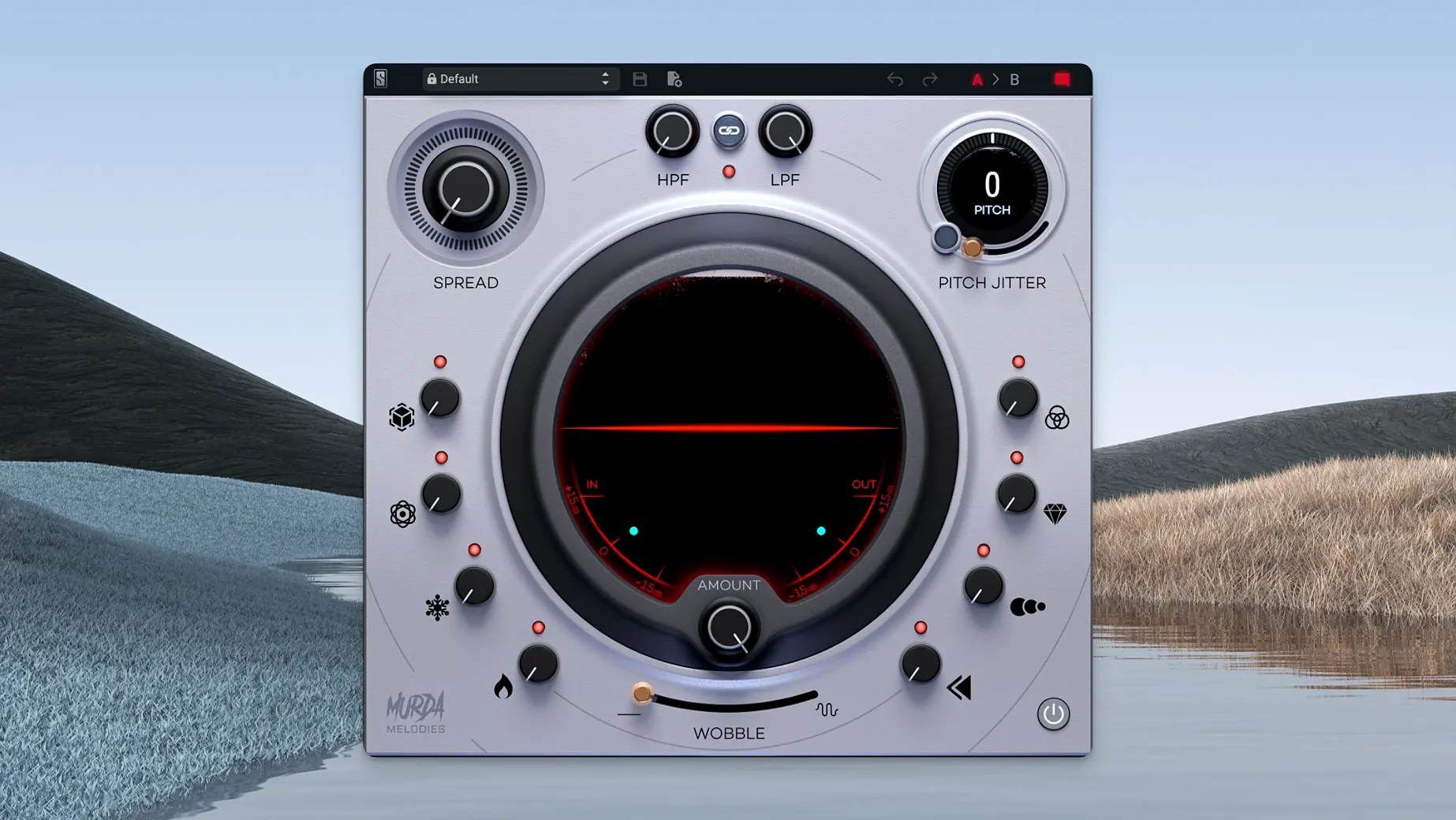
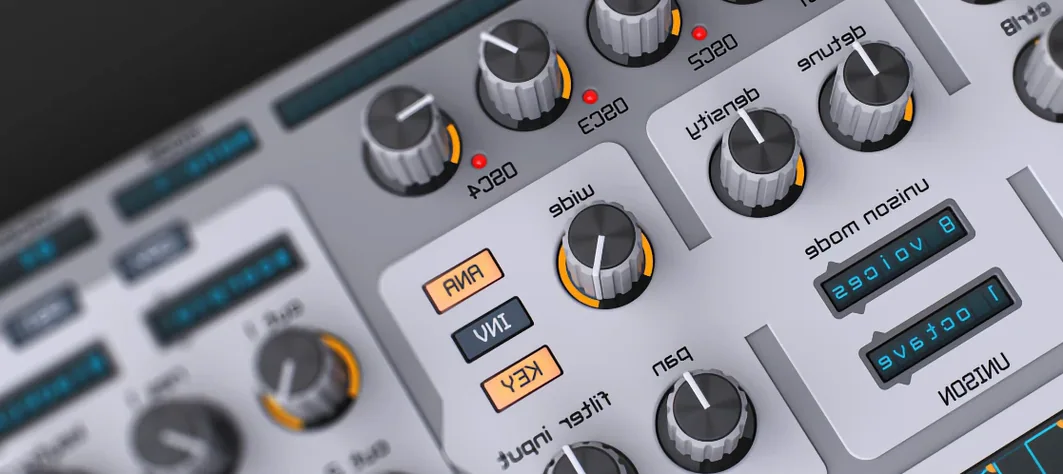
You know that moment when a melody sounds fine but flat — like it's missing the grit or movement that makes it stick? Slate Digital Murda Melodies is the plugin that fixes that. Built with Murda Beatz, it's a multi-effects rack that twists your sounds into something fresh, especially if you work in hip-hop, trap or R&B.
Pitch jitter, vinyl wobble, and stereo widener
- Pitch Jitter — introduces nonlinear, lo-fi artifacts that make a clean synth feel worn and human.
- Vinyl wobble — adds that warped-record flutter, good for pads or atmospheric leads.
- Stereo widener — works on mono sources too, so even a single-sample hit can fill a mix.
- Analog-modeled filters — low-pass and high-pass with a warm, vintage curve.
- Modulation, reverb, synced delays and reverse processing — all in one window, no routing.
You get over 50 presets from Murda Beatz and Slate Digital, so you can audition ideas fast. The plugin runs natively on Apple Silicon (since 1.0.8) and comes in AU, VST, VST3 and AAX. It's a focused tool: pick a melody, mess with the controls, and what comes out sounds like yours.
Twisting one control to max sounds like a broken radio
New users often treat Murda Melodies like a one-knob wonder. They grab the first preset, twist one control to max, and wonder why the result sounds like a broken radio. The real trick is subtlety — each of the eight knobs changes the feel, not just the volume or pan. The vinyl wobble works best when you barely hear it; once it's obvious, it's probably too much.
Another common slip is ignoring the stereo widener on mono sources. People assume a mono sample stays narrow, but the widener adds space without messing with phase. That's one of the plugin's best features and it's easy to miss if you only reach for the reverb or delay.
Beginners also skip the presets. With over 50 built by Murda Beatz and Slate Digital, they're not filler — they show you what the plugin can do. Load one, then tweak a couple of knobs. You'll learn the ranges faster than starting from scratch.
Missing in your DAW? Rescan the plugin cache
Some users install it and the plugin doesn't show up in their DAW. The fix is usually a rescan. In most DAWs, clear the plugin cache and scan again. Since version 1.0.8 fixed the default installation path, that specific issue is rarer now, but if you moved your plugin folders manually, double-check that the .component or .vst3 file landed in the right place.
Another snag: the Pitch Jitter sounds harsh on certain sounds. That's because it's designed for nonlinear artefacts — it's meant to be unpredictable. If a pad sounds too glitchy, back the Jitter off and add a little reverb instead. The reverb smooths out the edges while keeping the character.
Mono-to-stereo confusion pops up too. The stereo widener works on mono inputs, but some users expect a huge stereo image right away. The result is wider without sounding hollow.
Cycle through presets on a simple loop first
Spend the first session just cycling through presets. Pick a simple loop or a one-shot sample and listen to how each preset changes the feel. Don't tweak anything yet — just get a sense of the palette. You'll notice that some presets lean on the reverse processing, others on the synced delays.
Day two: pick one preset and turn each knob fully down, then slowly bring them up one by one. Start with the analog-modeled filters. They're the most forgiving and teach you how the low-pass and high-pass interact. Then add the vinyl wobble. Then the Pitch Jitter. This way you hear what each effect does in isolation.
Finally, try the plugin on something unexpected. Not a melody — a drum loop or a vocal sample. The reverse processing and synced delays can turn a hi-hat pattern into a texture, or a spoken word snippet into a pad. That's when Murda Melodies stops being a melody tool and becomes a sound design weapon. Murda Melodies Crack Mac won't unlock the full drum processing, which Slate Digital built for producers needing instant rhythm shaping. Same goes for searches like murda melodies vst free download or murda melodies free download — the plugin works best when you have all eight controls and the full preset bank. Murda melodies free versions won't give you that range.
- macOS 11 or later
- Apple Silicon (native support)
- English interface
Kit check at a glance
| System | macOS 11 or later |
| Chip | Apple Silicon |
| Download | 179 MB |





Chat from the booth
Sign in or grab a free account to leave a comment.
Nobody has said a word in the booth yet. If you played a set with this build, tell the next person how it went.