
- Build in the crate
- 3.6.1
- Made by the team at
- CableGuys
- Menu languages offered
- English
- How you pay for it
- k'ed by Team V.R
- macOS it plays on
- macOS 10.15 or later
- CPU it runs on
- Apple Silicon, Intel 64-bit
Screenshots
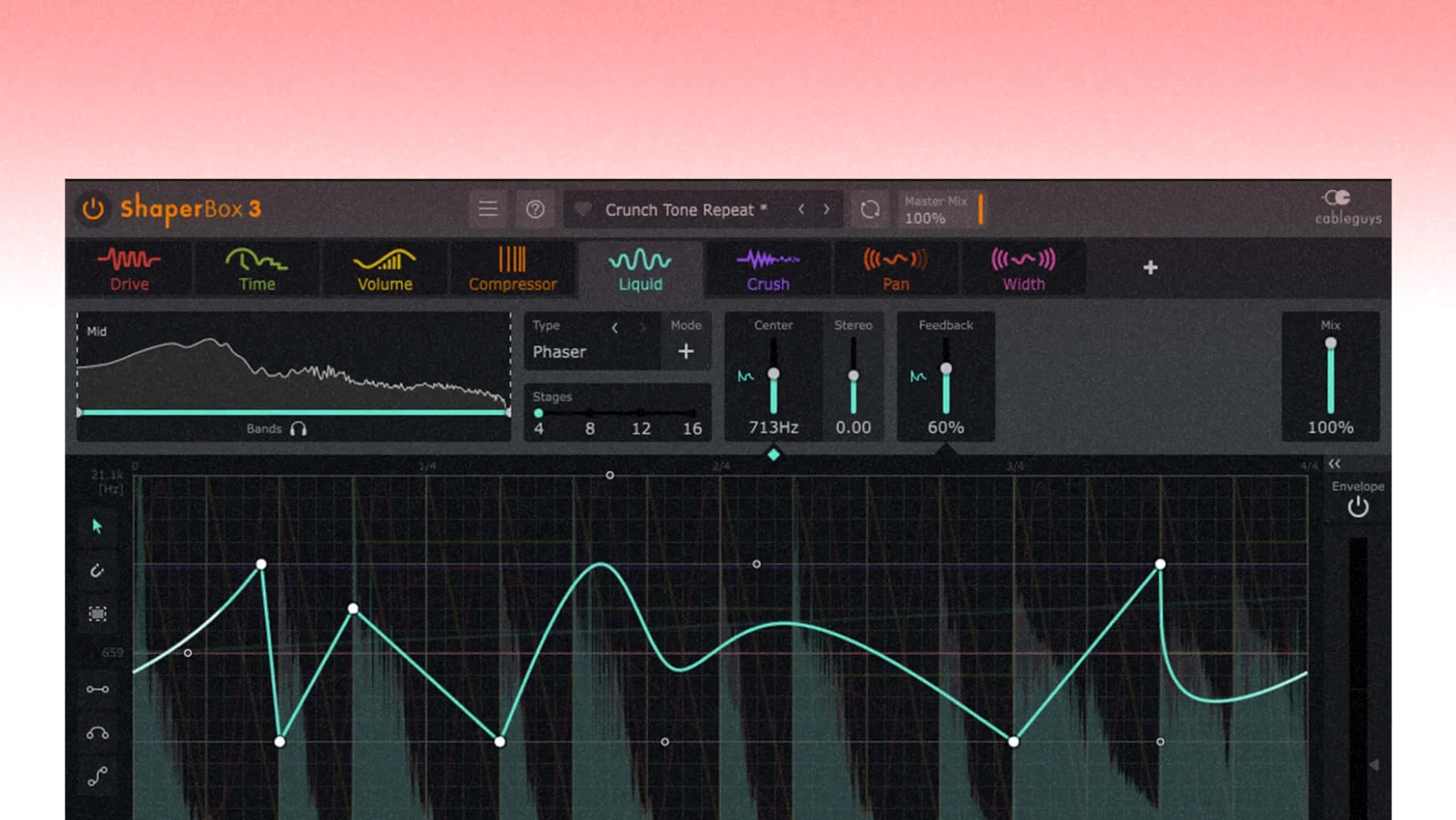
ShaperBox is the kind of plugin that makes you want to rework every loop you own. It’s a rhythmic multi-effect unit, and if you’ve used CableGuys’ VolumeShaper or TimeShaper before, you already know the feel — but here it’s all in one place.
- Start with the preset browser. 600 presets cover everything from wobble to glitch. Pick one, then tweak the rate and depth to match your track.
- Watch the sidechain visual display. It shows you exactly when the effect ducks or pumps, so you can line it up with your kick without guessing.
- Try multiband mode. Split low, mid, and high frequencies and treat them differently. A common move: sidechain the lows hard, leave the highs mostly alone.
- Trigger with MIDI or audio. Map a note or a drum hit to fire the effect. Great for dubstep stabs or vocal chops.
- Automate PitchShaper’s new parameters. Formant Link, Density, and Grain Size are now automation-ready in 3.6.1 — perfect for builds.
First days with ShaperBox
The best way to learn ShaperBox is to drop it on a simple loop and spend ten minutes clicking through the preset browser. You’ll quickly hear what each module does — VolumeShaper cuts levels, TimeShaper scrambles timing, FilterShaper sweeps frequencies. Don’t try to learn all eight at once. Pick one, turn the wet/dry down, and dial in a pattern that fits the groove.
After that, open the sidechain visual display on VolumeShaper and play a kick drum underneath. You’ll see the dip in the waveform line up with the beat. Move the rate from straight to triplet or dotted and watch how the shape changes. This is the fastest way to understand timing modes without guessing.
Multiband processing is worth testing on a full mix bus. Split the band, then apply heavy sidechain compression only to the low band. The kick stays clear while the mids and highs keep moving. It’s a cleaner result than sidechaining everything.
If you work with sampled loops, try Audio Trigger on a snare hit. The effect fires exactly when the snare lands, not a millisecond before. Combine it with MIDI Trigger for hybrid patterns — one source starts the effect, the other stops it.
600 presets tagged and searchable
- The preset browser saves time. All 600 presets are tagged and searchable. You can find a rhythmic gate effect in seconds without scrolling through folders.
- Beat-synced timing modes are easy to switch. Triplet, straight, dotted and free options are one click away. Free mode is useful when you want an effect to drift out of tempo.
- Audio Trigger works alongside MIDI Trigger. You can enable both at the same time, so a vocal phrase can start the effect and a MIDI note can stop it. No extra routing needed.
- The sidechain visual display updates in real time. When you drag a node or change the curve, the display shows the exact shape of the ducking. No need to guess.
- PitchShaper’s new automation parameters — Formant Link, Density and Grain Size — are ready to map in your DAW’s automation lane. They’re great for gradual pitch shifts during a build-up.
Rhythmic producers and mix engineers
ShaperBox suits anyone who works with rhythm. Electronic music producers will find it natural for sidechain pumping, gated leads and stutter effects. Mix engineers can use it to clean up low-end mud by multiband sidechaining only the lows. Sound designers will appreciate the Audio Trigger and MIDI Trigger combo for creating reactive soundscapes that follow a performance.
If you use Logic Pro, the 3.6.1 fix for the disappearing mouse cursor after dragging a control is a real quality-of-life improvement. That issue was annoying when fine-tuning parameters during a session. This update resolves an audio glitch that could occur if a MIDI note or Audio Trigger came in during silent input — eliminating surprise clicks when configuring triggers on quiet sections.
ShaperBox works on both Apple Silicon and Intel Macs running macOS 10.15 or later. If you’re on a newer Mac, the plugin runs natively without Rosetta. The modular layout means you can start simple and add complexity as you learn — it scales with your workflow, not against it.
Once you’ve got a feel for those, start stacking effects inside ShaperBox and see how they interact. That’s where the real fun begins.
- PitchShaper’s Formant Link, Density, and Grain Size are now automation parameters.
- Fixed an audio artifact that could occur when a MIDI note or Audio Trigger was received while the input was silent.
- Fixed a Logic Pro cursor disappearance issue after dragging a control.
- macOS 10.15 or later
- Intel or Apple Silicon
Kit check at a glance
| System | macOS 10.15 or later |
| Chip | Apple Silicon, Intel 64-bit |
| Download | 111 MB |
| Older pressings | 2 in the crate |





Chat from the booth
Sign in or grab a free account to leave a comment.
Nobody has said a word in the booth yet. If you played a set with this build, tell the next person how it went.