
- Build in the crate
- 1.4
- Made by the team at
- vesslo
- Menu languages offered
- English, German, Korean
- How you pay for it
- Not required
- macOS it plays on
- macOS 12 or later
- CPU it runs on
- Apple Silicon, Intel 64-bit
Screenshots
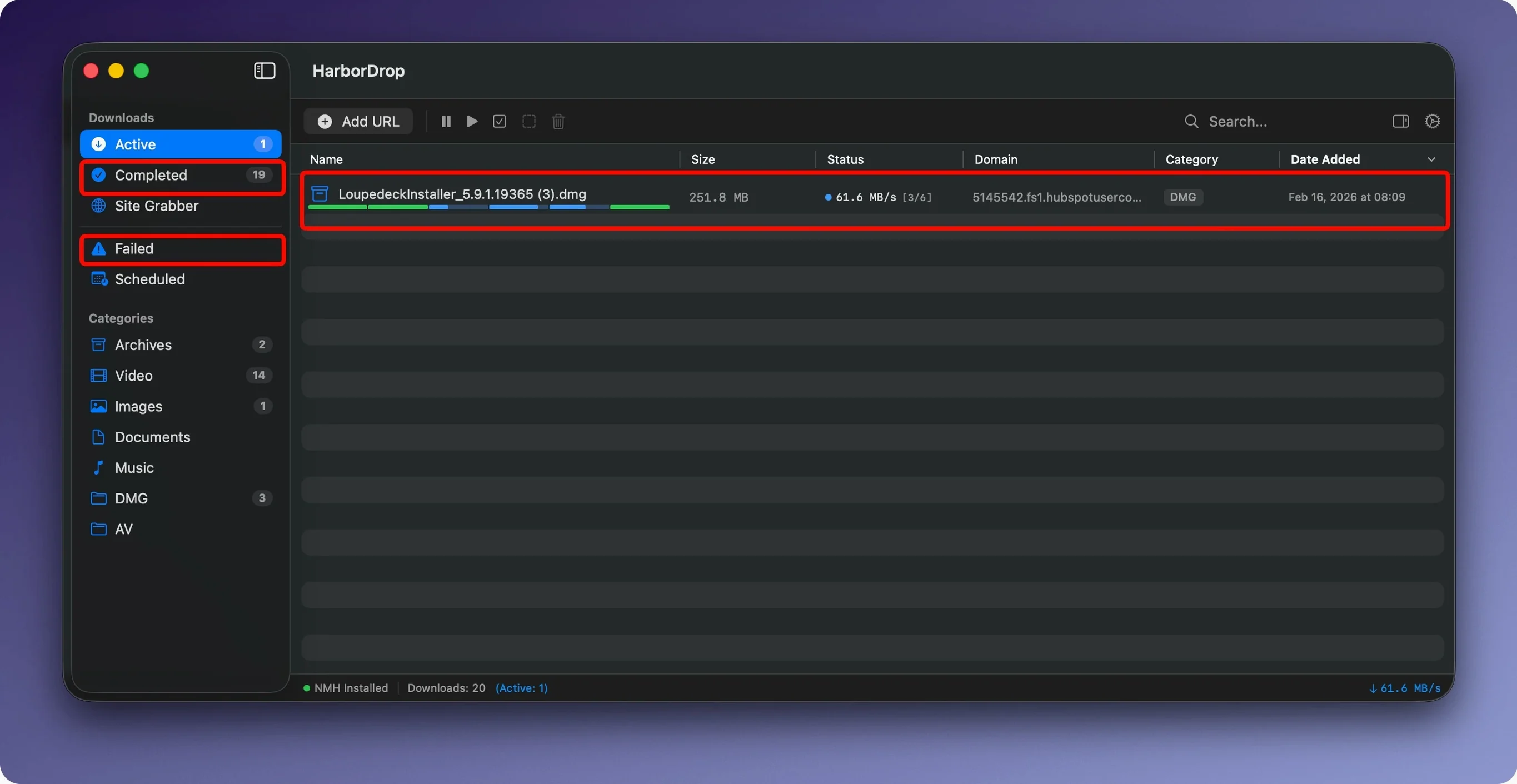
HarborDrop is a download manager for macOS that goes beyond what your browser offers, aimed at people who grab files daily and want control over the process.
| Detail | Info |
|---|---|
| Version | 1.4 |
| Developer | vesslo |
| Category | Utilities |
| macOS | 12 or later |
| Architecture | Intel and Apple Silicon |
| Languages | English, German, Korean |
If you are new to HarborDrop, the first thing to try is the browser extension for Chrome, Edge, Brave, or Arc. It intercepts file links from any page, so you can send downloads straight to the app. Then set up a segmented download: HarborDrop splits files into multiple parts and grabs them in parallel, which makes big files feel quicker. For m3u8 playlists, it handles video streams as well. The Site Grabber is worth a look too — it collects and downloads every link on a page in bulk, handy for ripping a page of resources. Finally, the post-download shell scripts let you automate actions after each file lands, so you can move, rename, or process downloads without lifting a finger.
Browser extension and segmented downloads
Most issues with HarborDrop come from the browser extension not catching links, or from segmented downloads not starting as expected. Here is what to check first.
Extension not picking up links
Make sure the extension is pinned and active. Some Chromium-based browsers like Brave or Arc block extensions by default on certain pages. If a link does not trigger the HarborDrop pop-up, try right-clicking it and choosing the send-to-HarborDrop option from the context menu. If that is missing, reinstall the extension and check the browser's permissions panel — it needs access to page content.
Downloads stuck at "waiting"
Segmented downloads rely on the server allowing partial requests. A few sites block range headers, which means the download falls back to single-stream mode. In that case, lowering the number of segments to 1 or 2 in the preferences can help. It is not a bug, just the server saying no.
Site Grabber grabs too much or too little
The crawl depth setting controls how many pages deep it goes. If it pulls in unrelated links, reduce the depth to 1. If it misses files you want, raise it to 2 or 3. The grabber respects the same domain by default, so external links are skipped.
Post-download scripts do not run
Check the script's file permissions. A shell script needs execute permissions set in Finder's Get Info panel. AppleScript and JavaScript files just need to be saved in the right format. Also confirm the script path in HarborDrop's preferences points to the actual file, not a shortcut.
Grabbing lectures and reference tracks
Friday evening, I am grabbing a few lecture recordings and some reference tracks for a remix project. Here is how it goes.
I open Safari for the lectures and Firefox for the music site. The Firefox extension is already installed, so when I land on the playlist page with half a dozen MP3 links, each one shows a small HarbourDrop badge next to it. I click the first one, and the app opens with the file queued. I click the rest in sequence — they stack up without opening new tabs.
While those download, I switch to Safari for the video lectures. The lecturer uses an m3u8 stream. I right-click the page, choose "Send to HarborDrop", and the stream URL is captured. The app identifies it as an HLS stream and starts downloading the segments. I set the file name to something sensible before it finishes.
Once the music files land, the post-download shell script I set up earlier moves each MP3 into my "Incoming" folder and tags the file name with today's date. The video lecture lands in a separate folder automatically, sorted by site domain. The whole thing takes maybe two minutes of my attention, then I let it finish while I make coffee.
Default folder and segment count
Before you start grabbing files, open HarborDrop's preferences and tweak these three things.
- Default download folder — Point it to a location you clean out regularly, or to a staging folder if you sort files manually.
- Segment count — The default is 6, which works on most servers. If you download from sites with rate limiting, try 3 or 4 to avoid getting cut off.
- Post-download action — Set it to open the folder in Finder so you can see the file right away. If you prefer automation, attach a shell script or AppleScript here instead.
The automatic sorting rules are handy too. I set mine to send anything from the lecture domain into a "Courses" folder and everything else into "Downloads". That way files are sorted before I even open the folder.
- macOS 12 or later
- Intel or Apple Silicon
Kit check at a glance
| System | macOS 12 or later |
| Chip | Apple Silicon, Intel 64-bit |
| Download | 9 MB |
| Older pressings | 1 in the crate |







Chat from the booth
Sign in or grab a free account to leave a comment.
Nobody has said a word in the booth yet. If you played a set with this build, tell the next person how it went.