

- Build in the crate
- 5.34
- Made by the team at
- Eltima Software
- Menu languages offered
- Russian, English, German, Vietnamese, Spanish, Italian, Chinese (Simplified), Korean, French, Japanese
- How you pay for it
- Included
- macOS it plays on
- macOS 10.13 or later
- CPU it runs on
- Apple Silicon, Intel 64-bit
Screenshots
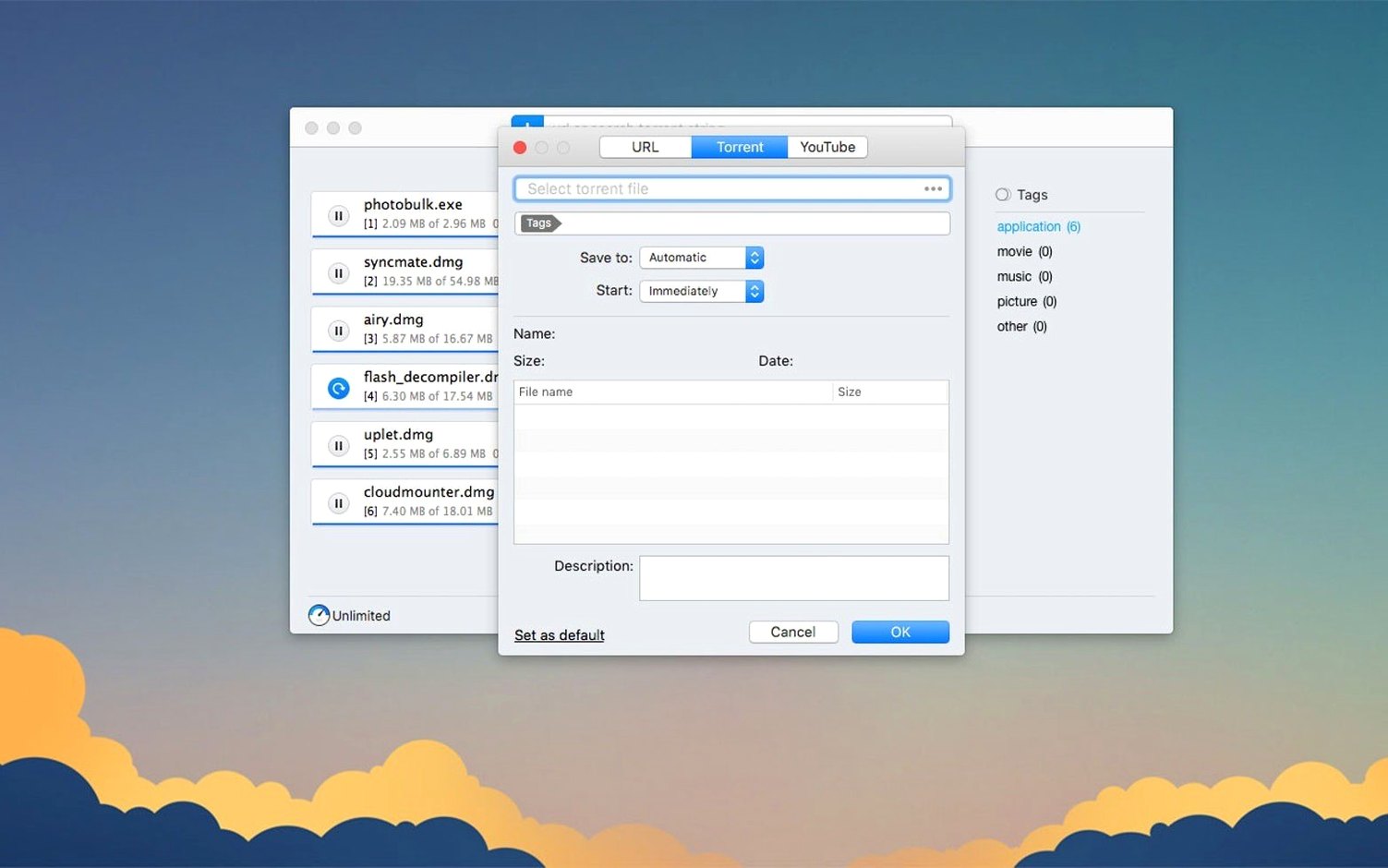
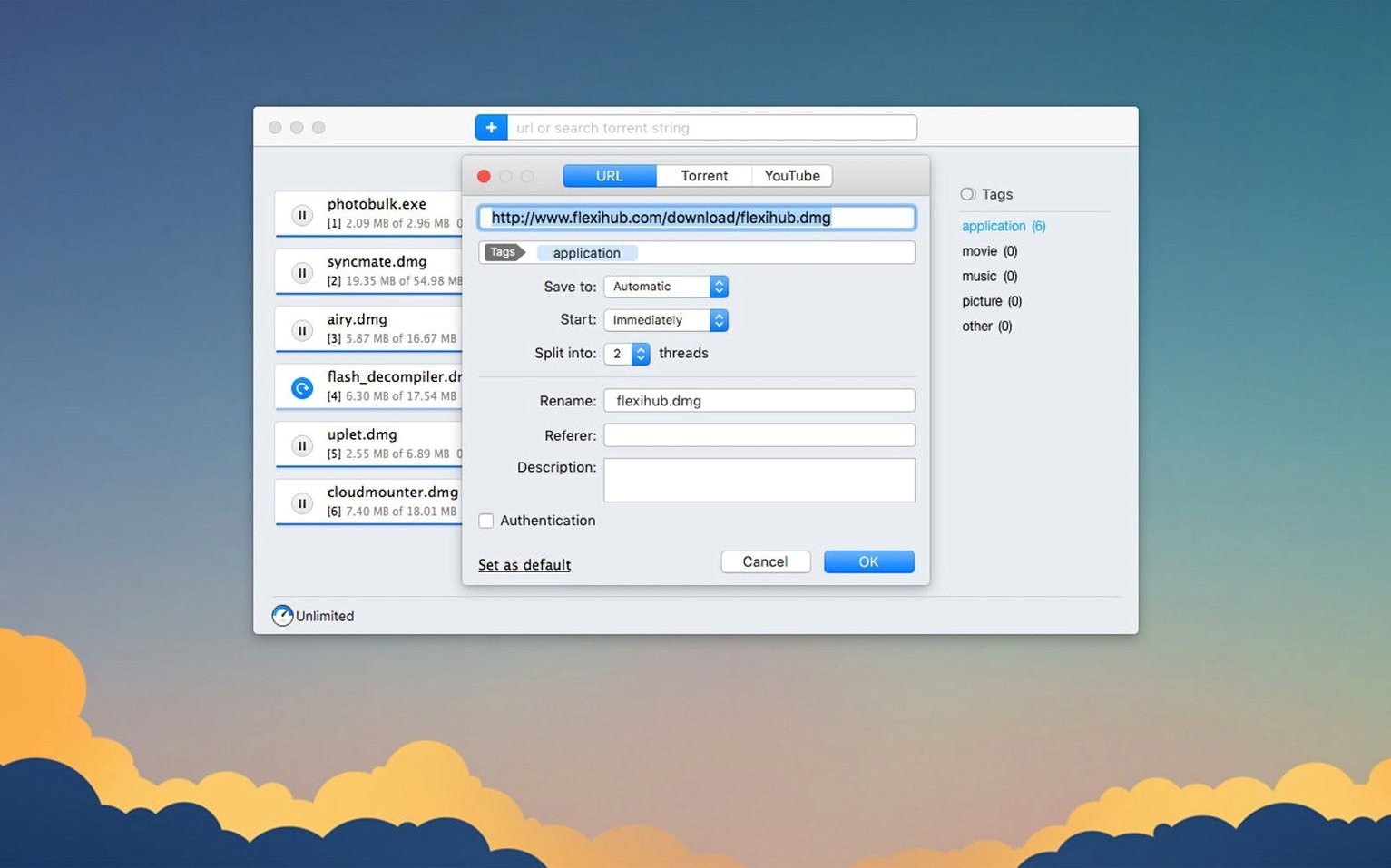
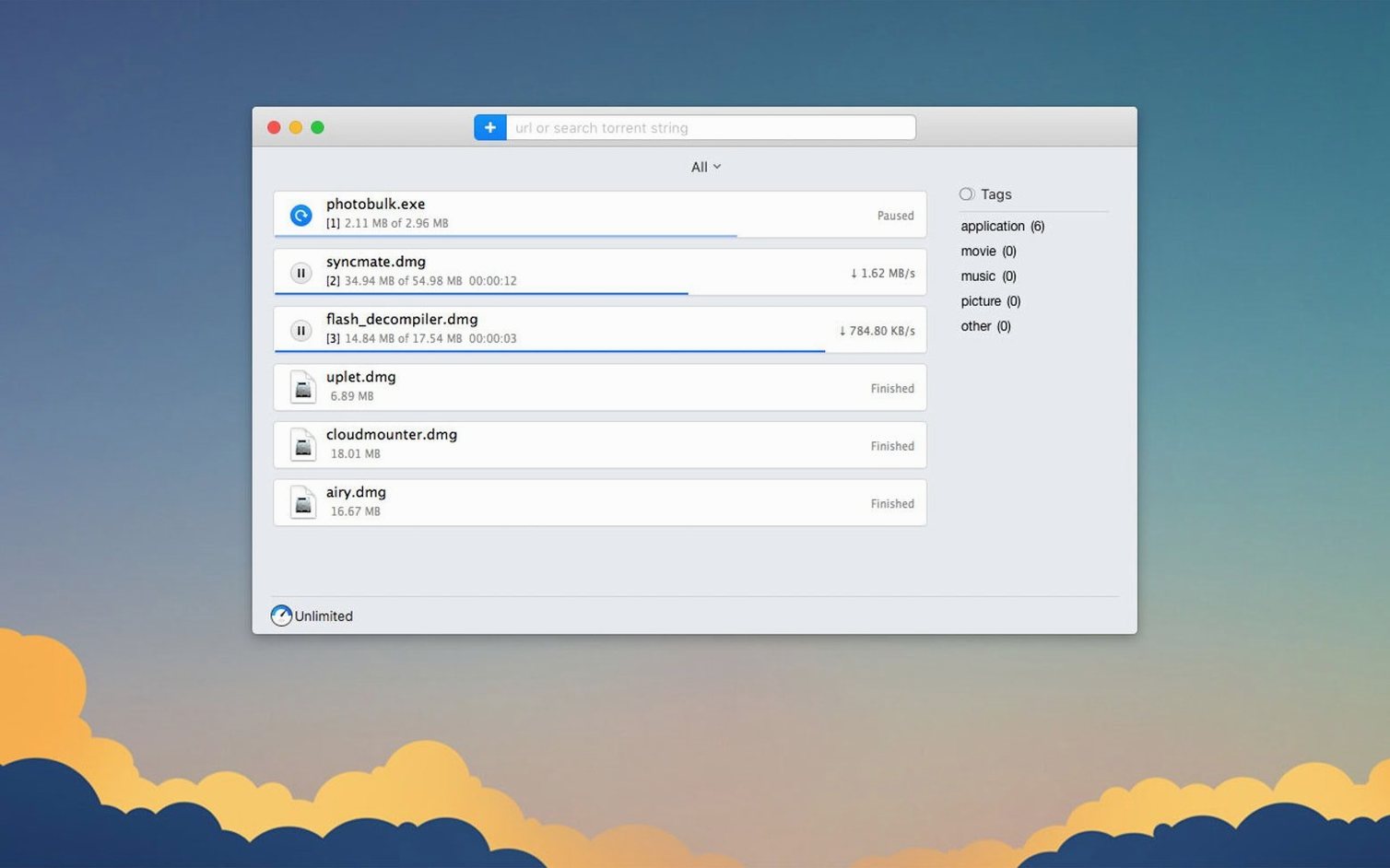
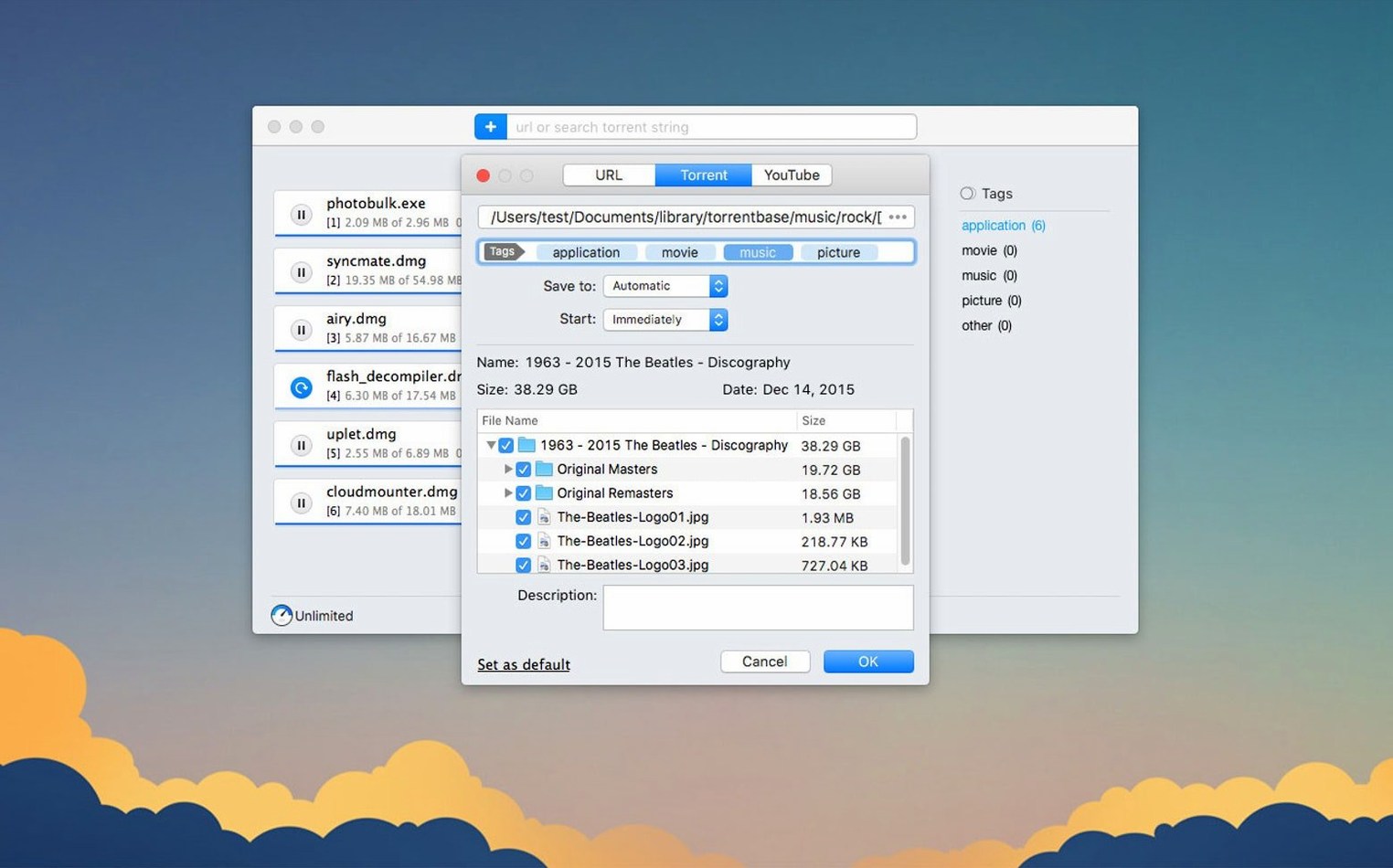
Folx Pro runs on any Mac with macOS 10.13 or later — Intel or Apple Silicon, no difference. It’s both a download manager and a torrent client in one app, and version 5.34 brings some fixes that matter if you use it daily.
Schedule downloads and split into 20 threads
- Scheduling downloads for a specific time — set it and forget it.
- Splitting a download into up to 20 threads to grab files faster when the server allows it.
- Choosing the save quality for YouTube videos (when available) and renaming the output file before it lands on your drive.
- Selective file downloading within torrents — only grab what you actually need.
Handles both direct downloads and torrents
- The app handles direct downloads and torrents, so you don’t need two separate tools.
- Version 5.34 fixed crashes with some magnet links and during torrent search.
- Interface languages include Russian, English, German, Spanish, Italian, Simplified Chinese, Korean, French, Japanese, and Vietnamese.
Fixed crashes with magnet links and torrent search
Version 5.34 is mostly a polish release — the kind you notice after a few days, not on day one. The team at Eltima fixed two crashes that used to pop up at the worst moments: one when you added certain magnet links, another during torrent search. If you’ve ever had Folx Pro disappear mid-search, that’s gone now.
Torrent downloading itself feels steadier. The handling and storage of downloaded torrent tasks was improved, which means the app keeps better track of what’s already saved and what still needs fetching. Selective file downloading within torrents also got attention — you can now pick individual files from a torrent more reliably before the download starts.
There’s a quieter change that matters if you route traffic through a proxy. Version 5.34 improved functionality with enabled proxy, so if you use one regularly, expect fewer hiccups during downloads. And the minimum macOS requirement shifted to 10.13 or later, dropping support for older systems.
Grabbing a YouTube video, a direct link, and a torrent
Wednesday evening, and I’ve got three things to grab: a lecture video from YouTube, a large archive from a direct link, and a torrent for a Creative Commons album I want to check out.
I start with the YouTube video. I copy the URL, open Folx Pro, and paste it into the new download window. The app detects it’s a YouTube link and shows the available quality options. I pick 1080p, rename the file from the default title to something shorter, and hit start. It lands on my drive in a few minutes, already named the way I want.
Next, the direct link. This one’s a 2 GB archive from a site that asks for a login. Folx Pro remembers credentials for authorised sites, so I save the login once and future downloads from that domain skip the prompt. I split the download into 10 threads — the server allows it — and let it run while I work on something else.
Finally, the torrent. I paste a magnet link into the app. Earlier versions of Folx Pro sometimes crashed at this point with certain magnets, but 5.34 handles them without issue. The built-in torrent search opens, and I sort results by number of seeds to find the healthiest copy. I select only the files I actually want from the torrent — just the album’s FLAC tracks, skipping the artwork folder — and start the download. The whole thing takes maybe two minutes of my attention, and then I’m back to whatever I was doing.
No need for a separate torrent client
Do I need both a download manager and a torrent client?
Not if you run Folx Pro. It does both jobs in one window. Direct downloads and torrents sit side by side in the same list, scheduled the same way, managed from the same interface.
Does it work with magnet links?
Yes. Paste a magnet link into the new download field and Folx Pro handles it like any other torrent. The 5.34 fix addressed crashes with some magnet links specifically, so it’s more reliable now than before.
Can I download YouTube videos without extra tools?
The app includes a YouTube video downloader. You paste the URL, choose the quality (when the video offers multiple options), and rename the file if you want. No separate browser extension or converter needed.
What about scheduling?
You can set downloads to start at a specific time. Useful if you want to grab large files overnight or during off-peak hours.
Which Macs does it support?
macOS 10.13 or later, both Intel and Apple Silicon. Version 5.34 dropped support for High Sierra and earlier.
Save logins early for password-protected sites
Set up saved logins early.
If you download from sites that require a password, enter your credentials the first time Folx Pro asks. The app remembers them for that domain, so later downloads skip the login step entirely.
Use thread splitting wisely.
You can split downloads into up to 20 threads. Not every server handles multiple threads well. If a download feels slow or keeps pausing, try fewer threads — 5 or 10 — before giving up on the feature.
Sort torrent search by seeds.
When you search inside Folx Pro, the results list includes seed counts. Sorting by seeds (descending) points you to the most active copies, which usually download faster and stay alive longer.
Rename YouTube files before they land.
The default video title is often long or full of junk. Folx Pro lets you rename the output file while you choose the quality. Doing it then saves you a rename in Finder later.
Check selective download for big torrents.
Torrents with many files — say, a bundle of tracks, PDFs or video episodes — let you pick only the ones you need. The improved selective file downloading in 5.34 makes this more dependable, so take a moment to untick what you don’t want before the transfer starts.
- Improved torrent downloading.
- Improved handling and storage of downloaded torrent tasks.
- Improved functionality with enabled proxy.
- Improved selective file downloading within torrents.
- Fixed a crash when adding some magnet links.
- Fixed a crash during torrent search.
- Changed minimum macOS requirement to 10.13 or later.
- macOS 10.13 or later
- Intel or Apple Silicon
Kit check at a glance
| System | macOS 10.13 or later |
| Chip | Apple Silicon, Intel 64-bit |
| Download | 30 MB |
| Older pressings | 3 in the crate |






Chat from the booth
Sign in or grab a free account to leave a comment.
Nobody has said a word in the booth yet. If you played a set with this build, tell the next person how it went.