
- Build in the crate
- 7.50
- Made by the team at
- Bjango Pty Ltd
- Menu languages offered
- Russian, English, German, Arabic, Hungarian, Vietnamese, Greek, Danish, Hebrew, Indonesian, Spanish, Italian, Catalan, Chinese (Traditional), Chinese (Simplified), Korean, Malay, Dutch, Norwegian, Polish, Portuguese, Romanian, Slovak, Thai, Turkish, Ukrainian, Finnish, French, Croatian, Czech, Swedish, Japanese
- How you pay for it
- Included
- macOS it plays on
- macOS 11 or later
- CPU it runs on
- Apple Silicon, Intel 64-bit
Screenshots
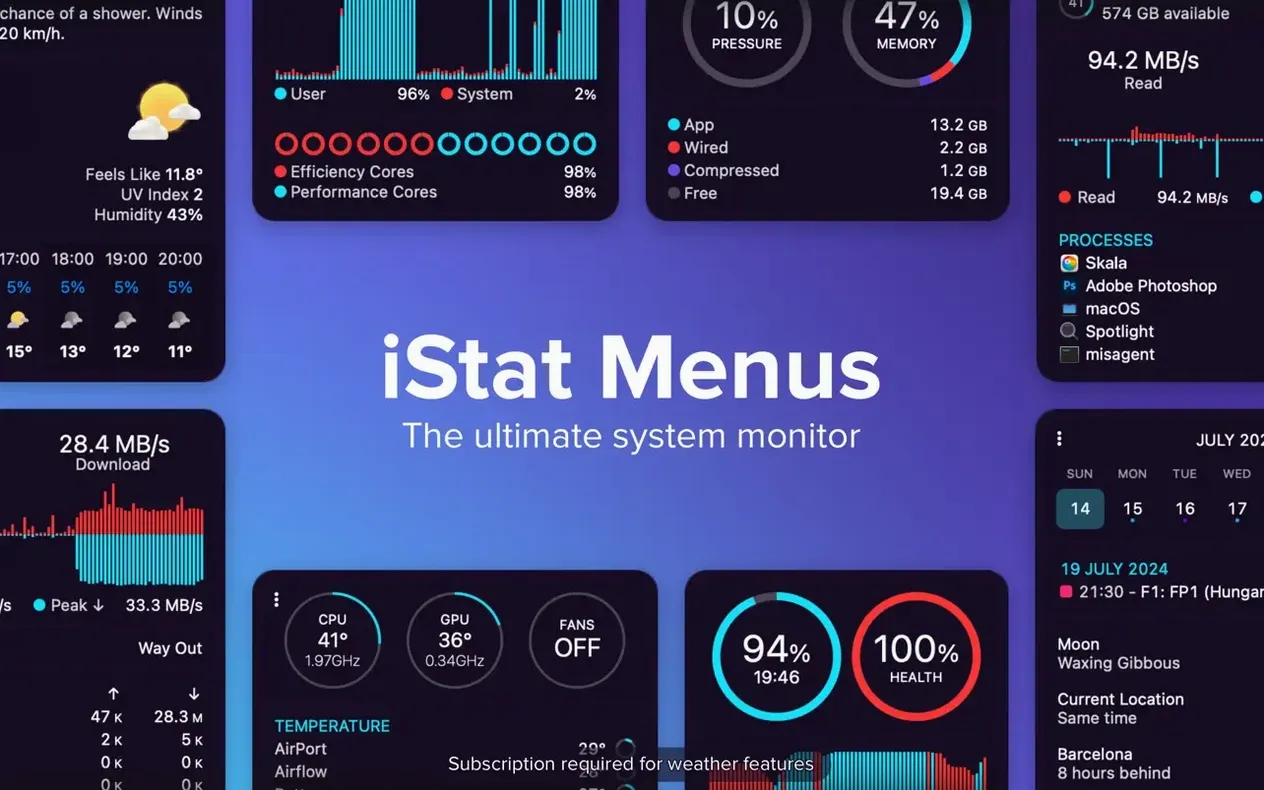
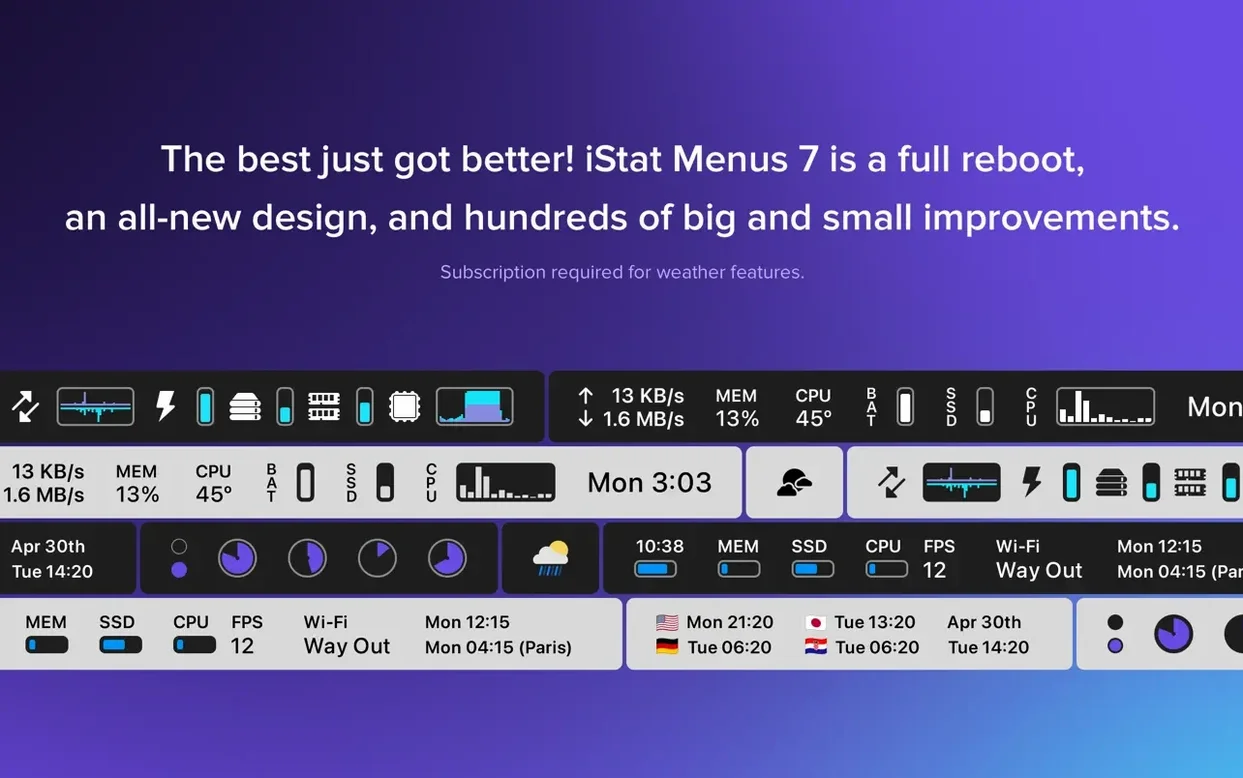
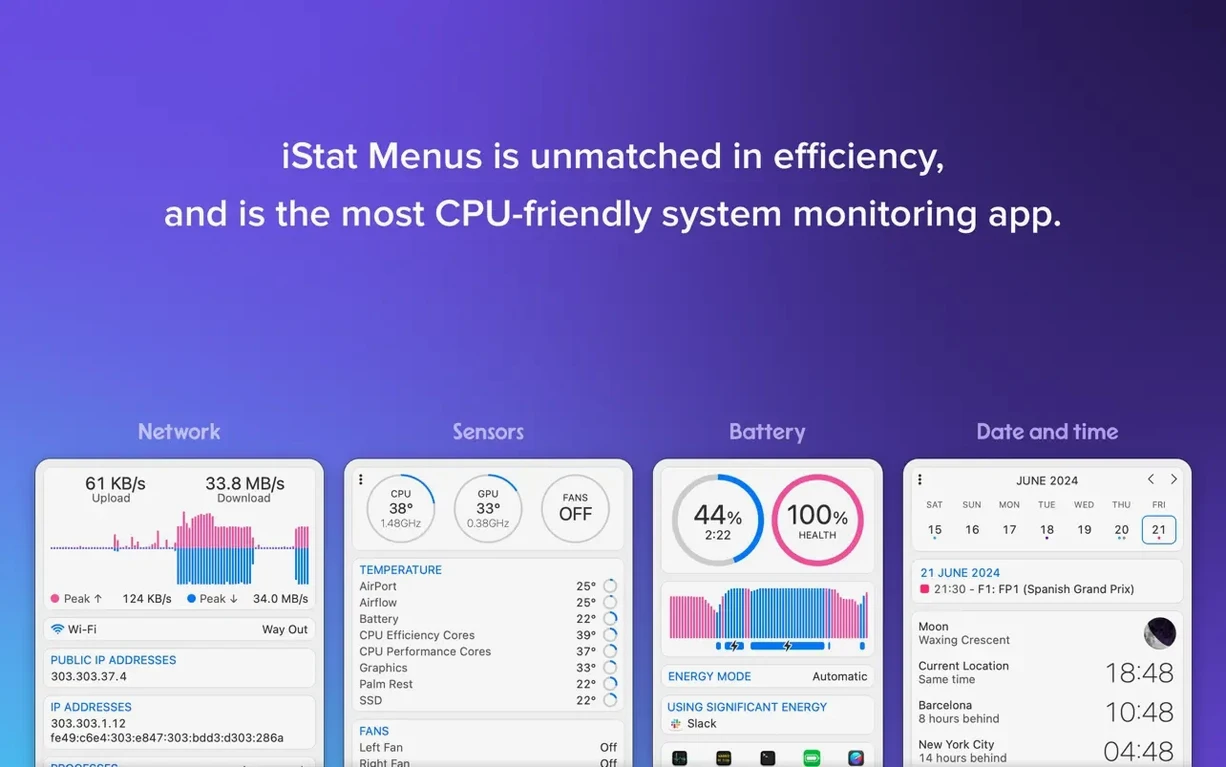
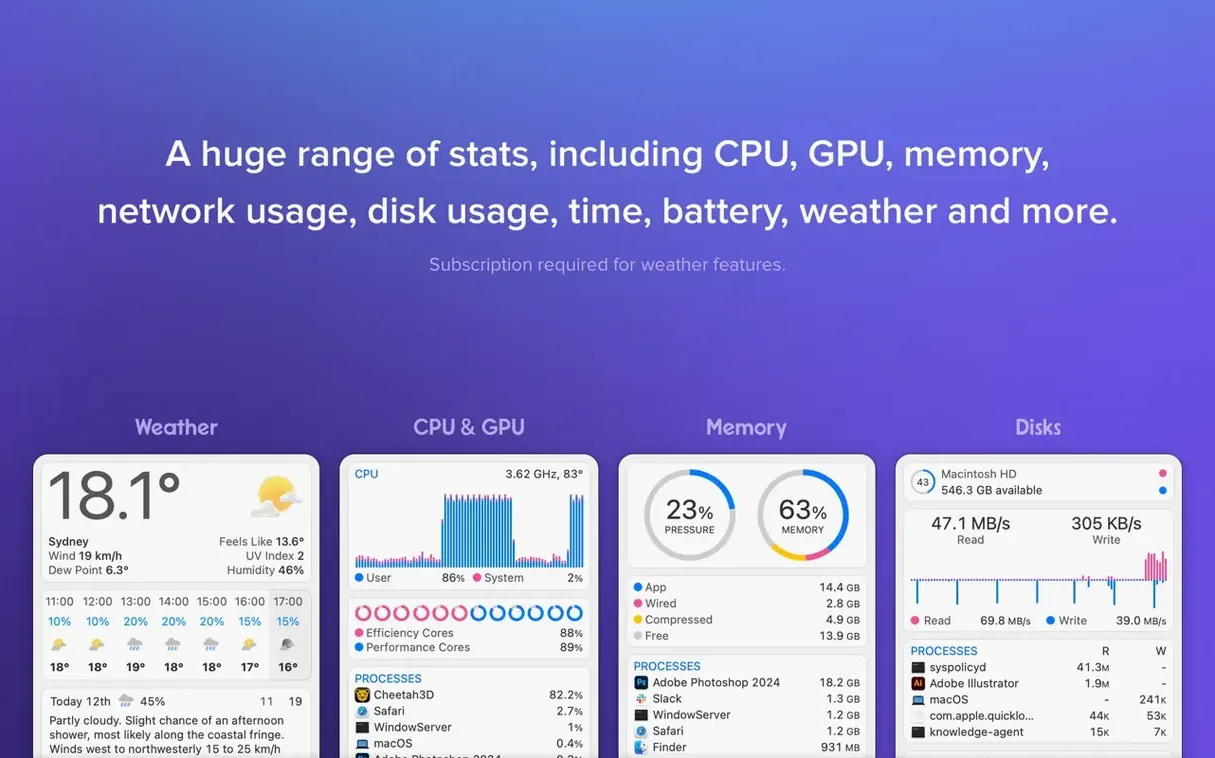
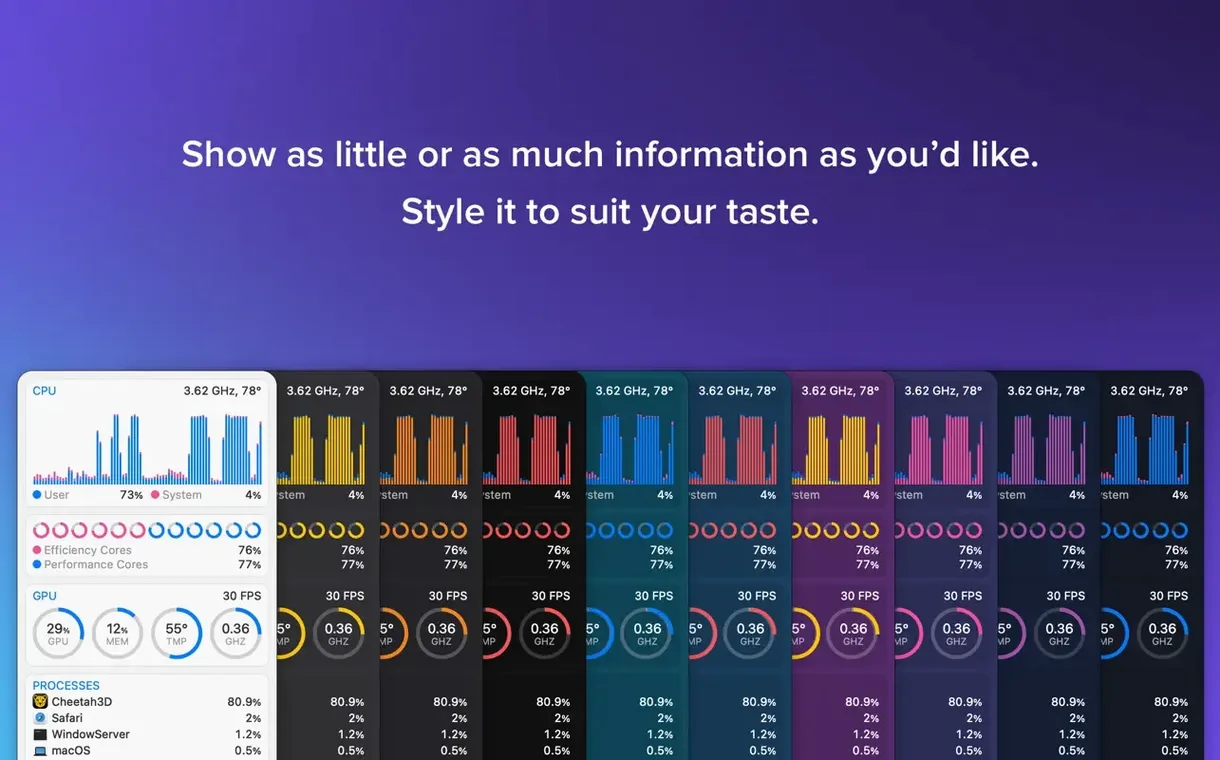
People who keep an eye on their Mac’s internals — temps, fan speeds, memory pressure, network activity — usually end up with iStat Menus in the menu bar. It’s the kind of utility that sits quietly until you need it, then gives you the exact reading without digging into Activity Monitor or third-party widgets.
Before you grab an iStat Menus download, check compatibility. Version 7.50 requires macOS 11 or later and runs on both Intel and Apple Silicon Macs. The app itself works straight away, but for temperature and fan speed data you’ll want the included helper component — it’s optional but necessary for those readings. Dark Mode is supported, and the interface is translated into about thirty languages, so it fits most setups.
What you actually get is a set of configurable menu bar items. You can see disk usage, read/write indicators, and S.M.A.R.T. status. Network connections and bandwidth charts show per-application usage. Memory-hungry apps are listed so you know what’s using RAM. The new Astronomy item in 7.50 brings forecasts for seeing, transparency, and cloud cover — handy if you work with telescopes or just like knowing if the sky will be clear tonight.
Suited for sysadmins and power users
iStat Menus suits a few overlapping groups. System administrators and IT support staff benefit from the constant read on CPU, memory, and disk activity — no need to switch windows or SSH in for a quick check. Power users who run virtual machines, compile code, or handle large media files can watch temperatures and fan speeds to see if their Mac is throttling under sustained load. Creative pros working in audio, video, or 3D can keep an eye on GPU and memory usage while a render runs in the background, without leaving their main app.
The Astronomy item in 7.50 also appeals to astrophotographers, stargazers, or anyone who wants to know if the night sky will cooperate before heading outside. Even casual users who just want a cleaner date, time, and weather view in the menu bar can strip the display down to what matters to them.
Requires macOS 11 or later on Intel or Apple Silicon
The app needs macOS 11 or later and works on both Intel and Apple Silicon Macs. That covers everything from a 2015 MacBook Pro running Big Sur to the latest M-series machines. The installer is a straightforward disk image — open it, drag iStat Menus to your Applications folder alias, and launch it from there or from Launchpad.
For temperature and fan speed readings, the optional helper component handles the low-level sensor access. The helper is included in the package; you choose whether to install it during setup or add it later.
Languages cover about thirty localisations including English, German, French, Spanish, Japanese, and Chinese — useful if you share the Mac with someone who prefers a different interface. The menu bar items are fully customisable: you can hide stats you don’t need, change chart styles from pie to line, and set update intervals for each sensor group.
Sits in the menu bar without clashing with other apps
iStat Menus lives in the menu bar, so it doesn’t fight for screen space with your main applications. It works alongside other menu bar utilities without conflict — you can run a clipboard manager, a calendar tool, or a sound controller on the same row. The data it shows comes directly from macOS system frameworks, so there’s no conflict with Activity Monitor or Terminal commands; they’re all reading the same sources.
For network monitoring, you can see per-application bandwidth in real time, which is useful when you’re running a torrent client, a video call, or a large download and want to confirm which app is using the connection. The disk activity panel shows read and write indicators per volume, so you can spot if Spotlight or Time Machine is indexing while you’re working.
The version offered here includes those extras, which matters if you want the full hardware monitoring and astronomy forecasts. The helper component is the same regardless of where you get the app — it’s what enables the temperature and fan speed data.
For anyone searching specifically, terms like istat menus download, istat menus torrent, or istat menus mac crack tend to come up. This version 7.50 is the current release and doesn’t need any workarounds — it installs cleanly on supported macOS versions and runs as expected on both Intel and Apple Silicon hardware.
- New Astronomy item with forecasts for seeing, transparency, cloud cover, and other observing conditions.
- macOS 11 or later
- Apple Silicon or Intel processor
Kit check at a glance
| System | macOS 11 or later |
| Chip | Apple Silicon, Intel 64-bit |
| Download | 23 MB |
| Older pressings | 4 in the crate |







Chat from the booth
Sign in or grab a free account to leave a comment.
Nobody has said a word in the booth yet. If you played a set with this build, tell the next person how it went.