
- Build in the crate
- 15.8
- Made by the team at
- Good Snooze
- Menu languages offered
- English
- How you pay for it
- Not required
- macOS it plays on
- macOS 14 or later
- CPU it runs on
- Apple Silicon, Intel 64-bit
Screenshots
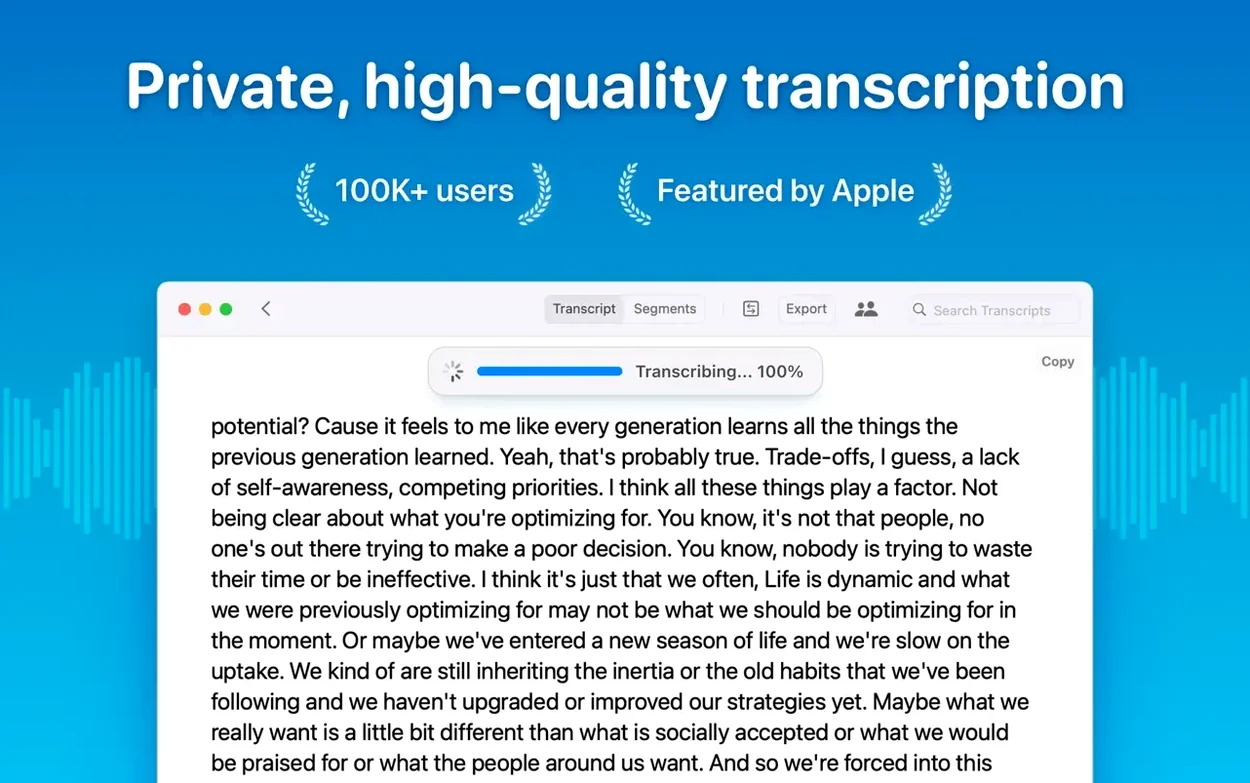
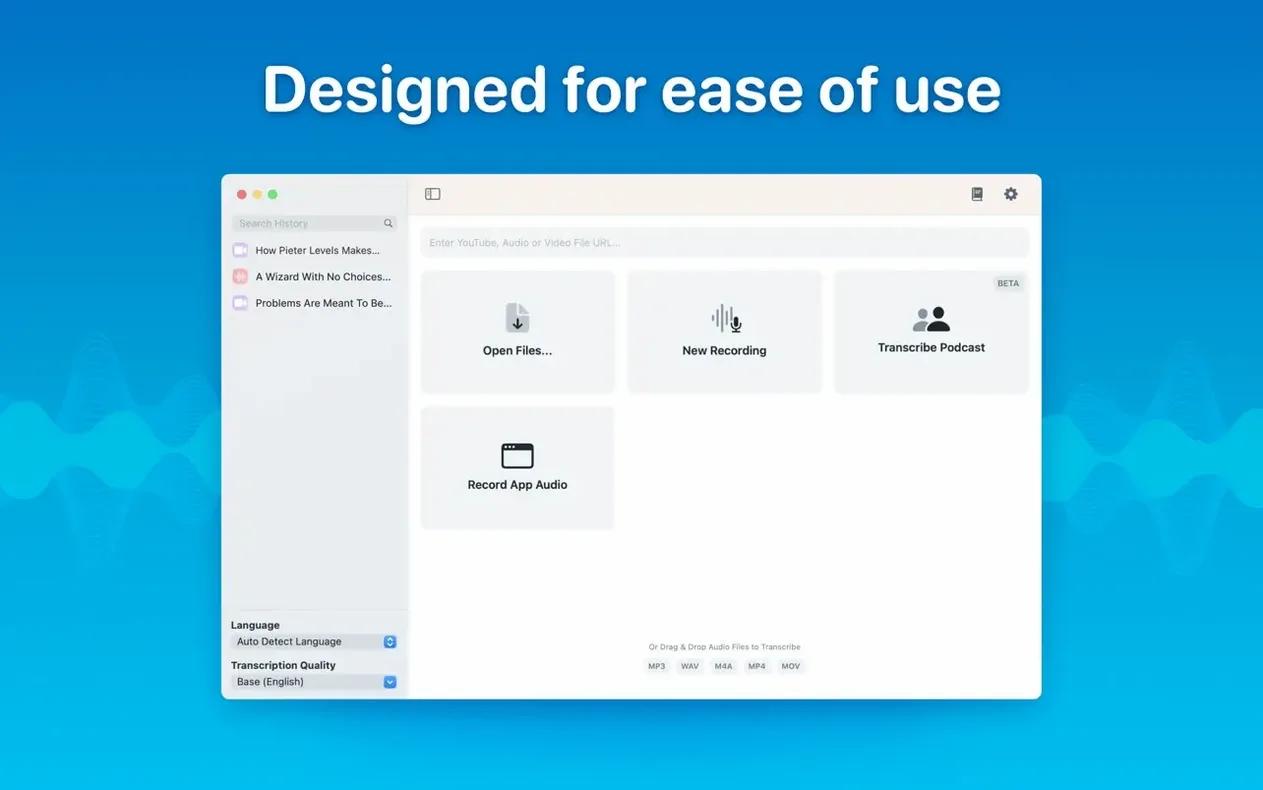
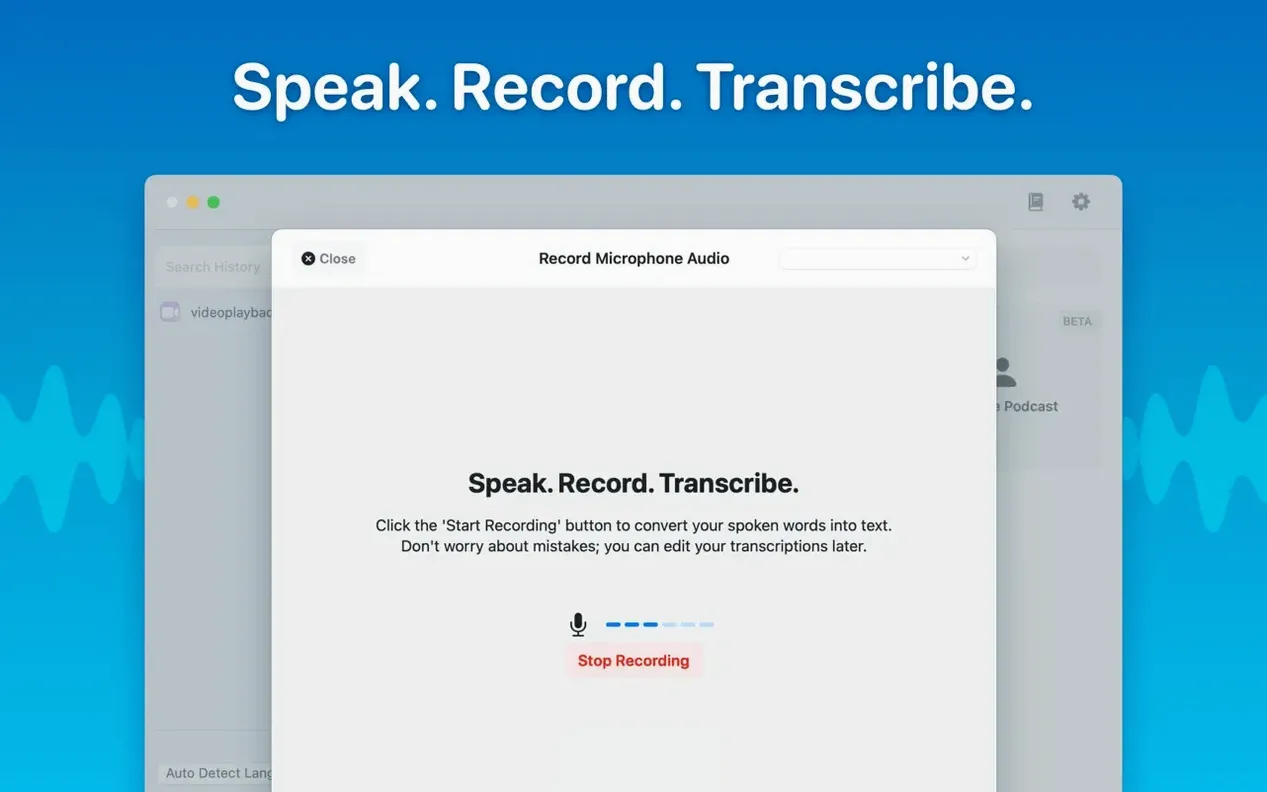
You already know the hassle of sending audio files to a cloud service or waiting for a remote server to finish a transcript. MacWhisper runs everything locally on your Mac, using Whisper speech recognition, so your files never leave your machine. It handles mp3, wav, m4a, mp4, mov, ogg, and opus files — just drag and drop.
Transcribe meetings in real time
Version 15 adds live meeting transcripts, so you can follow a conversation as it happens. Speaker separation keeps voices distinct, which helps with group discussions or interviews.
Edit and organise transcripts
Once the transcription is done, you can edit or delete individual segments and copy selected text or the whole thing. Folders and subfolders keep meeting notes and batch exports tidy.
Export subtitles and podcasts
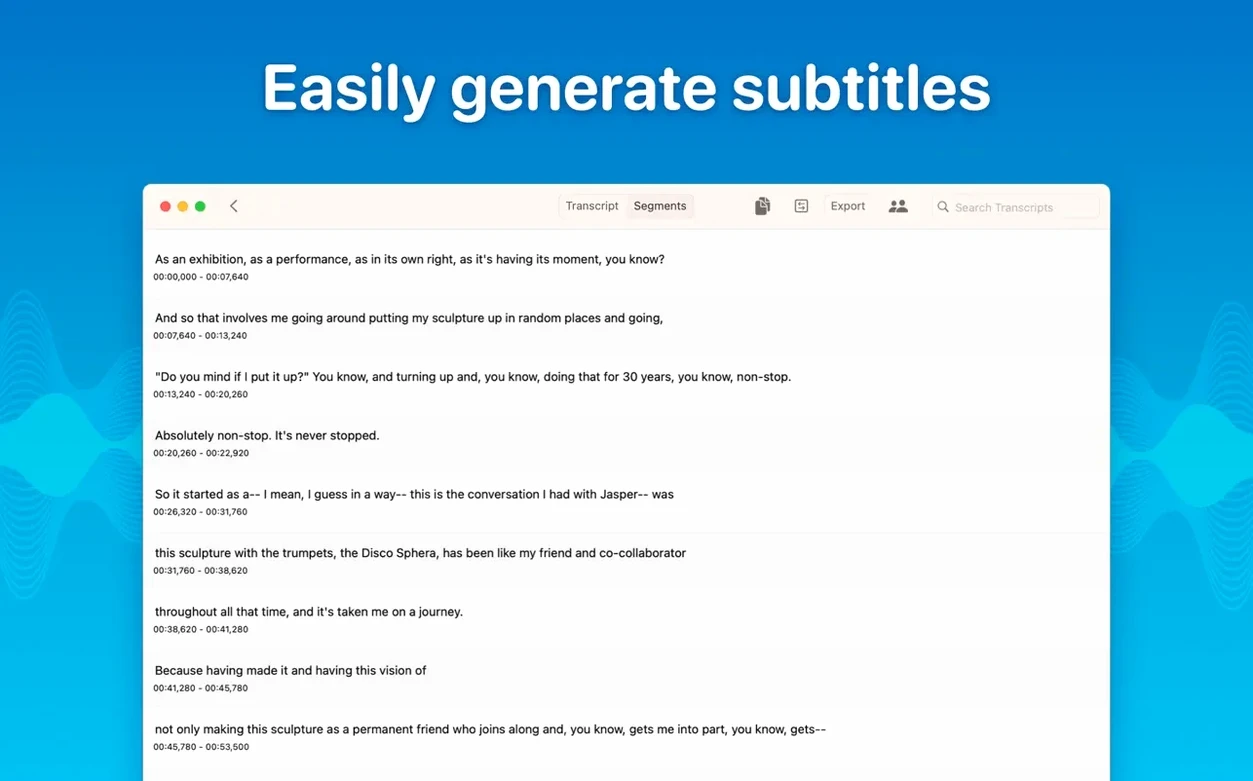
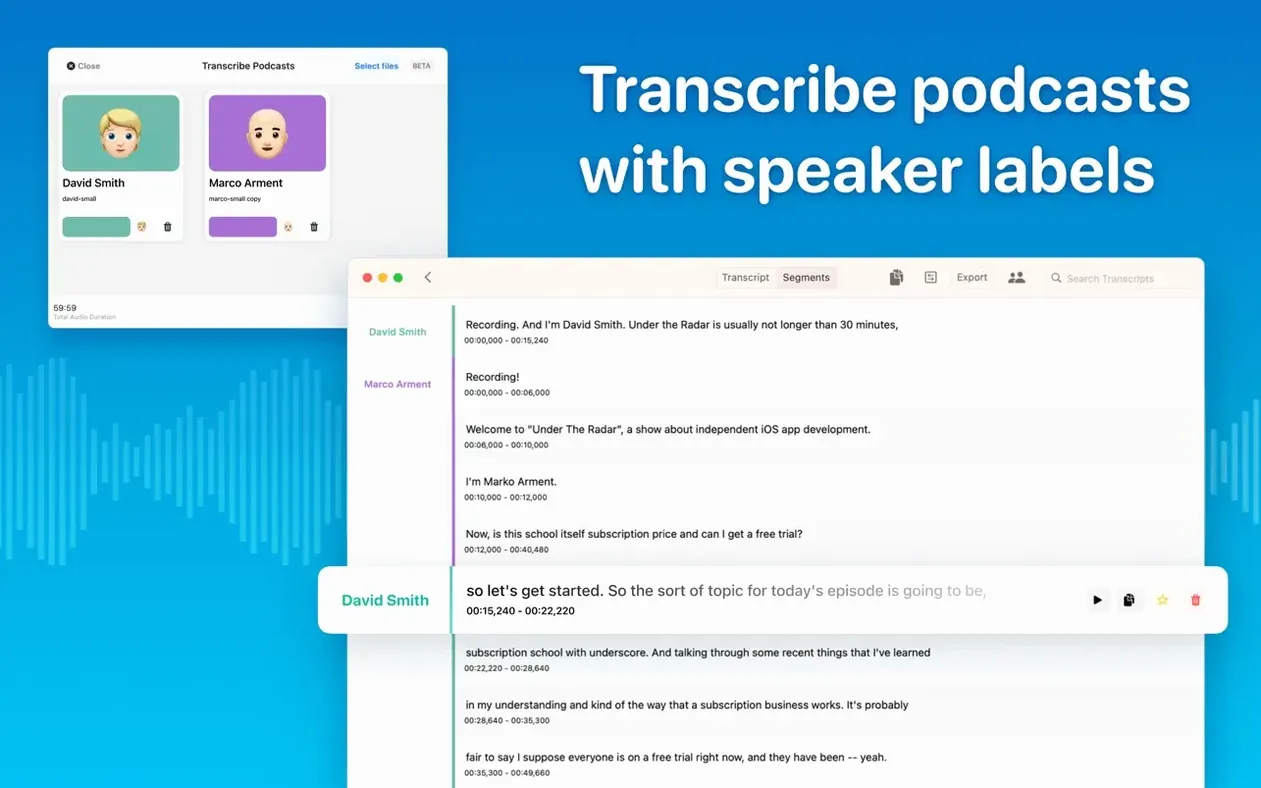
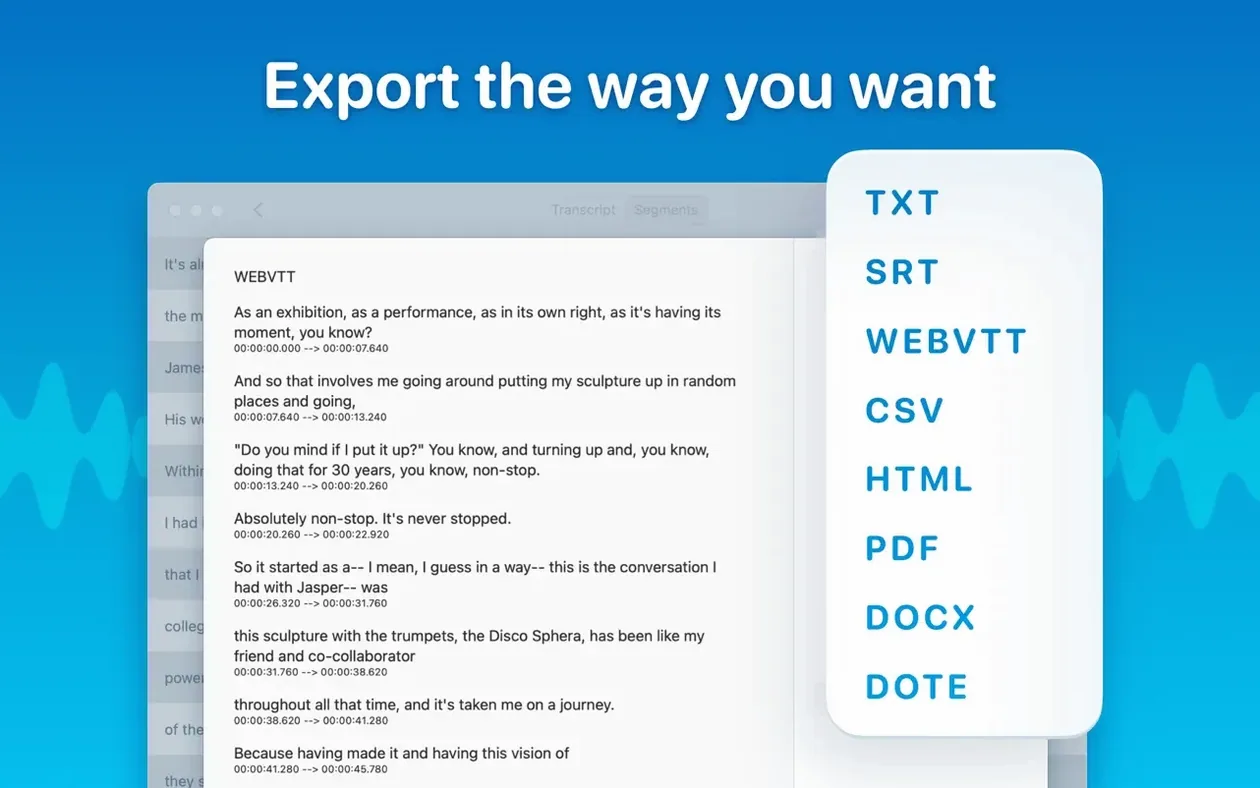
Need subtitles? Export as SRT or VTT. Podcast transcriptions with speaker labels come out clean too. Batch export multiple files at once if you have a backlog.
What people often ask before installing
MacWhisper 15.2 runs on macOS 14 or later, and it supports both ARM and Intel 64-bit machines. That means a 2020 Intel MacBook Air works just as well as an M3 Pro. No cloud account, no internet requirement after the download — the app fetches transcription models from the web the first time you pick one, then stores them locally.
Another frequent question is about languages. The app transcribes audio in 100 languages and can detect which one you are speaking automatically. If you work with multiple languages in the same recording, set the language manually to avoid confusion. The automatic detection is good, but it works best with clean, single-language audio.
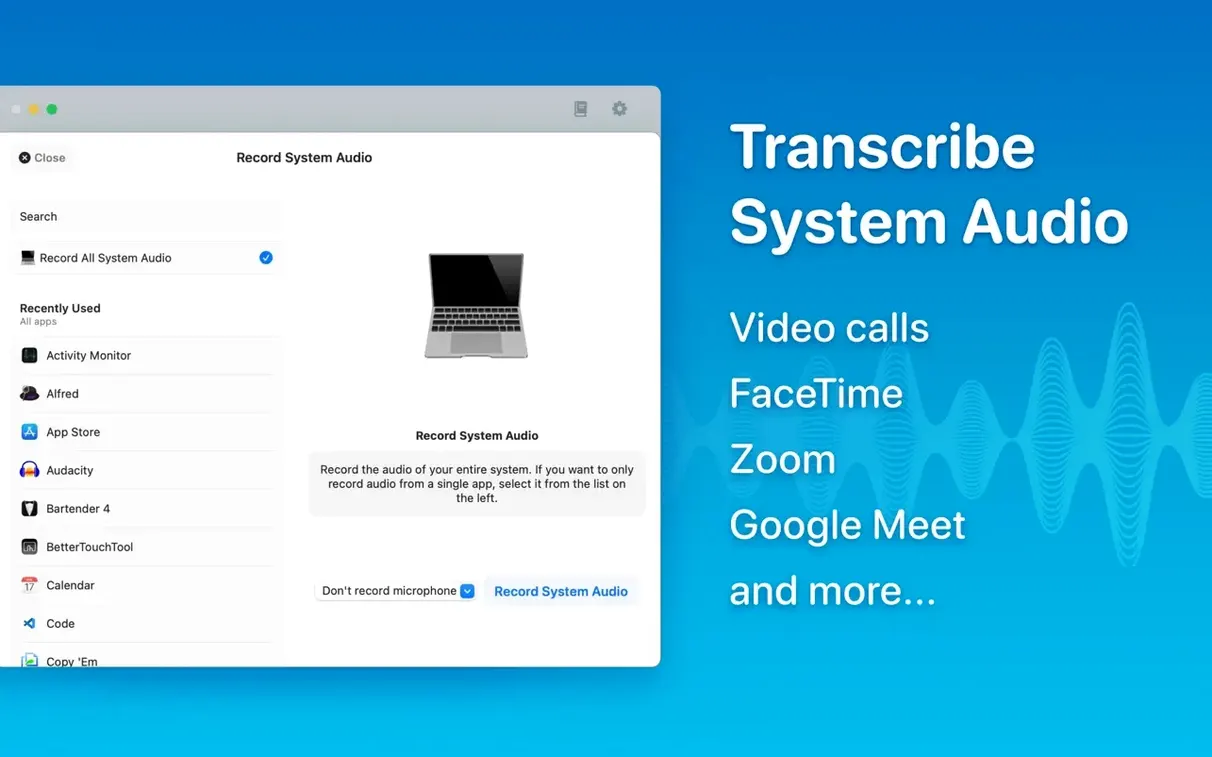
People also ask whether they can transcribe system audio — say, a Zoom call or a YouTube video playing on the same machine. Yes, MacWhisper supports system audio transcription, so you do not need to route cables or install extra drivers.
Speaker separation and batch export save hours
Journalists and podcast editors benefit a lot because speaker separation and batch export save hours of manual work. A typical workflow: drag a folder of interview recordings, pick Large-V3 for accuracy, and come back to labelled transcripts with speaker names ready to paste into a script.
Students who record lectures will appreciate the local processing. No WiFi required, no upload limits, and the app works on a MacBook Air during a commute or in a library basement. The real-time meeting transcripts also help if you take notes in group study sessions.
Writers and researchers who subtitle video content will find the SRT and VTT export useful. You can transcribe a long interview, clean up the text in editing mode, then export subtitles that match the timing. The Word, PDF, and HTML export options give you flexibility for archiving or sharing with collaborators who do not use the app.
Anyone who values privacy — legal professionals, medical staff, or people handling sensitive recordings — will appreciate that audio never leaves the Mac. No server logs, no third-party processing.
Model not found after download? Check RAM requirements
One issue people hit is the app not finding a model after download. If the Local Models list shows empty categories or missing entries, check that your Mac meets the requirements for that model. Large-V3 needs more RAM than Tiny, and on older Intel Macs with 8 GB of memory, you might need to stick with the Base or Small models. Version 15.2.1 improved the way the app checks model compatibility before download, so you should see clearer messages if a model is not supported.
Another snag: transcription seems slow on first use. The first model download can take a few minutes depending on your connection. After that, everything runs locally and subsequent transcriptions are faster. If you plan to transcribe a long file, pick a smaller model like Small or Base for quicker turnaround, or use Large-V3 when accuracy matters more than speed.
Some users report the app crashing when opening the Live Captions language menu on macOS 15. Version 15.2.1 fixed that crash, so make sure you are running the latest build. If you still see issues, try restarting the app or your Mac.
Finally, if you use an M1-series Mac, note that version 15.2.1 removed support for the Qwen3-ASR model on those machines. The other models still work fine, so just choose a different one from the list.
- Improved speaker recognition using a new diarization model.
- Added real-time meeting transcripts.
- Added folders and subfolders for organising transcripts and meetings.
- macOS 14 or later
- Supports ARM and Intel 64-bit Macs
- No activation required
Kit check at a glance
| System | macOS 14 or later |
| Chip | Apple Silicon, Intel 64-bit |
| Download | 75 MB |
| Older pressings | 3 in the crate |






Chat from the booth
Sign in or grab a free account to leave a comment.
Nobody has said a word in the booth yet. If you played a set with this build, tell the next person how it went.