
- Build in the crate
- 3.21
- Made by the team at
- Jordi Bruin
- Menu languages offered
- English
- How you pay for it
- DRM-free
- macOS it plays on
- macOS 12 or later
- CPU it runs on
- Apple Silicon, Intel 64-bit
Screenshots
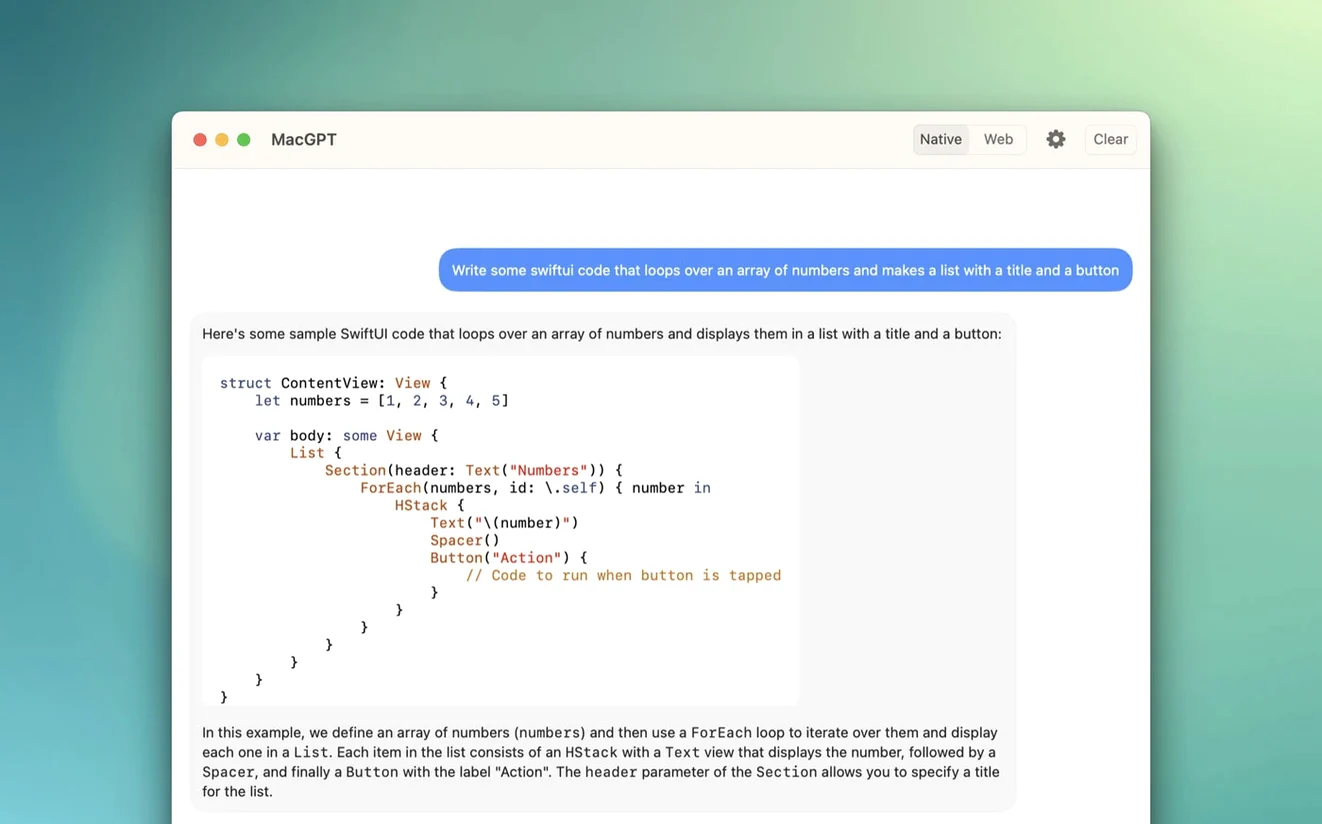
MacGPT is a menu bar app that brings ChatGPT to your Mac without keeping a browser tab open.
Before anything else, check compatibility. You sign in with your OpenAI account or set a custom OpenAI API key, which also gives clearer error messages when something is misconfigured.
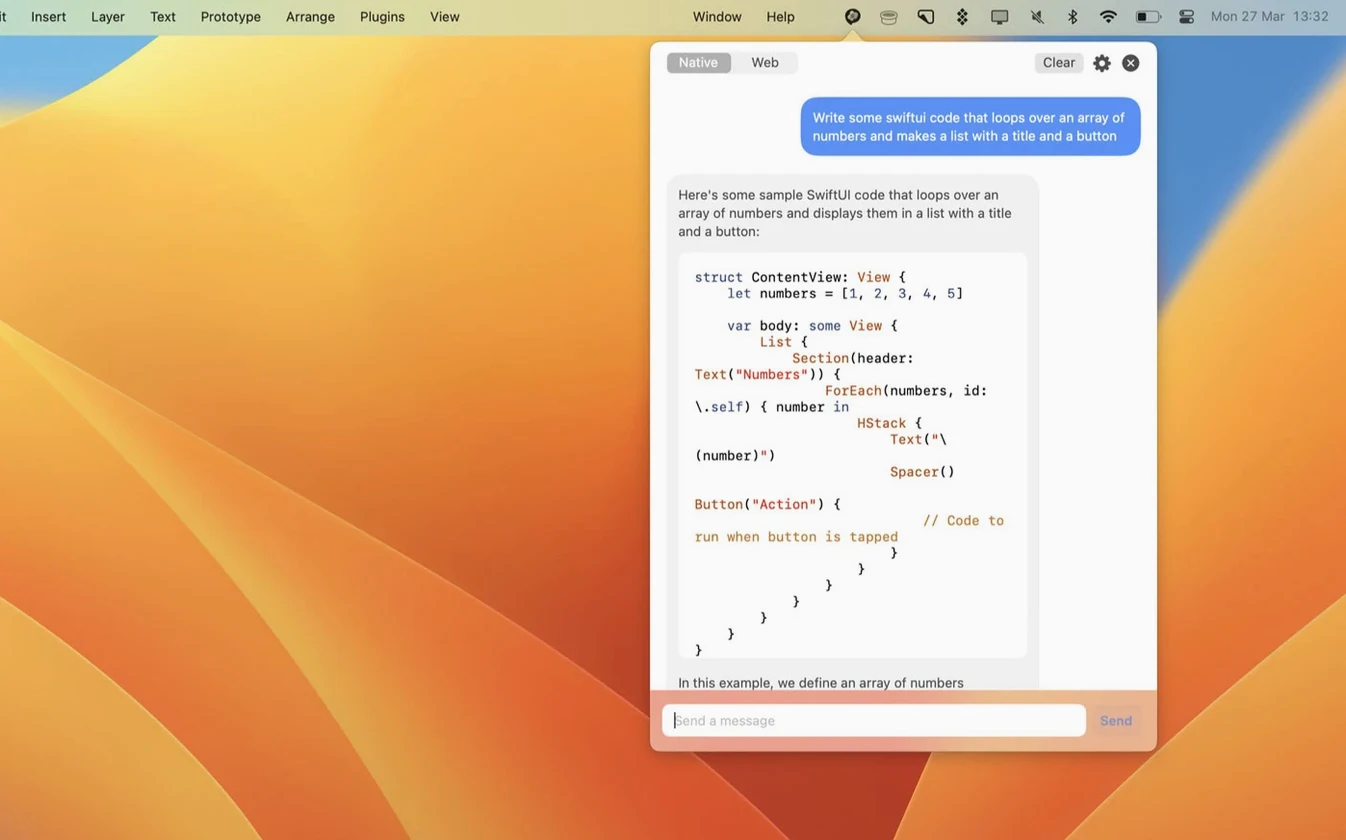
- Quick access from the menu bar, one click away.
- Inline feature to use ChatGPT inside text fields across the system.
- Choose between web mode (through the website) or direct API interaction.
- Version 3.21 adds support for gpt-4o.
If your Mac is on Monterey or newer, MacGPT fits neatly into how you already work. It is the sort of tool you forget is there until you need it, then wonder how you managed without it.
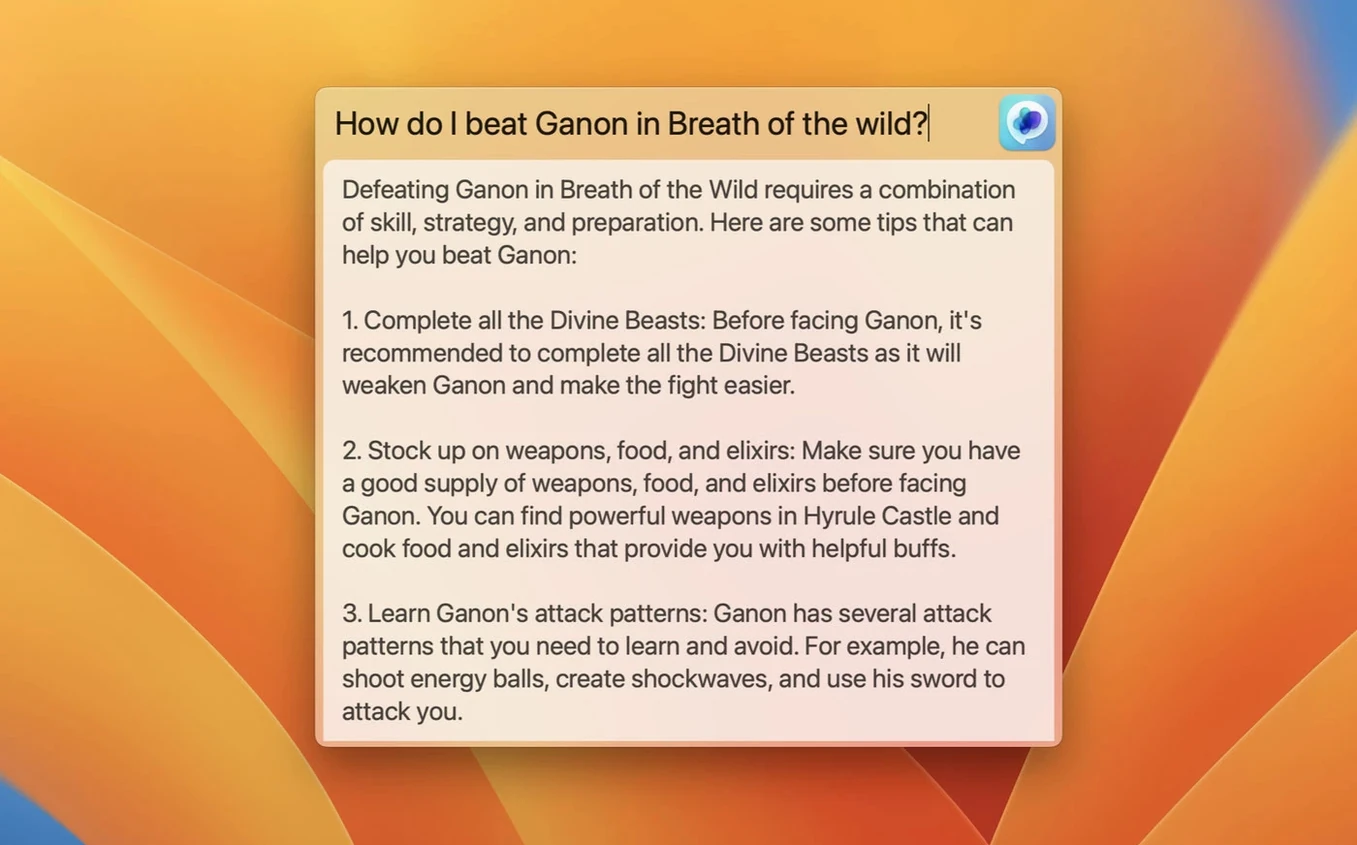
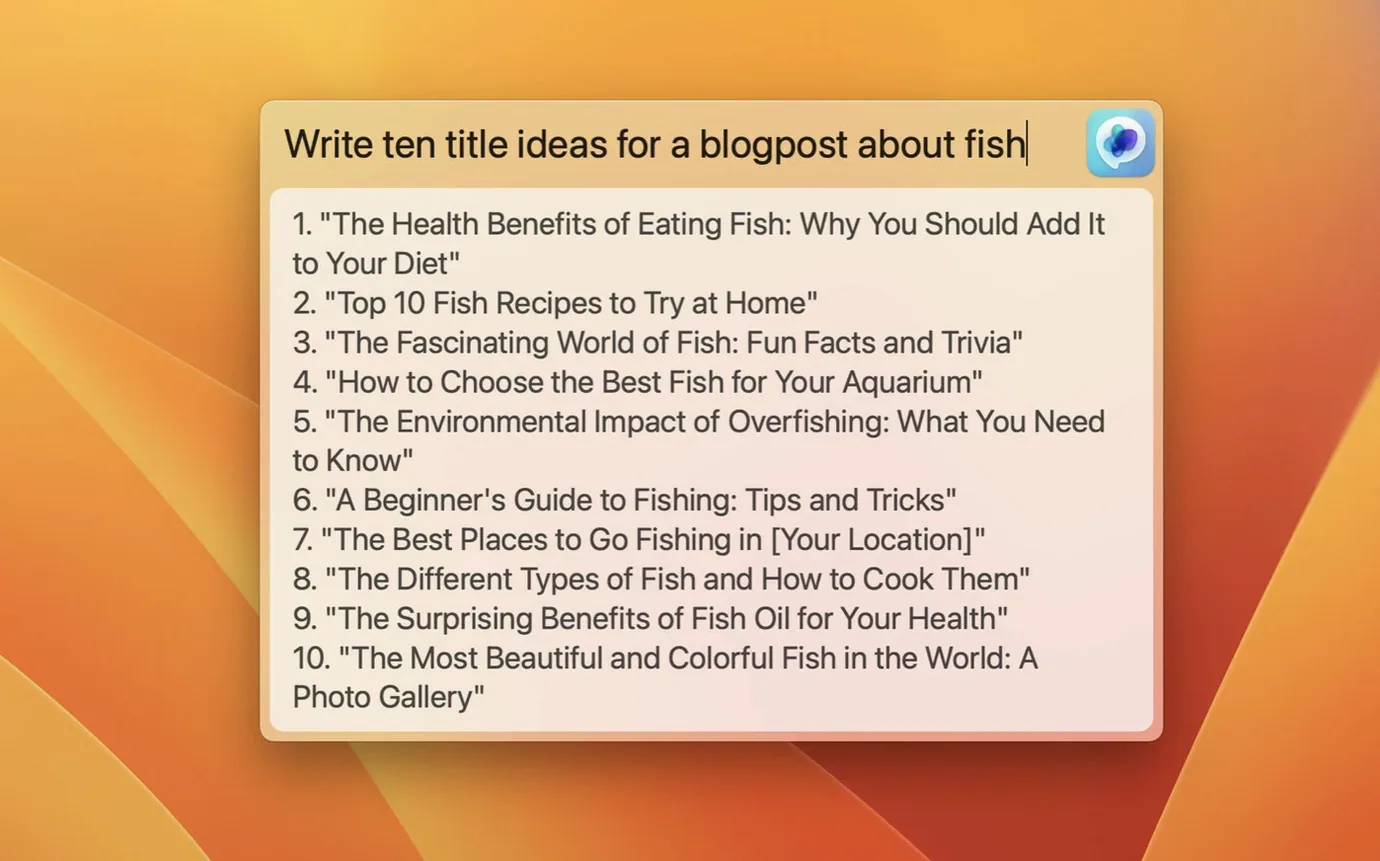
A centered text field that works anywhere on screen
The Global feature is one of those things you do not notice until you use it once. A centred text field appears anywhere on screen, so you can type a question or prompt without switching windows. It feels like a system-level shortcut rather than an app overlay.
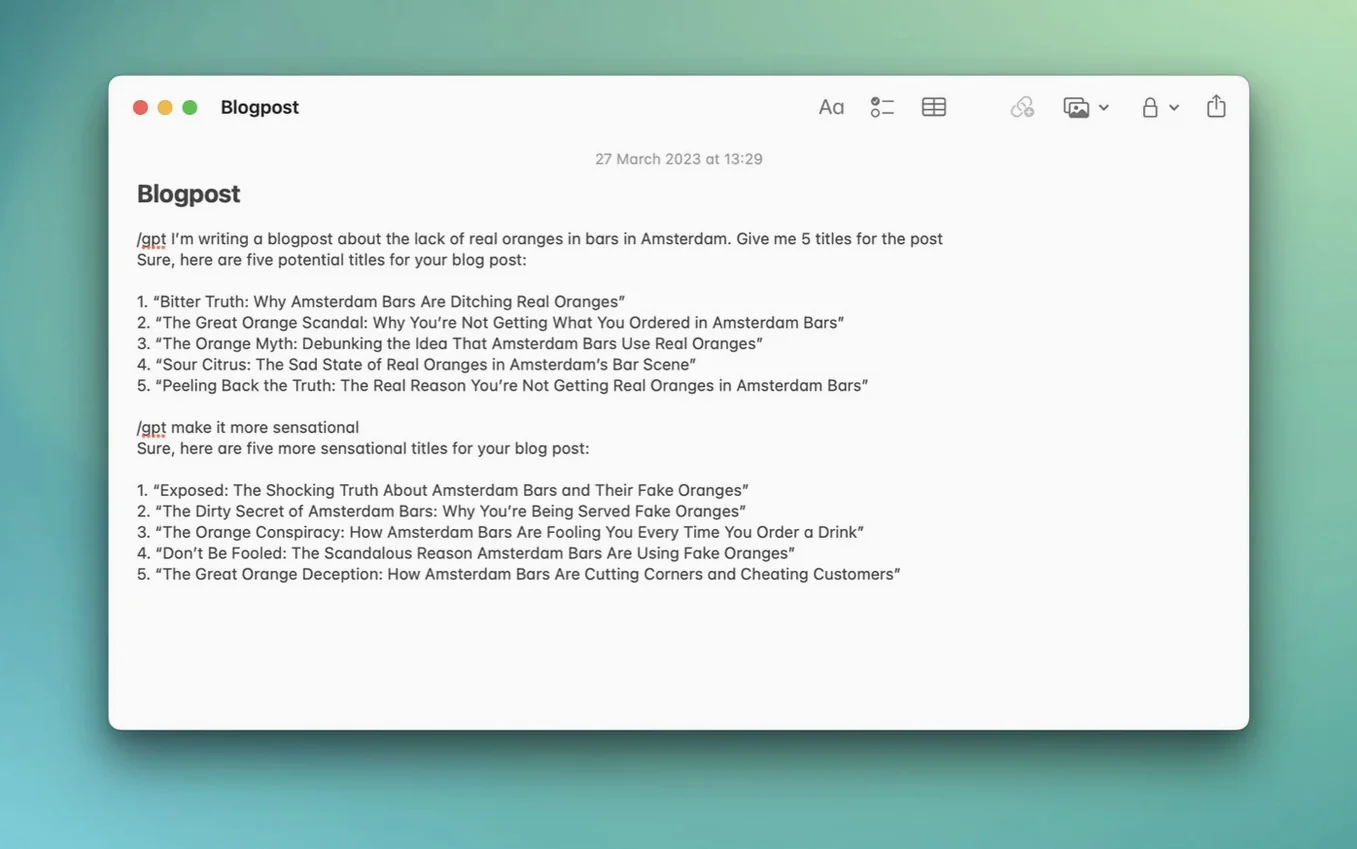
The Inline feature works inside any text field — email compose, notes, a chat app. You trigger it and MacGPT fills in or suggests text based on your prompt. It is not a full rewrite tool, more like a quick assistant that lives inside the field you are already typing in.
Assigning a keyboard shortcut from settings means you never need to click the menu bar icon. Once set, the shortcut pulls up the Global field or the web interface depending on your preference. It is one of those small touches that makes the app feel native to macOS rather than bolted on.
GPT‑4o support through your existing API key
The headline addition in version 3.21 is support for gpt-4o. If you use the API, you can now point MacGPT at the newer model without changing your workflow. The app picks up the model through your existing API key, so there is no extra configuration.
For web mode users, the change is less visible — the underlying ChatGPT service updates automatically on OpenAI's side. But if you switch between web and API modes, having gpt-4o available in both feels consistent. The same model, the same interface, just different backends.
Version 3.21 also refines how the app handles API key errors. If your key is missing or invalid, the error message now tells you clearly instead of failing silently. That saves a few minutes of head-scratching when setting it up for the first time.
One polished official app versus a different approach
MacGPT is not the only ChatGPT client for macOS. A few others try to do similar things, but the approach differs.
ChatGPT for Mac is OpenAI's own desktop app. It is polished and official, but it runs as a standalone window rather than a menu bar utility. MacGPT stays out of the way until you need it, which suits people who want quick access without a full app open.
MacGPT vs MacGPT — wait, that is the same app. Let me rephrase. Compared to MacGPT (no, that is this one). Compared to something like ChatBar or QuickGPT, MacGPT offers both web and API modes. Some alternatives only work with the API, which means you need a key from the start. MacGPT lets you use your OpenAI account through the web interface if you prefer not to deal with API keys.
Another alternative is TypingMind, which is a web-based ChatGPT client that works in a browser. It has more features for power users, but it lacks the system-level Global and Inline features that make MacGPT feel integrated with macOS.
MacGPT sits somewhere between a simple menu bar launcher and a full API client. It does not try to replace the ChatGPT web interface, just makes it faster to reach. For anyone who uses ChatGPT regularly on a Mac, that balance works well.
- Added support for gpt-4o.
- macOS 12 Monterey or later.
- Intel or Apple Silicon.
- OpenAI account credentials or an OpenAI API key.
Kit check at a glance
| System | macOS 12 or later |
| Chip | Apple Silicon, Intel 64-bit |
| Download | 9 MB |
| Older pressings | 3 in the crate |







Chat from the booth
Sign in or grab a free account to leave a comment.
Nobody has said a word in the booth yet. If you played a set with this build, tell the next person how it went.