

- Build in the crate
- 6.9.0
- Made by the team at
- MAMP GmbH
- Menu languages offered
- English
- How you pay for it
- K'ed by TNT team
- macOS it plays on
- macOS 10.12 or later
- CPU it runs on
- Intel 64-bit
Screenshots
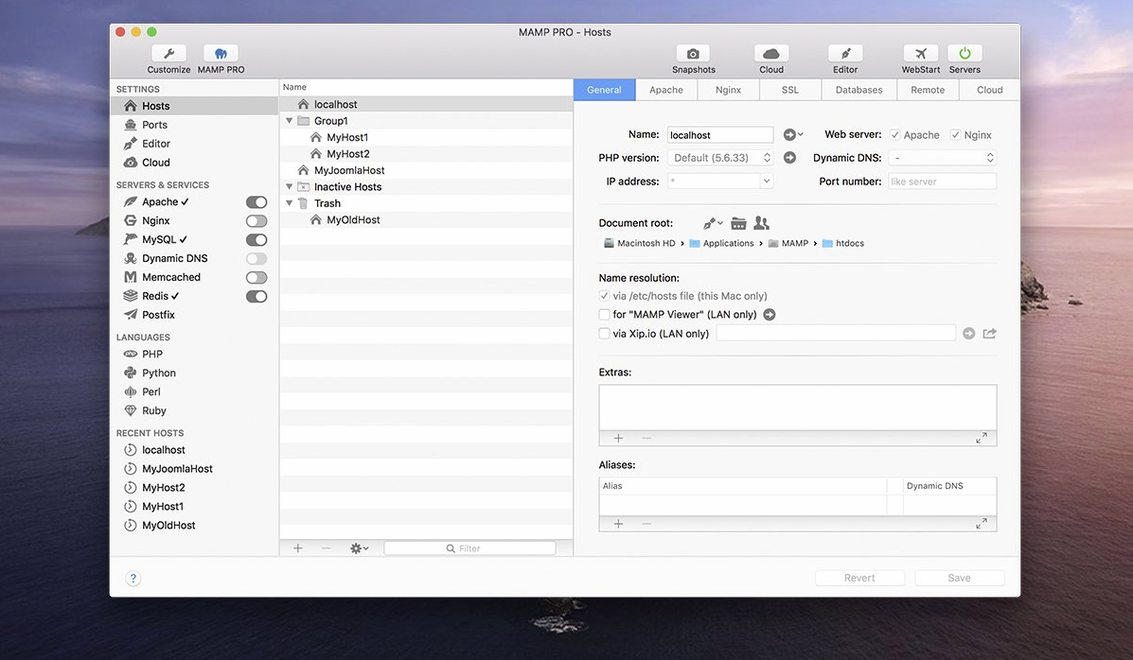
If you already use MAMP to spin up a local web server, MAMP PRO is the front end that turns it into a proper tool. Version 6.9 keeps the familiar stack — Apache or Nginx, MySQL 5.7 and 8.0, Redis, Memcached — and wraps it in a management layer that handles the boring bits.
| Detail | Info |
|---|---|
| Version | 6.9.0 |
| Developer | MAMP GmbH |
| macOS | 10.12 or later (Intel and Apple Silicon) |
| Language | English |
The release notes for 6.9 focus on stability: a crash when editing host-specific server configs is fixed, network issues in the MAMP Cloud feature are sorted, and PHP version installation is smoother. For WordPress users, the host creation dialog is optimised, and you can migrate sites between servers or publish a fresh host straight to a live server. Screenshot capture and host ordering round out the toolkit. It fits next to your code editor and browser as the local server you actually control.
First days with MAMP PRO
When you first open MAMP PRO, resist the urge to dive straight into creating a host. Spend a few minutes poking around the interface so you know where things live. The toolbar is redesigned in 6.9, so even if you used an earlier version, the layout might look different.
Set up a single test host first. Use a simple static HTML page or a basic PHP file that prints phpinfo(). This confirms the stack works — Apache or Nginx serves the page, PHP processes it, MySQL connects — before you throw WordPress or a framework at it. If something breaks later, you know the base is solid.
Check which PHP version MAMP PRO uses by default. The app manages multiple PHP and Python versions, but the default might not match what your projects need. Switch it in the host settings before you start building. Saves you a headache when a site behaves differently on local than on production.
Enable Redis from the start if your project uses object caching. The integration is built in, so you do not need to install it separately. Same for Memcached — tick it on in the services panel and forget about it.
Working on a live client site locally
It is a Tuesday afternoon. I have a client WordPress site that needs a new custom post type and some template tweaks. The site lives on a live server, but I want to work on it locally first.
I open MAMP PRO and start the servers. The stack fires up — Apache, MySQL 5.7, Redis. The green indicators in the toolbar tell me everything is running. I use the host ordering feature to keep this project near the top of my list because I will be switching between it and a Laravel app later.
I could import the WordPress site from the live server, but for this session I just need the theme files and a database export. I create a new host, point the document root at my local copy of the theme, and import the SQL dump through phpMyAdmin 5. Opening phpMyAdmin via alias works smoothly in 6.9 — no more fiddling with paths. The site loads in the browser on localhost:8888.
I edit the PHP files in my code editor, switch back to the browser, reload. The server picks up the changes instantly. When the custom post type works, I take a screenshot through MAMP PRO's capture tool — quick visual note for the client.
Later, I need to check how the site behaves with Nginx instead of Apache. I open the host settings, switch the server type, restart. MAMP PRO keeps the same document root and database, so there is no reconfiguration. I test the rewrite rules, spot a difference, fix it. Session done.
Changing default ports to avoid conflicts
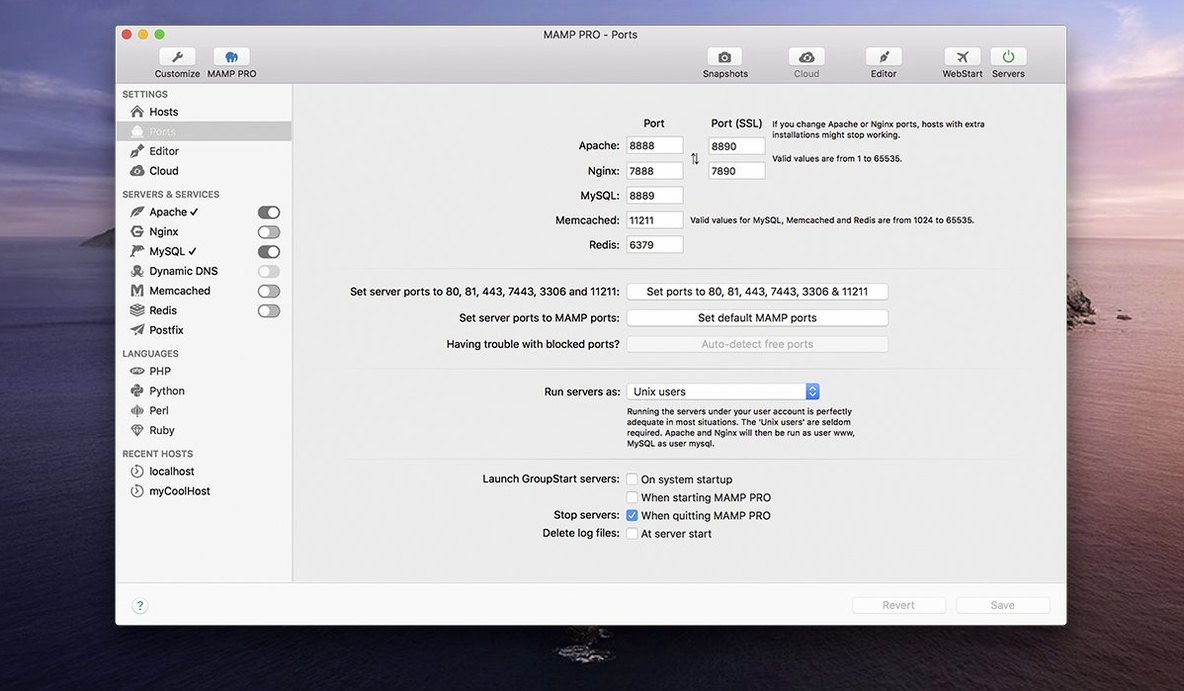
Open the general preferences and look at the ports. MAMP PRO defaults to 8888 for Apache and 8889 for MySQL. If those clash with something else on your machine — Docker, another local server — change them now. The app remembers the ports per host, so you can run different projects on different ports if you need to.
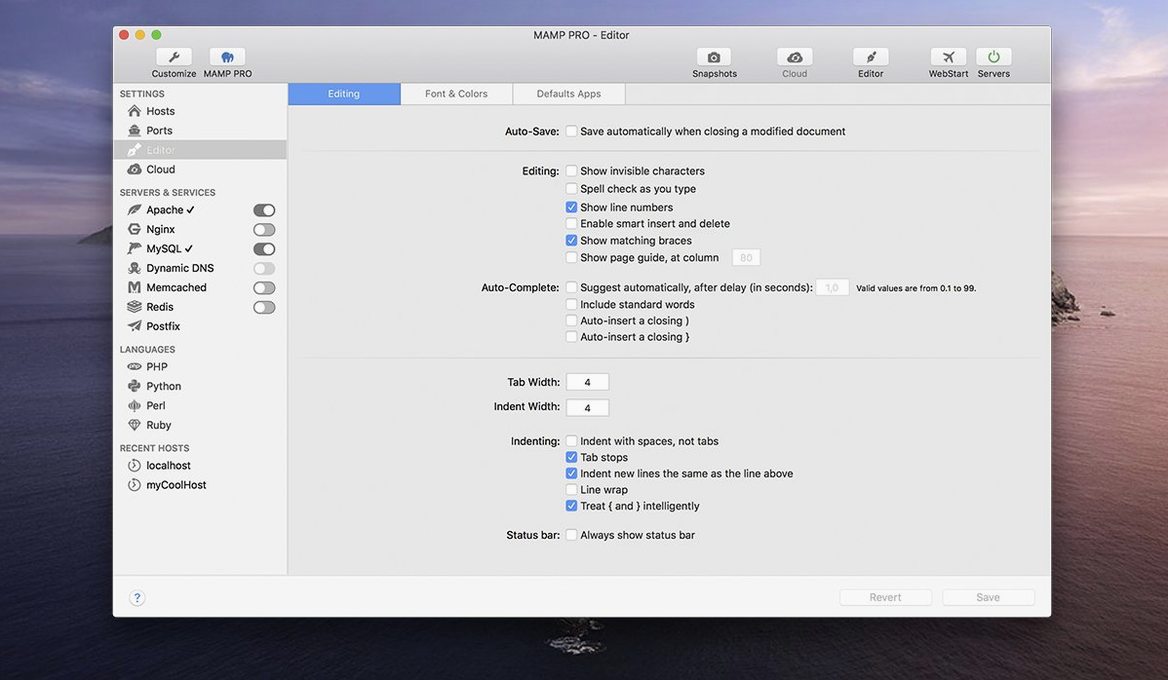
Set a custom document root. The default folder works, but I prefer keeping sites in a dedicated ~/Sites directory. Change it once in the host template so every new host inherits it.
Turn on remote editing if you work with a team or switch between machines. It lets you edit files on the MAMP PRO host from another computer on the network. Useful when you test on a tablet or a second laptop.
Configure the PHP settings per host early. Each host can have its own php.ini — memory limit, upload size, execution time. Set these to match your production server so you catch differences before deploying. The host-specific server config crash that was fixed in 6.9 makes this part more reliable now.
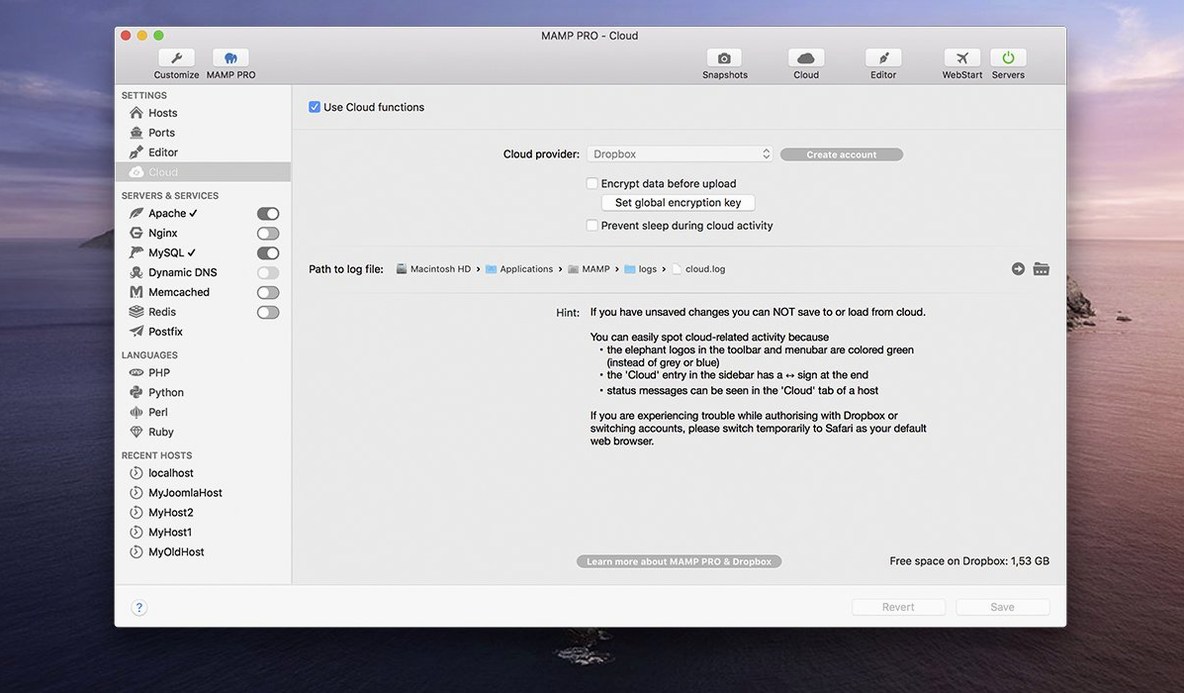
Enable MAMP Cloud if you want your hosts and settings synced between Macs. The network fixes in 6.9 make it less flaky than before. It is not essential for everyone, but if you work on both a MacBook and an iMac, it saves time.
- Fixed a crash when editing host-specific server configurations.
- Fixed several network issues in the MAMP Cloud feature.
- Improved installation of PHP versions.
- Improved opening phpMyAdmin 5 via alias.
- macOS 10.12 or later
- Intel or Apple Silicon
Kit check at a glance
| System | macOS 10.12 or later |
| Chip | Intel 64-bit |
| Download | 472 MB |








Chat from the booth
Sign in or grab a free account to leave a comment.
Nobody has said a word in the booth yet. If you played a set with this build, tell the next person how it went.