
- Build in the crate
- 1.5.5 (13797)
- Made by the team at
- Skylum
- Menu languages offered
- English, German, Spanish, Italian, Chinese (Traditional), Chinese (Simplified), Korean, Dutch, Portuguese, French, Japanese
- How you pay for it
- K'ed by TNT team
- macOS it plays on
- macOS 10.13.6 or later
- CPU it runs on
- Apple Silicon, Intel 64-bit
Screenshots
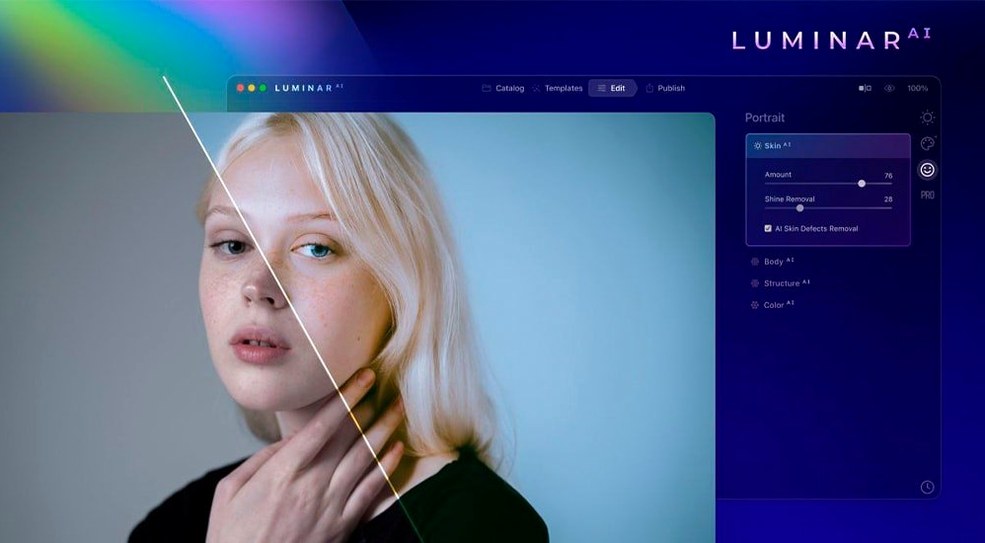
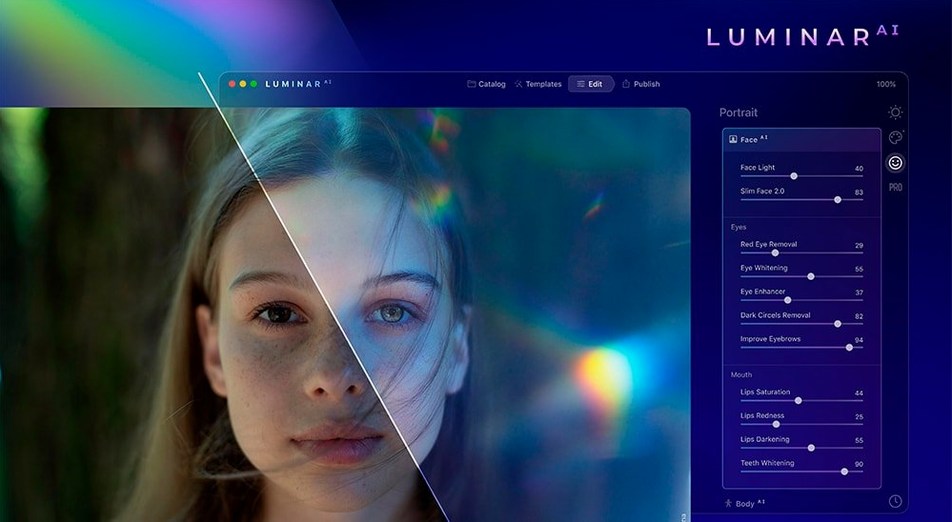
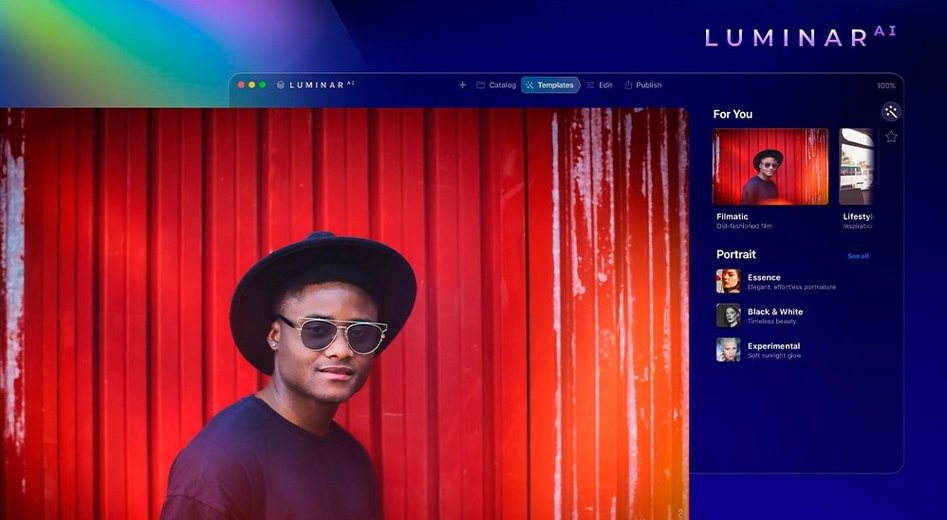

You’ve got a folder of raw shots from last weekend’s gig, and you want to clean them up without spending hours in a full-blown editor. Luminar AI for macOS steps in as a dedicated tool that does the heavy lifting for you.
Fix portraits fast
Face AI adjusts facial features and wipes out dark circles in a couple of clicks. No need to dig through layers or masks — it reads the face and handles the rest.
Swap a dull sky
Sky AI replaces the background sky with something more dramatic. The tool handles reflections and edges, so you don’t have to paint around trees or buildings.
One-slider polish
Accent AI tweaks lighting and colour with a single slider. If you need blur, Bokeh AI simulates background softness. Composition AI crops based on how a frame should balance. It all works as a standalone app or as a plugin for your existing workflow.
Turn off auto-updates and switch to single-image view
Before you start editing, open the preferences and turn off auto-updates if you prefer to stay on this version. The real time-saver is in the interface layout: switch to a single-image view if you usually work on one photo at a time. The default split view works for comparisons, but it eats screen space on a 13-inch laptop.
Under the general tab, check the colour space option. If you shoot in Adobe RGB, make sure Luminar AI uses the same profile — otherwise your exports might look washed out when you share them. The output quality slider defaults to 90 percent. Bump it to 100 if you deliver prints; leave it as is for web use to keep file sizes low.
Portrait photographers cut retouching to fifteen minutes
Portrait photographers will find the most value here. Iris AI, Skin AI and Face AI cut down retouching time so much that a batch of headshots becomes a fifteen-minute job instead of an hour. If you shoot events or weddings, Atmosphere AI lets you add fog or haze to outdoor shots in seconds, which saves you from fiddling with gradient masks.
Mac users who avoid heavy post-processing altogether — casual shooters, social media content creators, family photo keepers — will appreciate that Luminar AI doesn't require learning curves. You open a file, slide a few controls, and export. No layers, no curves, no colour wheels.
It also suits anyone who uses Photoshop or Lightroom as their main editor but wants a plugin for specific tasks. Sky replacement and bokeh simulation are complex in traditional editors; here they are one-click operations.
Over-sliding Accent AI makes skin waxy and skies neon
The most common one is over-sliding. Accent AI at full strength looks unnatural — skin turns waxy, skies become neon. Start at around 30 percent and nudge up until it looks right. The same applies to Structure AI. Crank it to max and every cloud and hair strand gets a harsh halo. A light touch keeps the photo believable.
Another mistake is ignoring the mask tool. Many beginners apply Atmosphere AI or Bokeh AI to the whole image when a subtle gradient mask would keep the subject sharp. Luminar AI includes masking brushes, so take the extra thirty seconds to paint out the effect where you don't need it.
People also forget that Luminar AI can work as a plugin. They open it standalone, edit, export and then manually re-import into Lightroom. Instead, install the plugin version and send photos directly from your main catalog. It keeps your workflow tidy and avoids duplicate files.
Finally, beginners often skip the Templates tab. The built-in looks are a good starting point — apply one, then tweak the individual sliders. It teaches you which adjustments do what without starting from a blank slate.
- macOS 10.13.6 or newer
- Intel or Apple Silicon processor
Kit check at a glance
| System | macOS 10.13.6 or later |
| Chip | Apple Silicon, Intel 64-bit |
| Download | 1.8 GB |
| Older pressings | 1 in the crate |




Chat from the booth
Sign in or grab a free account to leave a comment.
Nobody has said a word in the booth yet. If you played a set with this build, tell the next person how it went.