
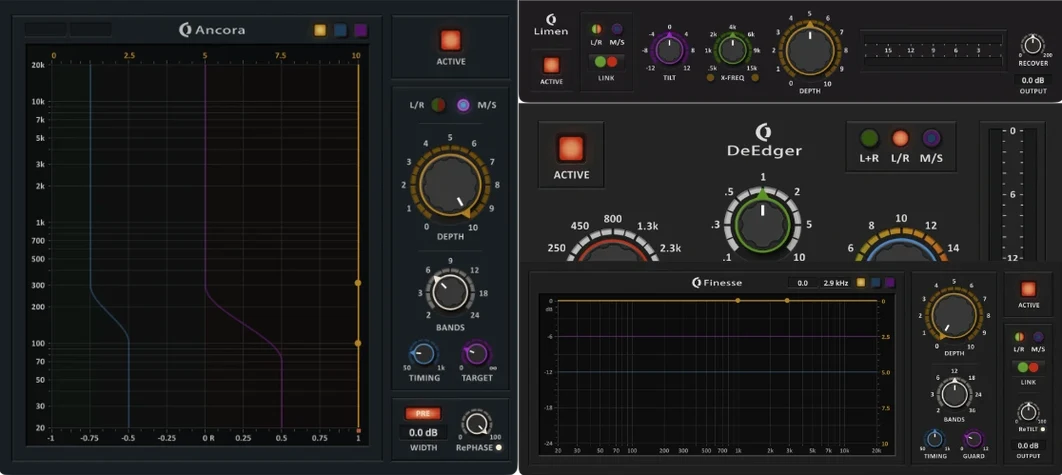
- Build in the crate
- 2026.06
- Made by the team at
- Tokyo Dawn Records
- Menu languages offered
- English
- How you pay for it
- k'ed by GUISEPPE
- macOS it plays on
- macOS 10.13 or later
- CPU it runs on
- Apple Silicon, Intel 64-bit
Screenshots
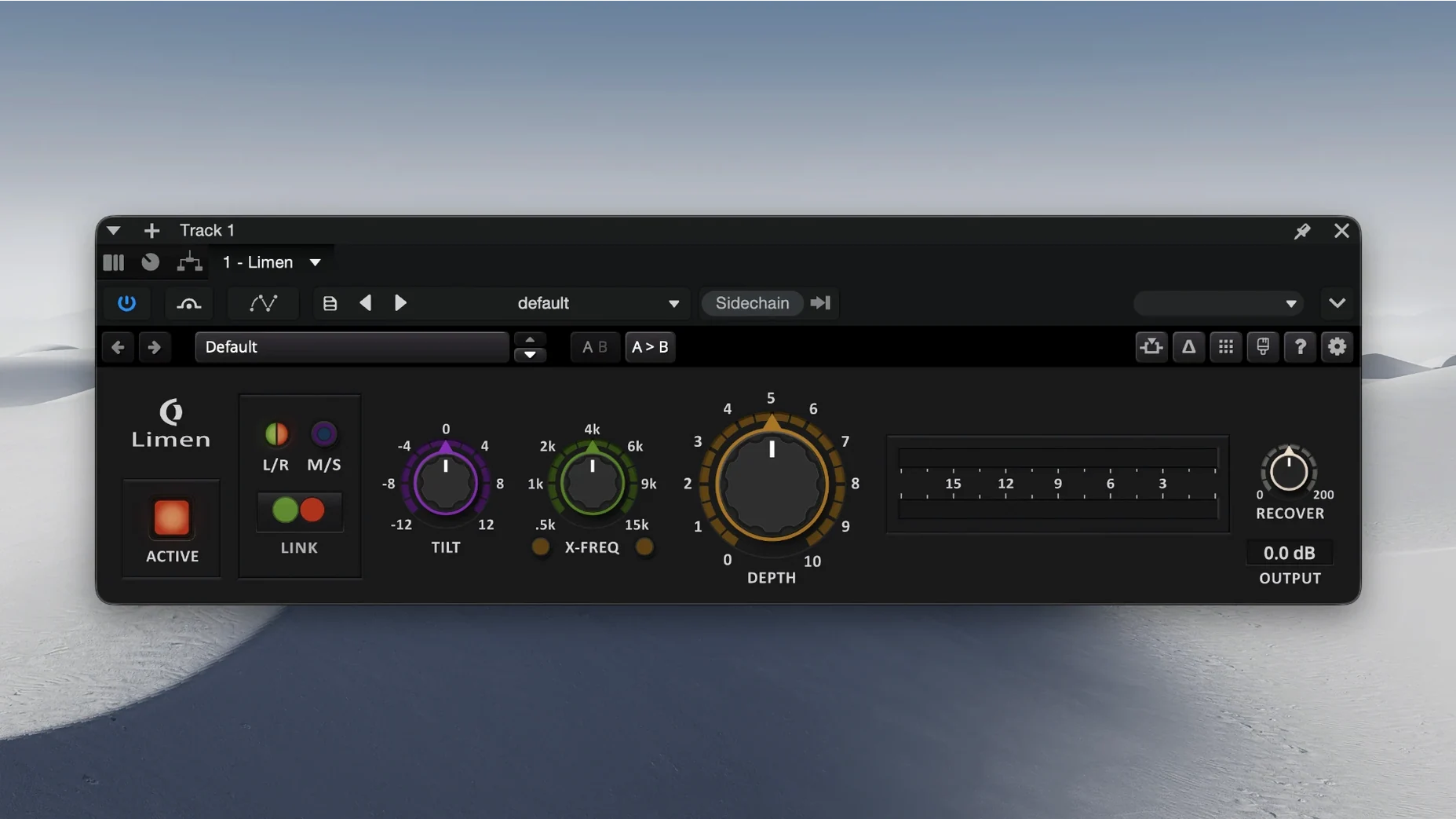
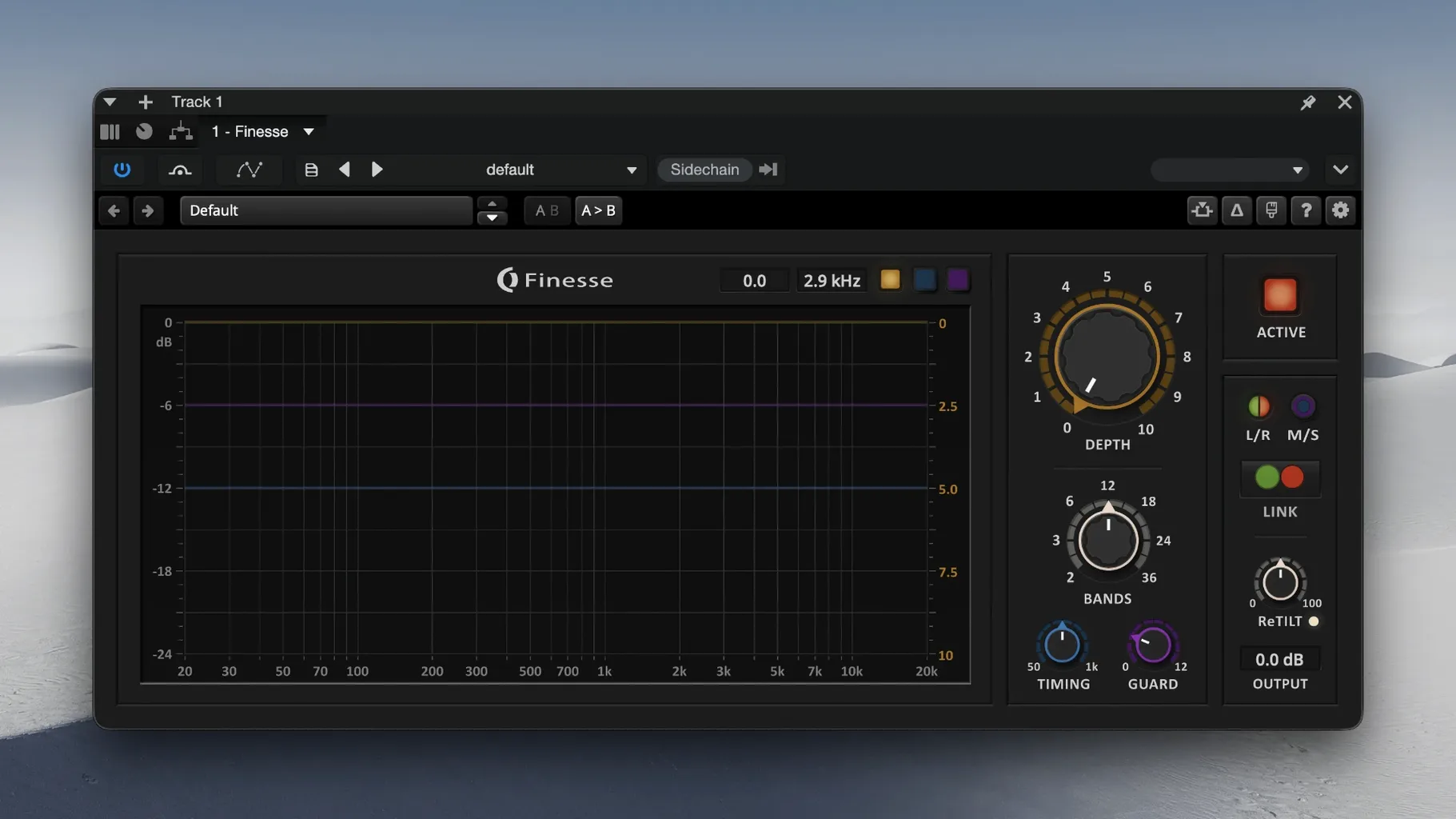
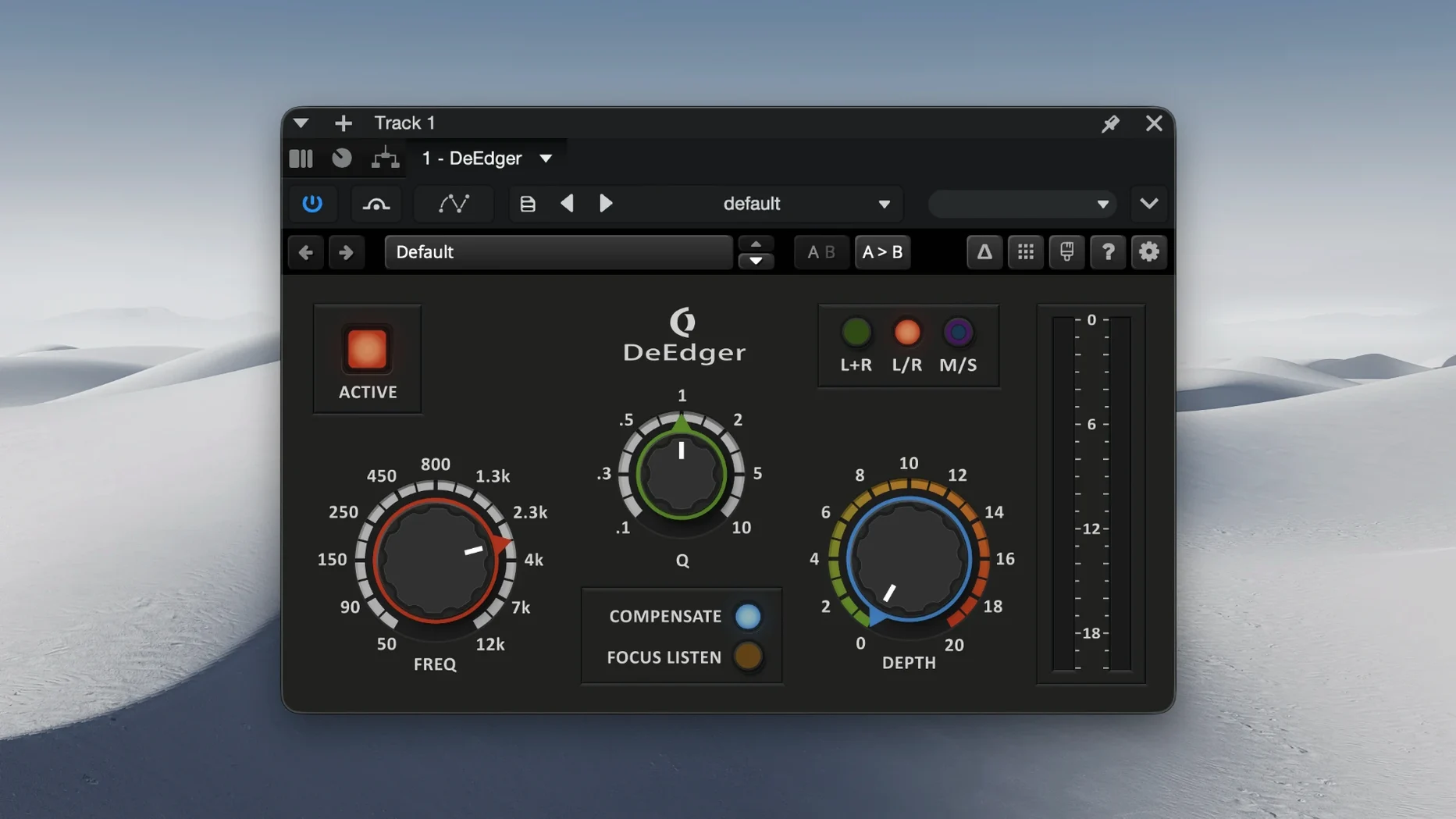
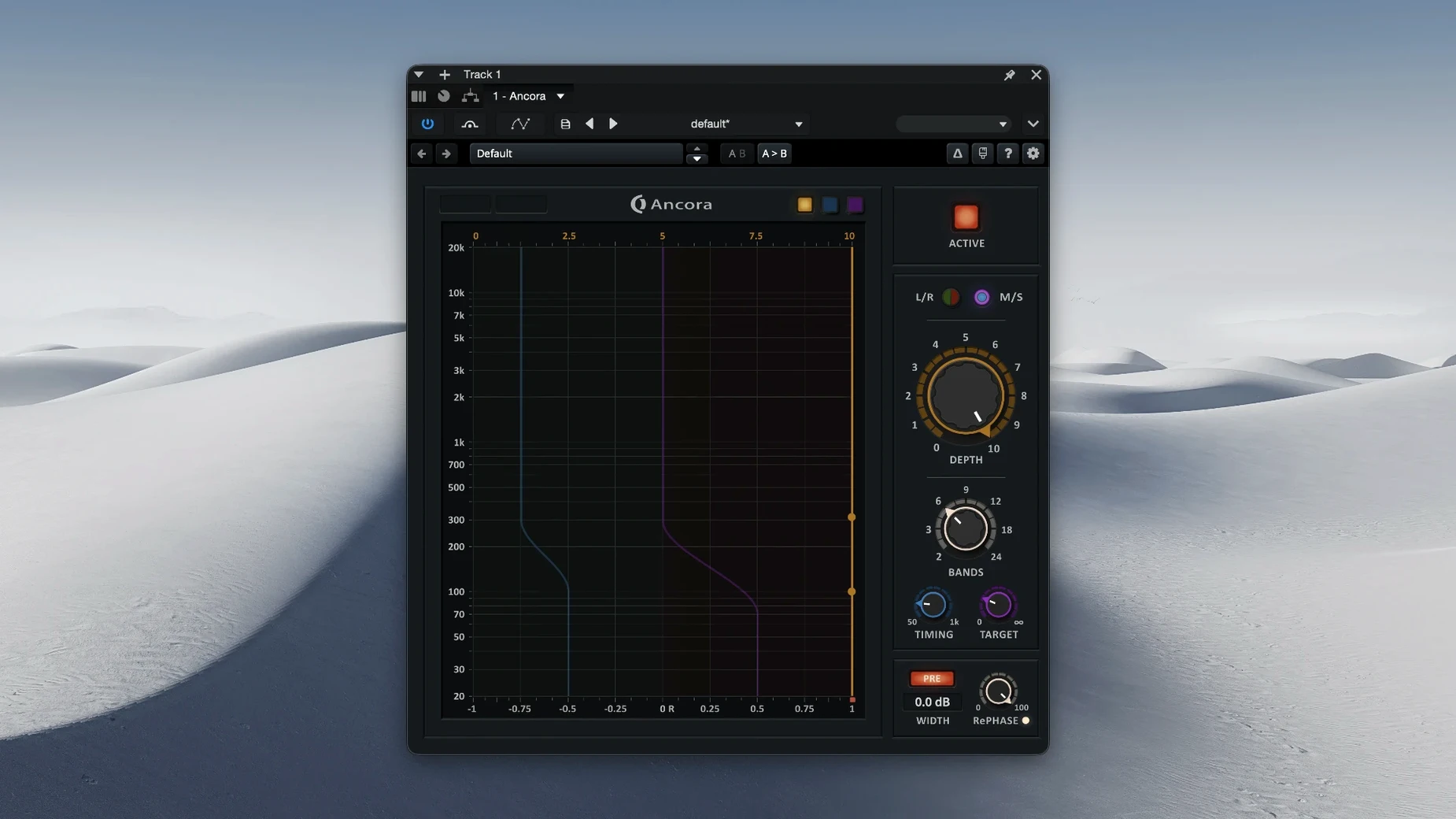
The Tokyo Dawn Records OD Bundle is a collection of four audio processors aimed squarely at mix correction and mastering work.
Here is where it sits in a typical session:
- Track level – insert OD DeEdger on a vocal or guitar to tame harshness without dulling the source signal.
- Bus level – use OD Limen on a drum or instrument bus to keep high-frequency transients under control during heavier processing.
- Stereo field – reach for OD Ancora when a mix needs better mono compatibility before you check it on small speakers.
- Mastering chain – run the tools in sequence to address excess resonances and phase errors that make a mix sound inconsistent across playback devices.
The current version is 2026.06, supports both ARM and x86 64-bit Macs, and the interface is in English. It is surgical rather than creative – you bring it in when a mix has specific problems to solve, not when you want colour.
Over-processing with OD Limen on Everything
It is easy to over-process with a bundle this precise. The most frequent slip is using OD Limen on everything. That plugin works on high-frequency acceleration, not general limiting – putting it on a bus that already has a limiter can stack phase shifts and flatten transients. Start with no more than two instances per session until you know how it behaves on your material.
Another one: treating OD DeEdger like a standard de-esser. It is not a frequency-band compressor. Beginners often sweep for harshness and cut too aggressively, then wonder why the vocal sounds disconnected from the track. The plugin is meant to reduce harshness without altering the original qualities – small gain reductions, not deep cuts.
OD Ancora gets overlooked until mix bus work is nearly finished. That is a mistake. Stereo image correction and mono compatibility should be checked early, ideally after the first rough balance. Leaving it for the mastering stage means you are fixing issues that could have been solved with a simpler pan adjustment or a phase flip on the source track.
OD Finesse is the one people forget exists. When a mix has a resonant spike that a standard EQ cannot catch cleanly, that is where it belongs – not as a substitute for EQ, but as a complementary tool for spectral management.
Native ARM Support for Apple Silicon
Tokyo Dawn Records have not published a detailed changelog for this release, so the visible changes are mostly under the hood. The bundle now fully supports ARM natively alongside x86 64-bit, which means it runs without translation on Apple Silicon Macs. For anyone on an M-series machine, that is the main practical difference – no more Rosetta overhead when you load one of the four plugins in your DAW.
The macOS minimum remains 10.13, so the bundle still covers older systems. No interface redesign or new plugin has been added in this version. The workflow stays the same: load the disk image, run the installer, and import the licence key file from the Premade License Files folder. The installation steps have not changed either.
If you already own the previous version, the update is mostly about compatibility and stability on modern hardware. The four plugins – OD Limen, OD Ancora, OD Finesse, and OD DeEdger – behave exactly as they did before. That is not a complaint. For mixing engineers and mastering engineers, predictable behaviour is worth more than cosmetic changes.
- macOS 10.13 or later
- Intel or Apple Silicon
- Interface language: English
Kit check at a glance
| System | macOS 10.13 or later |
| Chip | Apple Silicon, Intel 64-bit |
| Download | 105 MB |


Chat from the booth
Sign in or grab a free account to leave a comment.
Nobody has said a word in the booth yet. If you played a set with this build, tell the next person how it went.