
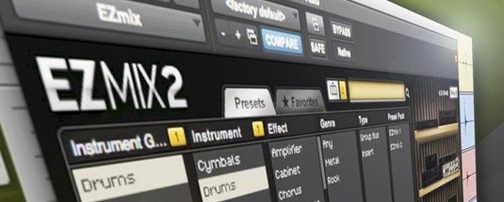
- Build in the crate
- 3.2.2
- Made by the team at
- Toontrack
- Menu languages offered
- English
- How you pay for it
- k'ed by Team V.R
- macOS it plays on
- macOS 10.13 or later
- CPU it runs on
- Apple Silicon, Intel 64-bit
Screenshots
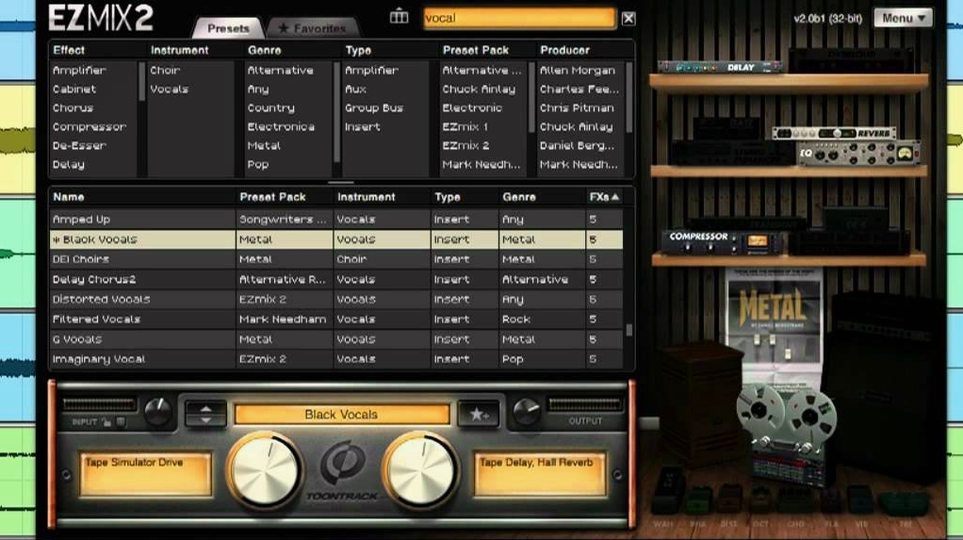
EZmix 3.2.2 now supports EZmix packs released from Q4 2025 onward, so your newer content stays usable. That alone is a good reason to update if you've been on an older build.
EQ, compression, and amp tones per track
- On individual tracks — quick EQ, compression, or amp tones without deep tweaking.
- On buses — glue drums or add width to a mix with mastering-style presets.
- As a standalone host — plug in a guitar, load an amp and cabinet sim, and practise without opening a DAW.
The practical side
It's a mixer, mastering tool, and guitar amp in one plugin. The presets cover reverb, mastering effects, and amp and cabinet simulation, so you can move from fixing a snare to shaping a vocal without reaching for a different tool. EZmix 2 content carries over too, which keeps your existing presets relevant. For a quick ezmix torrent, this is the version to grab — it runs on both Intel and Apple Silicon Macs with macOS 10.13 or later.
Empty presets after moving Toontrack content
A few things trip people up when they first run EZmix 3.2.2. Here's what to watch for.
- Presets don't load or appear empty. The plugin needs the EZmix pack content in the right location. If you moved your Toontrack folder or installed to a non-standard path, check that the packs are inside
~/Documents/Toontrack/EZmix(or wherever your system expects them). Re-scan the library in the plugin's browser if the list stays blank. - No sound from the standalone host. The host won't pick up your interface by default every time. Open the audio settings inside the host panel and confirm the input and output devices match your gear. On Apple Silicon Macs, some USB audio interfaces need the buffer size bumped to 256 or 512 samples before the host plays cleanly.
- Crackling or dropouts during playback. This is usually a buffer issue. Increase the buffer size in your DAW or in the host's preferences. If you're running lots of instances, try freezing or bouncing tracks that already sound right, and keep only the ones you're actively mixing on EZmix.
- Version 3.2.2 won't install. Mount the disk image first, then run the installer from there. If the installer says your macOS is too old, double-check you're on 10.13 or later — older versions won't work. Restart your Mac after installing, especially if you're on an Intel machine.
Workflow: dialling in a vocal in five minutes
Say you've recorded a vocal track that sounds dry and thin. You don't want to route it through three different plugins — you want it sitting in the mix fast.
- Insert EZmix 3.2.2 on the vocal track's first insert slot in your DAW.
- Browse the vocal preset folder. Start with "Vocal Pop Lead" or "Vocal Rock Lead" depending on the song's style. The preset loads EQ, compression, reverb and a touch of saturation in one go.
- Listen to the track in context. If the vocal sounds too bright or too boxy, adjust the high and low EQ bands inside EZmix — the controls are right there, no second window needed.
- If the vocal still sits behind the drums, increase the wet mix on the compression stage a little. The preset's already doing the work; you're just matching it to your specific take.
- Done. You've got a finished vocal channel without opening separate EQs, compressors or reverb plugins. If you need a different flavour later, swap presets mid-session without resetting the whole chain.
Processing plus room simulation in one plugin
Waves Nx. Nx is a room simulation plugin that puts your mix in a treated space or a car stereo. It does one thing well but doesn't touch the actual mix processing. EZmix covers both the processing and the room feel with its mastering presets and reverb algorithms, so you get more tools per instance.
iZotope Neutron. Neutron is an intelligent mixing suite with assistant features that analyse your track and suggest settings. It's powerful for detailed work but has a steeper learning curve. EZmix skips the analysis step — you pick a preset, adjust to taste, and move on. Neutron also costs more in terms of CPU per instance on older Macs.
IK Multimedia T-RackS. T-RackS is a full mastering and mixing bundle with dozens of individual processors. You can build a chain from separate modules. EZmix takes the opposite approach: one instance, one chain, done. For quick results on drums, vocals or a full mix bus, EZmix is faster to set up than dragging in three T-RackS modules and routing them. For deep surgical work, T-RackS gives you more control per processor.
- Support for EZmix packs released from Q4 2025 onward now requires EZmix 3.2.2.
- macOS 10.13 or higher
- Apple Silicon or Intel
Kit check at a glance
| System | macOS 10.13 or later |
| Chip | Apple Silicon, Intel 64-bit |
| Download | 977 MB |
| Older pressings | 4 in the crate |


Chat from the booth
Sign in or grab a free account to leave a comment.
Nobody has said a word in the booth yet. If you played a set with this build, tell the next person how it went.