
- Build in the crate
- 2025.06.16 Fix
- Made by the team at
- Plugin Alliance
- Menu languages offered
- English
- How you pay for it
- K'ed by TEAM HCiSO
- macOS it plays on
- macOS 11 or later
- CPU it runs on
- Apple Silicon, Intel 64-bit
Screenshots
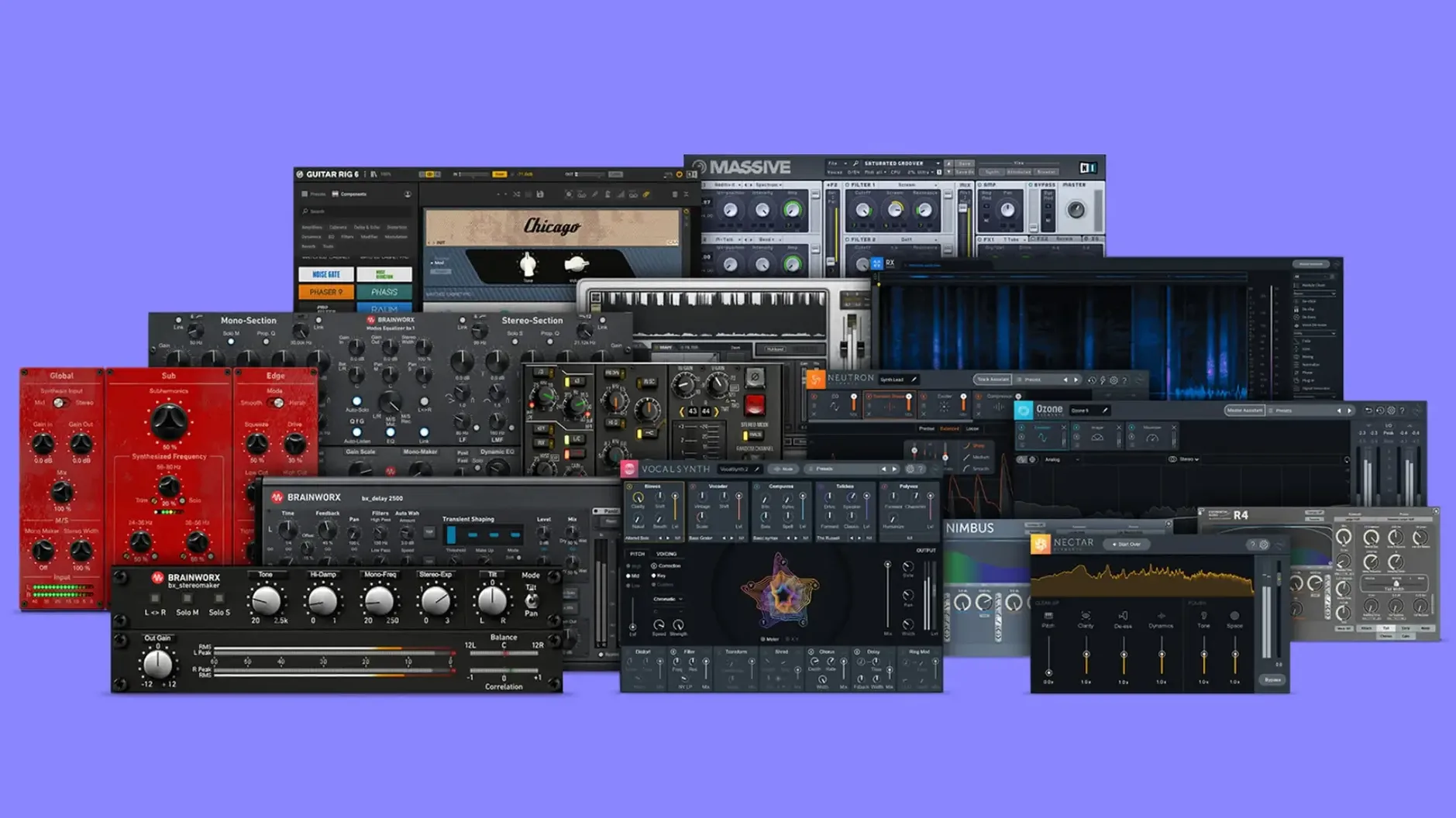
Six plugins from one of Plugin Alliance's founding development partners, in a single bundle. The Brainworx collection covers the chain: bx_digital V3 for shaping, bx_2098 EQ for precision, bx_townhouse Buss Compressor for glue, and bx_masterdesk Pro for the final stage. Guitar work sits in bx_rockrack V3, while bx_console AMEK 200 brings the desk sound.
Six mixing and mastering plugins included
- bx_digital V3
- bx_townhouse Buss Compressor
- bx_rockrack V3
- bx_2098 EQ
- bx_masterdesk Pro
- bx_console AMEK 200
Built for full-track mixing and mastering
This is a mixing and mastering toolkit more than a starter pack. If you work on full tracks rather than loops, the combination of the buss compressor and the console emulation covers the bus work, while bx_masterdesk Pro handles the final polish. The V3 versions of bx_digital and bx_rockrack mean you're getting the current-generation algorithms, not older builds. English interface throughout, and it runs on both Intel and Apple Silicon Macs.
There are a few smaller plugins in the Brainworx Bundle that are easy to overlook if you jump straight to the consoles and the masterdesk. bx_glue is one of them. It is a straightforward buss compressor that does exactly what the name suggests. I often reach for it on a submix when I want something faster than the townhouse Buss Compressor. bx_bassdude is the other one that gets less attention. It models a guitar amp, but it works well on DI bass tracks too. I have used it to add a little grit without losing the low end. And bx_console SSL 4000 E sits alongside the AMEK 200 in the bundle. It gives you a different flavour if you prefer that classic SSL sound for your mix bus or individual channels.
Works in Logic Pro and other major DAWs
The bundle uses the standard Plugin Alliance installer. Once the plugins are in your components and VST3 folders, they show up in any DAW that scans those locations. I use Logic Pro, but they also appear in Ableton Live, Cubase, Pro Tools and Reaper without extra steps. The plugins support both AU and VST3 formats, so you are covered regardless of your host.
On macOS, the plugins respect the system audio routing. You can use them with Audio Hijack or Loopback for processing outside your DAW, though I mostly keep them inside Logic. The installer handles the architecture detection automatically. If you are on an Apple Silicon Mac, it places the native versions. If you are still on Intel, it installs the x86 builds. No manual selection needed.
One thing to note is that the bundle does not include a standalone app. These are strictly plugins, so you need a host application to run them. That is standard for this kind of product, but worth mentioning if you are new to plugin bundles.
More focused than Waves SSL or other Mac bundles
The Brainworx Bundle sits in a specific space. It is not the largest collection, but the plugins are focused on mixing and mastering. Here is how it compares with two other options for Mac users.
Waves SSL Bundle. Waves has a set of SSL-style plugins that cover similar ground. The Waves versions are lighter on CPU, but they require the Waves Central app for installation and updates. The Brainworx plugins feel more detailed in the saturation and the console emulation. The SSL 4000 E in this bundle has a different character to the Waves equivalent. Both are valid, but the Brainworx versions tend to be preferred for mix bus work by many engineers.
Softube Console 1. Softube's system is tied to hardware or a software channel strip. It is a different workflow. The Brainworx Bundle gives you individual plugins that you can use on any track, not just a single channel strip. Softube sounds excellent, but the flexibility of the bx bundle is greater if you want to use different processors on different tracks.
If you already have a collection of Waves or Universal Audio plugins, the Brainworx Bundle adds the specific console emulations and the masterdesk Pro that are not available elsewhere. If you are starting fresh, this bundle gives you a complete chain from EQ to master bus.
Rock chain from console emulation to masterdesk
I use this bundle regularly for rock and indie mixes. Here is a typical chain from start to finish.
Start with bx_console AMEK 200 on each channel. I insert it on the first slot. The EQ section shapes the tone, and the saturation adds a little harmonic content. I usually leave the drive at zero and adjust the input trim until the meters sit around -6 dB. This gives me a consistent level across all tracks before I touch the faders.
On the drum bus, I insert bx_townhouse Buss Compressor. I set the ratio to 4:1 and the attack to medium. The release follows the tempo of the track. The mix knob lets me blend the compressed signal with the dry signal, which helps keep the transients intact. I aim for about 2 dB of gain reduction on the loudest hits.
The bass gets bx_bassdude. I use the clean channel with the drive at about 40%. It adds a slight crunch that helps the bass cut through without overpowering the kick. The EQ section on the amp is simple, so I do most of the shaping before this plugin with a standard EQ.
For the guitars, I use bx_rockrack V3. It has multiple amp models and cab sims. I pick a model that matches the song. The dual-amp feature lets me blend two sounds. I often use a clean amp for the body and a distorted amp for the edge. The built-in effects are useful for adding a little reverb or delay before the track hits the bus.
On the mix bus, I insert bx_console SSL 4000 E. It gives the whole mix a cohesive sound. I adjust the input gain so the bus is hitting around -3 dB. The compressor on the bus is set to a slow attack and fast release, with the ratio at 2:1. This adds a subtle glue without pumping.
Finally, bx_masterdesk Pro goes on the master fader. I use the EQ to shape the overall balance, then the compressor for a touch of final limiting. The limiter at the end catches any peaks. I keep the ceiling at -0.5 dB to avoid intersample peaks.
This chain covers the entire mix from individual tracks to the final master, using only the plugins in this bundle. It is a fast workflow because everything is already installed and compatible.
Start by lowering AMEK 200 input trim to -6 dB
When you open these plugins for the first time, a few default settings are worth adjusting to suit your workflow.
In bx_console AMEK 200, the input trim is set to 0 dB by default. I recommend lowering it to -6 dB to leave headroom for the EQ boosts. The output trim can stay at 0 dB. This prevents clipping later in the chain.
This preserves the original transients and gives a more natural sound.
In bx_masterdesk Pro, the output ceiling defaults to -0.3 dB. I change it to -0.5 dB to be safer with intersample peaks. The limiter release can be set to auto if you are working on a mix with varied dynamics. Manual release is better for steady material like electronic music.
In bx_rockrack V3, the cab sim section defaults to a closed-back cabinet. For a brighter guitar tone, switch to an open-back cab. The room mic level is set to zero by default.
These adjustments take a few seconds and make the plugins sound more natural in most mixes. Once you have set them, you can save them as your own presets for future sessions.
- macOS 11 or later
- Intel or Apple Silicon
- English interface
Kit check at a glance
| System | macOS 11 or later |
| Chip | Apple Silicon, Intel 64-bit |
| Download | 2.1 GB |
| Older pressings | 2 in the crate |






Chat from the booth
Sign in or grab a free account to leave a comment.
Nobody has said a word in the booth yet. If you played a set with this build, tell the next person how it went.