

- Build in the crate
- 1.2.1
- Made by the team at
- Output
- Menu languages offered
- English
- How you pay for it
- K'ed by MORiA
- CPU it runs on
- Apple Silicon, Intel 64-bit
Screenshots
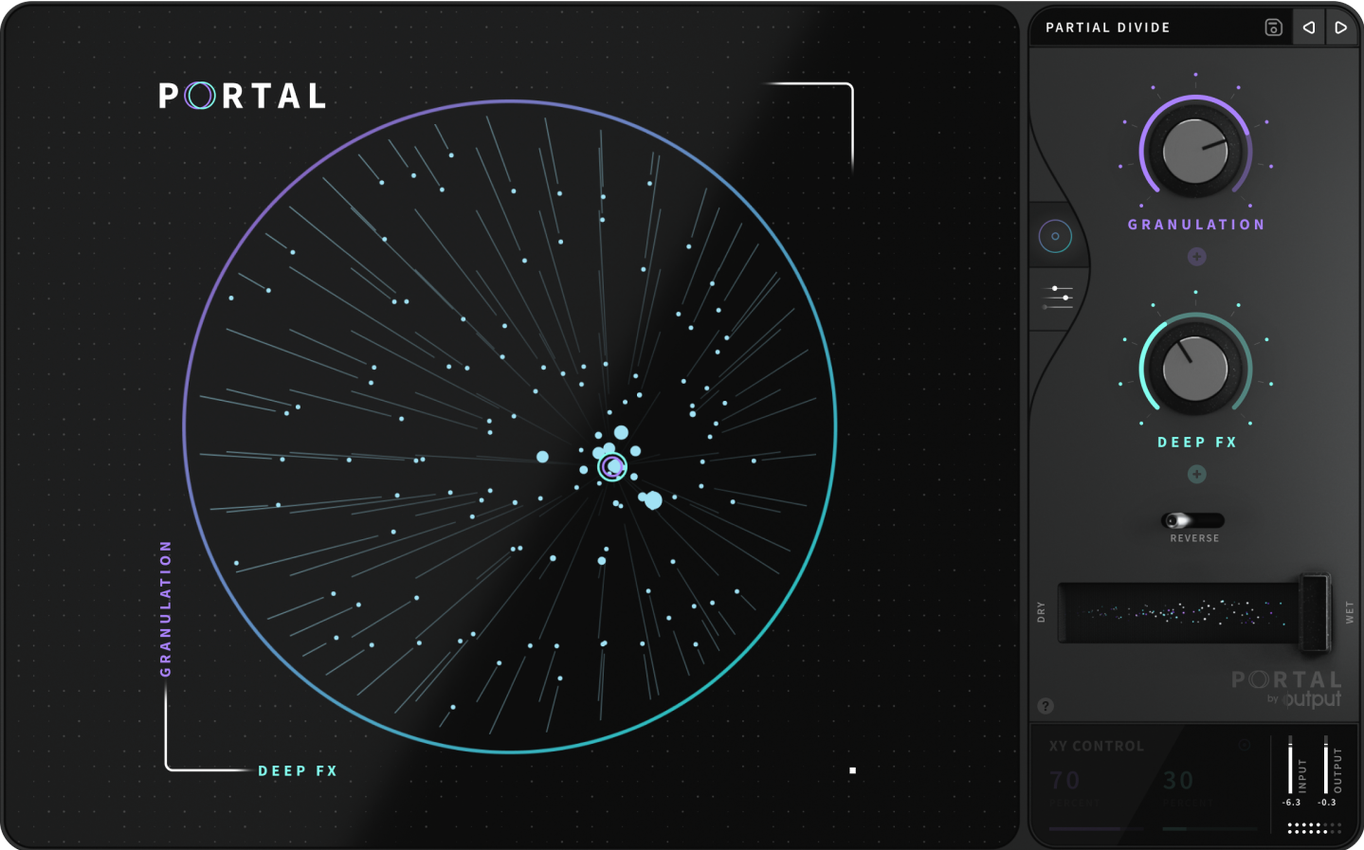
Output Portal works on both Intel and Apple Silicon Macs, so it runs on any recent MacBook or Mac desktop without fuss. It’s a granular effects plugin that re-synthesises your input — vocals, guitars, drum loops, even other VSTs — to keep the original character while twisting it into something new.
- Drop a vocal or synth loop onto Portal and dial the Grain Size knob right down. You’ll hear the sound break into tiny fragments, like a stutter that still feels musical.
- Use the Pitch control without changing the tempo. Great for adding a dark or bright layer underneath a drum beat.
- Map the Envelope follower to a parameter like Density. Portal will react to how hard you play — loud hits scatter more grains, quiet parts smooth out.
- Try the Freeze button on a reverb tail or pad. It grabs a slice and holds it, letting you layer other sounds over the top.
- Route a live guitar or mic through Portal and play with the Synchronisation mode. The grains lock to your session tempo, so effects stay in time.
Start with those five moves. Portal rewards experimentation, and once you hear what it does to a simple loop, you’ll want to patch it into everything.
loads as AU, VST3, or AAX in any DAW
Portal sits comfortably inside your existing workflow. It loads as a standard AU, VST3 or AAX plugin, so it appears in Logic Pro, Ableton Live, FL Studio, Pro Tools and most other DAWs without any extra steps. You can insert it on an audio track, a bus or even a send channel — the same way you’d use a reverb or delay.
Because it works on live inputs, you can set up a microphone in Voice Memos or QuickTime Player and route it through Portal using a utility like BlackHole or Loopback. That opens up real-time processing for streaming, podcast recording or just messing around outside your DAW.
Portal also plays nicely with other Output plugins. The three share a similar interface philosophy, so adjusting parameters feels familiar across the set.
On the macOS side, Portal respects the system’s audio routing and core audio drivers. No extra kernel extensions or background services. It shows up in the Audio Units Manager, where you can validate it once and forget about it.
explore factory presets grouped by character
Once Portal is installed, spend ten minutes with the factory presets. They’re grouped by character — Textures, Rhythmic, Transitions and so on — and each one shows you a different way the plugin can reshape sound. Click through them with a simple drum loop playing and listen for what the grain engine does to transients.
Next, try feeding Portal a vocal phrase. Tweak the Spread and Density controls until the voice turns into a cloud of tiny fragments.
Set the Scale Lock to a key that matches your track. This keeps pitch changes musical even when you move the Pitch knob far from centre. It’s a small thing, but it saves you from having to retune notes afterwards.
Finally, save a few of your own tweaks as user presets. That way you can recall a favourite vocal wash or drum stutter without rebuilding it from scratch next session.
envelope follower maps to multiple parameters at once
Portal’s Envelope follower can be assigned to multiple parameters at once. Map it to Density and Pitch simultaneously, for example, and the sound changes in two dimensions as your input gets louder or softer. This works well on bass lines — the notes bloom with more grains and a higher pitch when you play harder.
The Freeze button doesn’t just hold audio. It also keeps the grain envelope running, so the frozen slice continues to evolve slightly instead of becoming a static loop. That subtle motion keeps it feeling alive.
You can right-click any parameter label to reset it to its default value. Handy when you’ve been twisting knobs for a while and want a clean starting point without reloading the preset.
The output portal mac torrent and portal mac torrent versions are the same 1.2.1 build — no difference in features between the two distribution formats. Likewise, the output portal torrent is the same plugin you’d get from any source. What matters is that you’re running the current version on your Mac.
Portal also remembers its last used settings when you close and reopen a project. So if you spent half an hour dialling in a grain texture for a breakdown, it’s still there when you come back to it the next day.
- macOS 10.12 or later
- Intel or Apple Silicon Mac
- English interface
Kit check at a glance
| Chip | Apple Silicon, Intel 64-bit |
| Download | 319 MB |
| Older pressings | 1 in the crate |






Chat from the booth
Sign in or grab a free account to leave a comment.
Nobody has said a word in the booth yet. If you played a set with this build, tell the next person how it went.