
- Build in the crate
- 2.0.0
- Made by the team at
- Navie D
- Menu languages offered
- English
- How you pay for it
- k'ed by BTCR
- macOS it plays on
- macOS 10.12 or later
- CPU it runs on
- Apple Silicon, Intel 64-bit
Screenshots
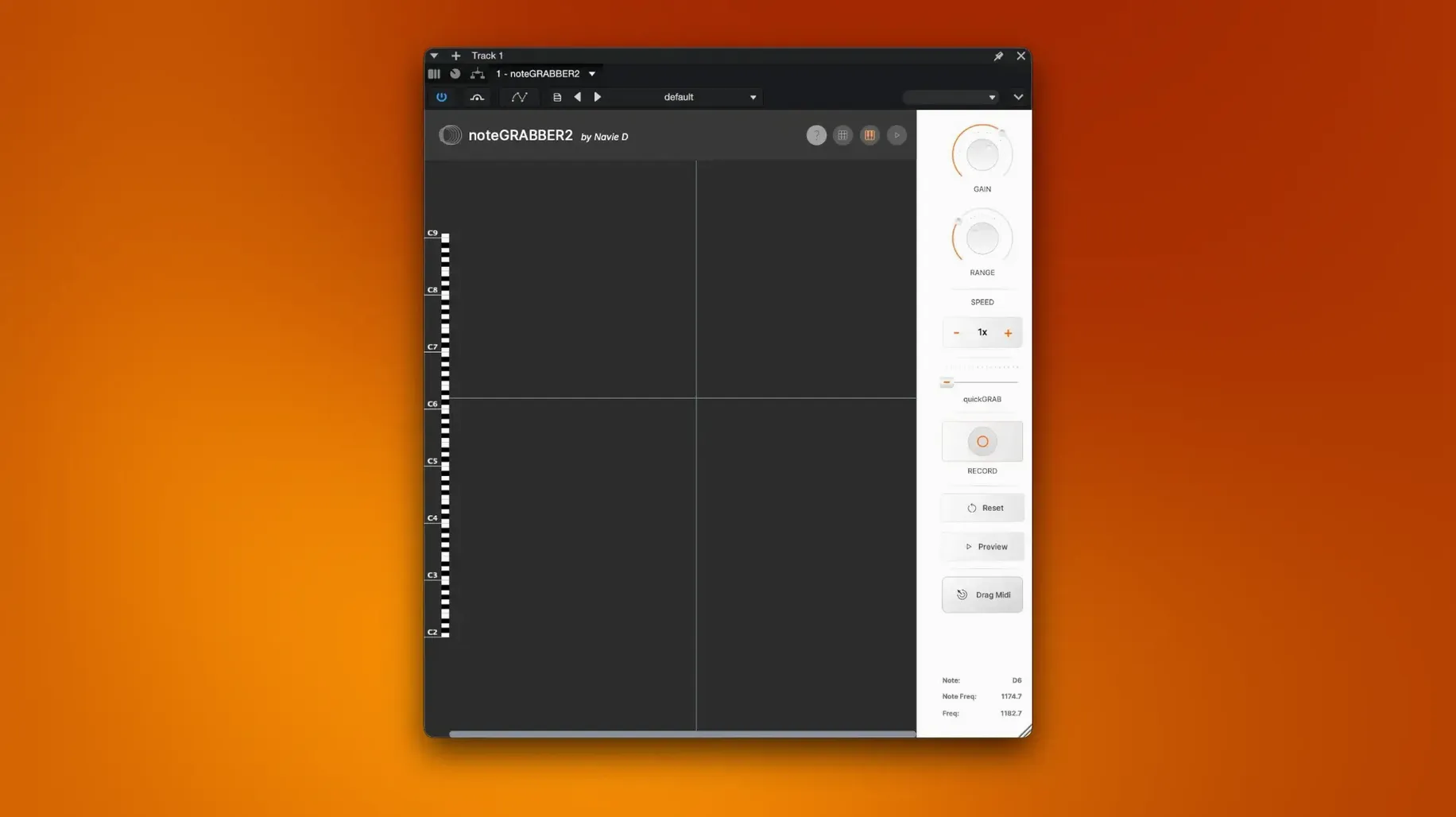
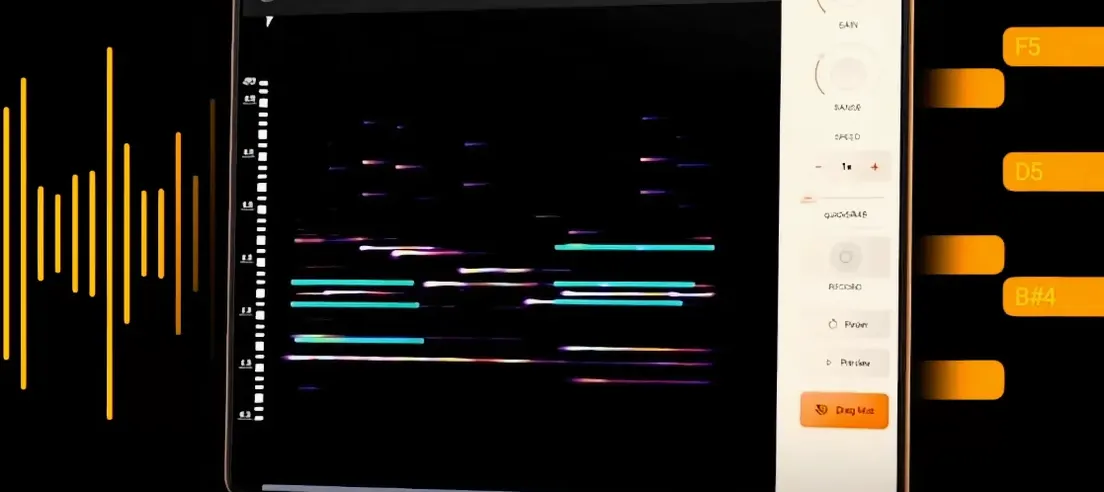
Say you have a drum loop you like but want to swap the kick for one of your own. Or a vocal phrase you want to replay on a synth. noteGRABBER reads the notes inside an audio file and turns them into MIDI data you can edit, re-pitch or sequence again.
Load a sample, analyse pitches, export MIDI
- Load a sample or audio file into noteGRABBER.
- The plugin analyses the pitches and transients.
- Export the result as MIDI notes to your DAW’s track.
- Edit the MIDI, assign a new instrument, or build a rhythm pattern from the original groove.
It runs on both Intel and Apple Silicon Macs, needs macOS 10.12 or later, and installs as a plugin package with its own instructions. For producers who work sample-first, it saves the manual transcription step — straight from audio to MIDI in a few clicks.
Lighter than Logic or Live’s built-in tools
Most Mac audio-to-MIDI tools fall into one of two camps: the all-in-one DAW features built into Logic Pro or Ableton Live, and standalone plugins like noteGRABBER. The DAW-native options work well inside their own environment but don't travel easily between hosts. If you use Cubase or FL Studio, Logic's audio-to-MIDI converter isn't available. noteGRABBER sidesteps that — it's a plugin that works in any compatible DAW, which matters if you switch between projects or collaborate across different software.
Another category is the dedicated pitch-detection plugin that focuses on monophonic material only. Those are excellent for bass lines and lead vocals but fall apart with chords or layered samples. noteGRABBER handles polyphonic content, so a piano chord or a multi-instrument loop can become MIDI data without separating stems first. It is not a replacement for a full spectral editor — it is a tool aimed at speed, not forensic analysis. For sample-based beat makers, that trade-off makes sense: you want the core notes, not every harmonic overtone.
Compared to free or donation-ware alternatives, noteGRABBER offers a more polished install and a single-purpose workflow that avoids cluttered interfaces. Some free plugins require additional bridging software on Apple Silicon Macs or lack 64-bit support. noteGRABBER works natively on both architectures, which removes a layer of troubleshooting for users on newer hardware.
Feeding a full mix confuses pitch detection
The most common slip is feeding noteGRABBER a full mix and expecting perfect MIDI. A dense track with drums, bass, vocals and synths all at once confuses any pitch-detection engine. The plugin works best when the audio is relatively clean — a single instrument, a vocal phrase, or a loop with a clear tonal centre. Beginners who skip this step end up with a mess of MIDI notes that bear little relation to the original sound. The fix is simple: isolate the part you want before loading it into noteGRABBER.
Another error is ignoring the transient settings. noteGRABBER uses transient detection to decide where notes start and end. If the audio has a lot of reverb or a slow attack, the plugin might stretch a note across several beats. Adjusting the sensitivity (where available) or trimming the audio file beforehand tightens the result. A quick edit in your DAW — cutting silent space at the beginning of the sample — often improves the MIDI output more than any plugin tweak.
Third, beginners treat the exported MIDI as final. It is not. The plugin gives you a raw transcription that almost always needs quantising, note-length adjustments, and sometimes octave shifts. Think of it as a sketch, not a finished part. Spend a couple of minutes cleaning the MIDI in your piano roll and you will get a much more musical result.
workflow: turning a vocal sample into a synth melody
Say you have a short vocal phrase from an old record — two or three seconds, no backing instruments. Here is a complete workflow using noteGRABBER.
- Prepare the sample. Trim the audio so it starts right at the first syllable and ends just after the last. Remove silence or background noise if you can. Export it as a 44.1 kHz WAV or AIFF.
- Load noteGRABBER. Insert the plugin on a new MIDI track in your DAW. Drag the sample onto the plugin window or use your DAW's file browser to load it.
- Run the analysis. The plugin processes the audio and displays the detected pitches. This takes a few seconds for a short file.
- Export the MIDI. Drag the resulting MIDI notes from noteGRABBER to a new MIDI clip in your DAW. The notes appear on the track's piano roll.
- Assign a synth. Load a synth of your choice on that track — a warm pad, a lead, or something percussive. The vocal phrase now plays as a synth line.
- Edit and arrange. Quantise the MIDI to your project tempo. Adjust note lengths to fit the groove. You can transpose the whole phrase, change the rhythm, or layer it with the original vocal for a hybrid sound.
This method works for any monophonic or simple polyphonic source. Once you get comfortable with the steps, the whole process takes under a minute for short samples.
Pitch detection mode for fast runs
noteGRABBER does not have many adjustable parameters, which is part of its appeal. But a couple of settings affect the output noticeably. The first is the pitch detection mode. If the audio contains fast runs or ornamentation, a mode that favours attack transients over sustain gives cleaner note separation. For sustained pads or slow vocals, the opposite works better. Experiment with both on a test sample to hear the difference.
The second setting is the note range filter. Some samples contain sub-bass frequencies or high harmonics that the plugin interprets as valid notes. Setting a low-cut or high-cut range removes those false triggers and leaves a cleaner MIDI track. This is especially useful for vocal samples where the fundamental sits in a narrow band and the harmonics above it are not needed.
Finally, check the output quantisation. If your DAW supports it, enable a light quantise on the exported MIDI clip immediately. This catches the small timing offsets that the plugin introduces and tightens the result without losing the original feel. A 1/16 note grid with a swing percentage often preserves the groove while cleaning the timing.
- macOS 10.12 or later
- Intel or Apple Silicon
Kit check at a glance
| System | macOS 10.12 or later |
| Chip | Apple Silicon, Intel 64-bit |
| Download | 35 MB |







Chat from the booth
Sign in or grab a free account to leave a comment.
Nobody has said a word in the booth yet. If you played a set with this build, tell the next person how it went.