

- Build in the crate
- 1.7.1
- Made by the team at
- Native Instruments
- Menu languages offered
- English
- How you pay for it
- K'ed by TEAM HCiSO
- macOS it plays on
- macOS 13 or later
- CPU it runs on
- Apple Silicon, Intel 64-bit
Screenshots
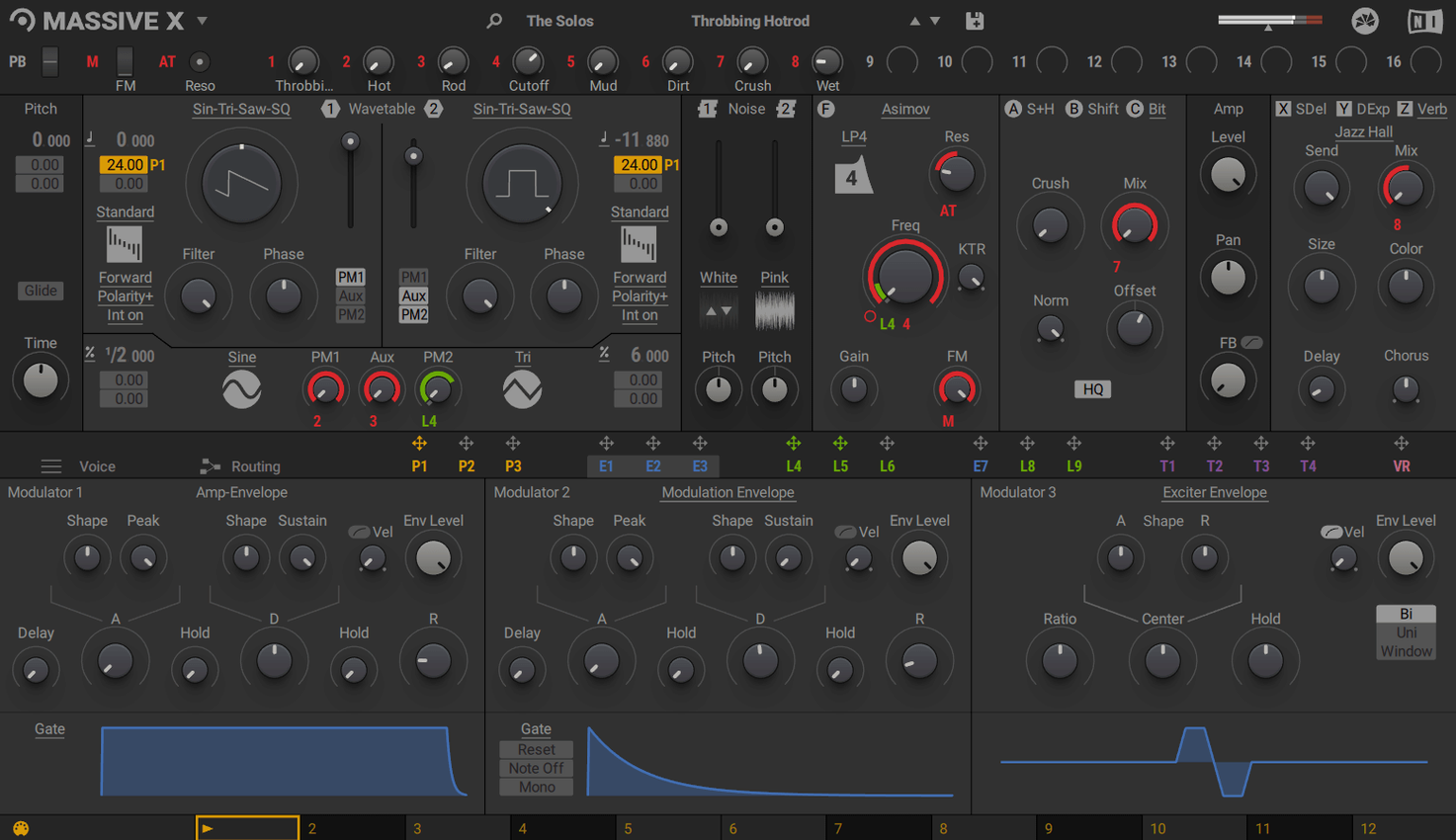
With more than 170 wavetable options and two phase modulation generators, Massive X covers a lot of sonic ground. It’s the successor to Massive, and it still sits alongside the original for older projects and classic sounds. Here’s where it tends to land in a session.
- Lead and bass tracks — the oscillator section and filters give you aggressive, moving tones that cut through a mix.
- Sound design buses — route multiple layers into one bus and use the flexible routing to blend wavetables and modulation.
- FX returns — run drums or vocals through it for texture, using the modulation matrix to add movement.
- Pad and atmosphere tracks — polyphonic voices and extensive modulation make evolving background layers easy.
- As part of the KOMPLETE line, it pairs well with other Native Instruments gear in a template.
Working with Massive X on a techno track
A friend of mine, a techno producer in Berlin, uses Massive X almost exclusively for bass. His typical session starts with a kick and a hi-hat loop, then he needs a bass sound that moves without being busy. He opens Massive X, picks a single wavetable oscillator and sets it to the “Saw 16” table. Then he uses the Performer section to draw a simple four-step pattern mapped to the filter cutoff. The result is a pulsing sub-bass that locks to the groove without extra sidechain work. He maps the same Performer to the wavetable position on the second oscillator, so the timbre shifts slightly every bar. That single patch runs through the entire arrangement.
Default polyphony too low for pads
When you load Massive X for the first time, a few defaults are worth adjusting before you start programming.
- Polyphony — the default is usually eight voices. If you are building a pad or a chord part, bump it to 16 or 24. For bass or leads, drop it to four to save CPU.
- Voice count in the modulation matrix — the routing page shows a “Voices” column. Make sure you are not modulating parameters per voice when you only need global modulation. It is an easy way to eat up processing power.
- Performer snap — the Performer grid snaps to a 16-step grid by default. If you want smoother curves, turn off snap in the Performer menu. This lets you draw curved lines for filter sweeps or volume swells.
- Remote Octave — if you plan to trigger Performer patterns live, set the Remote Octave range to something narrow like two octaves. That way the pattern shifts are predictable on stage or in a take.
Building a lead from scratch in ten steps
Here is a workflow for creating a synth lead that works in a pop or house track. No external effects needed.
- Load Massive X on a MIDI track and open its interface.
- Select oscillator 1 and choose “Saw 8” from the wavetable list. Set the playback mode to “Spectral”.
- Add oscillator 2, choose “Square 4” and set its playback mode to “Formant”. Detune it by +12 cents in the pitch section.
- Route both oscillators to the “Dual Filter” insert.
- Open the modulation matrix and assign a Performer lane to the cutoff of filter 1. Draw a four-step pattern that rises and falls each beat.
- Assign a second Performer lane to the pitch of oscillator 2, drawing a slight bend down on every fourth step.
- Modulate the filter envelope amount with the velocity modulator so harder hits open the filter more.
- Play a simple octave pattern on your keyboard. Tweak the Performer shapes until the movement feels right. Save the patch.
This lead cuts through a busy mix without needing extra processing. The modulation keeps it from sounding static, which is useful for longer sections in an arrangement. Massive X Torrent Mac users often find this approach faster than scrolling through hundreds of presets.
Massive X offers deep sound design for producers who need to go beyond presets.
- Latest update listed for MASSIVE X is 1.7.1.
- macOS 13 or later
- Apple Silicon or Intel (Intel Macs require a processor with AVX)
- 4 GB RAM (6 GB recommended)
- Internet connection required for download and activation
- Graphics card supporting OpenGL 2.1 or higher, or DirectX 9 or 11
Kit check at a glance
| System | macOS 13 or later |
| Chip | Apple Silicon, Intel 64-bit |
| Download | 1.6 GB |
| Older pressings | 6 in the crate |






Chat from the booth
Sign in or grab a free account to leave a comment.
Nobody has said a word in the booth yet. If you played a set with this build, tell the next person how it went.