
- Build in the crate
- 1.2.0
- Made by the team at
- Minuit Une
- Menu languages offered
- English
- How you pay for it
- Included
- macOS it plays on
- macOS 12 or later
- CPU it runs on
- Apple Silicon, Intel 64-bit
Screenshots
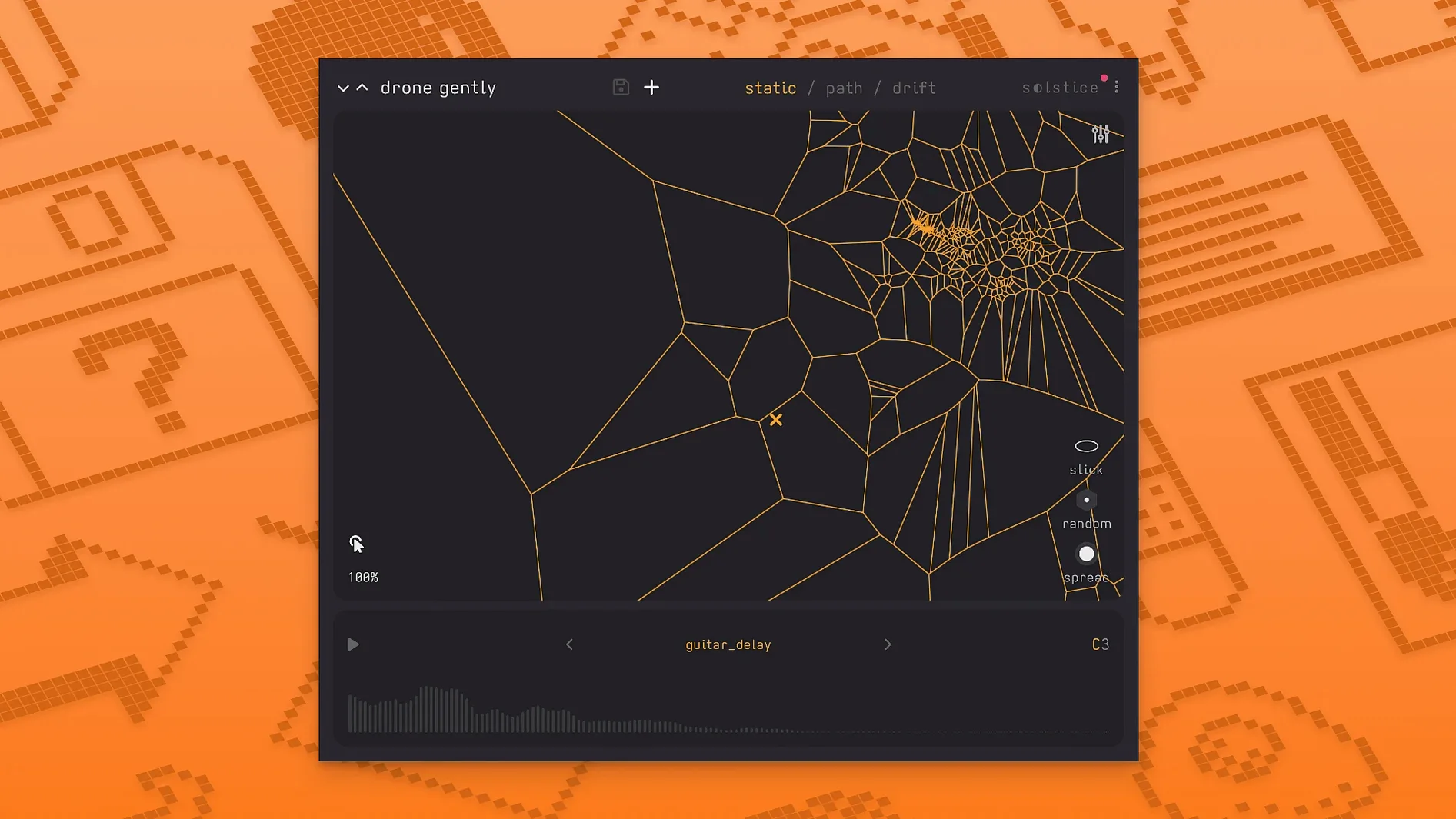
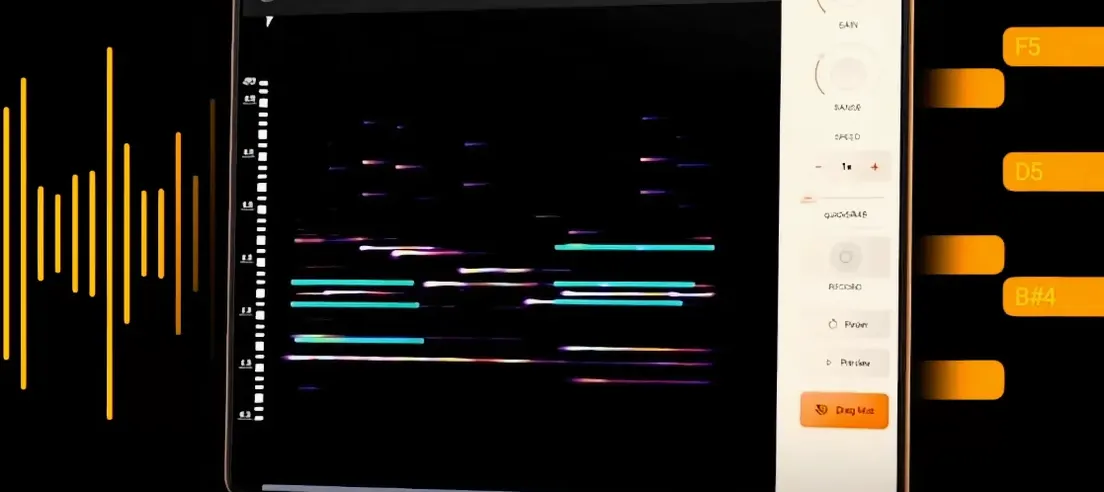
Minuit Solstice is a spectral sample-map synthesizer plugin that turns any audio sample into a playable, two-dimensional sound map.
How does Solstice fit into my existing Mac setup?
If you already use a DAW like Ableton Live or Logic Pro alongside a sampler or granular instrument, Solstice sits in a different spot. Instead of chopping or stretching a sample in the usual ways, it analyses the audio and projects it onto a 2D surface. You move through that map with MIDI notes, mouse, or MPE — it feels more like exploring a texture than playing back a recording. It runs on both Intel and Apple Silicon Macs, so it works alongside whatever else you have installed.
Five spectral effects reshape the sound inside the map
Version 1.2 brings five spectral effects — texture, tilt, flutter, stretch, and bloom — that let you reshape the sound inside the map itself. There is also auto root note detection, basic MPE support, MTS-ESP for microtonal tuning, and reverb modulation control. If you work with ambient, experimental, or aleatoric material, these additions make Solstice more expressive without needing extra plugins in the chain.
Auto root note detection catches vocal and field recording pitch
The auto root note detection in 1.2 is one of those features you might not notice until you need it. Load a vocal snippet or a field recording, and Solstice figures out the root pitch on its own. That means the map aligns with your project key without you having to tune the sample manually beforehand. Saves a trip to the audio editor.
The crisp pitch shifting works inside the same spectral engine, so you can transpose the whole sound map without losing the timbral clusters. If you map a piano chord and shift it down an octave, the regions stay distinct — they don't smear into mush. That is useful when you want the same texture in a different register for a bass line or a high pad.
Saturation and glue are part of the spectral effects, but they are separate from the five main ones. You can add a bit of warmth to the whole map before it hits your DAW's mixer. It is a light touch, not a full mastering chain, but it helps Solstice sit in a mix without extra processing.
MIDI input setup fixes silent map clicks
The most frequent hiccup is getting no sound when you click the map. Usually it is because the MIDI input is not set up in your DAW. Solstice responds to MIDI notes, but it also needs a note-on message to trigger playback even if you are using the mouse. Drop a MIDI clip on the track or hold a note from your controller, then click. If you use MPE, make sure your controller sends MPE data — standard MIDI CCs will not map to the X/Y axes in the same way.
Another one: the map looks blank after loading a sample. That happens with very short or very quiet files. Solstice needs enough audio data to build the spectral analysis. Try a longer sample — a few seconds of a sustained note or a loop works better than a single drum hit. If the sample is too quiet, normalise it first in your audio editor.
If the spectral effects sound harsh or muddy, back off the blend. Texture and flutter add movement, but at high settings they can overwhelm the original timbre. Start with low values and nudge up until the sound changes enough for your track.
VST3 and AU plugin slots into Logic, Live, or Cubase
Solstice works as a standard VST3 or AU plugin, so it slots into Logic Pro, Ableton Live, Cubase, or any host that supports those formats. It also responds to MIDI learn and automation in your DAW. You can automate the X and Y position over time to create evolving soundscapes without touching the mouse.
If you use a microtonal setup, the MTS-ESP support means Solstice can follow alternate tuning scales sent from a host or a dedicated MIDI router. Pair it with a MPE controller like a LinnStrument or a Roli Seaboard, and the two-dimensional map becomes very direct — you slide your finger across the surface and the sound morphs naturally. For ambient or aleatoric work, that direct connection is what makes Solstice feel less like a sampler and more like an instrument.
On macOS, the plugin works with Apple Silicon natively, so it does not need Rosetta translation. That keeps latency low and CPU load predictable when you stack multiple instances. If you run it inside a DAW that supports Apple's native audio engine, like Logic Pro on ARM, everything stays in the same architecture.
- Basic MPE support added
- MTS-ESP support added
- Five spectral effects added: texture, tilt, flutter, stretch, and bloom
- macOS 12 or later
- Intel or Apple Silicon
- Interface language: English
Kit check at a glance
| System | macOS 12 or later |
| Chip | Apple Silicon, Intel 64-bit |
| Download | 117 MB |
| Older pressings | 1 in the crate |

Chat from the booth
Sign in or grab a free account to leave a comment.
Nobody has said a word in the booth yet. If you played a set with this build, tell the next person how it went.