

- Build in the crate
- 7.16.3
- Made by the team at
- Renewed Vision
- Menu languages offered
- Russian, English, German, Spanish, Korean, Norwegian, Portuguese, French
- How you pay for it
- K'ed by TNT team
- macOS it plays on
- macOS 10.15 or later
- CPU it runs on
- Apple Silicon, Intel 64-bit
Screenshots
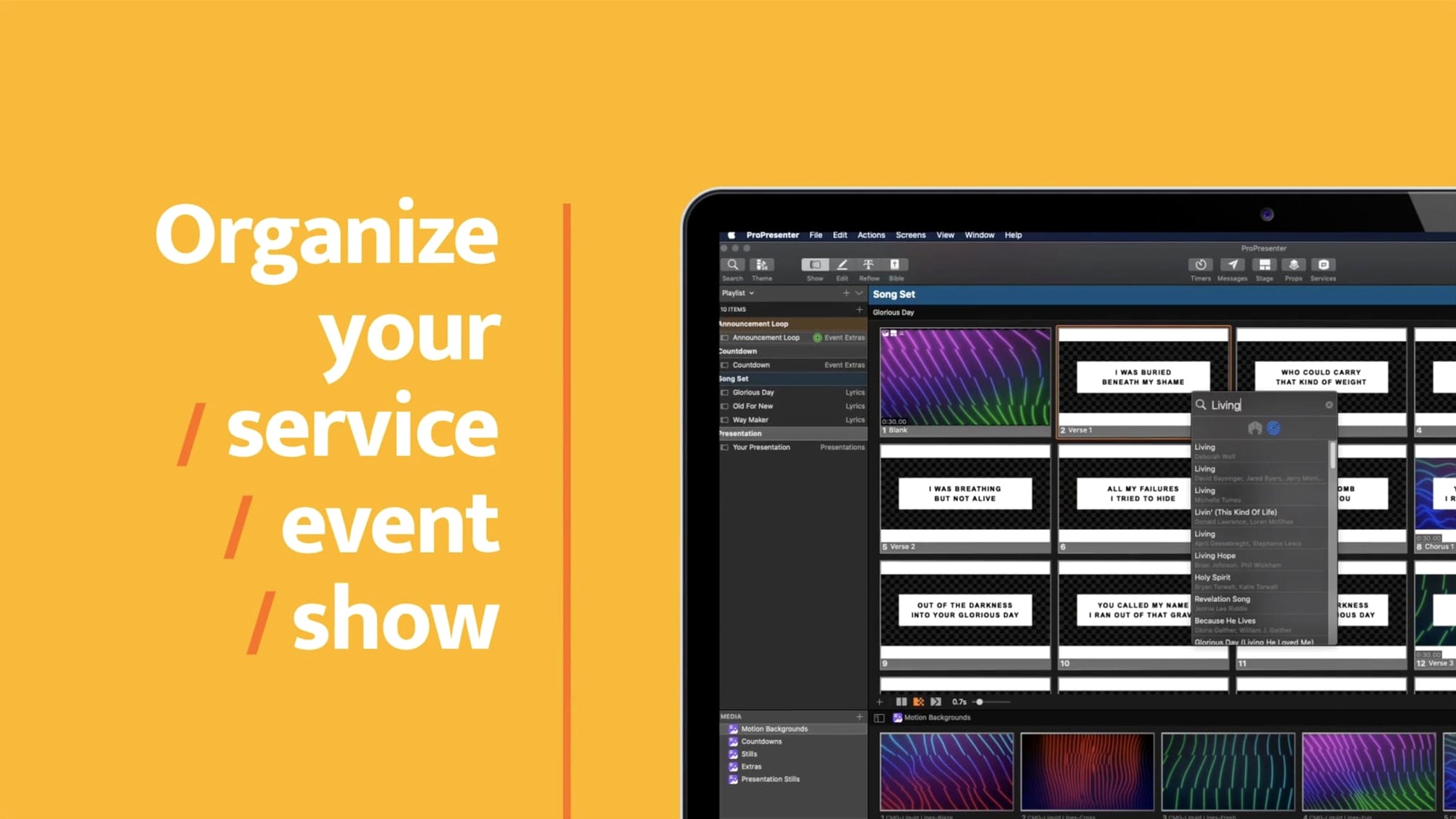
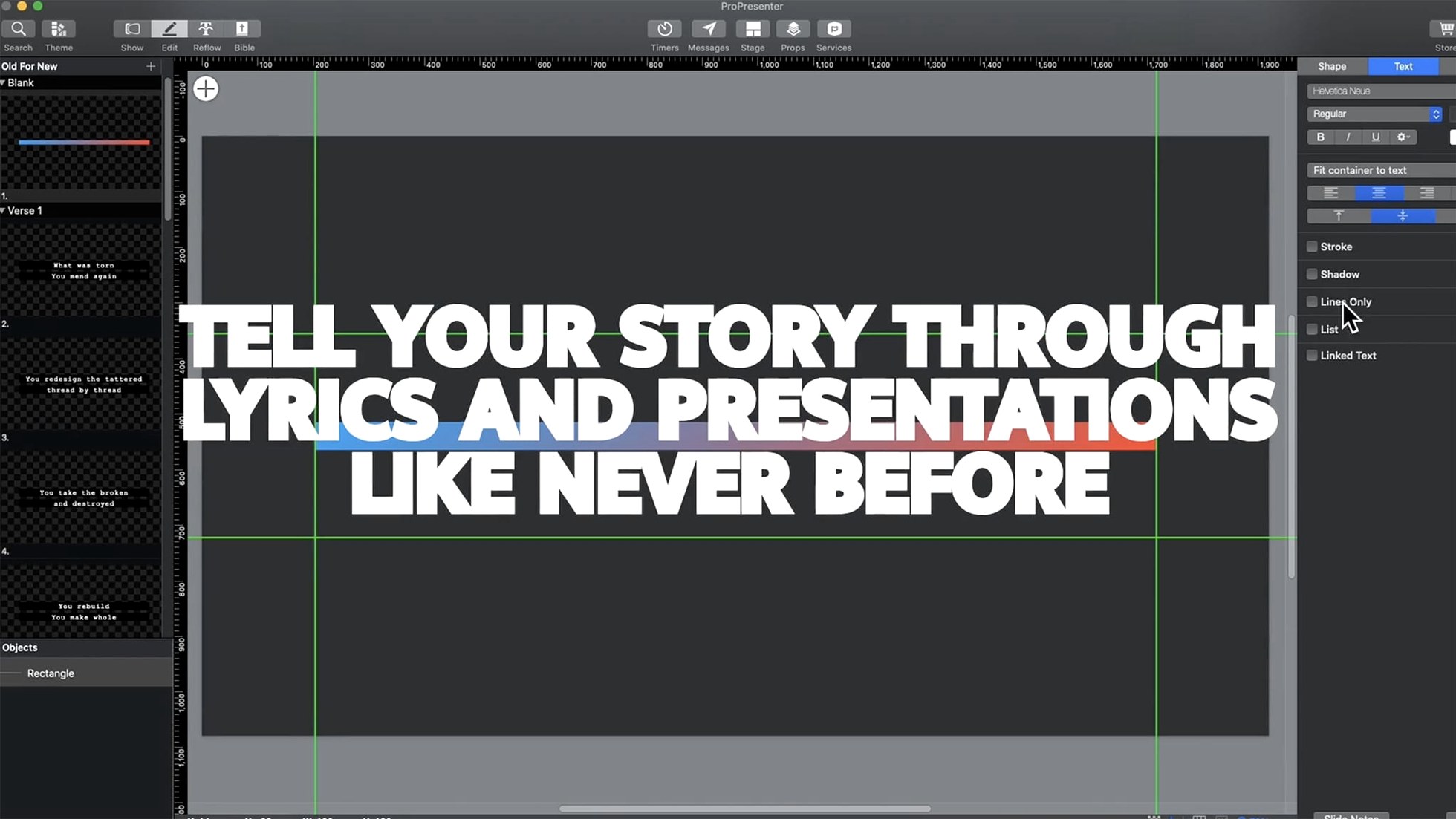
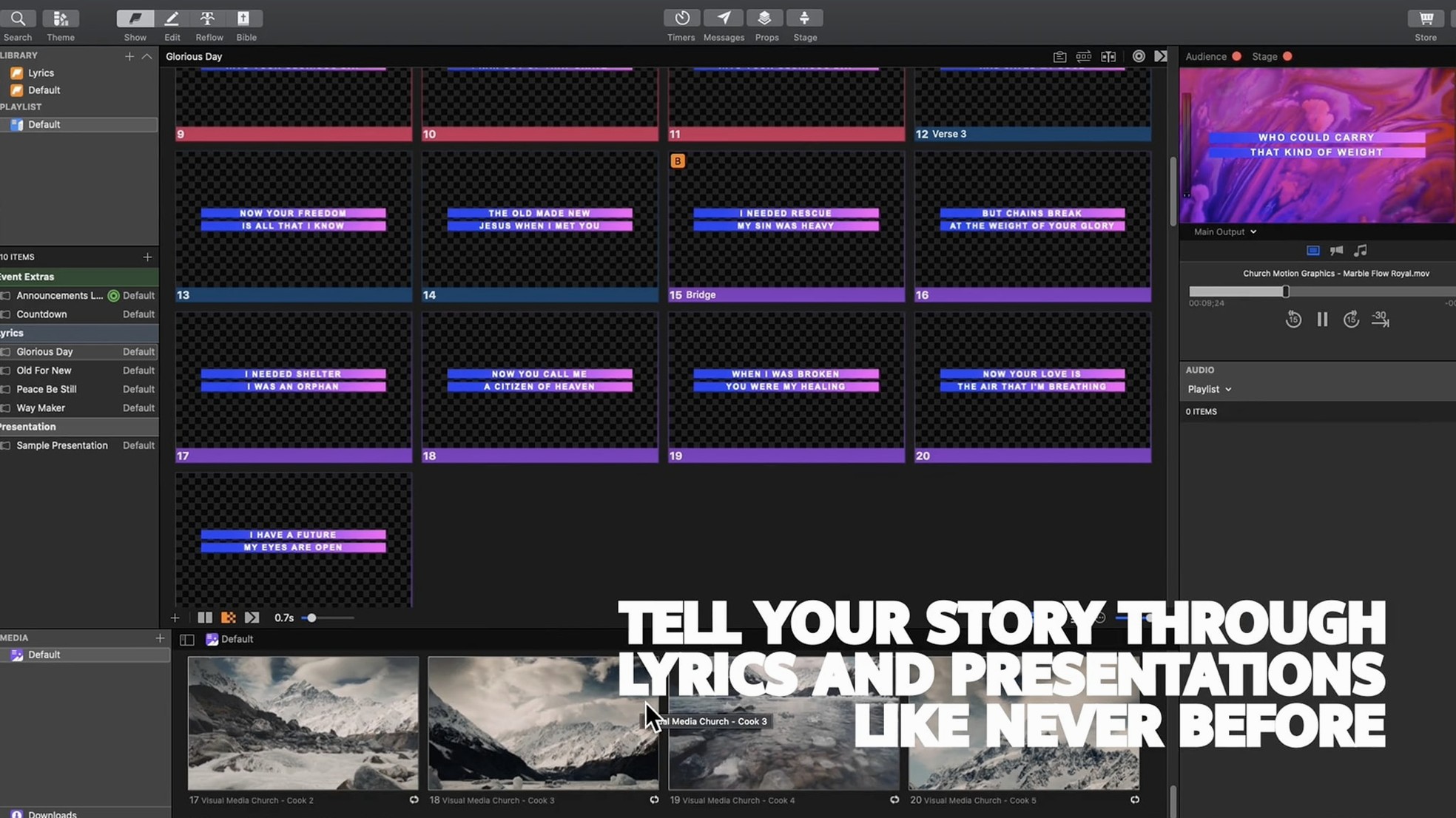
If you've used Keynote or PowerPoint for live events, ProPresenter feels like a different animal. It's built for shows, not slideshows. You get a slide editor with up to 8 layers of content, video playback tools, and audio playback — all in one app.
Set up a stage display with timers
- Set up a stage display. Go to the Stage Display settings and add a confidence monitor with timers. This is where your notes and next slide live, so you're never guessing what's coming.
- Build a slide with layers. Open the slide editor and drop in a background video, a text layer, and a logo. Move them around, adjust opacity, and see how they stack.
- Play a video inside a presentation. Drag a video file into a slide and hit play. You can trim it, loop it, and control it from the main screen.
- Set up a second feed. Use the multiple output options to send a lobby feed or an overflow room a different message than the main stage.
- Try the Twitter feed. Connect a moderated Twitter feed and show approved messages on screen. It's handy for events where the audience is part of the show.
ProPresenter handles the basics and then some. For a newcomer, the quickest way to get comfortable is to map out your outputs first, then play with the slide layers.
Assign each screen its purpose in Outputs
Out of the box, ProPresenter assumes a single-screen setup. If you're using more than one display, head to the Outputs section and assign each screen its purpose — main stage, confidence monitor, lobby feed, or online stream. This saves you from fumbling mid-show.
The Media preferences let you choose where video and audio files live. Set a dedicated media folder on an external drive if your library is large. That keeps the app from scanning your whole system every time you open it.
In Timers, set a countdown for your service or event. You can show it on the confidence monitor only, so the audience never sees it. Pair it with the clock display and you've got a solid timing tool without extra gear.
Turn on Auto Save and set the interval to something short — five minutes, say. Live production has enough surprises without losing a freshly edited slide sequence.
Built for churches and worship teams
ProPresenter suits three kinds of Mac users especially well:
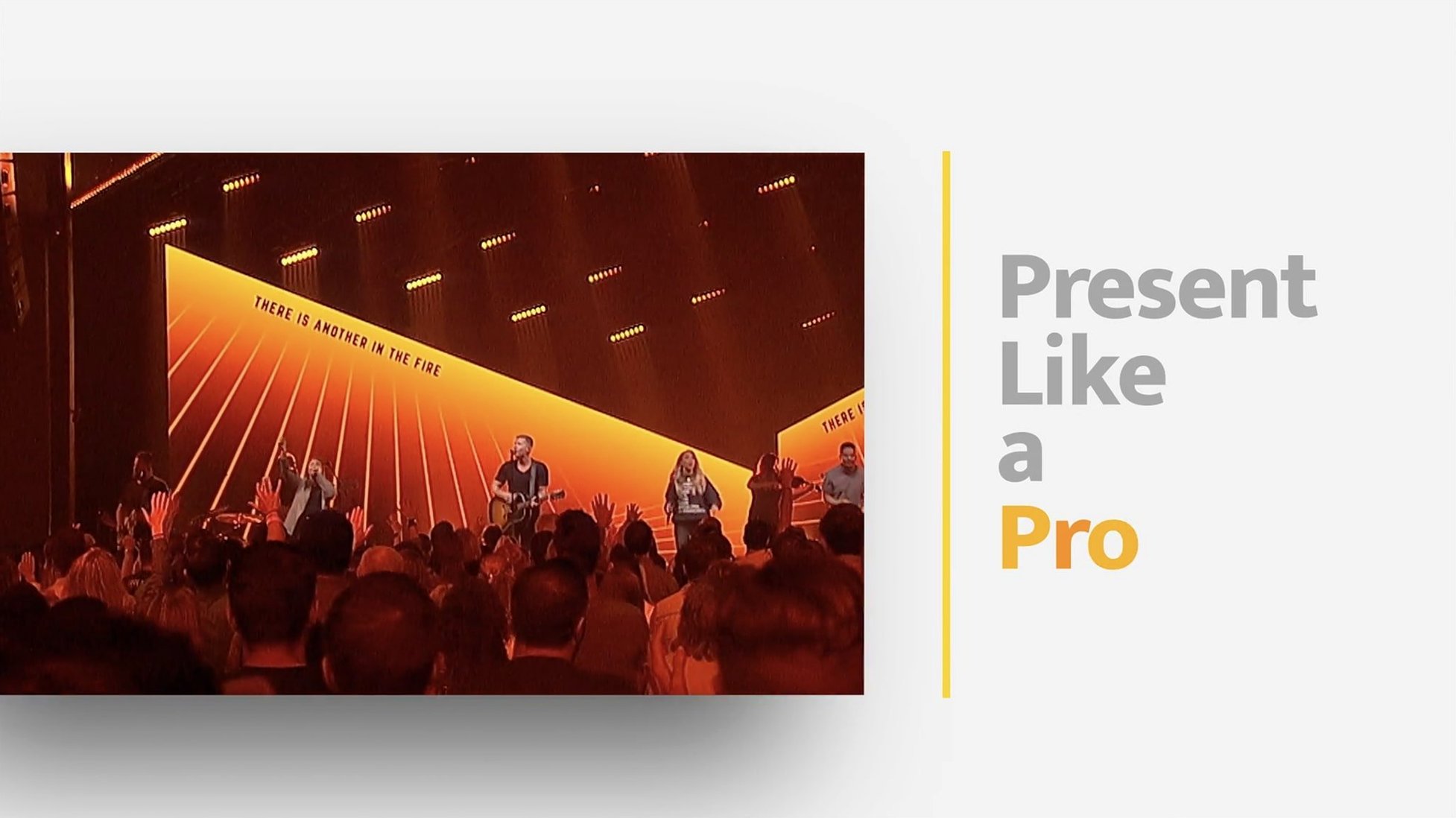
- Churches and worship teams. That's its original home. Lyric slides, sermon notes, video backgrounds, and live camera feeds all run from one machine. The confidence monitor keeps the speaker on track while the congregation sees clean, full-screen content.
- Small production companies and event organisers. If you run conferences, product launches, or multi-day festivals, you need to switch between sponsor slides, speaker presentations, and live video without a hiccup. ProPresenter's playlist and cue system lets you prearrange the whole show.
- Schools and universities. Auditoriums and lecture halls benefit from multi-screen setups — one feed for the projector, another for a live stream, a third for backstage notes. The app handles all three without extra hardware.
If your work involves more than a simple slideshow, you're the target. If you only need bullet points on a screen, stick with Keynote.
A real-world scenario: Sunday service at a medium-sized church
Maria runs the tech team at a church with two services. She uses a MacBook Air M2 connected to a projector, a confidence monitor for the pastor, and a separate feed for the livestream on YouTube.
She builds the service flow on Saturday: opening video, three worship songs with lyrics, a sermon with Bible verses and quotation slides, and a closing announcement. All media — videos, audio tracks, images — sit in a single ProPresenter document. She assigns each slide a colour-coded group so she can jump to the right section if the order changes.
During the service, the pastor controls the main display from an iPad running the ProPresenter Remote app, while Maria watches the livestream feed from her Mac. The confidence monitor shows the pastor his notes, the next slide preview, and a timer. The congregation sees only the projected content. No switching between apps, no HDMI splitters.
After the second service, Maria exports the playlist as a backup file and archives it with the date. Next week, she duplicates the document and edits the slides — keeps the structure, changes the content.
Share output with OBS via Syphon
ProPresenter plays well with the rest of your Mac. You can share its output with compatible apps using the Syphon framework — useful if you want to send the presentation feed into OBS Studio for streaming, or into a video mixer for a broadcast setup.
macOS Mission Control and Spaces help when you're running ProPresenter alongside other tools. Keep the app on its own desktop, and use a second space for your browser, email, or chat. Switching between them doesn't interrupt the presentation output.
For audio, you can route ProPresenter's output through Loopback or BlackHole to send it into a recording app or a live stream encoder. That way, video playback and sound effects stay in sync with your broadcast without an external mixer.
If you use propresenter full crack mac or propresenter crack mac setups, keep in mind that the app relies on macOS permissions for microphone, camera, and accessibility access. Grant those in System Settings before you try to use live video or the remote control feature.
For teams, the propresenter torrent or propresenter 7 crack mac versions behave identically to the standard install. Just make sure your macOS version is 10.15 or later, and that you've followed the Gatekeeper bypass steps during installation. The app works on both Intel and Apple Silicon Macs, so your older MacBook Pro and your M2 Air can run the same build.
Once you've got the basics down, try connecting a pro presenter torrent install to a network drive for shared media libraries. That way, every machine in your venue has access to the same video and audio files without copying anything locally.
- macOS 10.15 or later
- Works on both Intel and Apple Silicon Macs
- Interface languages: Russian, English, German, Spanish, Korean, Norwegian, Portuguese, French
Kit check at a glance
| System | macOS 10.15 or later |
| Chip | Apple Silicon, Intel 64-bit |
| Download | 207 MB |
| Older pressings | 1 in the crate |


Chat from the booth
Sign in or grab a free account to leave a comment.
Nobody has said a word in the booth yet. If you played a set with this build, tell the next person how it went.