

- Build in the crate
- 23.1.1
- Made by the team at
- Movavi
- Menu languages offered
- English
- How you pay for it
- K'ed by TNT team
- macOS it plays on
- macOS 10.13 or later
- CPU it runs on
- Intel 64-bit
Screenshots
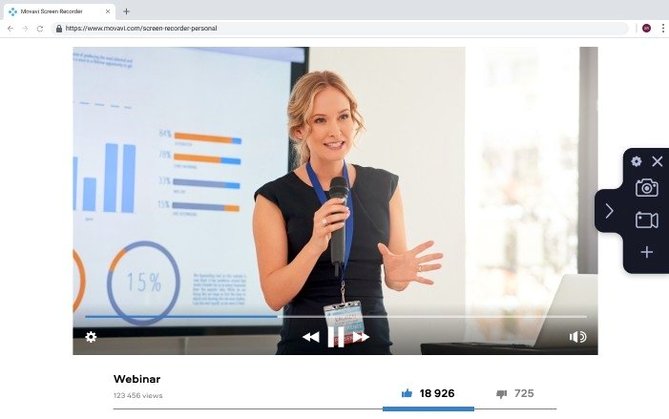
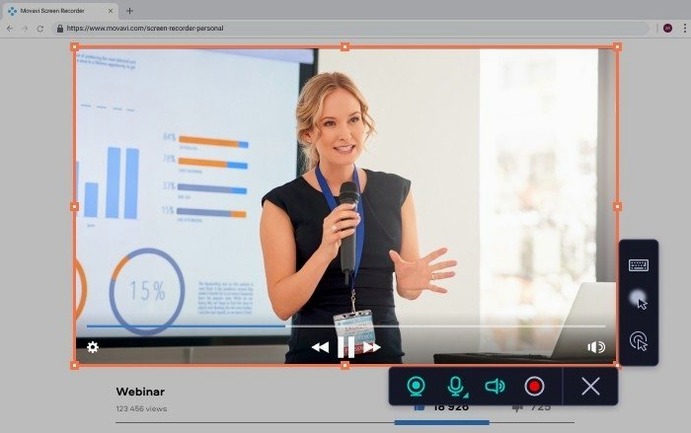
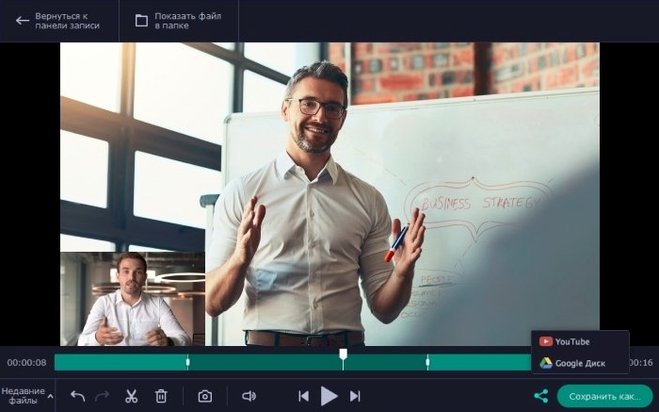
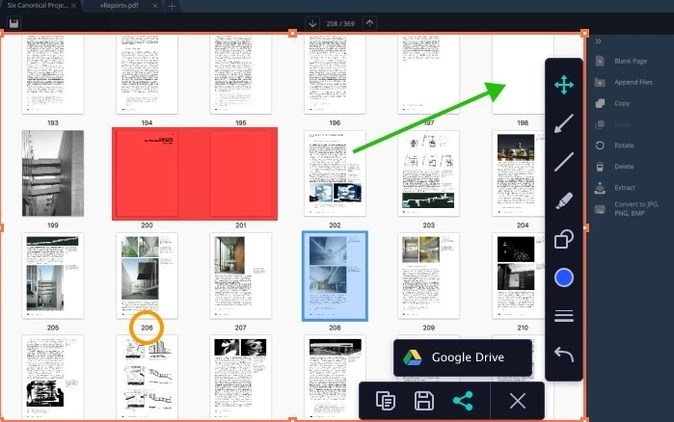
Anyone who makes tutorials, demos, or quick recordings on a Mac will find a straightforward companion in Movavi Screen Recorder. It captures the full desktop, a single application window, or the webcam feed along with microphone audio. You can record multiple video streams at once and save the result as a standard video file or a GIF animation.
Record walkthroughs and meetings
- Recording software walkthroughs or remote meetings
- Creating short GIF demos for documentation
- Uploading directly to YouTube or Google Drive after capture
Set time limits and upload shortcuts
- Version 23.1.1 runs on macOS 10.13 and newer (Intel only)
- You can set a recording time limit and custom hotkeys
- The upload feature saves extra steps if you share often
Fewer hiccups in scheduled recordings
Version 23.1.1 is a maintenance update — the release notes list minor improvements and bug fixes. In everyday use that means fewer odd hiccups when you start a scheduled recording or switch between recording modes mid-session. The app behaves more predictably if you leave it running for longer captures, and the upload to YouTube or Google Drive feels slightly snappier after a recording ends. Nothing flashy, but the kind of polish that keeps you from noticing the tool at all while you work.
Forgetting to check audio before recording
The most common slip is forgetting to check the audio source before recording. Movavi Screen Recorder can capture system sound, microphone, or both, but if you leave the wrong input selected, you end up with a silent video or a track full of background noise. Always do a short test clip first.
Another one: recording the full desktop when you only need a small app window. Beginners often forget to use the custom area option, which leads to oversized files and unnecessary editing later. Setting a recording region from the start saves time.
People also overlook the scheduler. Instead of relying on it for timed captures, they record manually and then complain about missed moments. If you know when something will happen on screen — a webinar, a live stream, an automated demo — set the date and time in advance and let the app handle the start.
Keyboard shortcut confusion is another thing. The app lets you customise hotkeys, but many users never change the defaults, then hit the wrong combination and stop a recording mid-take. Take a minute to set keys that make sense for your workflow.
Tutorial makers who need click effects
This recorder fits best with Mac users who produce tutorials, app demos, or screencasts regularly. If you teach software skills online, the cursor click effects and keyboard press display help viewers follow your actions without guessing what you pressed. The webcam overlay is useful for keeping a face on screen while showing your desktop — common in course platforms where personal presence builds trust.
Content creators who post short demos on social media will like the GIF export. Recording a quick feature walkthrough and saving it as an animated GIF avoids video player issues on some platforms. No transcoding, no upload delays.
It also suits anyone who needs to log app behaviour over time. The scheduler and duration limit let you capture a process automatically — a dashboard that updates hourly, a tool that runs a batch job — without sitting at the Mac waiting for it to finish.
If you rarely record your screen and only need a grab once a month, the feature set might be more than you need. But for the regular screencaster, especially one on an Intel Mac running macOS 10.13 or later, Movavi Screen Recorder covers the essentials without unnecessary complexity.
- Minor improvements and bug fixes.
- macOS 10.13 or later
- Intel processor
Kit check at a glance
| System | macOS 10.13 or later |
| Chip | Intel 64-bit |
| Download | 110 MB |







Chat from the booth
Sign in or grab a free account to leave a comment.
Nobody has said a word in the booth yet. If you played a set with this build, tell the next person how it went.