
- Build in the crate
- 2.0.1
- Made by the team at
- 方成印
- Menu languages offered
- English, German, Spanish, Italian, Chinese (Traditional), Chinese (Simplified), Korean, Portuguese, French, Japanese
- How you pay for it
- K'ed by TNT team
- macOS it plays on
- macOS 12 or later
- CPU it runs on
- Apple Silicon, Intel 64-bit
Screenshots
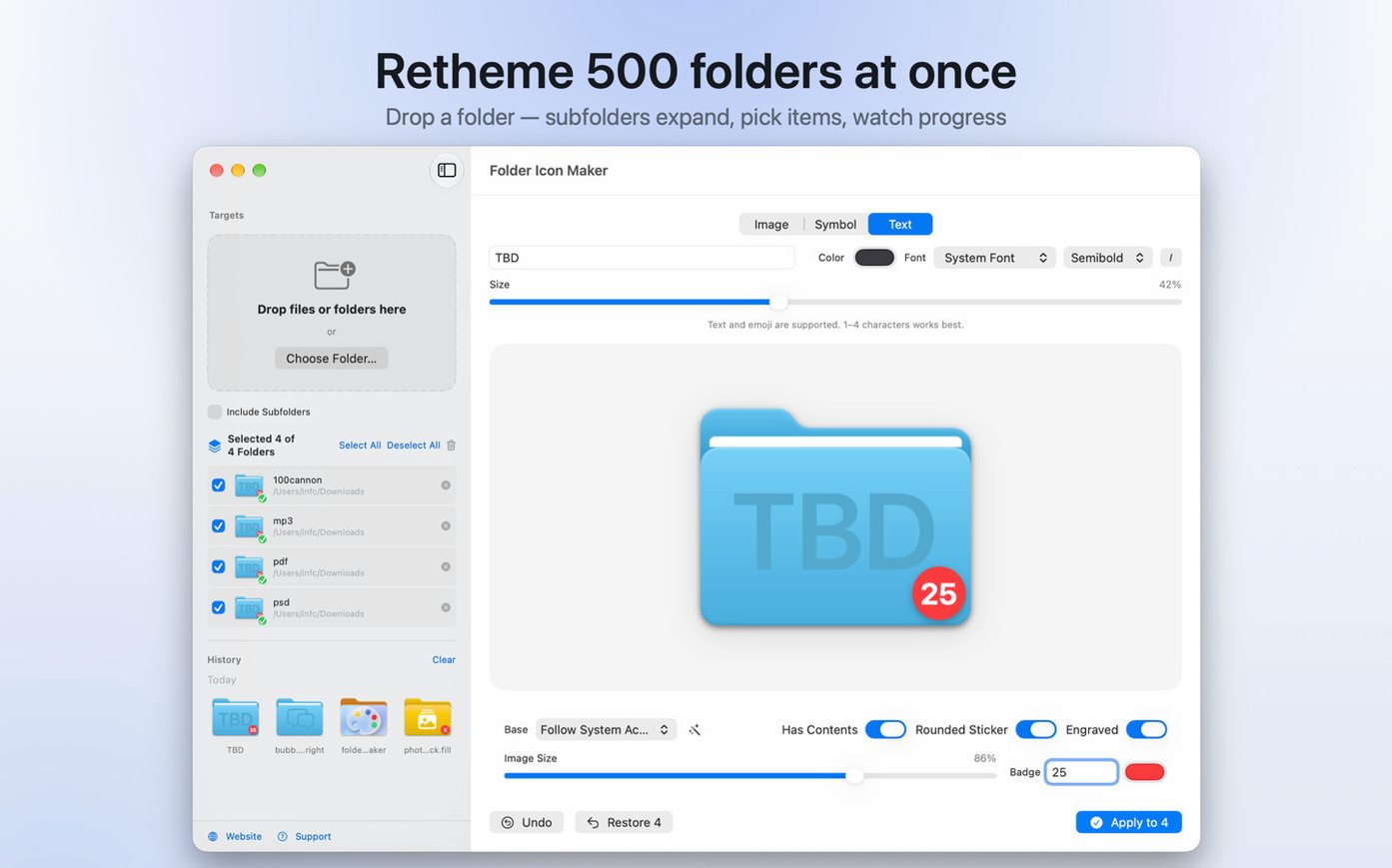
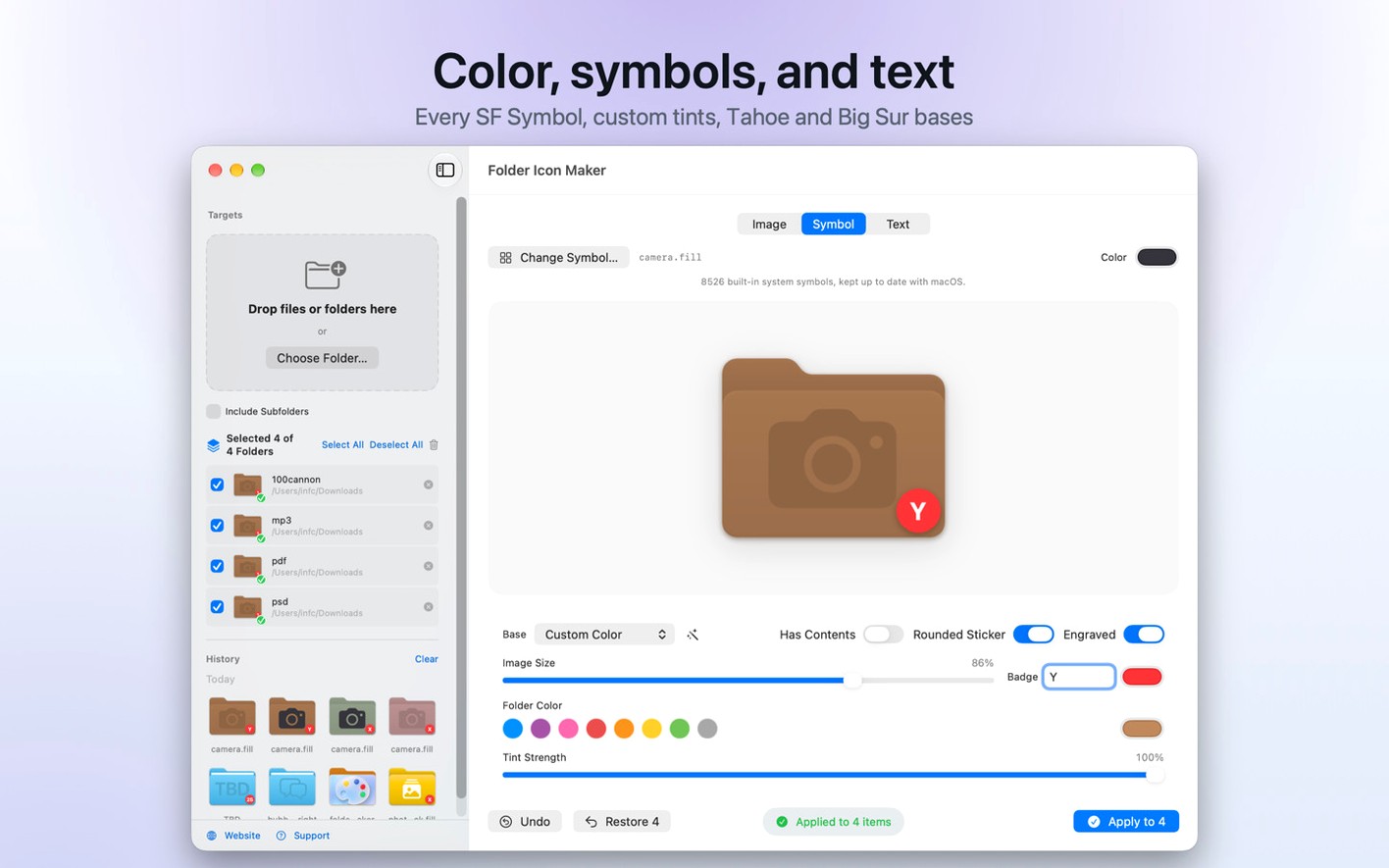
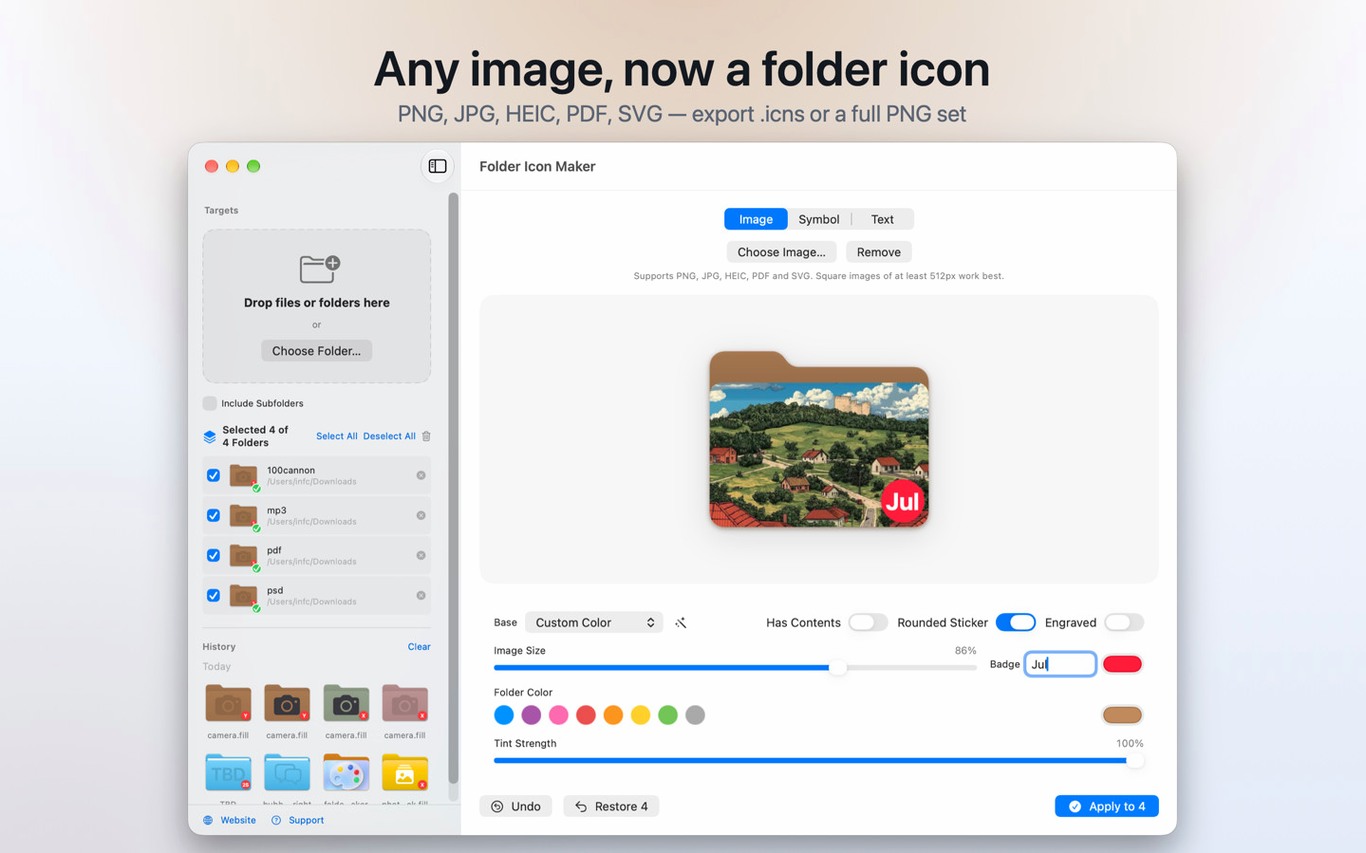
Open Gatekeeper friendly. That's the first thing you see when you launch Folder Icon Maker 2.0, and it sets the tone: this is a utility that gets out of your way. The Terminal step during install is quick, then the app sits in your Applications folder, ready.
What does drag and drop actually do?
You drop a PNG, a folder, or even an app icon onto the canvas, and Folder Icon Maker builds the icon around it. No file conversion, no extra setup.
How do the styles and themes work?
Different folder styles and color themes are built in, so you can match your icon to a project or a mood. Change the size or position of any element with your mouse or trackpad until it looks right.
Can I add text to a folder icon?
Yes. Custom text goes straight onto the icon, which makes it easy to label folders at a glance.
One workflow: colour-coded project folders
Say you have a client project with folders for Assets, Drafts, Final, and References. Open Folder Icon Maker and pick a folder style that matches your client's brand colour from the built-in themes. Drag a PNG of their logo onto the canvas, resize it with your trackpad so it sits neatly in the centre, then add custom text like "Drafts" below it. Drop the folder onto the edited image, and Finder shows the new icon immediately. Repeat for the other folders, swapping the text each time. Now your project folder looks like a set, not a mess.
Drag to adjust layout first
Before you start, check the element position controls. The app lets you drag the image and text around freely, so you can adjust the layout before you apply it to a folder. Play with the size slider early on – a large logo works for a main project folder, but smaller elements look better on subfolders. The colour themes are also worth browsing first: pick one that contrasts with your desktop background so the folder stands out. That saves you redoing icons later because they blend in.
If you regularly organise folders by type, Folder Icon Maker also works well as a folder icon maker for mac torrent – a quick way to label music libraries, sample packs, or lesson notes without opening a design app every time.
From folder to finished icon in five steps
Here's a typical workflow if you want to turn a plain folder into something that stands out in the Finder. Open Folder Icon Maker, then drag a PNG file onto the canvas – a simple icon like a camera or a note works well. Choose a folder style from the built-in options, then adjust the element size using your mouse or trackpad until the image fills the folder face without clipping. Add custom text underneath, like "Vacation Photos" or "Guitar Riffs". Finally, drag the target folder from Finder onto the edited image in the app. The new icon appears immediately, no confirmation dialog, no waiting.
Settings to tweak before your first folder
Two things make a difference right away. First, the colour themes: browse through them before you start any project. Pick one that works with your desktop wallpaper, so your custom folders don't disappear against a dark or busy background. Second, the element position controls – drag the image and text around the canvas freely. It's worth spending a minute finding a layout that works for your usual folder size, then you can reuse that setup for similar folders later. The mouse and trackpad support means you can make fine adjustments without switching to a different tool.
Both Apple Silicon and 64-bit Intel Macs run it, and macOS 12 or later is required. Interface languages include English, Spanish, German, French, and more.
- Live preview in a redesigned interface so you see every tweak as you make it
- Batch apply and bulk restore for up to 500 folders at once
- All SF Symbols, plus text, emoji and custom images for icon designs
- New Tahoe and transparent bases with custom tint control
- Export to icns and full PNG sets
- Finder service and Shortcuts integration, a 20-step undo, and icon history to roll back anything
- macOS 12 or later
- Apple Silicon or Intel 64-bit
Kit check at a glance
| System | macOS 12 or later |
| Chip | Apple Silicon, Intel 64-bit |
| Download | 5 MB |
| Older pressings | 2 in the crate |





Chat from the booth
Sign in or grab a free account to leave a comment.
Nobody has said a word in the booth yet. If you played a set with this build, tell the next person how it went.