
- Build in the crate
- 4.0.2 [MAS]
- Made by the team at
- Georgios Trigonakis
- Menu languages offered
- English
- How you pay for it
- K'ed by TNT team
- macOS it plays on
- macOS 14.4 or later
- CPU it runs on
- Apple Silicon, Intel 64-bit
Screenshots
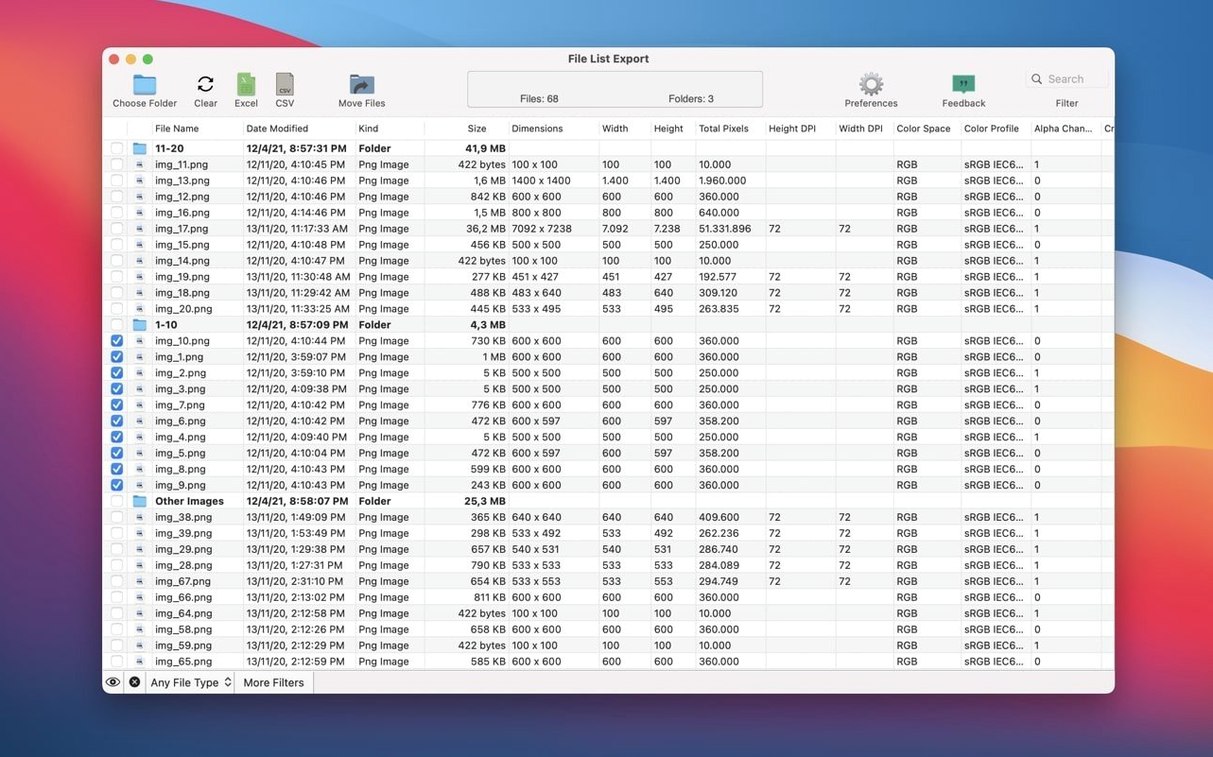
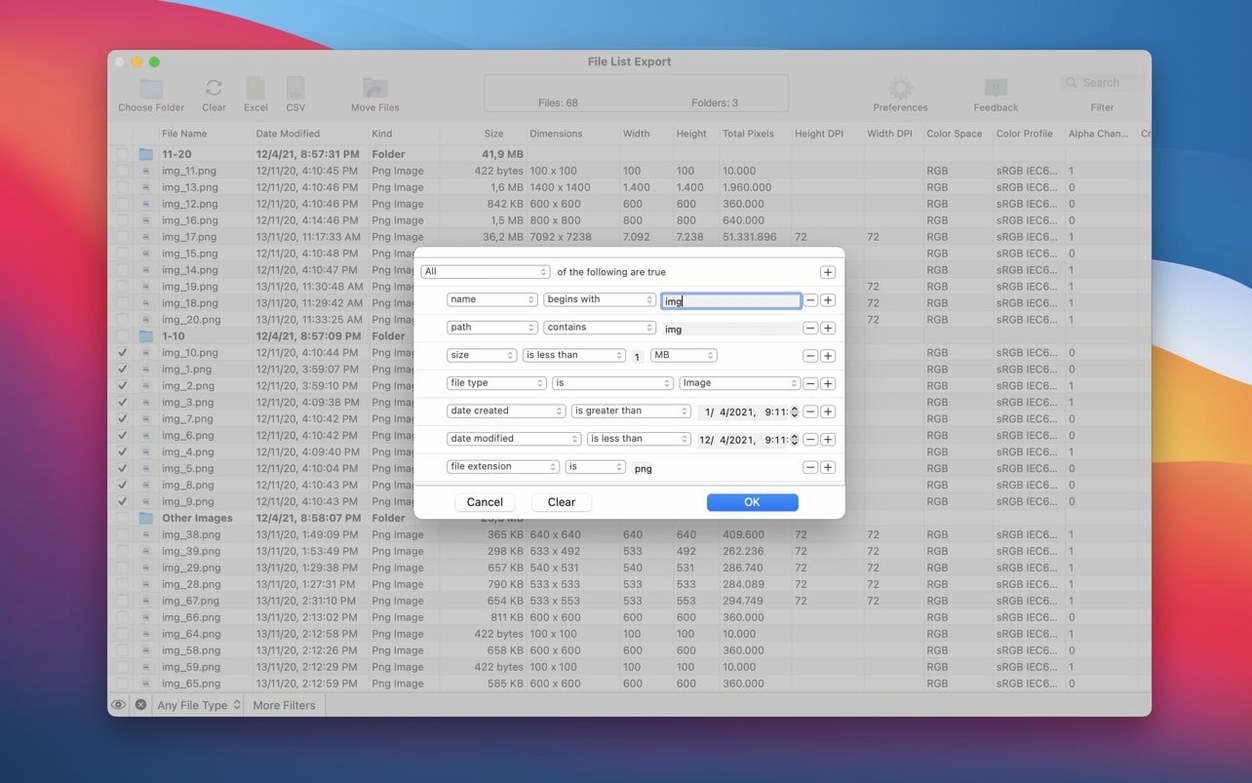
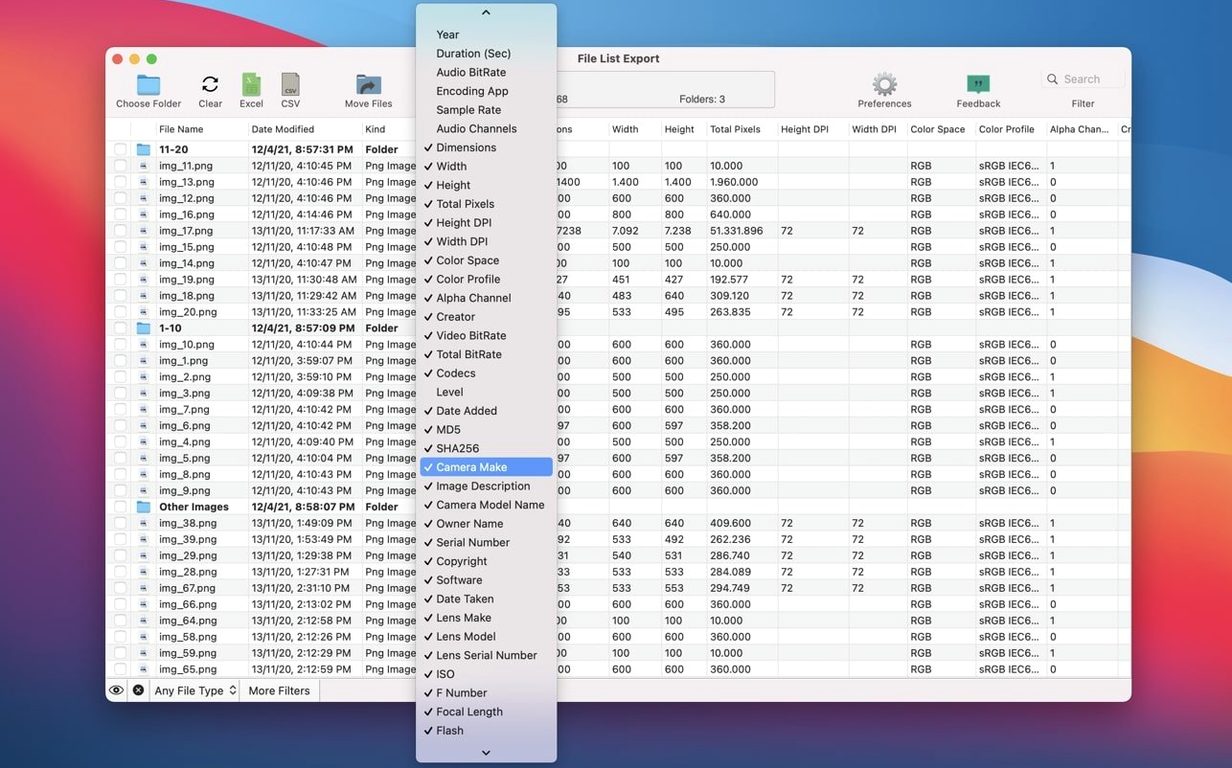
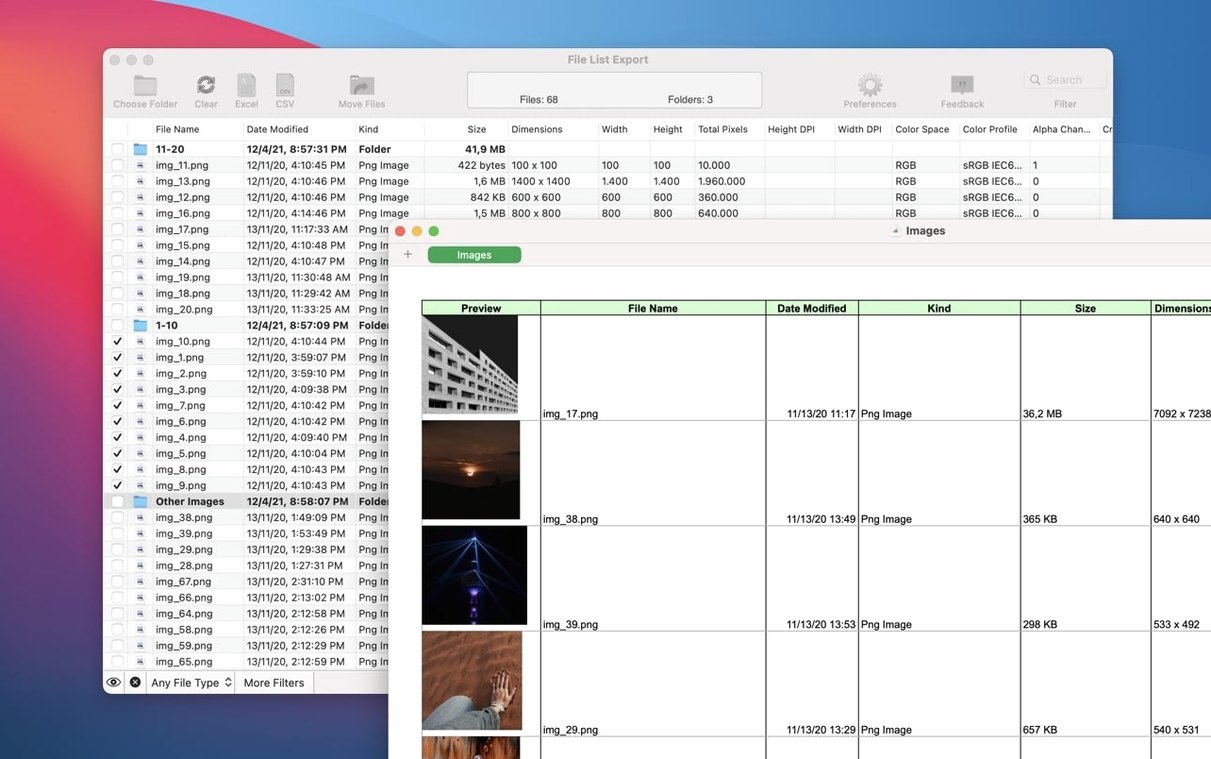
The image pixel width and height filters in version 3.1 mean you can now filter your photo lists by dimensions before exporting. That’s typical of how File List Export works: it gives you control over what goes into your file list.
What does File List Export do?
It’s a Mac app that turns folders into exportable file lists. You pick a folder or drag and drop files, and it creates a list in Excel, PDF, CSV, HTML, JSON, or Markdown.
For photographers, video editors, and music producers
Anyone who needs a clean, exportable inventory of files. Photographers cataloguing shots, video editors logging clips, or music producers listing samples. It can list a specific file type and include files from subfolders.
Can you preview before exporting?
Yes. You can view and edit the list inside the app before saving, so you’re not exporting blind.
Metadata fields you might not expect
Beyond the basics like file name, size and dates, File List Export pulls metadata from media files that most list tools skip. For photos, it records camera maker, model, lens details, ISO, FNumber, focal length, flash, orientation, and GPS coordinates with a map URL. Video files get dimensions, pixel dimensions, DPI, colour space, alpha channel, video bitrate, total data rate, and codecs. Audio files contribute album, track number, genre, year, duration, bitrate, sample rate, and even the encoding app. There’s also md5 and sha256 hashing if you need to verify file integrity.
Search and filter in real time
The app lets you search or filter records instantly as you build your list. Version 3.1 adds image pixel width and height filters, so if you’re sorting through a large photo library, you can narrow results to only landscape shots or only high-resolution files before exporting. That saves time re-filtering in a spreadsheet later.
Export formats cover most needs
You get Excel, CSV, PDF, HTML, JSON, and Markdown as export options. If you’re handing a catalogue to a collaborator who prefers spreadsheets, Excel or CSV works. If you’re documenting a project for the web, HTML or Markdown keeps the list readable. The app also exports to PDF for printed records.
Mount the disk image and bypass Gatekeeper
To install, mount the disk image and run Open Gatekeeper friendly, then press Enter in Terminal to bypass Gatekeeper. Drag the app into your Applications folder and open it to start using it.
Small conveniences you might miss
A couple of features don’t shout for attention but make everyday use smoother. You can export a list of a specific file type only — handy when you want every .wav in a project folder without the PDFs and text files cluttering the results. The app can also record comments and tags from Finder, so if you already tag your files, that metadata comes along in the export.
Another quiet helper: the list preview lets you edit entries before you export. If a file name is off or you want to add a note, you can fix it in the app rather than editing the CSV later.
What version 3.1 changed in everyday use
The headline addition is image pixel width and height filters, but the update also refines the core listing workflow. When you’re building a photo catalogue, you can now set both minimum and maximum dimensions in the filter, then export only the files that fall within that range. That means fewer exports and less manual sorting afterwards.
Beyond that, version 3.1 keeps the same straightforward drag-and-drop start and the same set of export formats. The interface stays English, and the app still runs on macOS 11 or later on both Intel and Apple Silicon Macs.
File List Export supports both Apple Silicon and Intel Macs, running macOS 11 or later.
Version 4.0.2 tidies up a couple of things I've been hoping for.
- Excel thumbnails now sit inside their cells, fill the space properly, and stay glued to their rows when you sort or filter – much cleaner for catalogues.
- Lists open in the old folder-first order: each folder, then its files, then its subfolders, just like version 3 did. Click a column header to sort, and that choice sticks for next time.
- The Export button in the toolbar calls up the export window. Its arrow still runs a one‑click export if you prefer that.
- macOS 14.4 or later
- Apple Silicon or Intel 64-bit Mac
Kit check at a glance
| System | macOS 14.4 or later |
| Chip | Apple Silicon, Intel 64-bit |
| Download | 25 MB |
| Older pressings | 4 in the crate |







Chat from the booth
Sign in or grab a free account to leave a comment.
Nobody has said a word in the booth yet. If you played a set with this build, tell the next person how it went.