

- Build in the crate
- 5.8.2
- Made by the team at
- IK Multimedia
- Menu languages offered
- English
- How you pay for it
- K'ed by MORiA
- macOS it plays on
- macOS 10.15 or later
- CPU it runs on
- Apple Silicon, Intel 64-bit
Screenshots
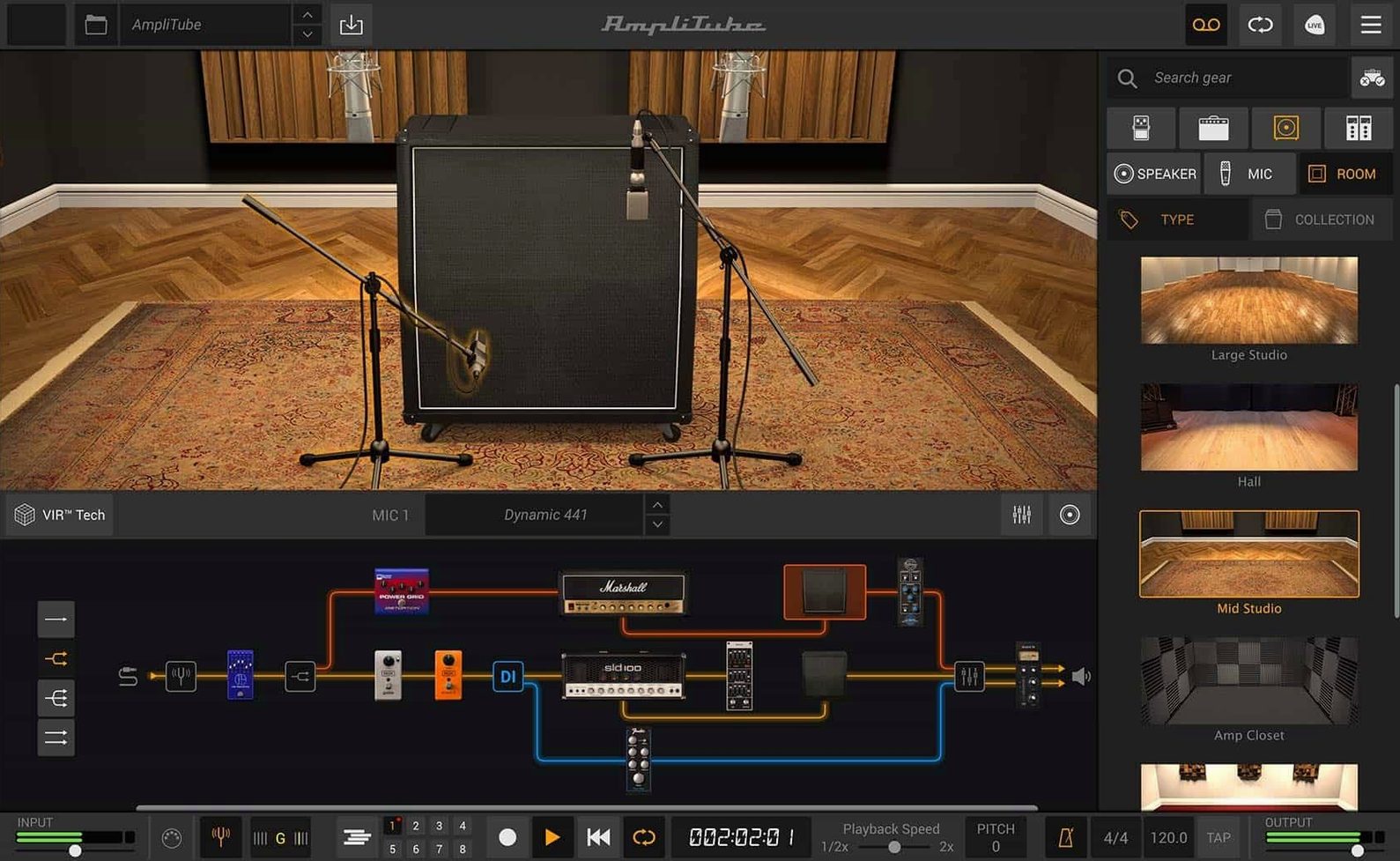
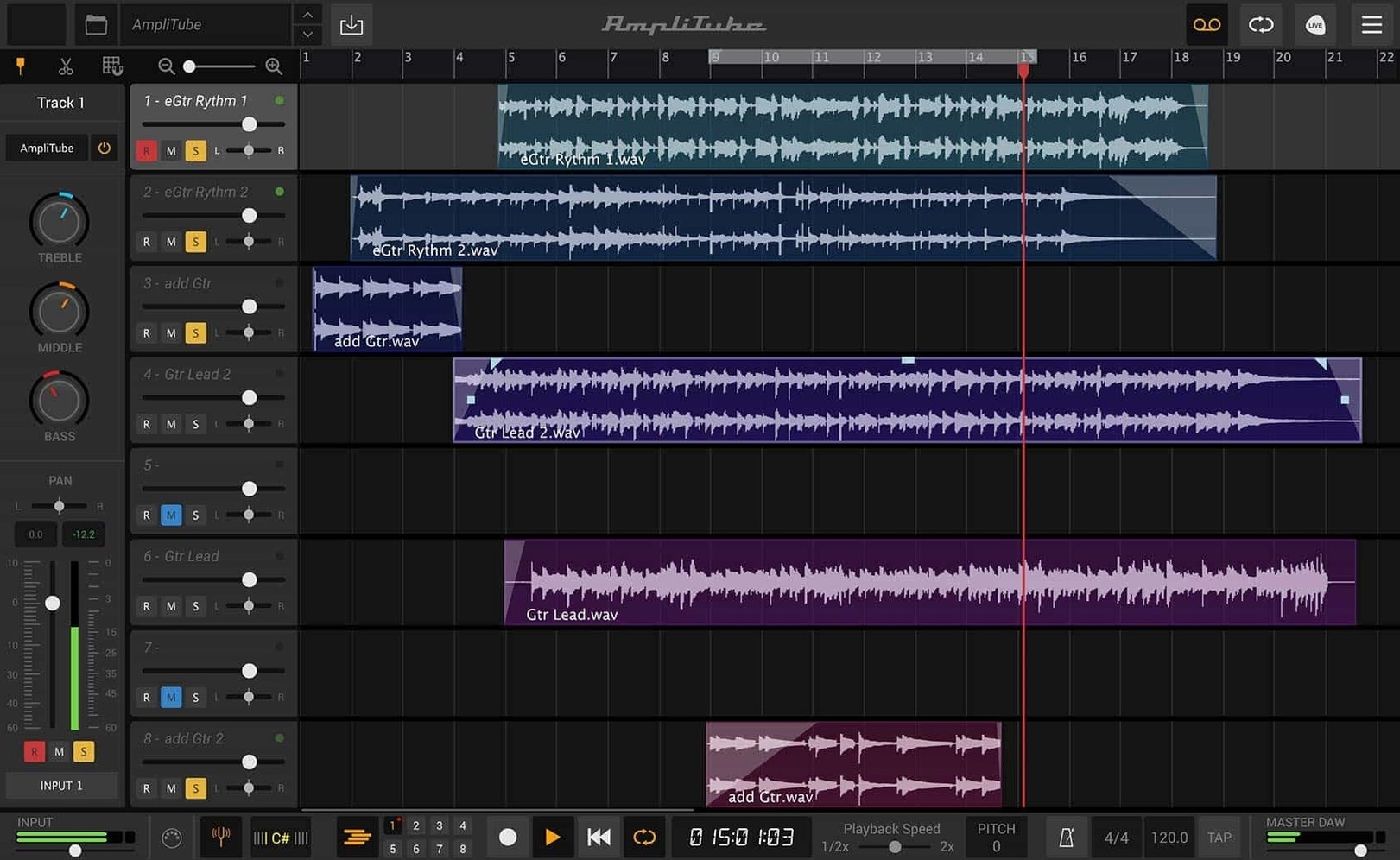
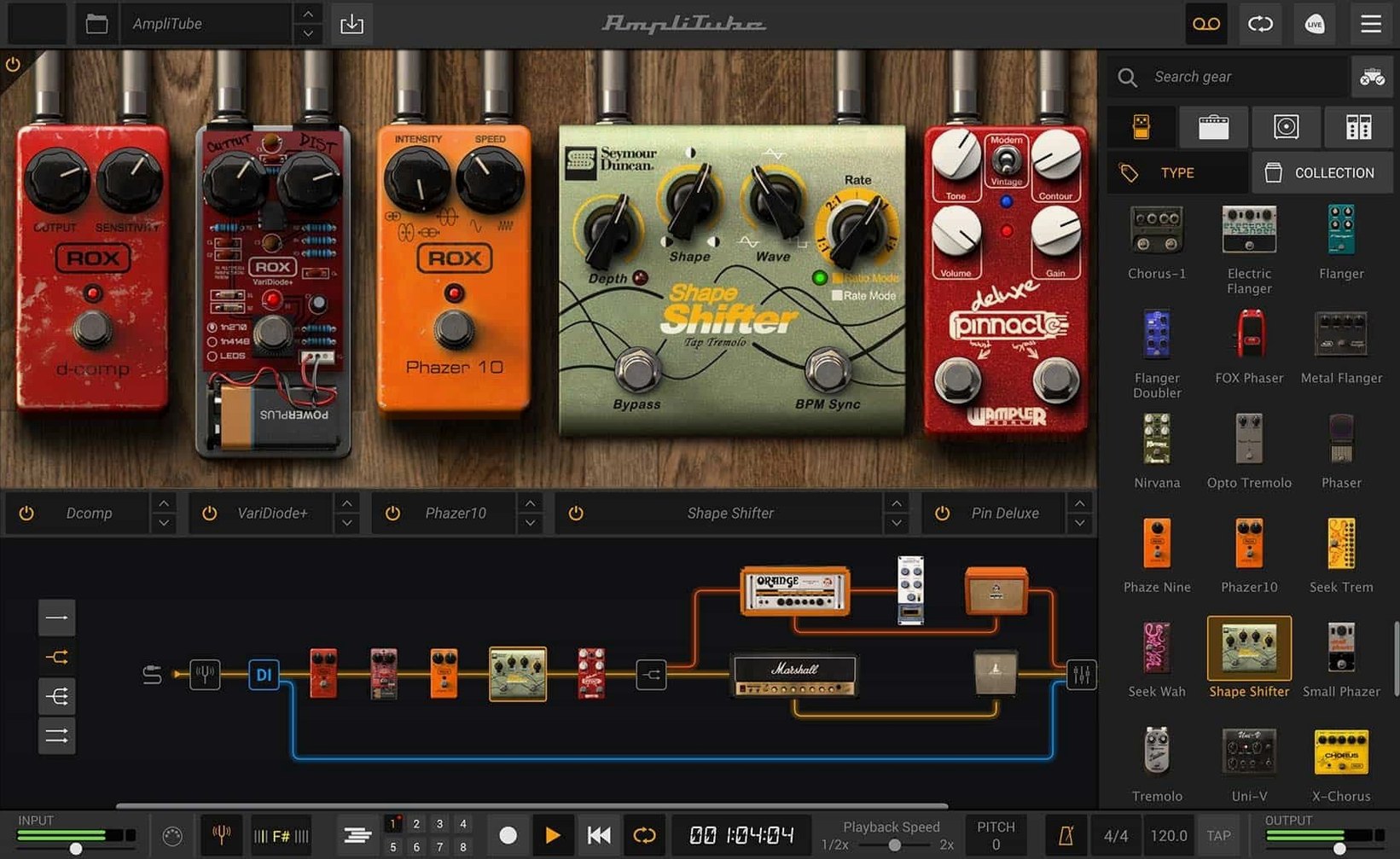
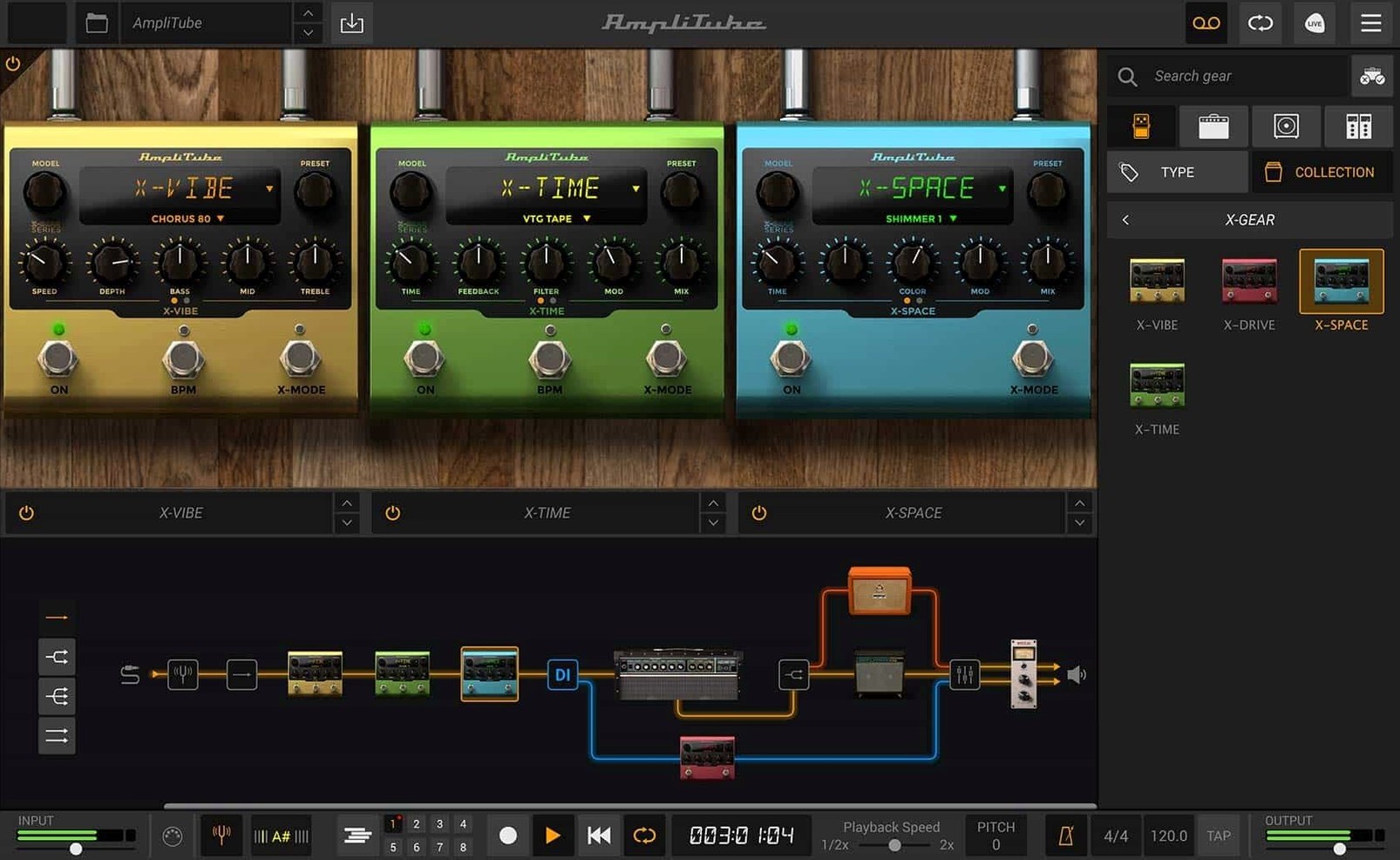
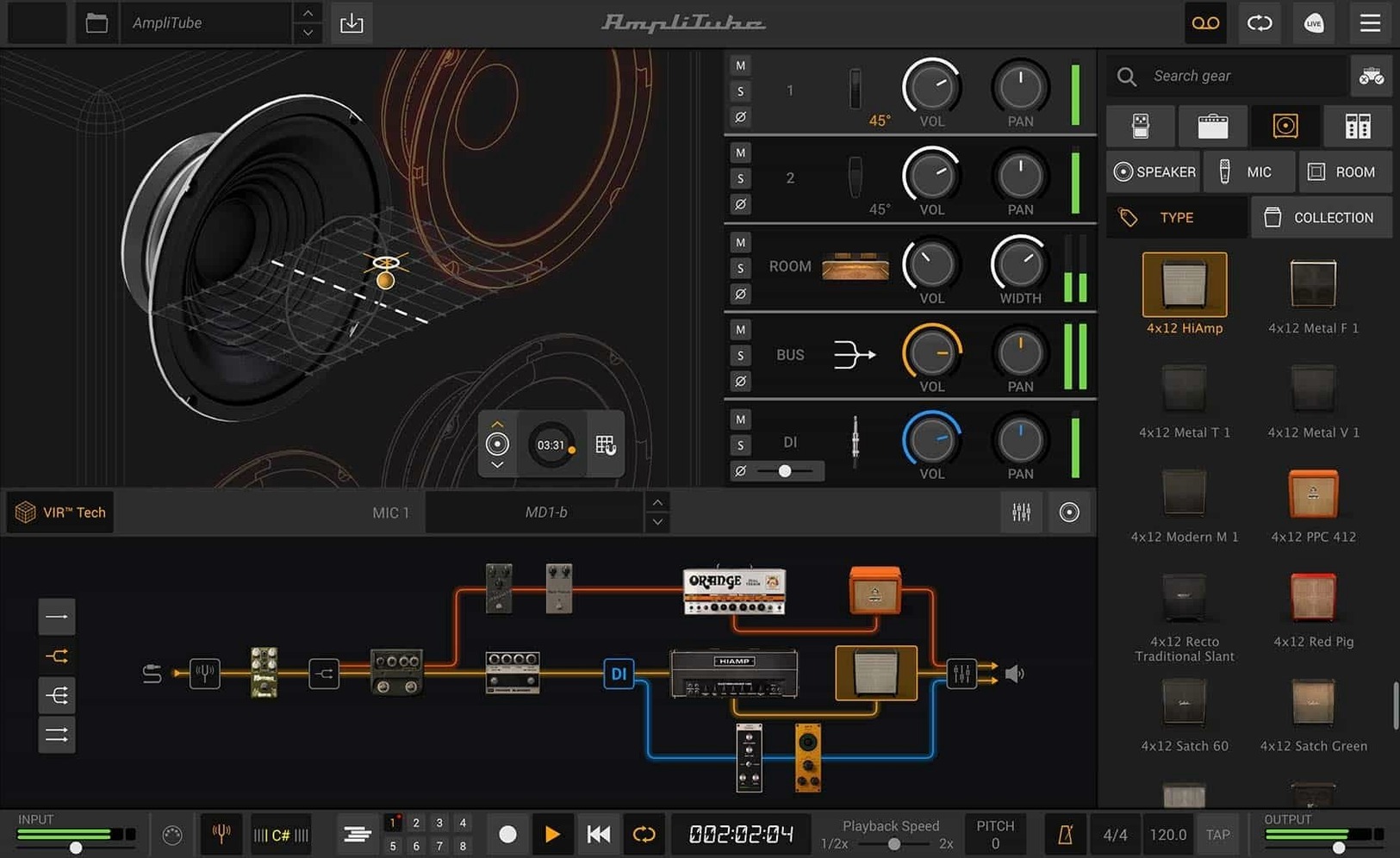
If you already use amp sims in your DAW, AmpliTube 5 will feel familiar. It works as a standalone app or as a plug-in, so you can dial in tones before recording or right inside your session.
What makes the amp modeling stand out?
It includes more than 130 new models and over 100 redesigned cabinets. The cabinet section uses VIR technology, which captures the way sound moves through a real cab. You get 23 new rack effects and 2 new rooms for ambience.
How does the routing work?
Series and parallel routing let you build complex signal chains. The new drag-and-drop routing and mixed DI signal give you hands-on control over your tone.
Bass through the redesigned mixer
It models guitar amplifiers and effects, but you can run bass through it too. The redesigned mixer with built-in effects helps you blend dry and processed signals.
VIR cab section and daily-use touches
Some of the best parts of AmpliTube 5 aren't the headline features. They're the smaller touches that make daily use simpler.
The cab section with VIR technology is one of those. Instead of just picking a cabinet and a mic, you can hear how the sound changes depending on where you place things. It feels closer to working with a real amp in a room. That matters when you're trying to match a tone you have in your head.
Loading custom IR files is another detail that pays off. If you have impulse responses you already trust from another setup, you can bring them in. No need to rebuild your sound from scratch when switching to AmpliTube 5.
The mixer with built-in effects works well for blending. You can keep your dry signal, add some processing, and mix the two. It is useful for bass players who want to keep the low end clean while adding dirt on top.
Support for up to 57 simultaneous models means you can layer effects and amps in ways that would be impractical with real hardware. You can set up a clean amp, a dirty amp, delay, reverb, compression, and modulation all at once. The drag-and-drop routing makes it easy to rearrange them without starting over.
Standalone and DAW plug-in both
Does it work as a standalone app or only inside a DAW? Both. You can open it on its own to practice or tweak sounds, and it loads as a plug-in when you want to record. That flexibility means you don't need to open your DAW just to try out a new tone.
It requires macOS 10.15 or later and works on both Intel and Apple Silicon Macs. The application is 64-bit, so older systems running 32-bit software won't be able to use it. If your Mac is from around 2019 or newer, you should be fine.
What formats does the plug-in version support? It comes as AAX, VST, and AU. That covers Pro Tools, Logic, Ableton Live, Cubase, and most other major DAWs. No need to hunt for a separate bridge or wrapper.
AmpliTube 5 CS includes 42 free gear models. It gives you enough amps, cabinets, and effects to get a real feel for the software before deciding if you want more. The paid versions add the full library of models and collections.
Can I use my own impulse responses with the built-in cab section? Yes. The software lets you load custom IR files, so you are not stuck with the included cabinets.
Drag-and-drop signal chain routing
Version 5.8.2 brought a few changes that affect how you work day to day. The most noticeable is the new signal chain with drag-and-drop routing. Earlier versions of AmpliTube 5 already had flexible routing, but the drag-and-drop approach makes it faster to rearrange your chain. You can move a compressor before the amp or swap two effects without deleting and re-adding them.
The mixed DI signal is another addition that changes how you record. You can blend your direct input with the processed signal inside the same chain. That is handy for re-amping later or for keeping a clean take while still hearing the processed sound during recording.
The redesigned mixer with built-in effects is a step forward for live use. You can adjust levels, add EQ or compression, and route signals without leaving the app. That matters if you use AmpliTube 5 on stage or in a rehearsal room where you do not have a separate mixer.
The cabinet section with VIR technology was introduced earlier in the version 5 line, but it keeps getting refined. It is now a standard part of the workflow rather than an optional extra. If you have used earlier versions of AmpliTube, the cabinet section alone is worth the update.
AU, VST, and AAX plug-in support
AmpliTube 5 works as a plug-in inside any DAW that supports AU, VST, or AAX. That means you can load it on a guitar track in Logic, a bass track in Ableton, or a DI track in Pro Tools. It behaves like any other plug-in, so you can automate parameters, save presets, and use it in your existing sessions.
As a standalone app, it works well with audio interfaces. You plug your guitar into the interface, open AmpliTube 5, and you are ready to play. No DAW needed. That is useful for quick practice sessions or for testing tones before committing to a recording.
macOS features like Core Audio and Core MIDI are supported, so you can use your existing interface and controllers without extra setup. If you already have a MIDI foot controller for switching presets, it should work with AmpliTube 5 in standalone mode.
For live use, you can run AmpliTube 5 alongside other software using audio routing tools like Loopback or BlackHole. That lets you send processed audio into a streaming app, a video call, or a recording program. It is not a built-in feature, but it works well if you need it.
The free AmpliTube 5 CS version is a good starting point if you want to see how it fits your setup before committing to the full version. It includes 42 gear models and works the same way as the paid editions. You can upgrade later and keep your presets and settings.
- New signal chain with drag-and-drop routing and mixed DI signal.
- New cabinet section with VIR technology.
- Redesigned mixer with built-in effects.
- macOS 10.15 or later
- Intel or Apple Silicon Mac
- 64-bit application
- English interface
Kit check at a glance
| System | macOS 10.15 or later |
| Chip | Apple Silicon, Intel 64-bit |
| Download | 3.1 GB |
| Older pressings | 1 in the crate |







Chat from the booth
Sign in or grab a free account to leave a comment.
Nobody has said a word in the booth yet. If you played a set with this build, tell the next person how it went.