
- Build in the crate
- 2.0.3 fix
- Made by the team at
- Austin Sarner and Brian Ball
- Menu languages offered
- English
- How you pay for it
- K'ed by TNT team
- macOS it plays on
- OS X 10.9 or later
- CPU it runs on
- Intel 64-bit
Screenshots
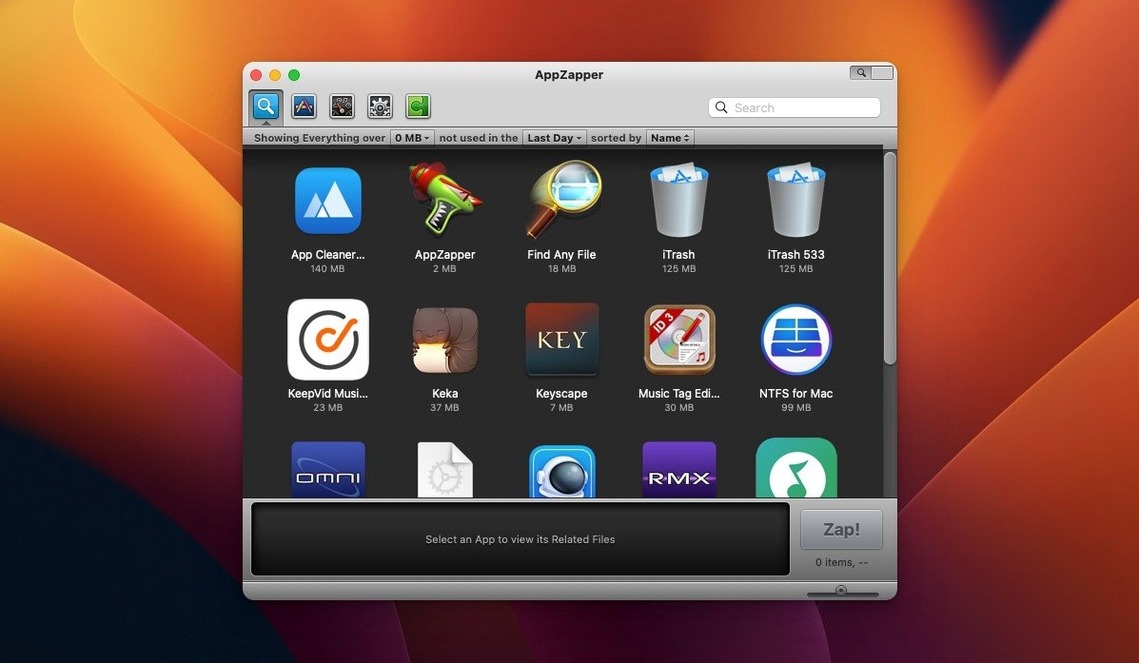
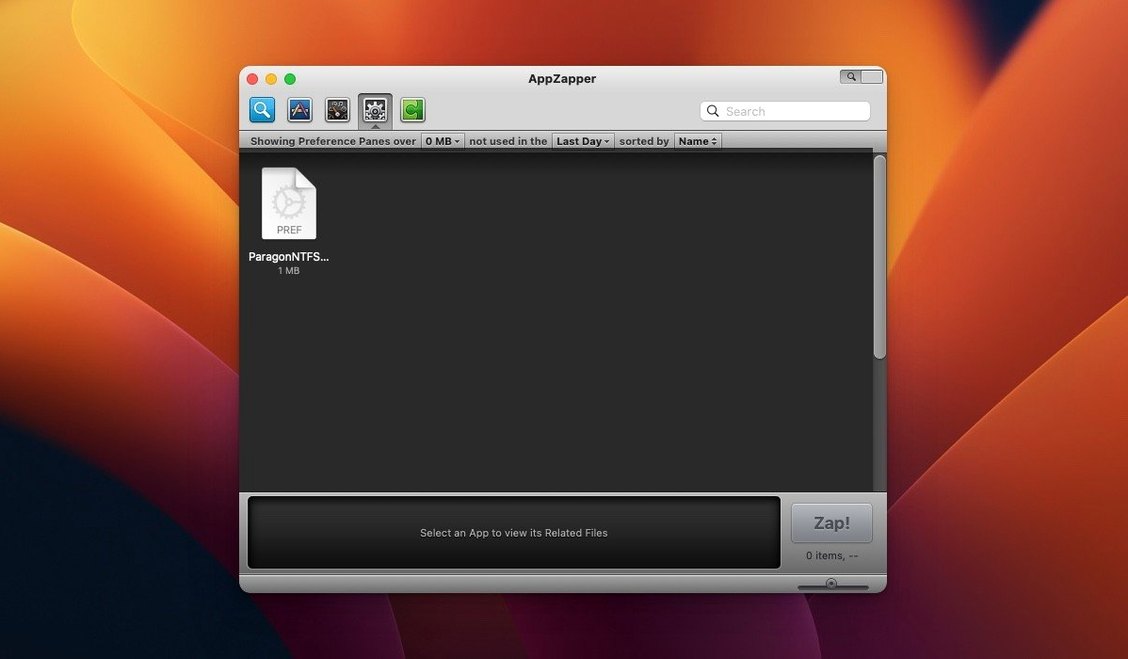
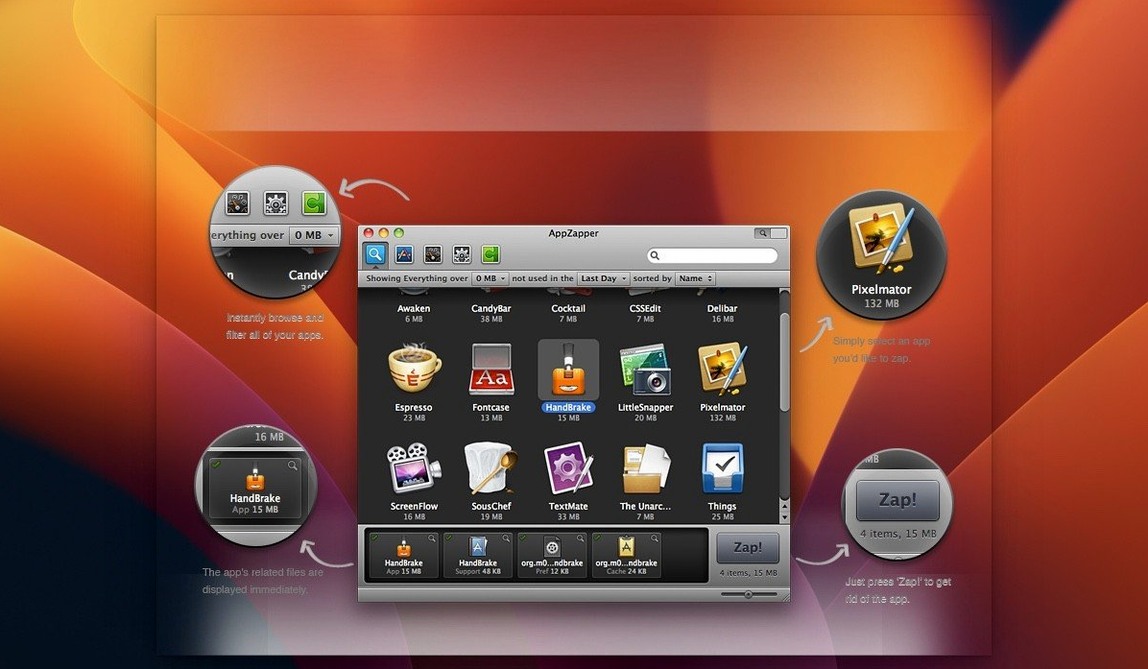
You drag an app to the Trash, but its preferences, caches and support files stay behind. AppZapper catches those leftovers before they clutter your Mac.
- Drag the app onto the window — or use ZapGenie to browse installed apps by name or last-used date. The grid browser with large icons makes it quick to spot what you no longer need.
- Review the related files AppZapper finds. Every item is listed before deletion, so you can uncheck anything you want to keep.
- Click the zap button in the upper-right corner. The app and its associated files are gone in one go.
Version 2.0.3 fix runs on OS X 10.9 and later, 64-bit Intel only. The interface is English. It extends the default macOS removal workflow without overcomplicating it — you get the extra files shown, you decide what goes.
Works alongside CleanMyMac and Onyx
AppZapper works well alongside other Mac utilities because it doesn't try to be everything. I keep CleanMyMac or Onyx for system maintenance, but AppZapper handles one job — app removal — and does it without scanning the same folders twice. The files it finds (preferences in ~/Library/Preferences, caches in ~/Library/Caches, support files in ~/Library/Application Support) are exactly the ones a manual search would uncover, but shown in one window.
The export feature from version 1.7.0 is handy when you want to archive an app and its files before a clean install. You can save the bundle to an external drive or a cloud folder, then restore it later if needed. That's more useful than it sounds — I've used it to move a music production app between Macs without re-downloading every plugin.
For macOS itself, AppZapper respects the system's structure. It doesn't touch files outside the standard Library locations, so you won't accidentally remove shared frameworks or system extensions. The authentication prompt added in version 1.8.0 means it asks for your admin password when deleting protected files, which is the same behaviour you'd see in Finder when modifying system-owned folders.
Quit the app before dragging it in
The most common slip is dragging an app that's still running. AppZapper will find the related files, but the app itself won't delete cleanly because macOS keeps it open. Quit the app first, then drag it onto the window.
Another one: not checking the related files list before clicking zap. Beginners tend to assume everything listed should go, but some preferences or support files might be shared with another app you want to keep. A plugin's settings, for instance, can be used by a different host app. Uncheck those before deleting.
People also forget that deleted files go to the Trash, not straight to oblivion. If you zap something by accident, you can restore it from the Trash before emptying it. That safety net is easy to miss if you're in a hurry.
Then there's the Gatekeeper bypass step during installation. It looks intimidating — opening Terminal and pressing Enter — but it's a one-time thing. Beginners sometimes skip it and wonder why the app won't open. The instructions on the disk image spell it out clearly; follow them once and you're set.
Grid view speeds up browsing many apps
The grid view toggle in the upper-right corner isn't just for looks. When you have many apps installed, switching to the grid with large icons makes browsing faster than scrolling a list. It's especially useful in ZapGenie, where you can filter by date last used or name — perfect for spotting apps you installed months ago and forgot about.
Version 1.6.0 added Sparkle integration, which means AppZapper checks for updates automatically. You don't have to visit the developer's site to see if a new version is out. The update prompt appears in the app itself, and you can apply it with one click.
The export feature (from version 1.7.0) is another detail people overlook. It's not just for backup — you can export an app and its related files to share with someone else or to keep a portable copy. If you're testing a new app and want to revert to an older version, exporting the current one first saves you from re-downloading later.
And the fact that every item is checked by default but can be unchecked individually means you have full control. No hidden deletions, no surprises. That level of transparency is rare in uninstallers, and it's the reason I still reach for AppZapper when cleaning up after a weekend of trying new DJ software.
- Grid-style app browser with large icons added in version 2.
- ZapGenie lets you filter installed apps by name or date last used.
- Current release is 2.0.3 fix.
- macOS OS X 10.9 or later
- Intel 64-bit processor
- Interface language: English
Kit check at a glance
| System | OS X 10.9 or later |
| Chip | Intel 64-bit |
| Download | 4 MB |






Chat from the booth
Sign in or grab a free account to leave a comment.
Nobody has said a word in the booth yet. If you played a set with this build, tell the next person how it went.