
- Build in the crate
- 1.39.4
- Made by the team at
- AppHouseKitchen
- Menu languages offered
- Russian, English, German, Arabic, Greek, Spanish, Italian, Chinese (Traditional), Chinese (Simplified), Korean, Dutch, Polish, Portuguese, Turkish, French, Japanese
- How you pay for it
- Included
- macOS it plays on
- macOS 12 or later
- CPU it runs on
- Apple Silicon, Intel 64-bit
Screenshots
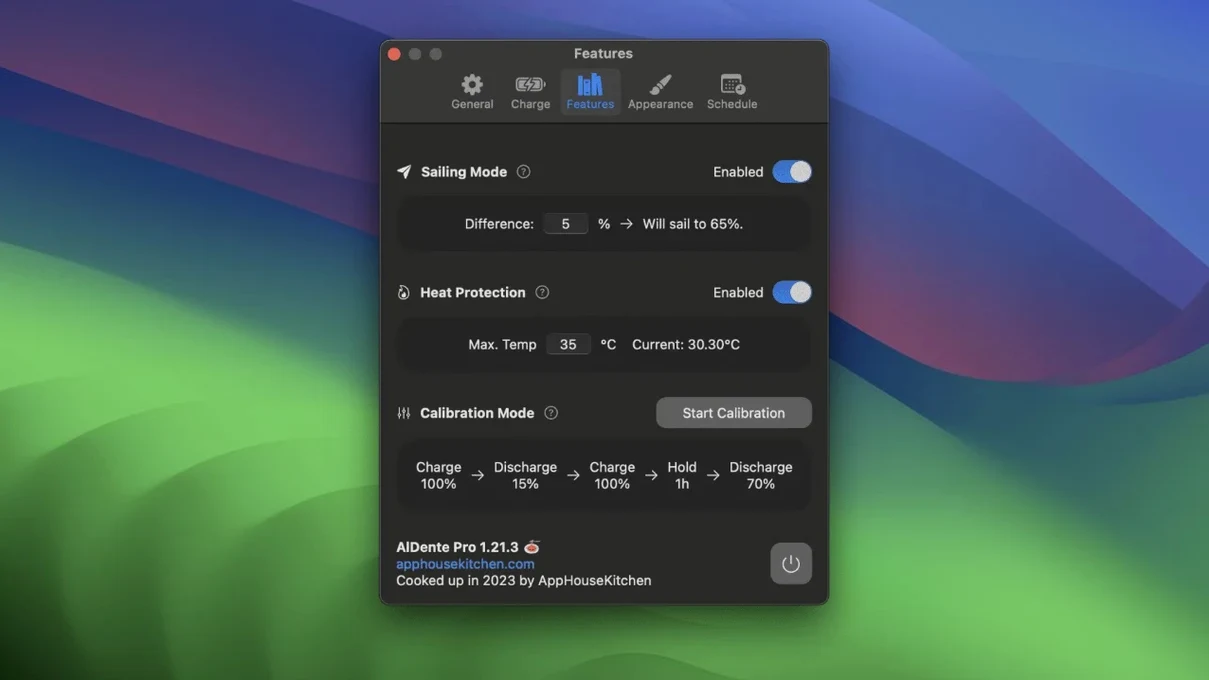
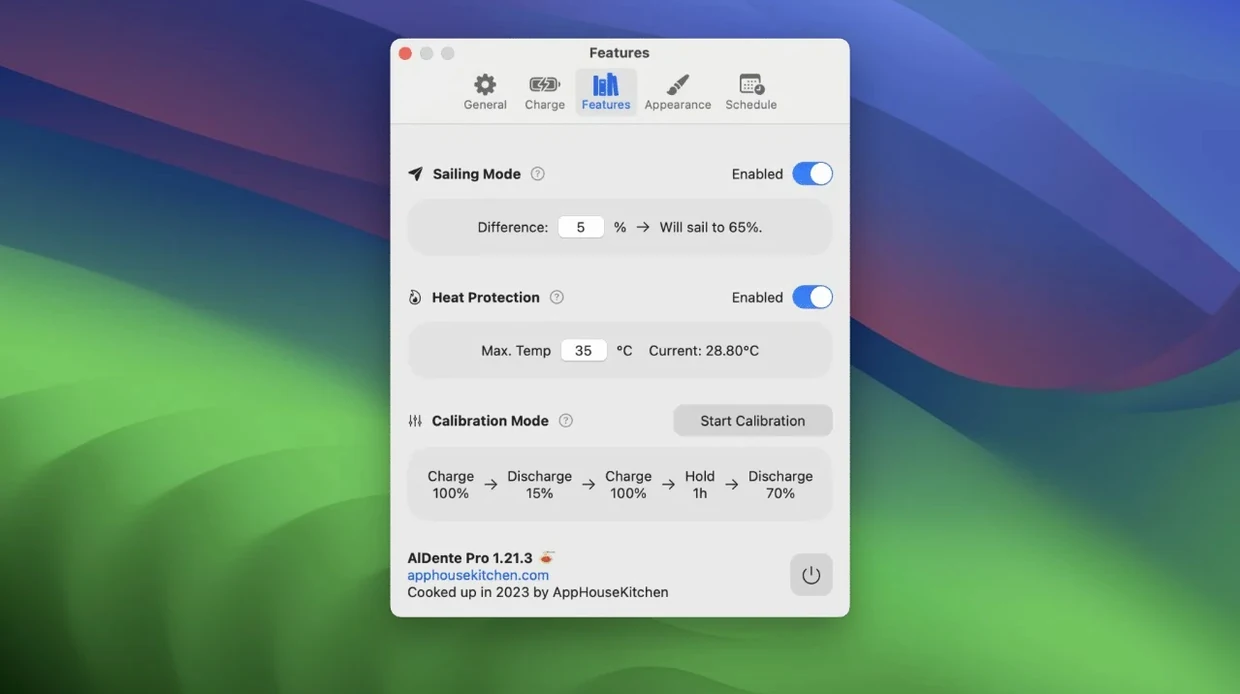
That's exactly the kind of habit AlDente Pro aims to break.
It lets you set a charge limit, so your MacBook doesn't keep topping up to full when you're mostly on AC power.
The app also includes heat protection, which matters if you're pushing the machine hard while it's charging.
Good for:
- Anyone who docks their MacBook for days at a time.
Keep in mind:
- AlDente Pro runs on macOS 12 Monterey or later, on both ARM and 64-bit Intel Macs.
- Interface is available in a wide range of languages, including English, French, German, Italian, Spanish, Arabic, Dutch, and Traditional Chinese.
Leaving the MacBook plugged in all weekend
Say you sit down at your desk on Monday morning. Your MacBook's been plugged in all weekend.
You're editing audio for the rest of the day, so you leave the limit where it is. Heat protection kicks in when the CPU gets warm during export; the app throttles charging until things cool down again. You don't notice it happening — that's the point.
Later in the week, you need to take the MacBook to a session across town. The app remembers your last setting, so when you plug back in at the studio, it goes straight back to your usual limit. No thinking required.
If you're going away for a few days, Sailing Mode is worth a look.
Calibration Mode is something you'd use maybe once every couple of months. You can start it from the menu and let it run overnight.
Fixing AlDente after a macOS update
Unplugging for a bit and using the laptop normally fixes that.
Another one: the app seems to stop working after a macOS update. Usually it's just a permissions thing. Go to System Settings and check that AlDente Pro still has the access it needs, especially for notifications and background activity. The app itself gets updated to handle new macOS versions — the current build works with Monterey and later — but permissions sometimes reset.
Some users think Sailing Mode isn't doing anything because the percentage barely moves. That's normal. It's a slow drift, not a rollercoaster. Give it a few days and you'll see the pattern.
Installing AlDente Pro from a disk image
AlDente Pro is a lightweight utility. It sits in the menu bar and doesn't open a main window unless you ask it to. The download is a standard disk image — you drag the app into Applications, then open it from Launchpad. That's it.
It runs on macOS 12 Monterey and later, on both Apple Silicon and Intel Macs with 64-bit processors. If your Mac is older than that, it won't work. The interface comes in over a dozen languages, so if English isn't your first language, there's a good chance yours is covered — including Russian, Arabic, Greek, Korean, Turkish, and both Simplified and Traditional Chinese.
Because it's a menu bar app, it doesn't clutter your dock or your desktop. It uses very little space and stays out of the way until you need to adjust a setting.
Setting a charge limit too low for heavy work
The most common one is setting a limit that's too low for everyday use.
If you're running heavy software — music production, video rendering — the MacBook gets warm. Heat protection pauses charging. That's intentional. Lower the workload or let it cool down before you expect the charge to resume.
People also forget to disable the limit before a long trip. Quick fix: toggle the limit off before you unplug.
And some beginners try to use Calibration Mode too often. Once every month or two is plenty.
One last thing: if you've grabbed aldente pro crack or any other unofficial version, you might run into quirks that the official release doesn't have. The same goes for aldente cracked builds — they can behave oddly because they're not the real thing. Stick with the standard release for a predictable experience.
A typical session with AlDente Pro
Monday morning. You sit down at your desk, plug in the MacBook and open the lid. AlDente Pro is already running — it starts automatically after installation.
You've got a few hours of sample editing ahead, so you leave the limit alone. No sudden top-ups, no unnecessary cycles.
By Wednesday, you're travelling to a friend's studio. Before you unplug, you open the app and toggle the charge limit off.
You start Calibration Mode from the menu, let the MacBook discharge slowly overnight, and by Saturday morning it's done. The percentage reads more accurately again.
Once a month, you flick on Sailing Mode for a week. You barely notice it. The MacBook just sits there, plugged in, doing its job.
Common snags and how to sort them
The app doesn't launch after a reboot. First thing to check: is it in your Login Items? Open System Settings, go to General, then Login Items, and add AlDente Pro if it's missing.
You change the charge limit but nothing happens. Try quitting the app and reopening it. Sometimes the menu bar needs a refresh. If that doesn't work, restart the MacBook — it's rare but it clears things up.
Heat protection seems too aggressive. If the MacBook is warm from exporting audio or compiling code, the app pauses charging. That's normal. Let the laptop cool down for ten minutes and charging resumes. If you want to override it, you can temporarily raise the limit or turn off heat protection in the settings.
Give it a full charge-discharge cycle manually. After that, the reading usually settles.
AlDente limits your MacBook’s battery charge to extend its lifespan, ideal for users who keep their laptop plugged in. These builds often miss the proper helper tools or have broken permissions. The same applies to any aldente crack you find — they're not worth the hassle. The official disk image is straightforward and works as expected.
- Fixed visual glitches in the Popover that occurred in the first betas of macOS 27.2.
- macOS 12 Monterey or later
- Apple Silicon (ARM) or 64-bit Intel
Kit check at a glance
| System | macOS 12 or later |
| Chip | Apple Silicon, Intel 64-bit |
| Download | 12 MB |
| Older pressings | 8 in the crate |


Chat from the booth
Sign in or grab a free account to leave a comment.
Nobody has said a word in the booth yet. If you played a set with this build, tell the next person how it went.