
- Build in the crate
- 3.0-890
- Made by the team at
- Guilherme Rambo
- Menu languages offered
- English
- How you pay for it
- Included
- macOS it plays on
- macOS 14 or later
- CPU it runs on
- Apple Silicon, Intel 64-bit
Screenshots
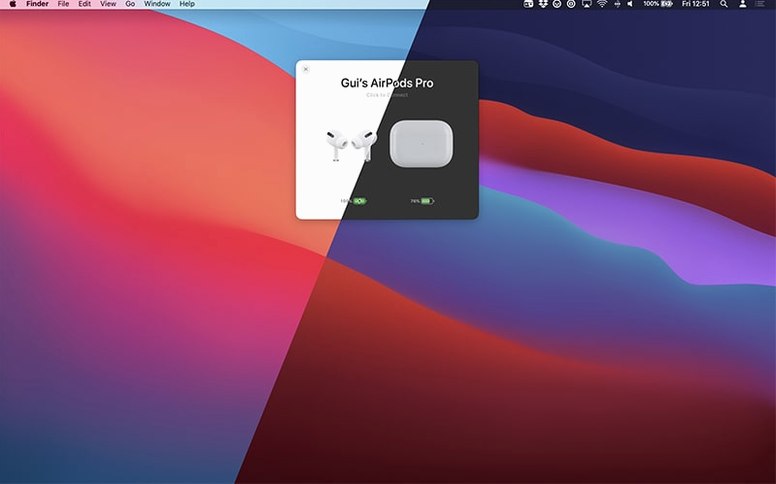
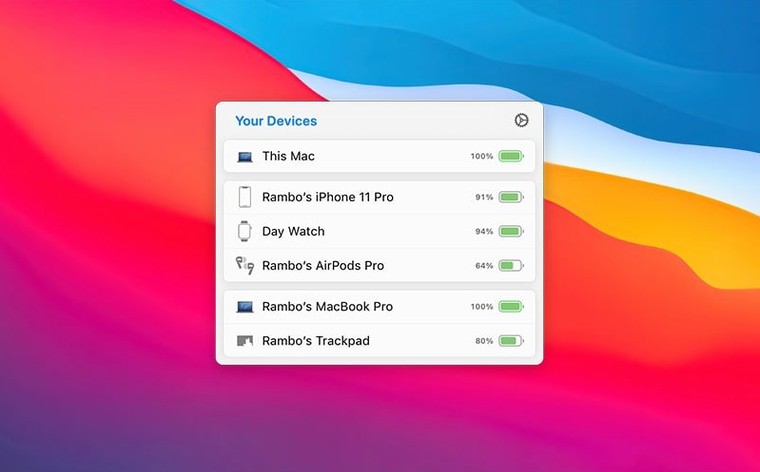
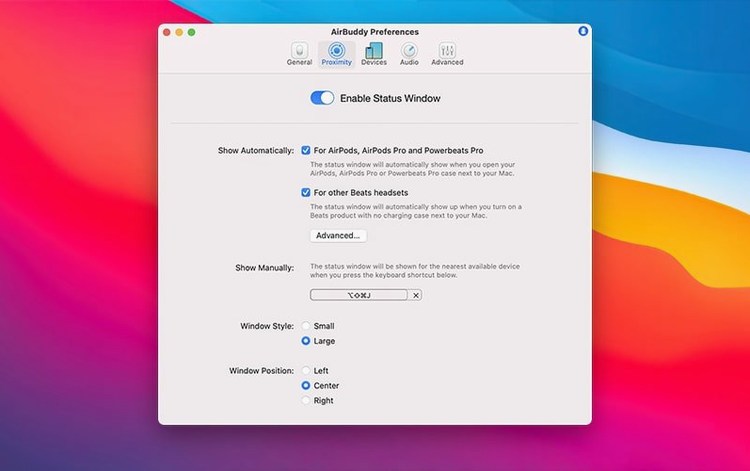
Trackpad gestures to connect AirPods and switch modes
- Connecting AirPods and switching listening modes using a trackpad gesture
- Controlling playback on devices within range
- Magic Handoff – moving your Magic Mouse, trackpad or keyboard between different Macs
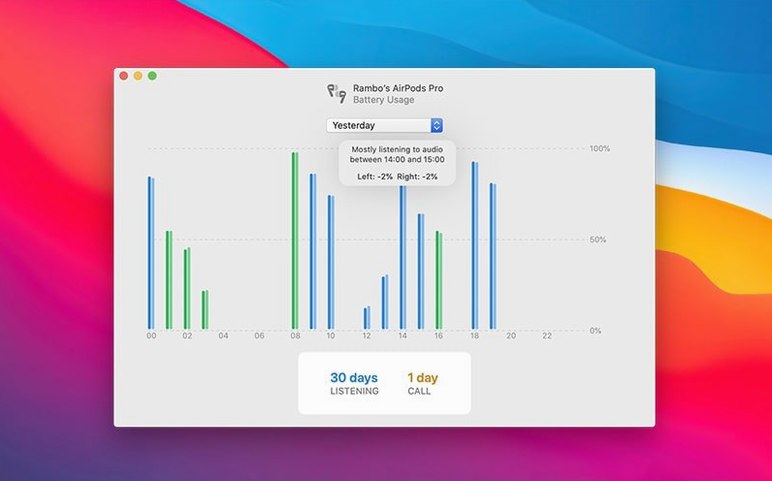
- Seeing whether the left or right AirPod is draining faster
Requires macOS 14 and English-only interface
- Requires macOS 14 (Sonoma) or later
- Works on both Apple Silicon and Intel Macs (ARM and x86 64-bit)
- Connection modes can change listening mode, volume and microphone state
- Interface language is English
One-click connection without Bluetooth menu
One click connects them. No digging through Bluetooth settings, no waiting for the pop-up. The small status window appears briefly, then fades. You are already in your music library.
Later, you switch from your Mac to your iPad. If you own a Magic Keyboard and a Magic Trackpad that you share between two Macs, Magic Handoff moves them over without re-pairing. It just works when both Macs run AirBuddy.
At the end of the day, you open the headset usage history. The last 12 hours show your total listening time, total talk time, and which AirPod drained faster. No guesswork.
Compact app for ARM and Intel Macs
AirBuddy 3.0-890 runs on macOS 14 or later. It supports both ARM and x86 64-bit Macs, so Intel and Apple Silicon machines are covered. The interface is in English only. The app itself is compact – it lives in the menu bar and only opens a status window when you connect or check a device. There is no bloated preferences pane or background daemon eating resources. Just the menu bar icon, the status windows, and the connection logic.
That is a beta feature, but it is already in the current build. Choose whichever fits your workflow. The large status window gives you more detail; the small one is for quick checks.
Fix AirPods not appearing in AirBuddy
- AirPods not appearing in AirBuddy. Make sure Bluetooth is on and your AirPods are charged and within range. If they still do not show, restart the Mac and open the AirPods case near it. AirBuddy relies on the same Bluetooth stack as macOS, so a fresh handshake often helps.
- Magic Handoff not working between two Macs. Both machines need AirBuddy installed and running, and they must be on the same iCloud account. Check that Bluetooth and Handoff are enabled in System Settings on both Macs. If it still fails, quit AirBuddy on both, then relaunch.
- Listening mode switching not responding to trackpad gestures. Open AirBuddy’s preferences and confirm that the gesture is assigned. Some trackpad models may need a firmware update – check System Settings for Bluetooth device updates.
- AirBuddy refreshes when it detects the device. If the problem persists, toggle Bluetooth off and on.
- App icon missing from the menu bar. If you chose “no icon” in the beta settings, the app is still running. Open AirBuddy from the Applications folder to bring back the preferences and adjust the menu bar icon option.
These are the typical hiccups. Most resolve with a Bluetooth toggle or a restart. AirBuddy itself is stable – the issues come from macOS or the devices, not the app.
- Menu bar icon now offers three options: the app icon, the battery indicator, or no icon.
- macOS 14 or later
- Apple Silicon or Intel 64-bit
Kit check at a glance
| System | macOS 14 or later |
| Chip | Apple Silicon, Intel 64-bit |
| Download | 49 MB |
| Older pressings | 9 in the crate |






Chat from the booth
Sign in or grab a free account to leave a comment.
Nobody has said a word in the booth yet. If you played a set with this build, tell the next person how it went.