

- Build in the crate
- 1.1.13
- Made by the team at
- Fat Alien Cat, Nomo Studio
- Menu languages offered
- English, German, Spanish, Chinese (Simplified), Korean, Portuguese, French, Japanese
- How you pay for it
- Not required
- CPU it runs on
- Apple Silicon, Intel 64-bit
- Played on
- macOS Tahoe, Mac mini 2024 M4
- Dropped on
- 6.06.2026
- Spoken voice in
- Music only
Screenshots
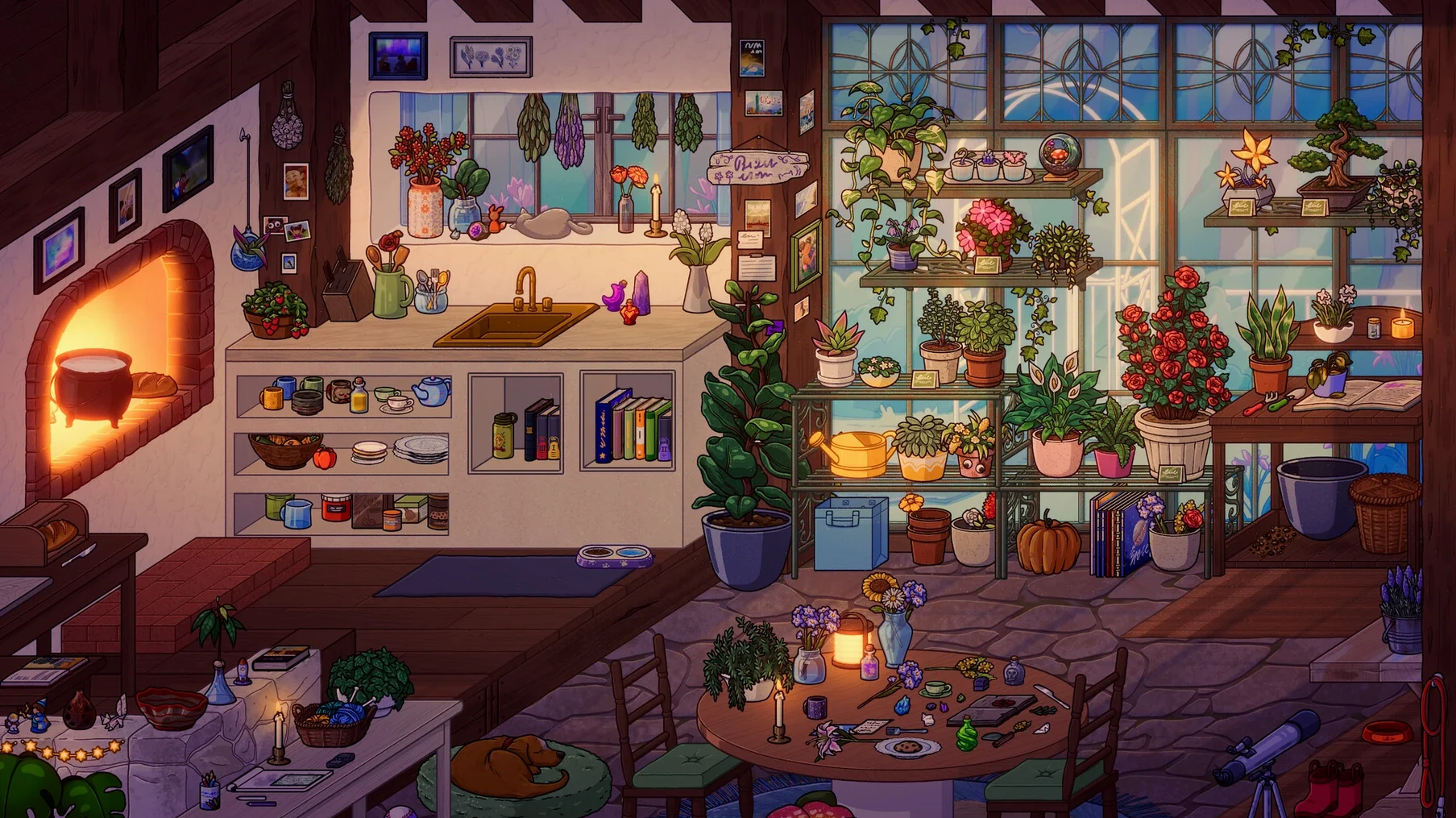
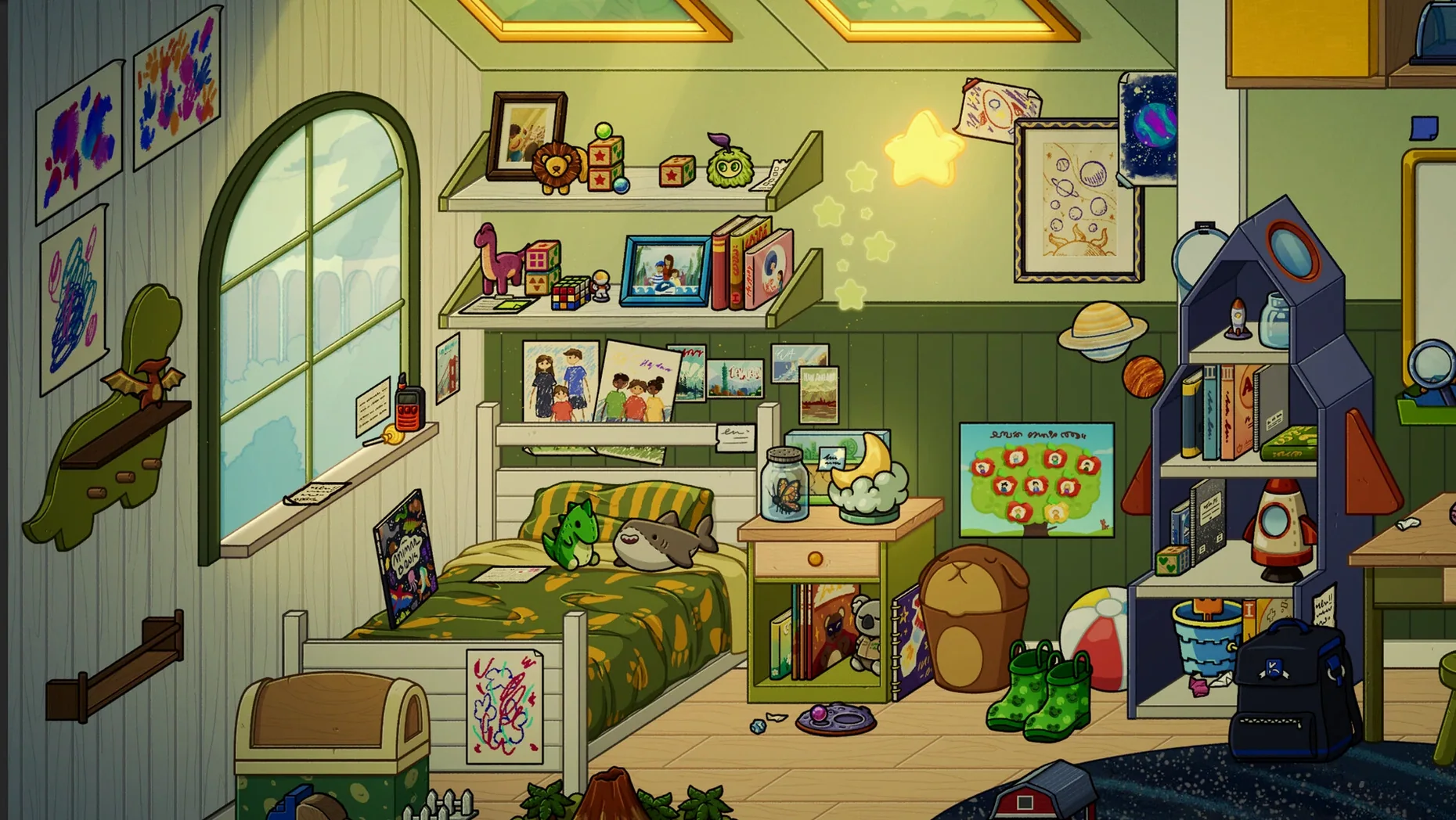
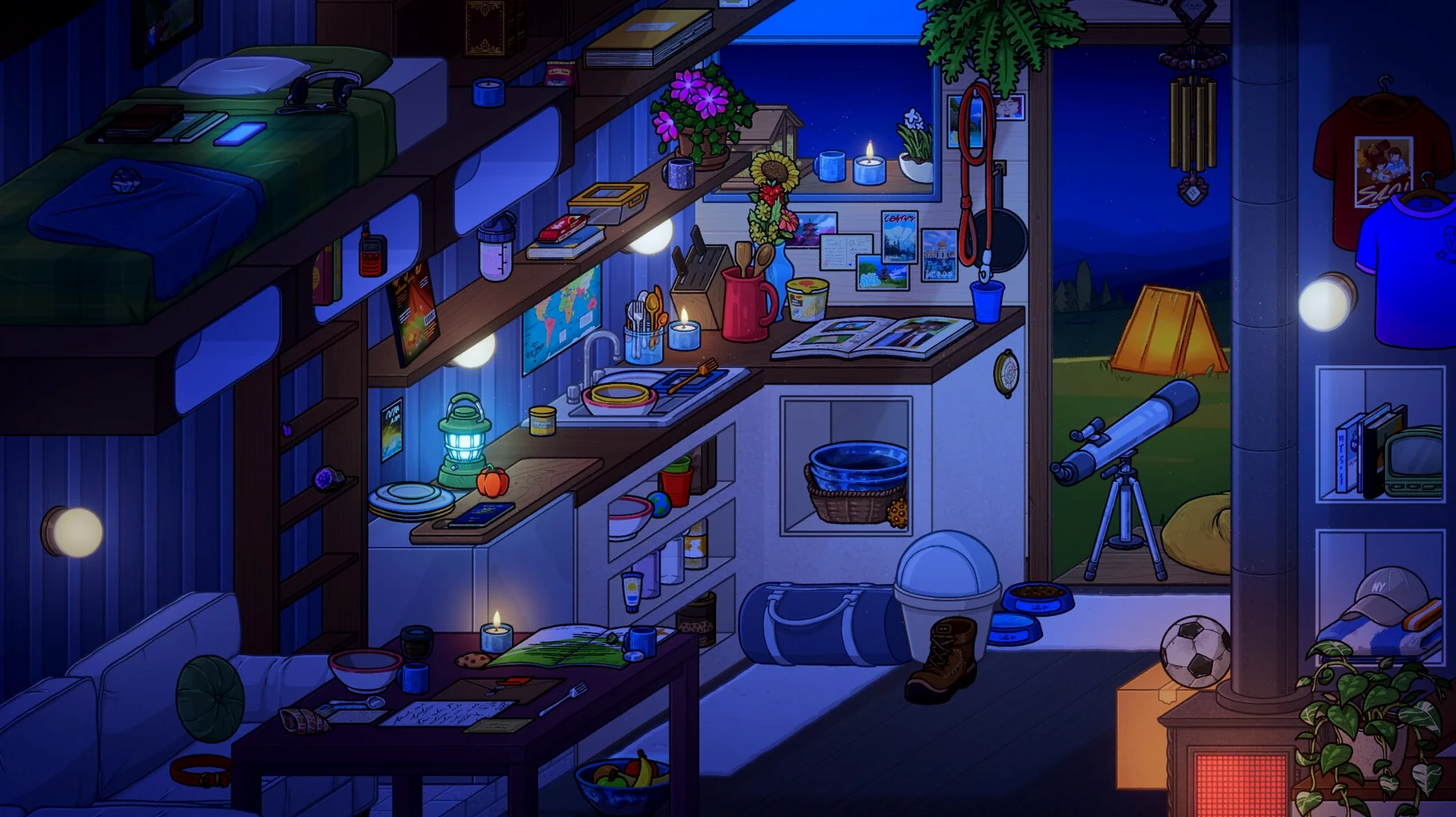
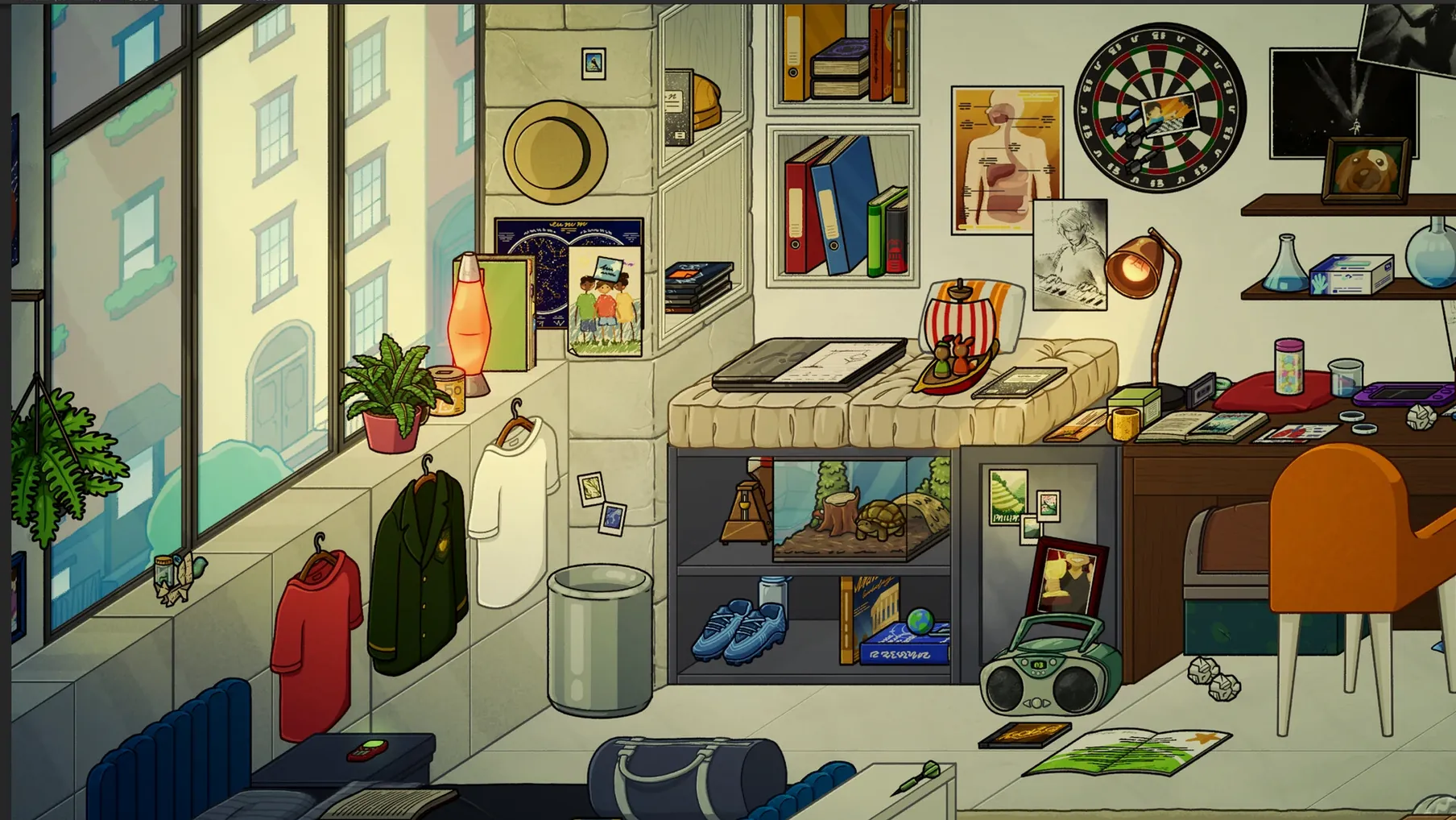
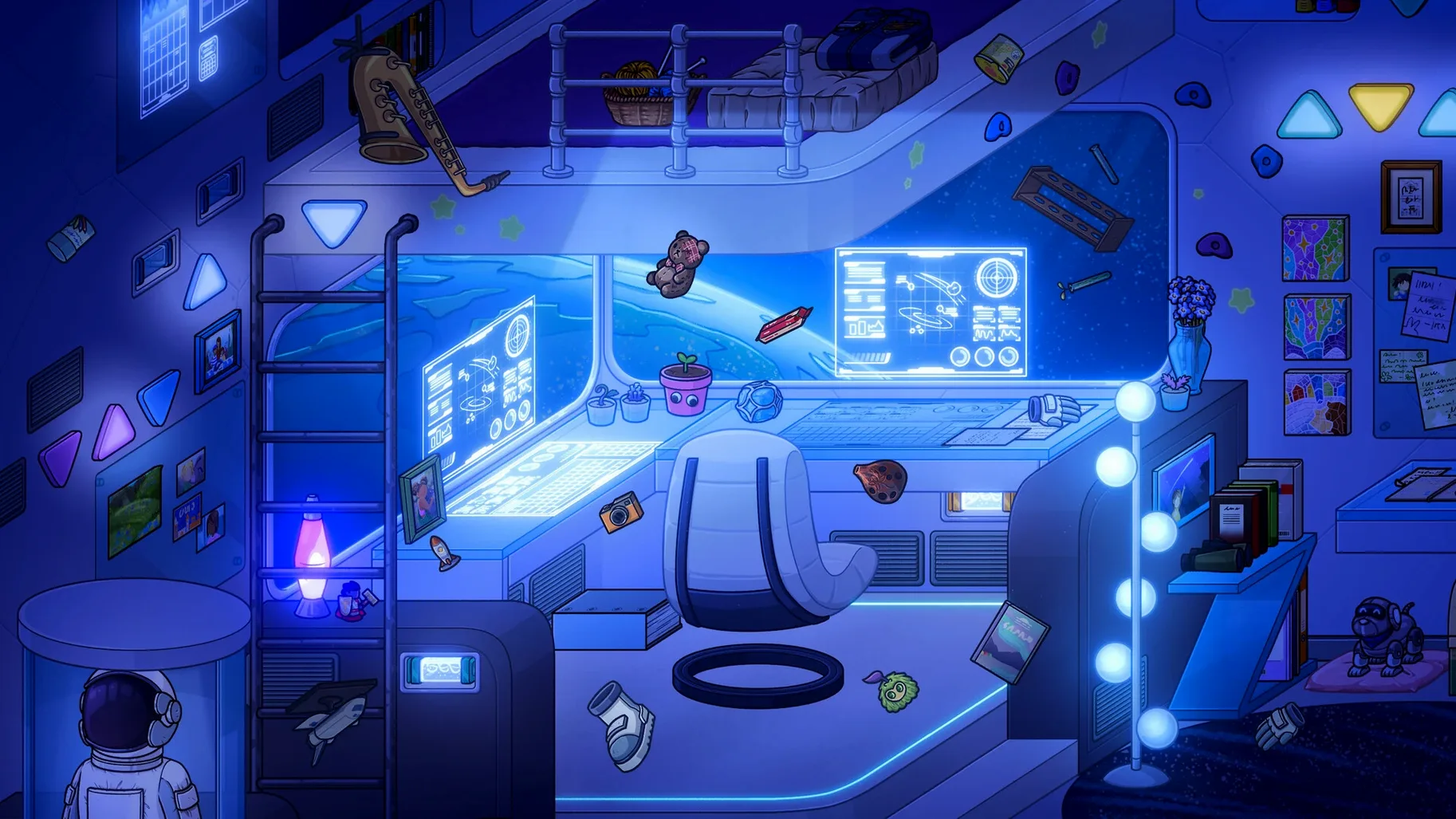
If you know the feeling of tweaking a room in a game until it feels just right, Momento turns that into the whole story. You start as a kid and pick objects that quietly shape who you become — a book here, a lamp there. As you grow up, the room grows with you. You can turn lights on and off, flip through books, and pet animals. There are also secrets and special rewards if you look close. It's decoration with a memory.
Choose furniture and objects to shape your story
- Choose furniture and objects for your room
- Watch how your choices affect the story as you grow up
- Interact with small details — flipping books, toggling lights, petting animals
- Find hidden secrets and unlock special rewards
Why that matters
Most decoration games let you make a pretty room. Momento makes the room matter. The objects you pick change the story, so every choice feels personal. It's a quiet game, but the small interactions — like petting a cat or turning a page — make it feel lived in.
For fans of narrative games like Gone Home
If you lean toward narrative games like Gone Home or What Remains of Edith Finch, Momento fits right in. It's also a good pick if you enjoy decoration games but wish they had more weight — a reason to care about which rug you choose. Players who like relaxed, non‑competitive games will find the pace suits a slow evening. And if you're someone who replays story games to see how different choices unfold, the object‑driven story gives you reason to start over.
Creative mode for when you just want to decorate
Sometimes you don't want the story at all. The creative mode lifts the narrative limits and lets you arrange the space however you like. It's useful if you want to experiment with a look before committing to it in the main story, or if you just want a calm, open‑ended decorating session.
Look around the childhood room before changing anything
Once the game's in your Applications folder and you've launched it from Launchpad, take a moment to look around the initial room before you change anything. The story starts in childhood, so the first objects you choose set the tone. Try picking items you wouldn't normally go for — the game rewards curiosity.
Spend a little time clicking on things that don't look like furniture. Bookshelves, nightstands, and corners might hide surprises. Interacting with small details early on can unlock rewards that carry through later stages.
If you plan to replay the game, make a mental note of what you chose the first time. The story reacts to your objects, so a second playthrough with different furniture can feel noticeably different — even if the broad beats stay the same.
Fix crashes and controller issues on Mac
The game doesn't open after dragging it over
Make sure you copied the app into the Applications folder and waited for the transfer to finish. On some Macs, particularly older ones with slower drives, the copy process takes longer than expected. If you try to open it mid‑copy, it will either fail or appear to do nothing. Let it finish, then launch from Launchpad.
Objects don't seem to affect the story
The effect isn't always immediate. Some choices pay off scenes later. If you feel like nothing is changing, stick with it — the game tracks your decisions across multiple stages. Keep interacting with the room between story beats; those small actions (turning lights on, flipping pages) also feed into how the space feels.
I can't find the secrets
Secrets are tucked into the visual details. Try rotating your view or moving the cursor over things that look slightly different in colour or texture. If you're stuck, try a room with a different set of objects — some secrets only appear when certain items are present.
Runs natively on both M-series and Intel chips
The game runs natively on Apple Silicon and on Intel‑based Macs, so no translation layer is needed on either side. If you have a newer Mac with an M‑series chip, it uses the ARM version directly. On older Intel hardware, the x86 build handles things. The same download includes both, so there's nothing extra to choose during setup.
- macOS: not specified by the developer
- Architecture: ARM (Apple Silicon) and 64-bit Intel
- Interface languages: English, German, Spanish, Simplified Chinese, Korean, Portuguese, French, Japanese
Kit check at a glance
| Chip | Apple Silicon, Intel 64-bit |
| Download | 745 MB |






Chat from the booth
Sign in or grab a free account to leave a comment.
Nobody has said a word in the booth yet. If you played a set with this build, tell the next person how it went.