

- Build in the crate
- 27.0.277
- Made by the team at
- Trimble Inc.
- Menu languages offered
- Russian, English, German, Spanish, Italian, Chinese (Traditional), Chinese (Simplified), Korean, Portuguese, French, Swedish, Japanese
- How you pay for it
- K'ed by TNT team
- macOS it plays on
- macOS 15 or later
- CPU it runs on
- Apple Silicon, Intel 64-bit
Screenshots
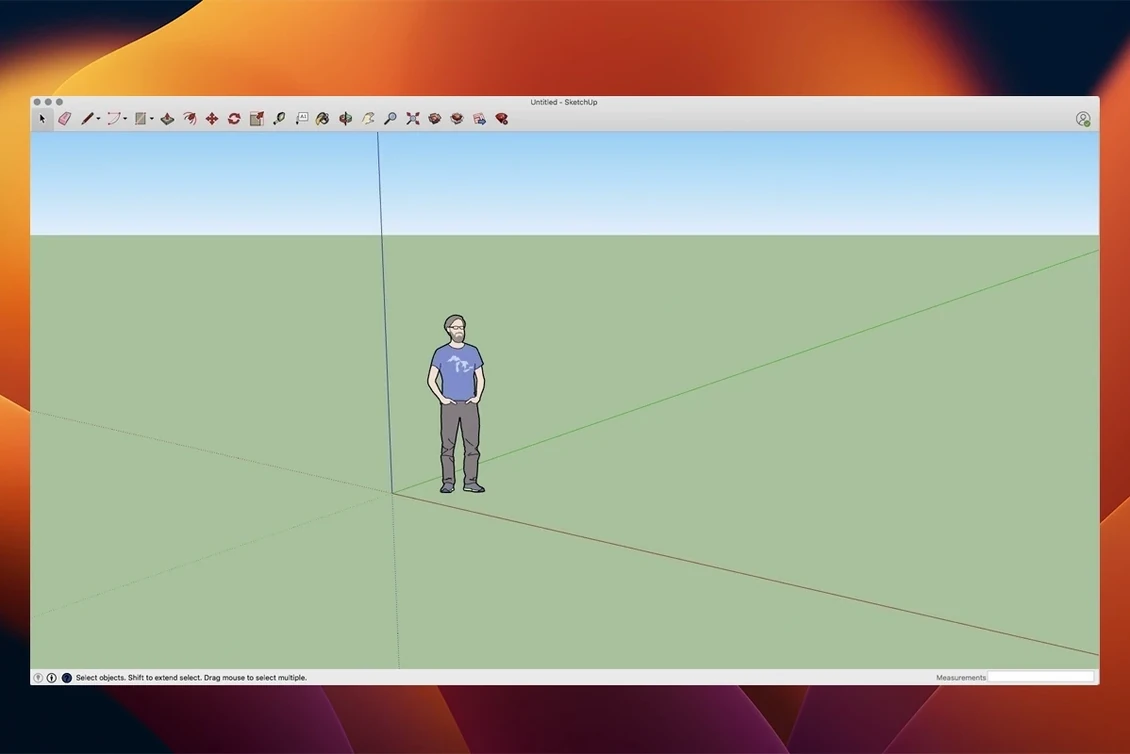
If you have used a pencil and paper to sketch an idea, SketchUp Pro feels familiar. It is 3D modelling software that lets you draw, detail, and document your designs without fighting the tool. Architects, interior designers, woodworkers, and stage builders use it to go from rough concept to measured plans.
The package includes LayOut, which updates automatically when you change the model. You build plans, elevations, details, title blocks, and presentations from the same 3D file. For clients or contractors who need a walkthrough, you can turn the model into an animated flythrough.
SketchUp Pro runs natively on both Intel and Apple Silicon Macs with macOS 13 or later. It needs at least 8 GB of RAM and 6 GB of free disk space. The stated drawing precision goes down to one-thousandth of an inch.
Extensions migration tool saves reinstalling plugins
The jump to version 26.2.242 brought a handful of changes that affect how you work day to day. The biggest one for anyone who has collected extensions over the years is the extensions migration tool. Instead of reinstalling every plugin manually after a clean macOS install or a version upgrade, you can now move them across more cleanly. It saves the kind of afternoon nobody enjoys.
LayOut got graphics improvements in this release. If you have ever placed a detailed model view on a presentation sheet and watched the screen stutter while you panned, this should feel better. The redraw logic was tightened, so working with large sheets full of vector content is noticeably less sluggish.
Mac-specific shortcut and UI fixes are also part of this build. A few keyboard shortcuts that behaved differently on macOS compared to Windows were corrected, and some interface elements that clipped or overlapped on certain screen resolutions were adjusted. It is the sort of polish that does not make the feature list but does make the software less annoying at 11 pm on a deadline.
Analysis Hub is new in 2026.2. It gives you a central panel for checking model geometry, component counts, and other structural data. For anyone who receives models from colleagues or imports from other formats, it helps spot problems before they cause trouble downstream.
Native ARM support for M-series Macs
Can I run SketchUp Pro on an M-series Mac?
Yes. The current build supports both ARM and Intel 64-bit architectures natively. There is no Rosetta translation needed on Apple Silicon machines. It runs as a native app, which keeps the interface responsive even with complex geometry.
Do I need to uninstall the old version first?
You do not have to. SketchUp 2026 installs alongside older versions without conflict. Many users keep the previous release around while they adjust to the new one, then remove it later. The installer puts everything in its own folder.
Will my old LayOut files open in this version?
Yes. LayOut files from recent versions open in 2026. When you save them, the format updates. If you need to share files back with someone on an older release, you can export an older format from the save options.
Is the language set during install or can I switch later?
SketchUp Pro ships with twelve languages including English, German, Spanish, French, Italian, Portuguese, Swedish, Russian, Korean, Japanese, and both Simplified and Traditional Chinese. You can switch the interface language inside the application preferences without reinstalling.
How much space does it actually take after install?
The installer itself is a few gigabytes. After installation, the full application with default content uses around 6 GB.
Edge and face drawing versus vertex modelling
SketchUp Pro vs Blender
Blender is powerful and free, but it approaches 3D from an animation and rendering angle. Its modelling tools are vertex-based and require a different mindset. SketchUp Pro is built around drawing edges and faces directly, more like drafting in 3D. For architectural plans, construction documents, and client presentations, SketchUp Pro gets you to a finished drawing faster because LayOut handles the sheet layout. Blender is better for organic shapes, character modelling, and visual effects. They overlap in the middle, but the workflow direction is different.
SketchUp Pro vs Vectorworks
Vectorworks is another professional option for architects and designers. It combines 2D drafting and 3D modelling in one application, whereas SketchUp Pro separates the modelling (SketchUp) from the documentation (LayOut). Vectorworks has a steeper learning curve and a higher hardware demand. SketchUp Pro is more direct when you want to rough out an idea fast or iterate through design options without worrying about layer management from the start. For detailed BIM workflows, Vectorworks has more built-in data tools. SketchUp Pro relies on extensions for that depth.
SketchUp Pro vs FormIt
FormIt is Autodesk's entry-level conceptual modeller. It is lighter and runs in a browser as well as on the desktop. Its toolset is smaller and geared toward early massing studies. SketchUp Pro goes further into construction documentation, presentation, and precision detailing. FormIt is a good starting point; SketchUp Pro is what you move to when the project needs real drawings and client-ready sheets.
Fix a failed drag-to-Applications install
The app does not open after dragging it to Applications
This usually means the disk image was not fully expanded or the move was interrupted. Re-download the disk image, open it, and drag the application again. Make sure you copy it, not alias it. If macOS flags it as an unidentified developer, right-click the app and select Open from the context menu, then confirm the dialog.
LayOut views appear blank or show a red cross
The viewport lost its link to the model file. This happens when the .skp model is moved or renamed after you placed it in LayOut. Open the SketchUp model reference in LayOut and relink it to the correct file location. LayOut will rebuild the view.
Extensions do not show up after updating
SketchUp 2026 uses a separate Extensions folder from older versions. If you upgraded without using the migration tool, your extensions are still in the previous version's folder. Use the Extensions Manager inside SketchUp to point to the old folder or reinstall the extensions. The 2026.2 migration feature is designed to handle this, so run that first before reinstalling everything manually.
Performance drops with large models
Turn off shadows and fog while you work. Use layers (now called tags) to hide geometry you are not actively editing. Purge unused components and materials from the model window to reduce file size. If the model was imported from another format, run the Fix Problems tool under the Statistics panel to clean up stray geometry.
The installer says macOS is too old
SketchUp 2026 requires macOS 13 Ventura or newer. If you are on Monterey or earlier, the installer will not proceed. The only option is to update macOS or stay on the last SketchUp version that supports your current system.
SketchUp Pro 27.0.277 dropped recently. For the full breakdown of what changed, check the release notes on their help site — that's where Trimble spells out every tweak and fix.
- macOS 15 or newer
- Apple Silicon or Intel 64-bit
Kit check at a glance
| System | macOS 15 or later |
| Chip | Apple Silicon, Intel 64-bit |
| Download | 1.6 GB |
| Older pressings | 8 in the crate |








Chat from the booth
Sign in or grab a free account to leave a comment.
Nobody has said a word in the booth yet. If you played a set with this build, tell the next person how it went.