
- Build in the crate
- 2026.3.1
- Made by the team at
- Bohemian Coding
- Menu languages offered
- English, Chinese (Simplified)
- How you pay for it
- K'ed by TNT team
- macOS it plays on
- macOS 14 or later
- CPU it runs on
- Apple Silicon, Intel 64-bit
Screenshots
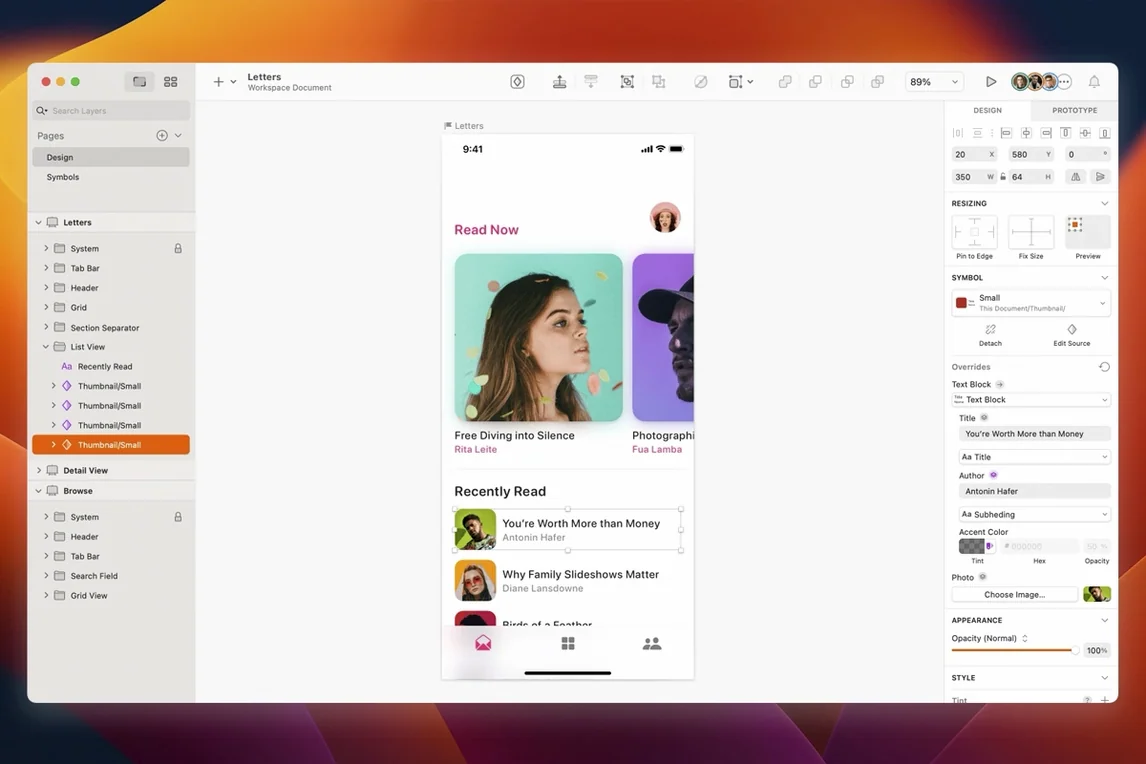
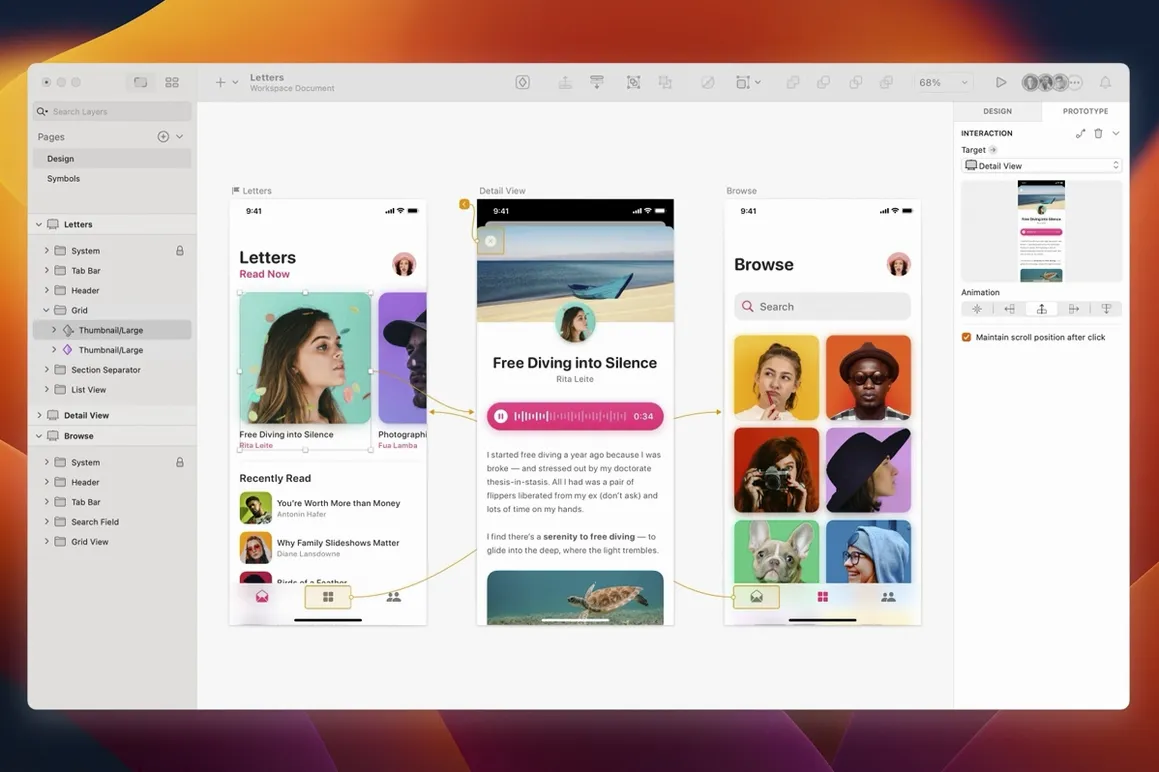
When you spend your day moving between wireframes, prototypes, and production files, the tool that bridges them makes a difference. Sketch does exactly that. It is the vector design app for Mac that people reach for when they build websites, icons, and user interfaces for desktop or mobile. And it fits naturally next to the other apps you already use for prototyping and collaboration.
Design from wireframes to artwork export
- Design from rough wireframes all the way to artwork export for development.
- Integrates with other prototype and collaboration tools.
- Document windows now use the system corner radius.
- Version 2026.3.1 includes the Florence release features and fixes for macOS Golden Gate.
Where it sits
Sketch is not an everything app. It is a focused vector tool for screen design. You do your layout and visual work here, then hand off to prototyping or development tools. That is how it slots into your workflow without replacing everything else.
Drag to Applications and start with basics
After you mount the disk image and run the Gatekeeper-friendly installer, the app is ready. Drag it to Applications, and you are set. For the first few sessions, focus on the basics before reaching for plugins or integrations.
- Open a new document and play with the vector tools. Draw a simple icon, then a button, then a full screen mock-up. The vector engine handles crisp edges at any size, which matters when you export for different screen resolutions.
- Get used to the layer list. Keeping layers named from the start saves time later. The Rename Selected Layers sheet works well for batch naming, and the latest version fixes a text alignment issue there on macOS Golden Gate.
- Try the stack layout feature. It lets you arrange elements that adjust when content changes. Just watch the minimum width of text layers — a bug in earlier versions caused unexpected shifts, and version 2026.3.1 addresses that.
- Export a test file early. Sketch exports artwork in formats your development team can use directly, so check the output looks right before you commit to a full project.
Runs natively on Apple Silicon and Intel Macs
Sketch runs on both Apple Silicon and Intel 64-bit Macs. If you are on an M-series machine, the app is native, so no translation layer is involved. On Intel Macs, it works without extra setup. The minimum system requirement is macOS Sequoia 15.0.0 or newer, meaning older macOS versions are not supported.
The app is a native Mac application, not a cross-platform port. That shows in how it handles document windows — they now use the system corner radius, which makes them feel at home alongside other macOS apps. Menus, sheets, and dialogs follow Mac conventions, so you are not learning a foreign interface.
Language support covers English and Simplified Chinese. If you work in a bilingual team or switch between the two, that is covered without extra language packs.
System corner radius matches macOS 27 Golden
The Florence release features are included in this version. For daily work, the most visible change is the system corner radius on document windows. It is a small detail, but it makes the app look consistent with macOS 27 Golden Gate instead of feeling like a holdover from an earlier design era.
Several fixes target macOS Golden Gate specifically. Tooltips no longer clip near the screen edge, which matters if you work on a smaller display or keep panels at the sides. The blank canvas content issue with Writing Tools is resolved — that one caused confusion when you tried to add text and saw nothing on screen. The Rename Selected Layers sheet now aligns text properly, so batch renaming is less fiddly.
The stack layout fix is worth noting if you use dynamic components. A text layer with a minimum width could break the layout in previous versions. That is corrected now, so your responsive designs behave predictably when text changes length.
- Includes the Florence release features, enhancements for macOS 27 Golden Gate, and minor improvements and bug fixes.
- Document windows now use the system corner radius.
- Fixes a stack layout bug involving the minimum width of a text layer.
- macOS 14 and later
- Intel or Apple Silicon
- Interface languages: English, Simplified Chinese
Kit check at a glance
| System | macOS 14 or later |
| Chip | Apple Silicon, Intel 64-bit |
| Download | 103 MB |
| Older pressings | 12 in the crate |







Chat from the booth
Sign in or grab a free account to leave a comment.
Nobody has said a word in the booth yet. If you played a set with this build, tell the next person how it went.