
- Build in the crate
- 4.6.5
- Made by the team at
- unorderly GmbH
- Menu languages offered
- Russian, English, German, Arabic, Hungarian, Vietnamese, Danish, Indonesian, Spanish, Italian, Catalan, Chinese (Traditional), Chinese (Simplified), Korean, Norwegian, Polish, Portuguese, Romanian, Thai, Turkish, Ukrainian, Finnish, French, Croatian, Czech, Swedish, Japanese
- How you pay for it
- Included
- macOS it plays on
- macOS 14 or later
- CPU it runs on
- Apple Silicon, Intel 64-bit
Screenshots
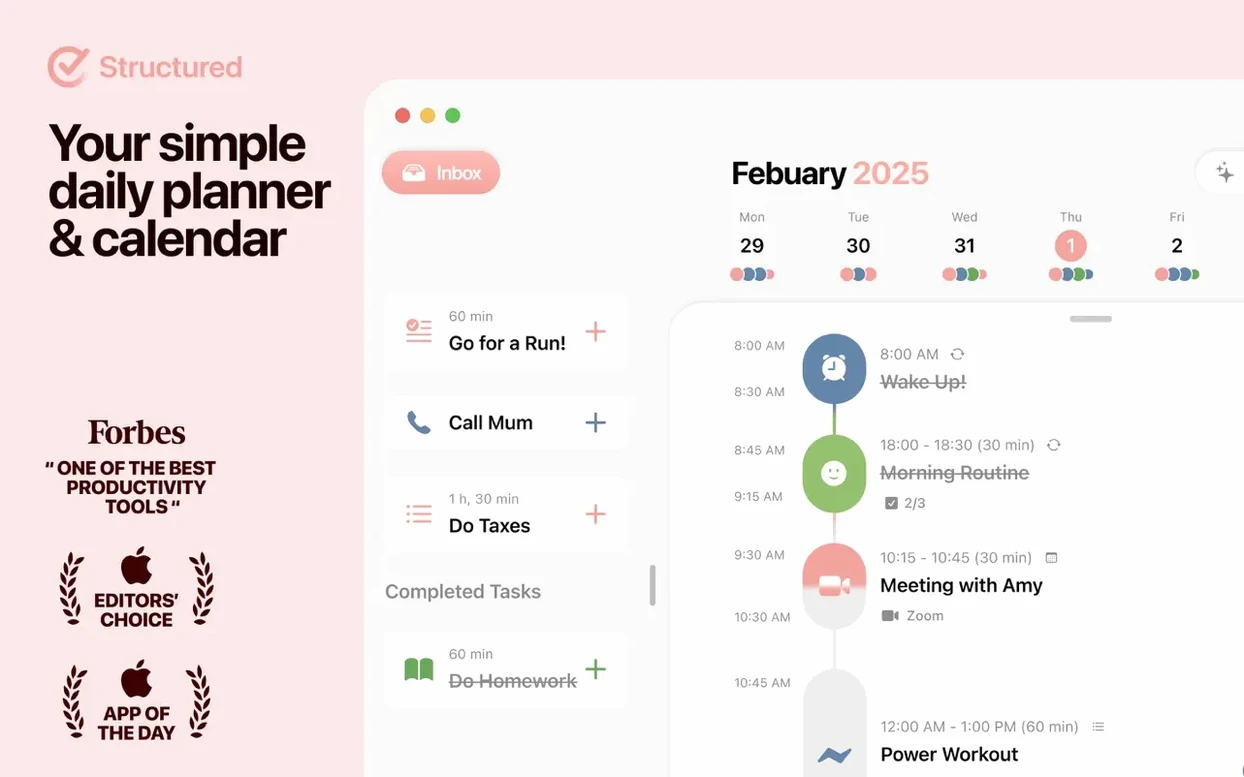
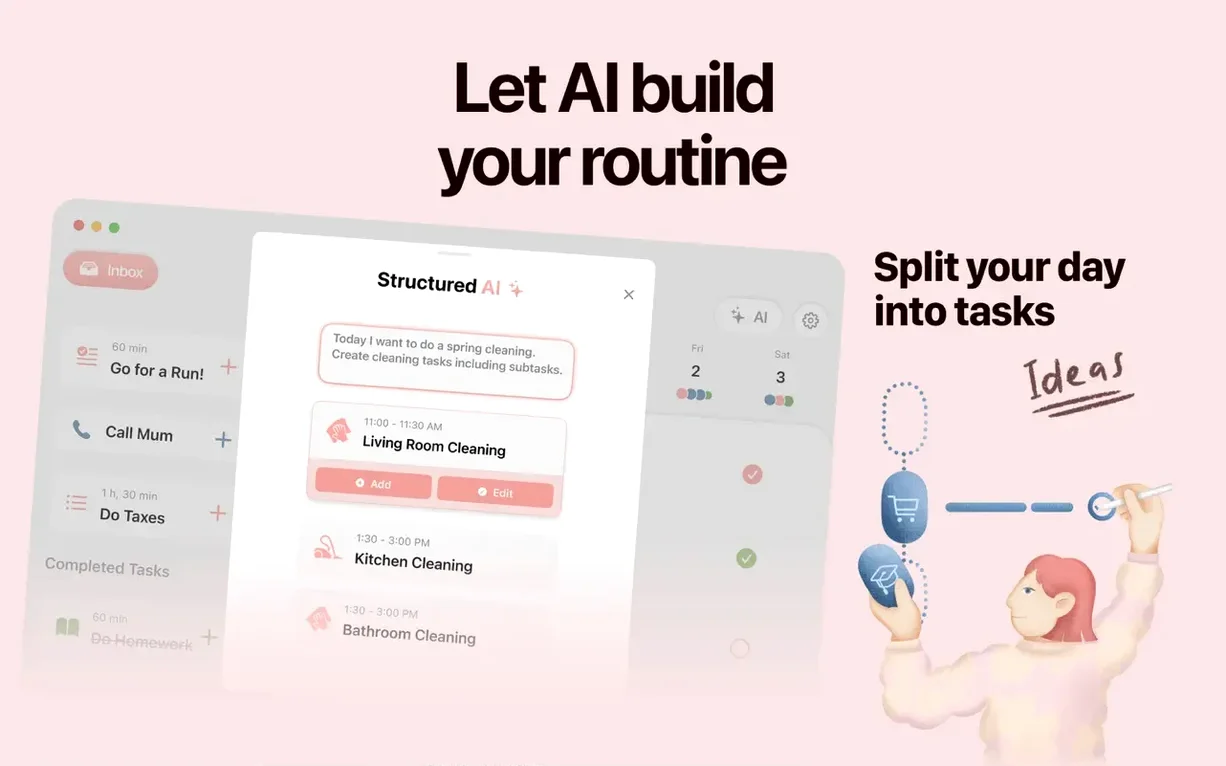
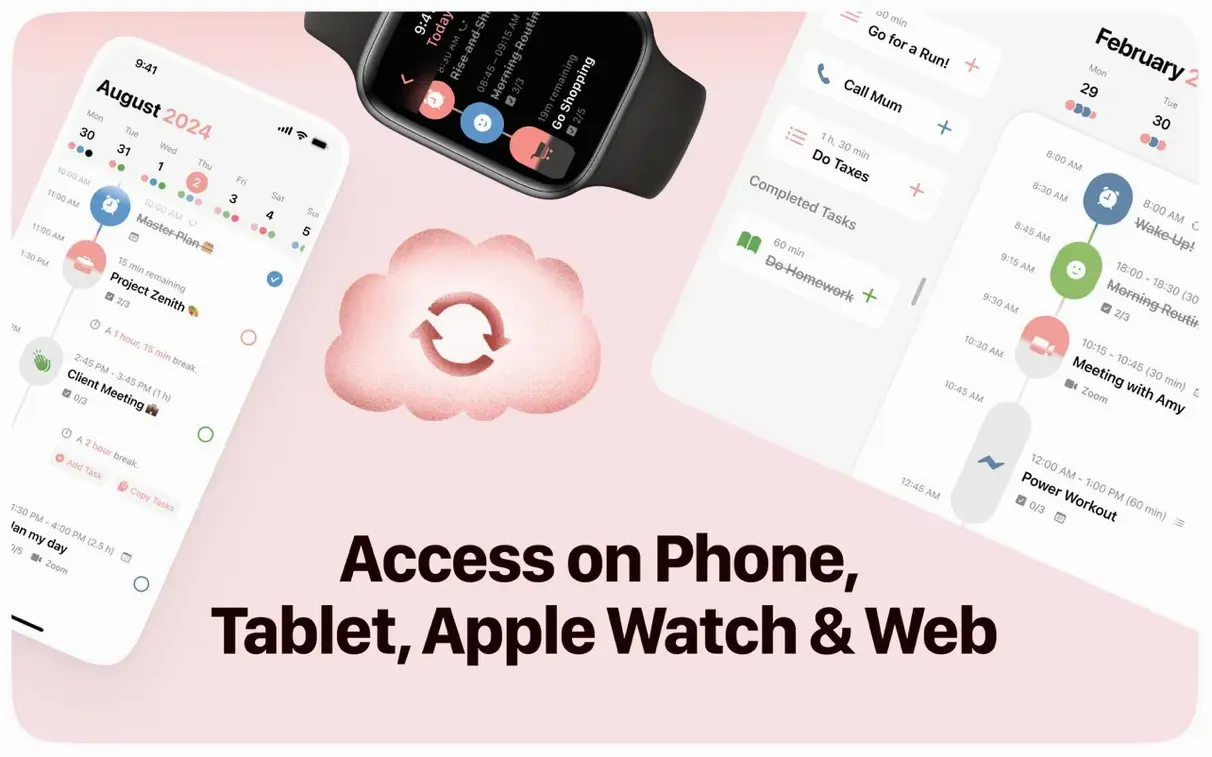
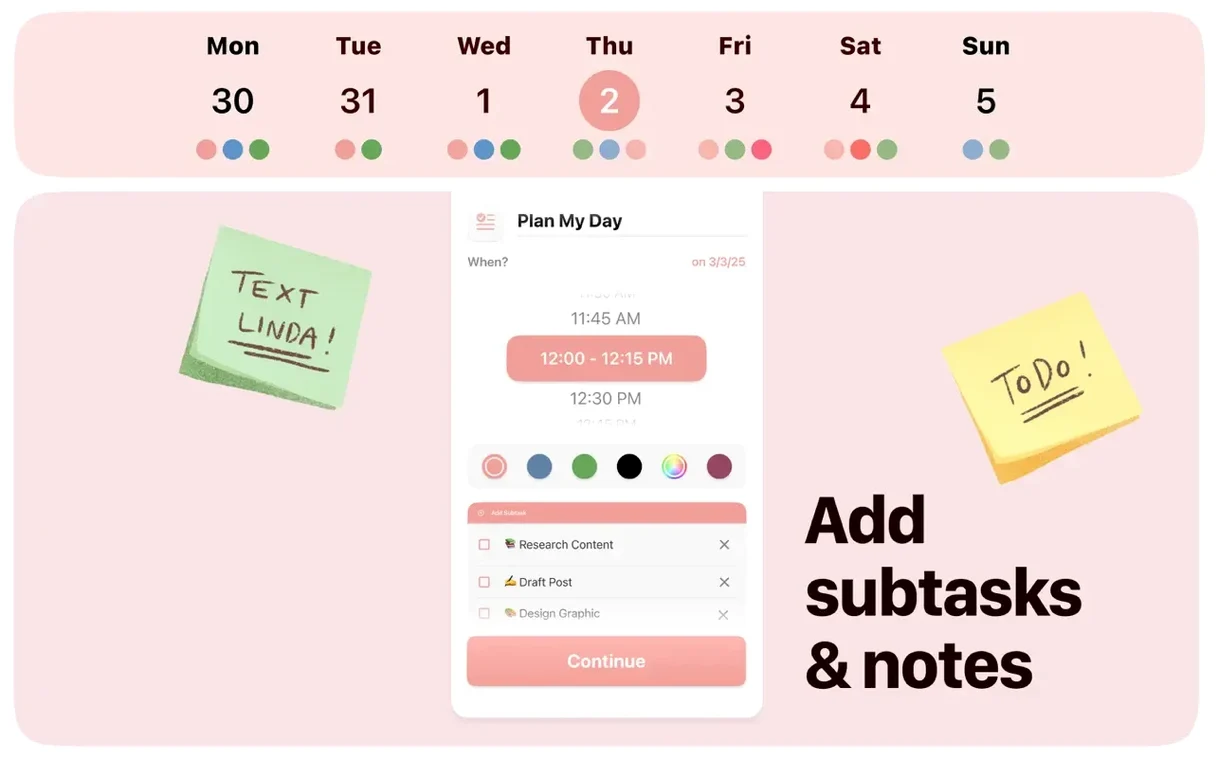
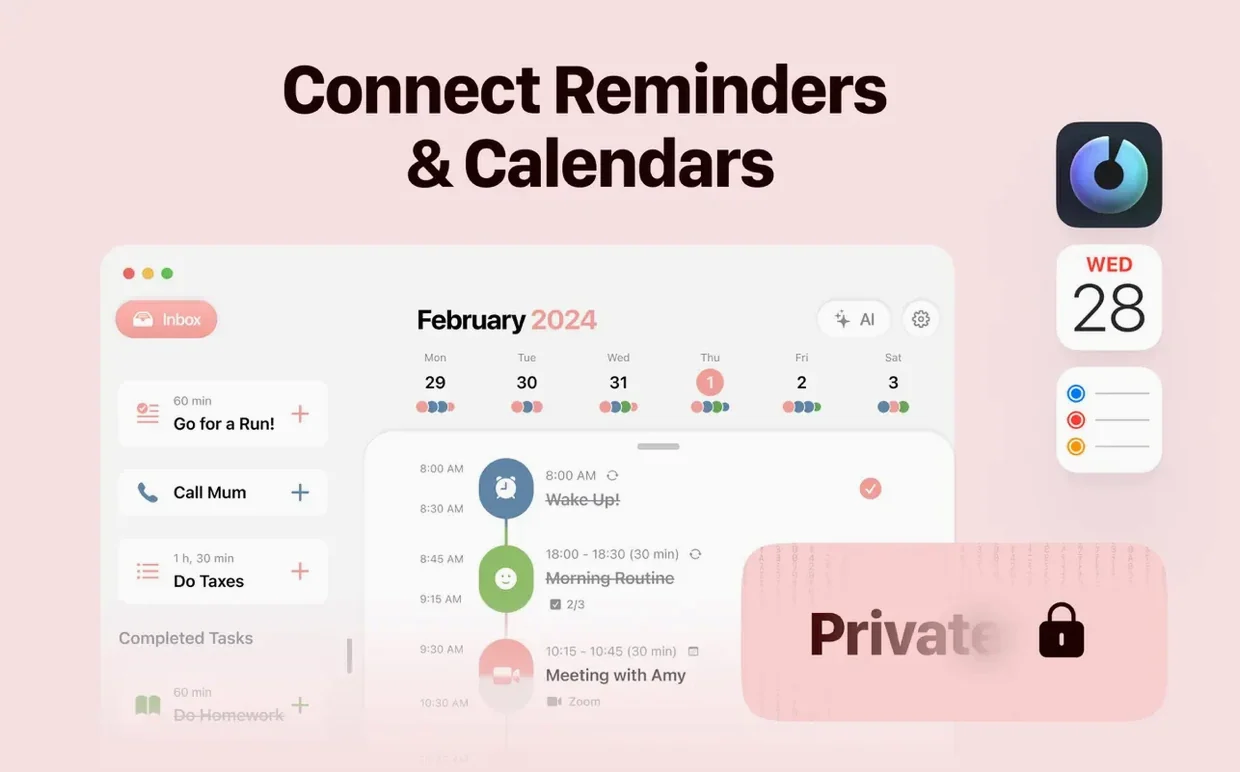
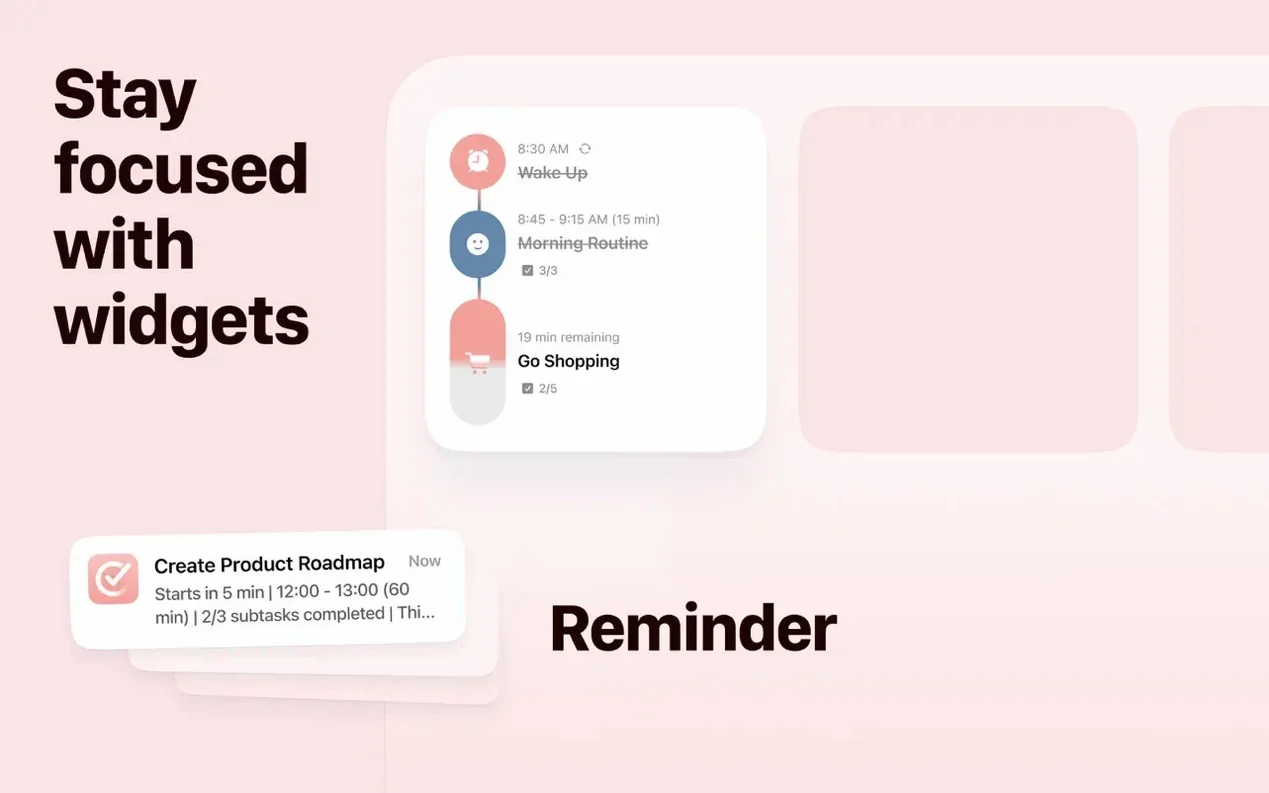
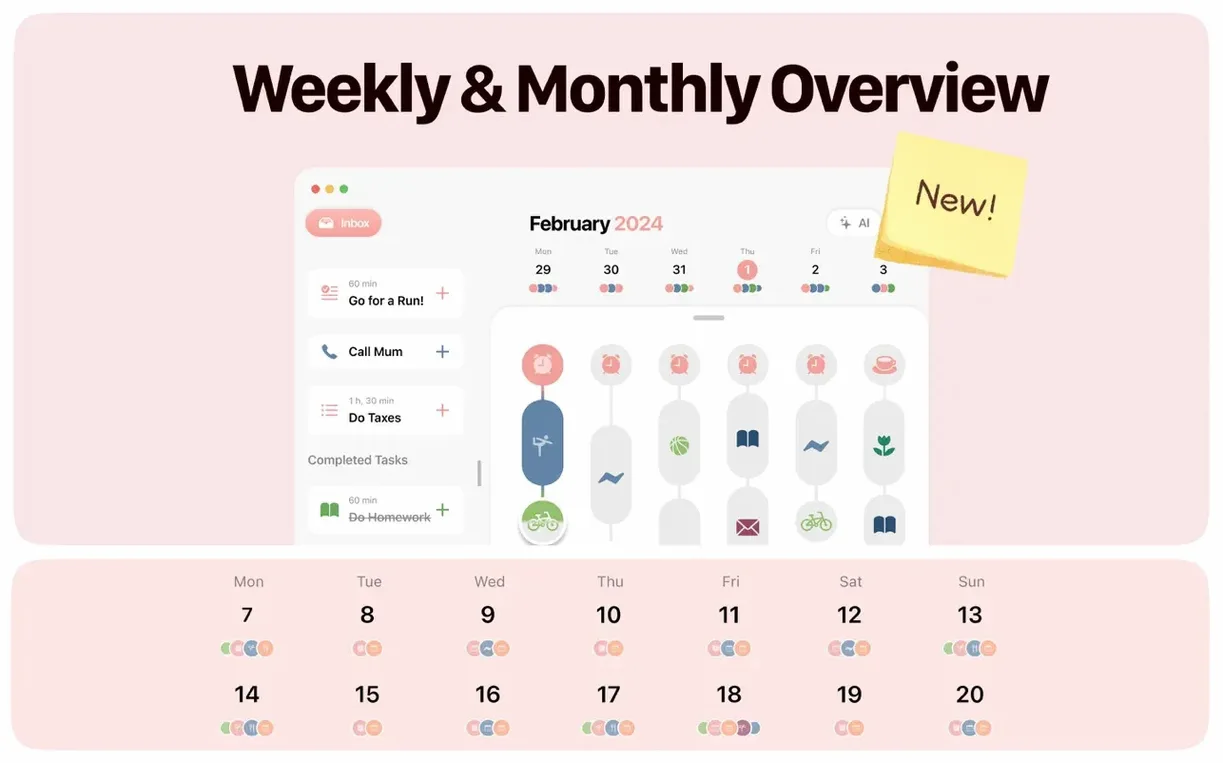
You already use a to-do list and a calendar app separately. Structured is the app that brings them together on one timeline. It shows your tasks and meetings in a single view, so you see the whole day at a glance without switching between apps.
Adding tasks and viewing your day on one timeline
- Quickly adding a task – type and it's on the timeline.
- Seeing your whole day as one timeline with tasks, events and focus sessions.
- Tracking habits alongside your appointments.
- Getting reminders and task notifications so nothing slips.
- Syncing across devices via Structured Cloud if you use an iPhone, iPad, Mac or Android.
Requires macOS 14 or later with 25 language options
- Runs on macOS 14 or later; Intel and Apple Silicon both work.
- Interface available in 25 languages, including English, German, Spanish, French and Japanese.
- The current 4.6.5 version adds iPhone Duo support and Smart Task Icons 2.0 beta.
First-time setup pitfalls that waste time
A few things trip people up when they first start using Structured. Nothing serious, but knowing them saves time.
Tasks not showing on the timeline
If you add a task and it doesn't appear where you expect, check you've set a time for it. Quick-created tasks with no time slot sit in a separate list above or below the timeline, not on it. Drag them onto the timeline or edit the time field to place them properly.
Calendar events not importing
Structured pulls events from your system calendar, but you need to grant calendar access in macOS. If events are missing, open System Settings > Privacy & Security > Calendars and make sure Structured is ticked. After that, the app picks them up within a few seconds.
Sync not working across devices
Structured Cloud sync is straightforward, but each device needs to be signed into the same account. On a new device, open the app and go to the sync settings, then log in. If entries still don't appear, force a manual sync in the app's sidebar – sometimes the automatic refresh waits a minute or two.
Focus timer doesn't start
The built-in focus timer requires a task to be selected first. Tap any task on the timeline, then hit the timer icon. If nothing happens, the task might already have a completed status – reset it or create a new one.
iPhone Duo support and Smart Task Icons 2.0 arrive
The latest update brings two things you'll notice daily, plus the usual tidy-up underneath.
iPhone Duo support
If you use an iPhone with a Duo case or a split-screen setup, Structured now adapts its layout properly. The timeline doesn't get squashed, and buttons stay reachable. It's a small thing, but if you run your phone in that mode, you'll appreciate not having to zoom or scroll sideways.
Smart Task Icons 2.0 beta
Task icons now show more context at a glance. Instead of a generic symbol, you might see a clock icon when a task has a set time, or a checkmark when it's part of a repeating habit. It's still in beta, so you can toggle it off in settings if the new icons feel off. I left them on – they make the timeline easier to scan.
General bug fixes
Nothing flashy, but a few crashes on M-series Macs when switching between month and week views are gone. Also, notifications now show the correct task title if you edit it after setting a reminder.
Drafting a newsletter with a 25-minute focus timer between calls
Wednesday morning. Two calls at 10 and 2, one at 4. I drop a few tasks into the gaps: "Draft newsletter" at 9, "Review budget" between the first two calls.
For the newsletter task, I set a 25-minute focus timer. The app dims the rest of the timeline and I work until the timer rings. A small habit reminder pops up – "Drink water" – which I tap to log. That stays in the habit tracker at the bottom of the day view.
At 11, a notification reminds me to call the print shop. I added that as a quick task yesterday without a time, but I drag it onto the timeline now. The Smart Task Icon 2.0 beta shows a phone icon automatically. Handy.
By late afternoon, I switch to the week view to plan Thursday. Same meetings, different tasks. I drag one unfinished item from today into tomorrow's slot. Structured saves the change instantly, and because I have Structured Cloud on, my iPhone will show the updated plan when I check it later.
That's the whole session. No toggling between apps, no copying events from one place to another. Just one timeline that holds everything for the day.
- Support for iPhone Duo.
- Smart Task Icons 2.0 beta.
- General bug fixes and improvements.
- macOS 14 or later
- Intel or Apple Silicon
Kit check at a glance
| System | macOS 14 or later |
| Chip | Apple Silicon, Intel 64-bit |
| Download | 37 MB |
| Older pressings | 1 in the crate |


Chat from the booth
Sign in or grab a free account to leave a comment.
Nobody has said a word in the booth yet. If you played a set with this build, tell the next person how it went.