
- Build in the crate
- 22.4.1
- Made by the team at
- Movavi
- Menu languages offered
- English
- How you pay for it
- K'ed by TNT team
- macOS it plays on
- macOS 10.13 or later
- CPU it runs on
- Intel 64-bit
Screenshots
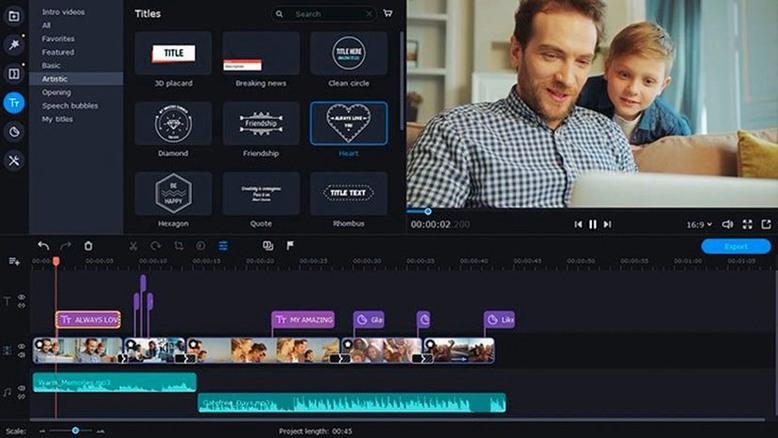
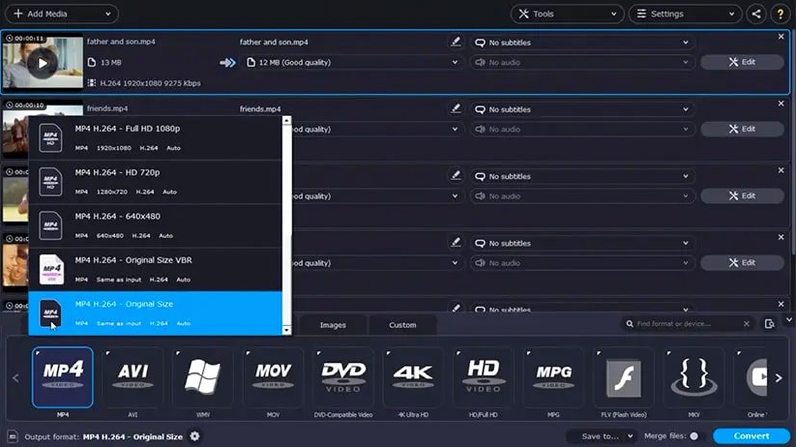
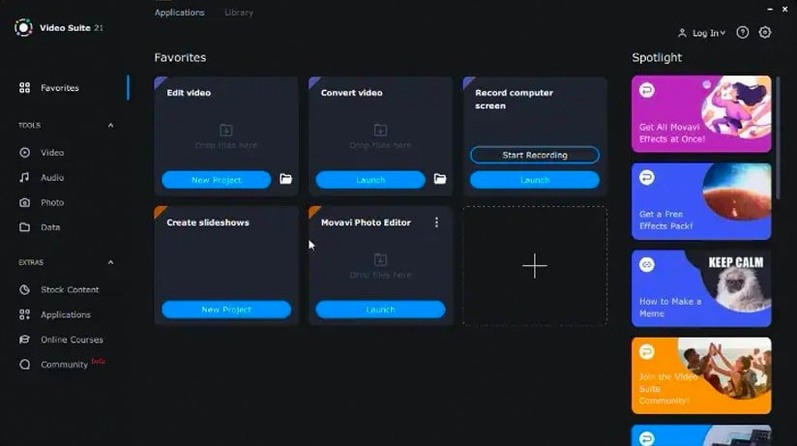

You record a quick walkthrough of a new plugin, then need to trim the dead air, add a caption or two, and hand it over as an MP4. Movavi Video Suite 22.4.1 does that in one sitting. The screen recorder catches the action, the editor cuts and titles it, and the converter exports it in the format you actually need.
- Record screen activity and add audio commentary as you go.
- Edit the footage with basic video editing tools — trim, cut, join clips.
- Use mouse cursor effects to highlight important moments for viewers.
- Add subtitles during conversion, so the final file is ready to share.
- Transfer clips from your phone over the network straight into the program.
That's the whole pipeline in one app. No jumping between three tools to get a finished file. For a quick how-to or a demo, it's enough.
Shutdown fix when editing titles
The update to version 22.4.1 doesn't overhaul the interface or add a dozen new features. It fixes and refines things you bump into during real work. The shutdown issue while working with titles was the most noticeable one — the app would close unexpectedly when you were in the middle of adding or editing a title. That's gone now, so you can stay in the title editor without worrying about losing progress.
New music tracks have been added. If you make tutorial videos or social clips, having a fresh set of background tracks means you're not cycling through the same few loops every week. They're built into the suite, so no separate download or import step.
The symbol used for applied effects has been updated too. It's a small thing, but when you've got multiple effects on a single clip, a clear icon helps you see what's active at a glance. Saves a bit of clicking around.
Bundles screen recording, editing, and conversion
Movavi Video Suite sits in a specific spot: it bundles three tools that other apps treat as separate products. ScreenFlow is a strong screen recorder and editor for Mac, but it doesn't include file conversion for the range of formats Movavi covers. If you need to convert a batch of files to a different codec after recording, you'd need a second app. Movavi does it in one place.
iMovie is free and handles basic editing well, but it has no screen recording or file conversion built in. You'd record with QuickTime Player, edit in iMovie, then export — and if the export format isn't right, you're looking for a converter. Movavi cuts that chain down to a single workflow.
HandBrake is excellent for conversion, especially for video files, but it's not an editor or a recorder. Movavi gives you the recording and editing layers on top of the conversion engine. For users who regularly do all three, having them under one roof means fewer context switches and less time spent moving files between apps.
Screencast creators who record, trim, and share
If you make screencasts for remote work or online learning, the screen recorder with audio commentary and cursor effects covers the basics well. You record a lesson, trim the pauses, add a title, convert to MP4, and share it — all in the same session.
Video editors who work with many source formats will appreciate the 180+ file format support. When someone sends you a clip in an odd container or codec, Movavi can usually handle it without a separate conversion step first. That's less time waiting and more time cutting.
Users who transfer video from their phone into the suite regularly will find the network transfer feature useful. No cables, no cloud uploads, no emailing files to yourself. The phone clips land directly in the program, ready to edit or convert.
For anyone who needs a single Mac app for recording, editing and converting — without buying separate tools for each task — Movavi Video Suite is a practical fit. It's not aimed at professional post-production houses, but for everyday video work, it covers the ground.
- The program no longer shuts down while working with titles.
- New music tracks were added.
- The symbol for applied effects was updated.
- macOS 10.13 or later
- Intel processor
Kit check at a glance
| System | macOS 10.13 or later |
| Chip | Intel 64-bit |
| Download | 294 MB |






Chat from the booth
Sign in or grab a free account to leave a comment.
Nobody has said a word in the booth yet. If you played a set with this build, tell the next person how it went.