
- Build in the crate
- 3.18.8
- Made by the team at
- Cristallight Software
- Menu languages offered
- Russian, English, German, Spanish, Italian, Chinese (Simplified), French
- How you pay for it
- K'ed by TNT team
- macOS it plays on
- OS X 10.10 or later
- CPU it runs on
- Apple Silicon, Intel 64-bit
Screenshots
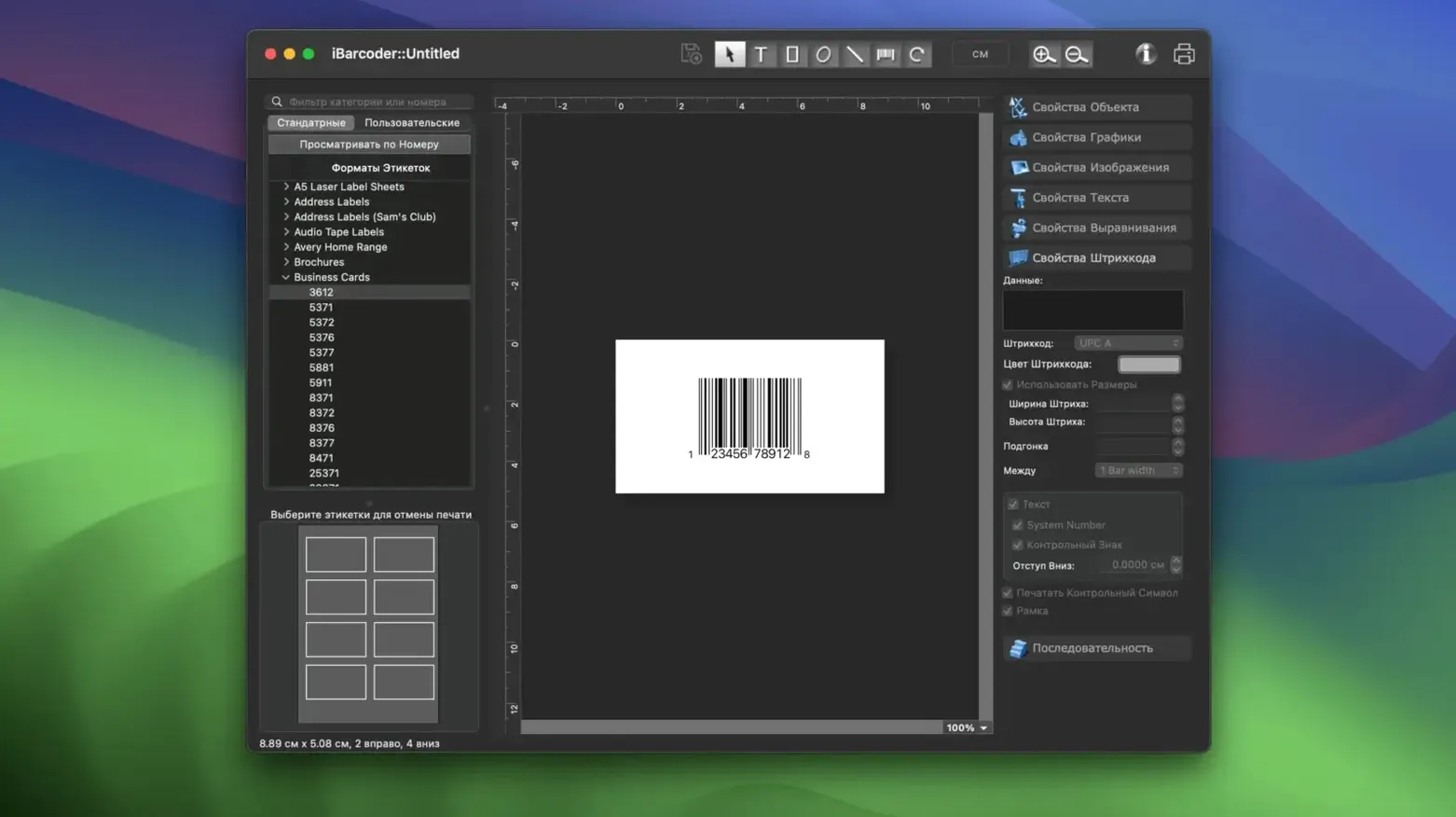
You already use a label maker for organising boxes or stock. iBarcoder for Mac torrent turns that same idea into a proper barcode generator — one that handles individual codes or whole runs of sequential numbers.
Print sequential barcode labels in five steps
- Open iBarcoder and choose a symbology — Code 128, EAN-13, QR, over 40 one-dimensional and two-dimensional types are there.
- Enter your starting number or text. The app can increment it automatically for the next labels.
- The preview updates as you go.
- Import an Excel file if you need a batch of different codes — version 3.18.6 improved that data import.
- Print directly onto label sheets or export as PNG, BMP, EPS, or Photoshop files. You can also save vector or raster images for later use.
That workflow covers a single product sticker or a whole shelf of inventory tags. For multi-language shops, the interface switches between English, German, French, Spanish, Italian, Russian, and Simplified Chinese.
Prints to standard label sheets, no special printer needed
People often ask whether iBarcoder works with their label paper. The app prints to standard label sheets, so if your printer has a driver for the paper size, you are set. It does not require a special barcode printer — a regular laser or inkjet does the job. The label templates are built in, and you can adjust margins within the print settings.
Another frequent question is about Excel imports. The improved import in version 3.18.6 reads columns of data and maps them to barcode values. You do not need to reformat your spreadsheet heavily; just make sure the column headers match what the app expects. If you have a list of product SKUs or serial numbers, that is exactly what it handles.
Some users wonder about image quality for web use. Since iBarcoder exports to PNG, JPEG, TIFF, and BMP at resolutions you set, the same barcode can go on a printed label and a product page. The vector exports — PDF and EPS — keep the code sharp at any size.
Swap default units to millimetres before your first batch
Before you run your first batch, check the units under Preferences. If you work in millimetres but the template defaults to inches, swap it early. It saves rescaling later.
Set the default symbology to whatever you use most. If every label is Code 128, make that the preset so you skip the menu each time. The same goes for label size — pick your regular sheet type and save it as the default layout.
If you plan to print sequentially, turn on the auto-increment option and confirm the step value. It defaults to 1, which works for most inventory or tracking runs. For URL or geolocation codes, leave increment off and paste the links manually.
Live preview redraws barcodes as you type
- The preview window updates live. Change a number or a font size and the barcode redraws immediately — no extra clicks.
- Exported Photoshop files keep layers, which helps if you composite labels inside a larger design.
- The app remembers your last used label size and symbology between sessions. If you print the same type of label daily, you are two clicks away from the print dialog.
- You can copy a single barcode to the clipboard and paste it into another document without exporting a file first.
None of these are flashy, but they add up when you are producing fifty labels before lunch.
A fresh build of version 3.18.8 landed. The developer hasn't published a detailed change log this time around, so expect a maintenance bump that keeps things running smoothly on current macOS setups.
- OS X 10.10 or later
- Apple Silicon & Intel 64-bit
Kit check at a glance
| System | OS X 10.10 or later |
| Chip | Apple Silicon, Intel 64-bit |
| Download | 17 MB |
| Older pressings | 2 in the crate |





Chat from the booth
Sign in or grab a free account to leave a comment.
Nobody has said a word in the booth yet. If you played a set with this build, tell the next person how it went.