

- Build in the crate
- 4.5.0
- Made by the team at
- HitPaw
- Menu languages offered
- Russian, English, German, Arabic, Indonesian, Spanish, Italian, Chinese (Traditional), Chinese (Simplified), Korean, Dutch, Portuguese, Turkish, French, Hindi, Japanese
- How you pay for it
- K'ed by TNT team
- macOS it plays on
- macOS 10.15 or later
- CPU it runs on
- Intel 64-bit
Screenshots
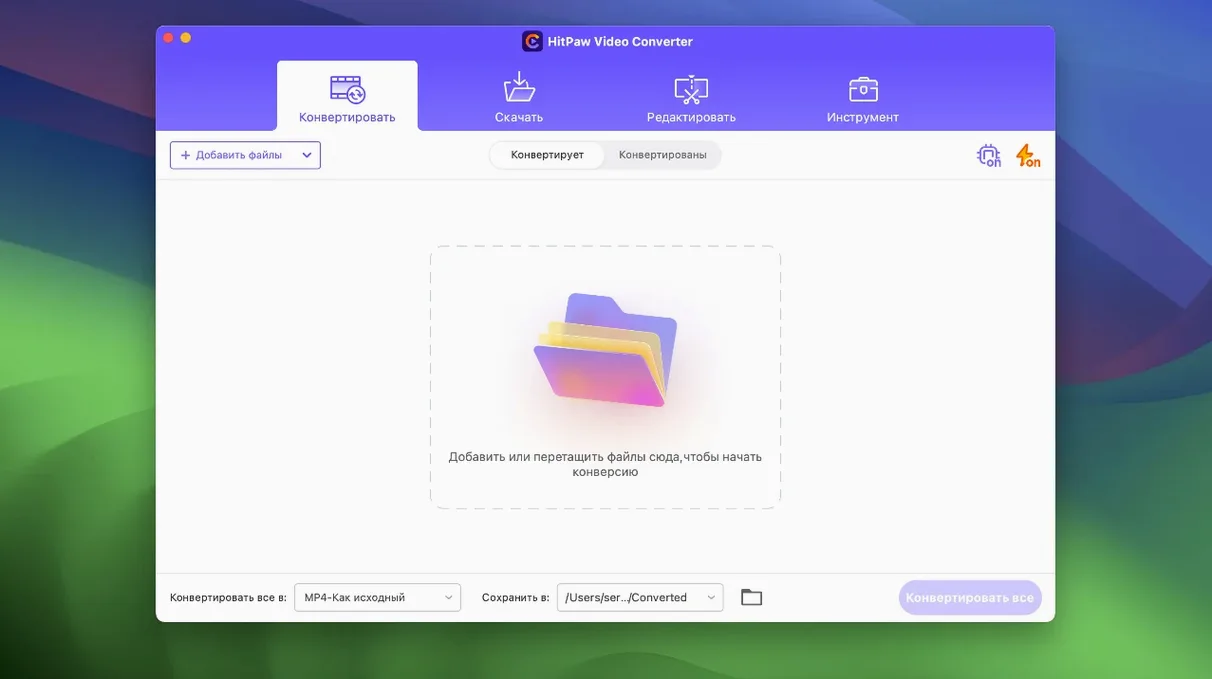
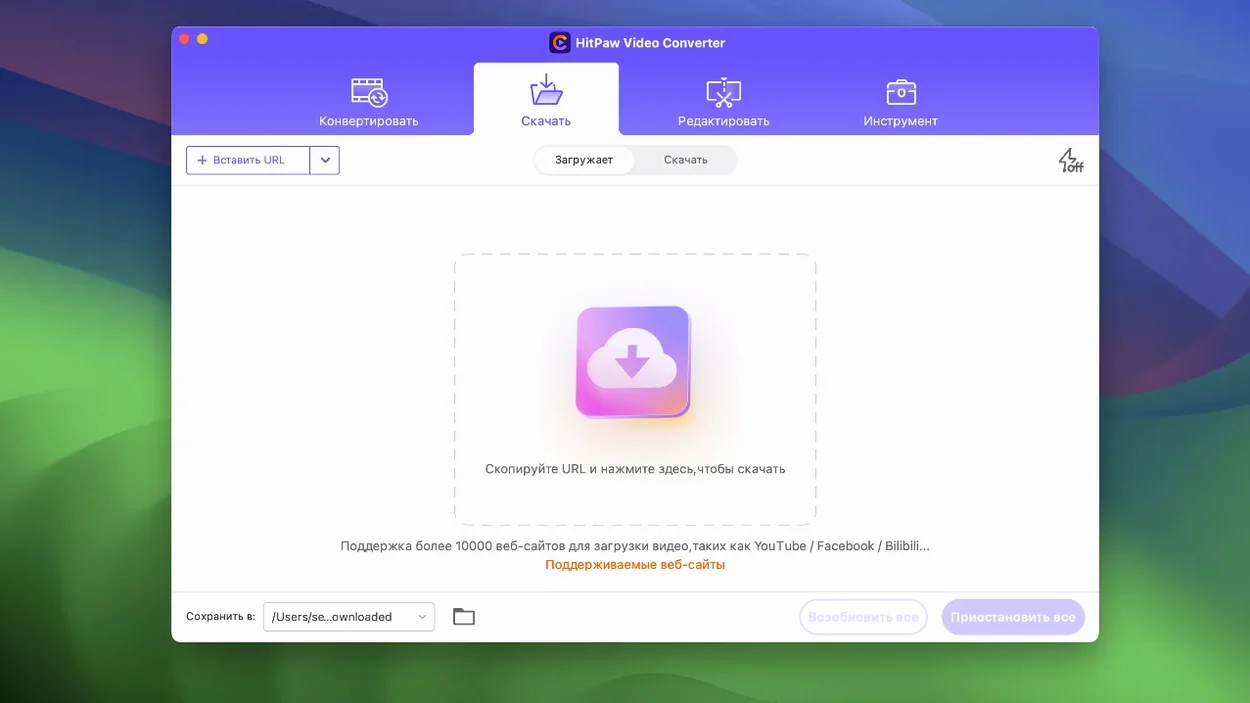
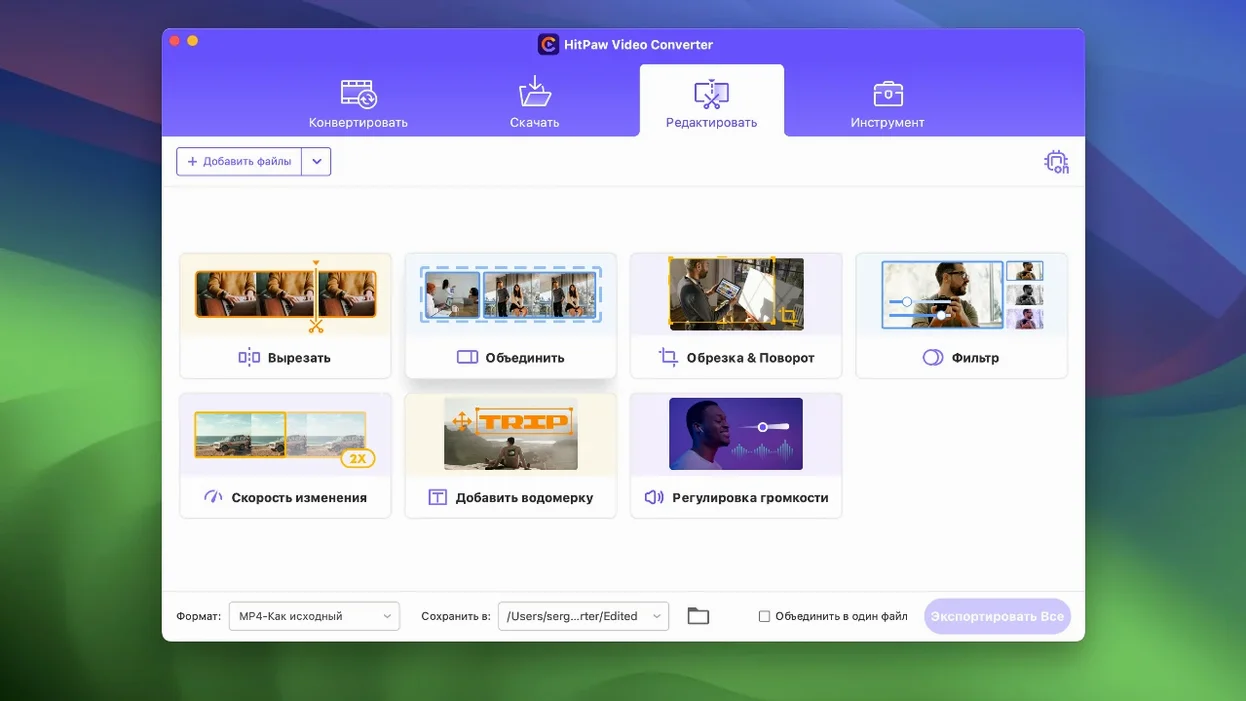
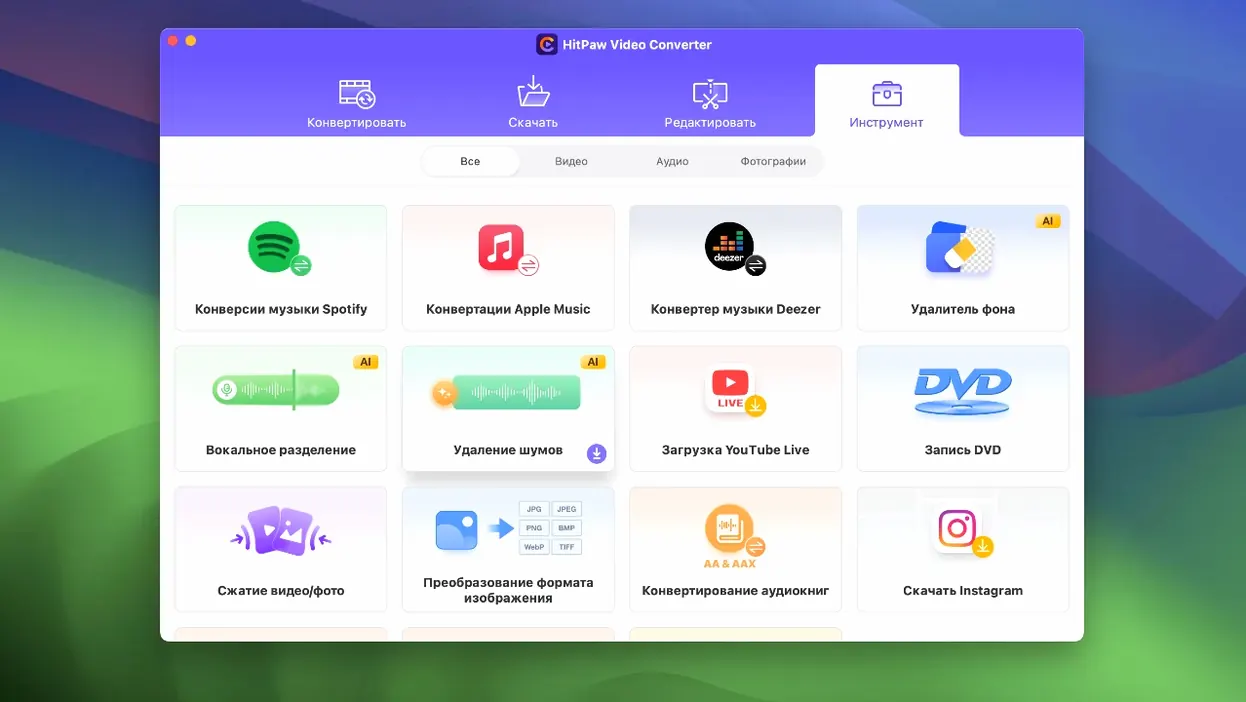
If you already use HandBrake for ripping and IINA for playback, HitPaw Video Converter (listed as HitPaw Univd on the Mac product page) is the piece that fills the gap between them. It converts video, music, DVD content and images without loss, so you can move files between formats without re-encoding quality away.
Convert anything
Advanced codecs like VP9, ProRes and Opus are supported, and the Mac version converts at high speed. That means a 4K clip to ProRes for editing or a batch of FLAC files to Opus for a smaller library, all from one window.
Download and compress
Beyond conversion, it pulls audio from Apple Music, Spotify and Deezer, and the compression module got a tune-up in version 4.5.0. When your SSD is groaning under a pile of screen recordings, this is where you trim them down.
Edit and reframe
Basic editing tools are built in, and the new auto reframe feature adjusts your footage for different aspect ratios automatically. Handy for turning a landscape video into a vertical story for social feeds without manual cropping.
For older Intel Macs and cross-device media shufflers
HitPaw Video Converter suits anyone who regularly shuffles media between devices or platforms. Video editors working on older Intel Macs benefit from the broad codec support — you can bring in files from cameras, phones or downloads and convert them to an edit-friendly format like ProRes without hunting for extra plugins. Music collectors who keep libraries in FLAC or Opus will find the batch conversion useful when they need MP3 or AAC for a portable player. And if you run a small YouTube or social media channel, the auto reframe feature and compression tools save you from opening a full editing suite just to reformat a clip.
From Zoom MKV to MP4 and MP3 in one pass
Consider a podcast host who records interviews over Zoom. The raw files land as MKV with Opus audio. Before uploading to a hosting platform, they need a compressed MP4 with AAC audio and a separate MP3 for a podcast feed. In HitPaw, you drop the MKV, choose MP4 with the AAC preset for the video export, add a second conversion task for MP3 audio-only, and set a compression target to keep file sizes manageable. The batch runs in one go. No intermediary software, no re-encoding the same file twice. The auto reframe feature also helps if they want to pull short clips for socials — the app handles the aspect ratio change without manual cropping.
Converts to ProRes and DNxHD for Final Cut or DaVinci
HitPaw sits comfortably alongside other Mac apps. Use QuickTime Player or IINA for playback, then switch to HitPaw for conversion or download tasks. If you edit in DaVinci Resolve or Final Cut Pro, convert source files to ProRes or DNxHD here before importing — it keeps your timeline responsive. The download feature also works with Apple Music, Spotify and Deezer, so you can grab tracks directly into your iTunes or Music library without a separate tool. And because it handles DVD content, you can rip discs with MakeMKV first, then batch-convert the output to a space-saving format in HitPaw. It’s a utility that fills in the gaps your main apps leave open.
- Optimised the compression module.
- Optimised the editor module display.
- Added auto reframe feature.
- macOS 10.15 or later
- Intel architecture
Kit check at a glance
| System | macOS 10.15 or later |
| Chip | Intel 64-bit |
| Download | 577 MB |
| Older pressings | 4 in the crate |








Chat from the booth
Sign in or grab a free account to leave a comment.
Nobody has said a word in the booth yet. If you played a set with this build, tell the next person how it went.