

- Build in the crate
- 1.0.4
- Made by the team at
- AtrumLab
- Menu languages offered
- English
- How you pay for it
- K'ed by GAMESENSE
- macOS it plays on
- macOS 10.13 or later
- CPU it runs on
- Apple Silicon, Intel 64-bit
Screenshots
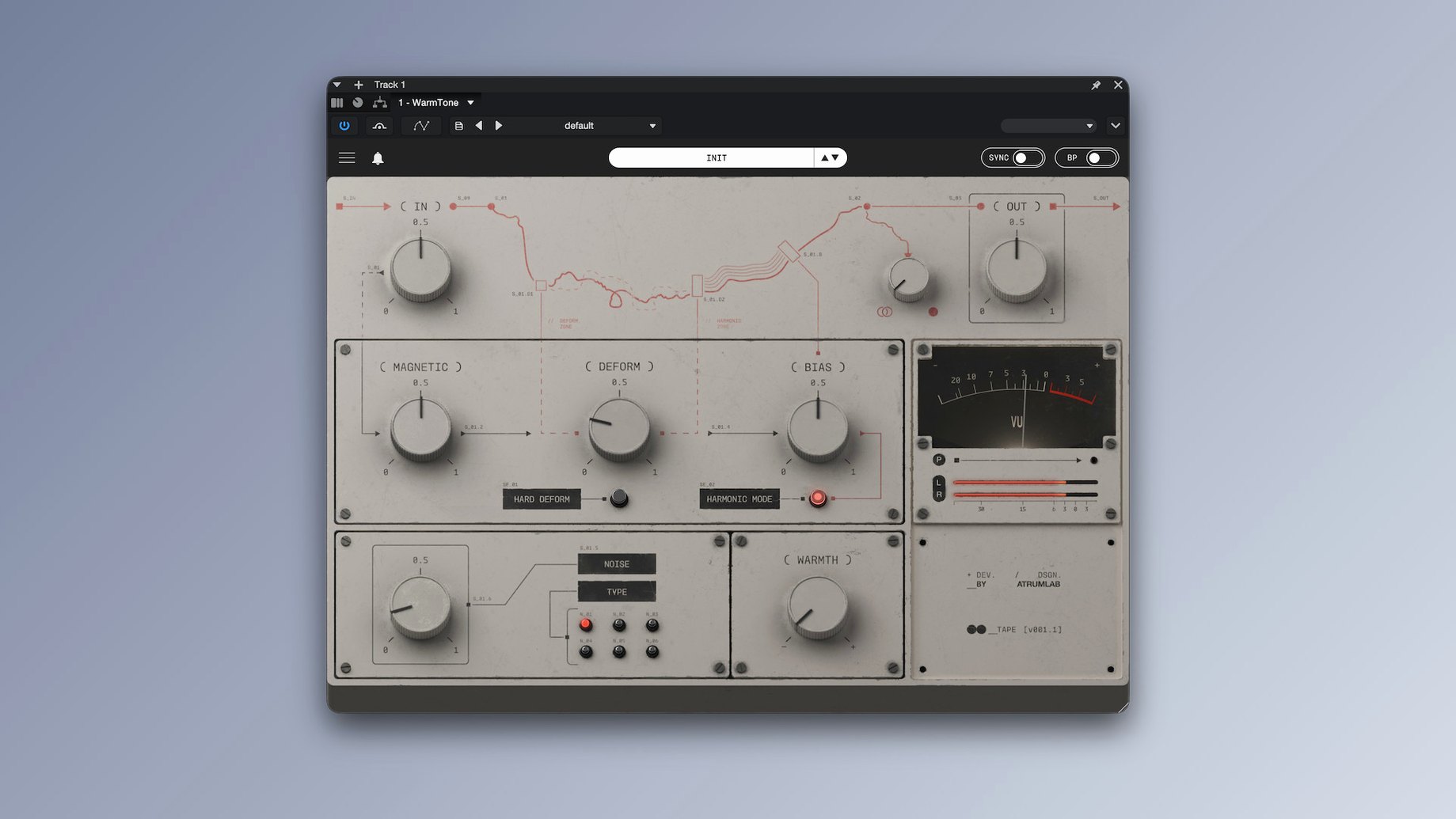
WarmTone works on any Mac running macOS 10.13 or later, Intel and Apple Silicon both supported. It loads as a VST3 or Audio Unit plug-in, so it fits right into Logic, Ableton Live, Reaper, Cubase, or any modern DAW that accepts those formats. No Rosetta worries — native on Apple silicon.
In a session you drop it on individual tracks to round off digital edges, or across a bus to glue a submix. The tape character adds subtle saturation that warms up synths, vocals, or drum loops without smearing transients too much. For more colour, you can push the drive until it starts to break up like an old reel-to-reel.
The modulation section adds a gentle wobble — think worn cassette rather than obvious chorus. And the noise generator lets you dial in hiss from barely-there background tape tone right up to something that sounds like a thrift-store found recording. Compression is built in too, the kind that smooths peaks naturally without pumping.
It’s one of those plug-ins you forget is on until you bypass it and realise how much life it was adding. For music work, sound design or podcast warmth, it earns a spot in the chain.
For a drummer producing demos at home
Say you record a drum kit with just two overheads and a kick mic. The raw track can feel thin and separated. Drop WarmTone on the drum bus, dial in a moderate Tape Drive and a touch of Tape Compression. The saturation starts to glue the cymbals and snare into one performance, and the compression evens out the kick hits without losing the attack. The whole kit sits together like it was tracked to a real console.
The Noise & Hiss Generator is handy here too. A low-level hiss fills the gaps between hits, so the track breathes like a live room recording instead of a dead digital silence. It is a small thing, but it makes the demo feel finished before any mixing starts.
Small touches you notice over time
- The Tone Shaping section lets you roll off extreme lows and highs without a separate EQ — one stop for the tape curve.
- Wow & Flutter works in the background even at low settings, adding pitch drift that stops static synth pads from sounding rigid.
- The plug-in uses VST3 and AU, so it works in Logic without bridging or wrappers.
- Version 1.0.4 runs on macOS 10.13 and later, Intel or Apple Silicon, no extra configuration needed.
If you are looking for atrumlab warmtone for mac torrent, this is the version you will find — ready to load, no online activation to trip over.
For a sound designer building atmosphere
You are layering a field recording with a synth pad for a film cue. The field recording has clean digital silence between sounds, which makes the edit obvious. WarmTone adds a constant tape floor — set the Noise & Hiss Generator to a medium level, adjust the character until it matches the age of the scene. Now the silence sounds like old tape, not dead air.
The Wow & Flutter at a low rate shifts the synth pad's pitch just enough that it breathes like a worn cassette. The whole layer sits together without needing extra processing. One instance on the bus does it.
AU format for Logic drag and drop
- AU format means you can use it in Logic's channel strip without a wrapper — drag and go.
- Both Intel and Apple Silicon versions are included in the same package, so you do not pick one at install.
- No iLok or dongle required; the activation is handled inside the plug-in once, then it stays authorised.
- The Tape Drive responds gradually across the dial — you can find a sweet spot without jumping from clean to distorted.
AtrumLab WarmTone adjusts your Mac’s display color to reduce eye strain during evening work.
- Version 1.0.4 release — initial public version of WarmTone.
- macOS 10.13 or later
- Intel or Apple Silicon Mac
- VST3 or AU‑compatible host
- Interface language: English
Kit check at a glance
| System | macOS 10.13 or later |
| Chip | Apple Silicon, Intel 64-bit |
| Download | 313 MB |







Chat from the booth
Sign in or grab a free account to leave a comment.
Nobody has said a word in the booth yet. If you played a set with this build, tell the next person how it went.