
- Build in the crate
- 9.5.2.32853
- Made by the team at
- Abvent
- Menu languages offered
- Russian, English, German, Spanish, Italian, Chinese (Simplified), Korean, Polish, Portuguese, French, Japanese
- How you pay for it
- K'ed by TEAM HCiSO
- macOS it plays on
- macOS 10.13 or later
- CPU it runs on
- Intel 64-bit
Screenshots
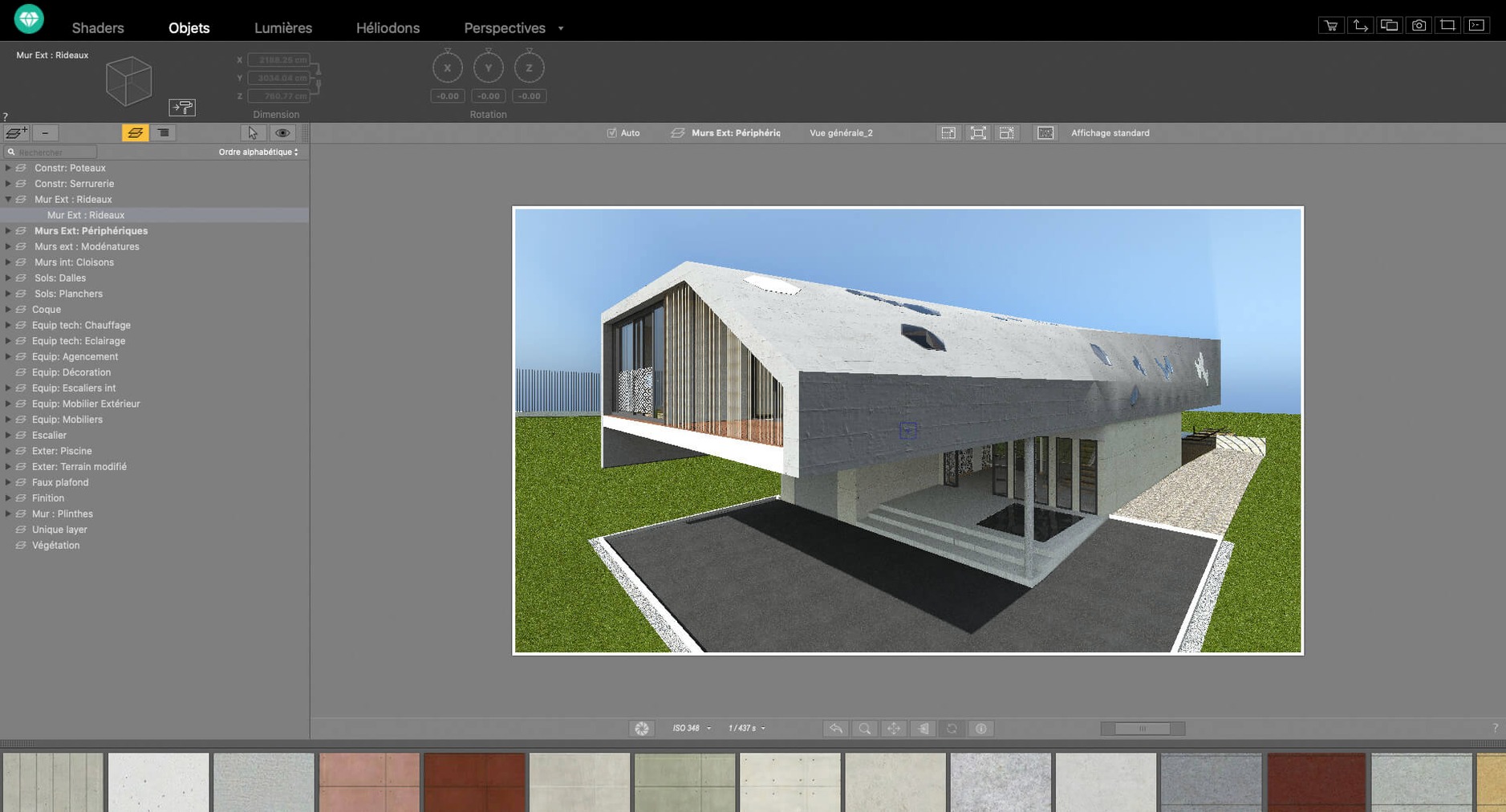
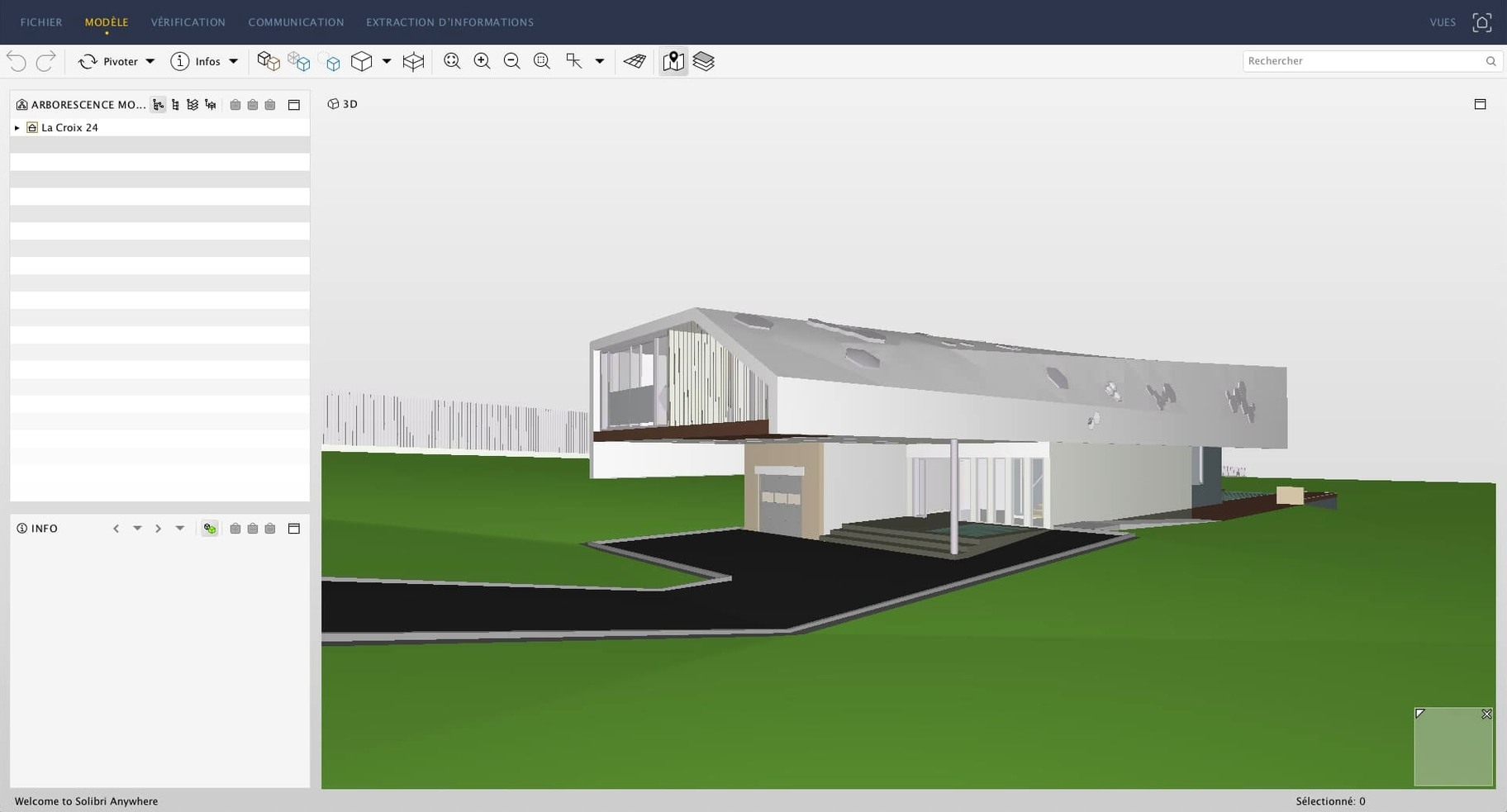
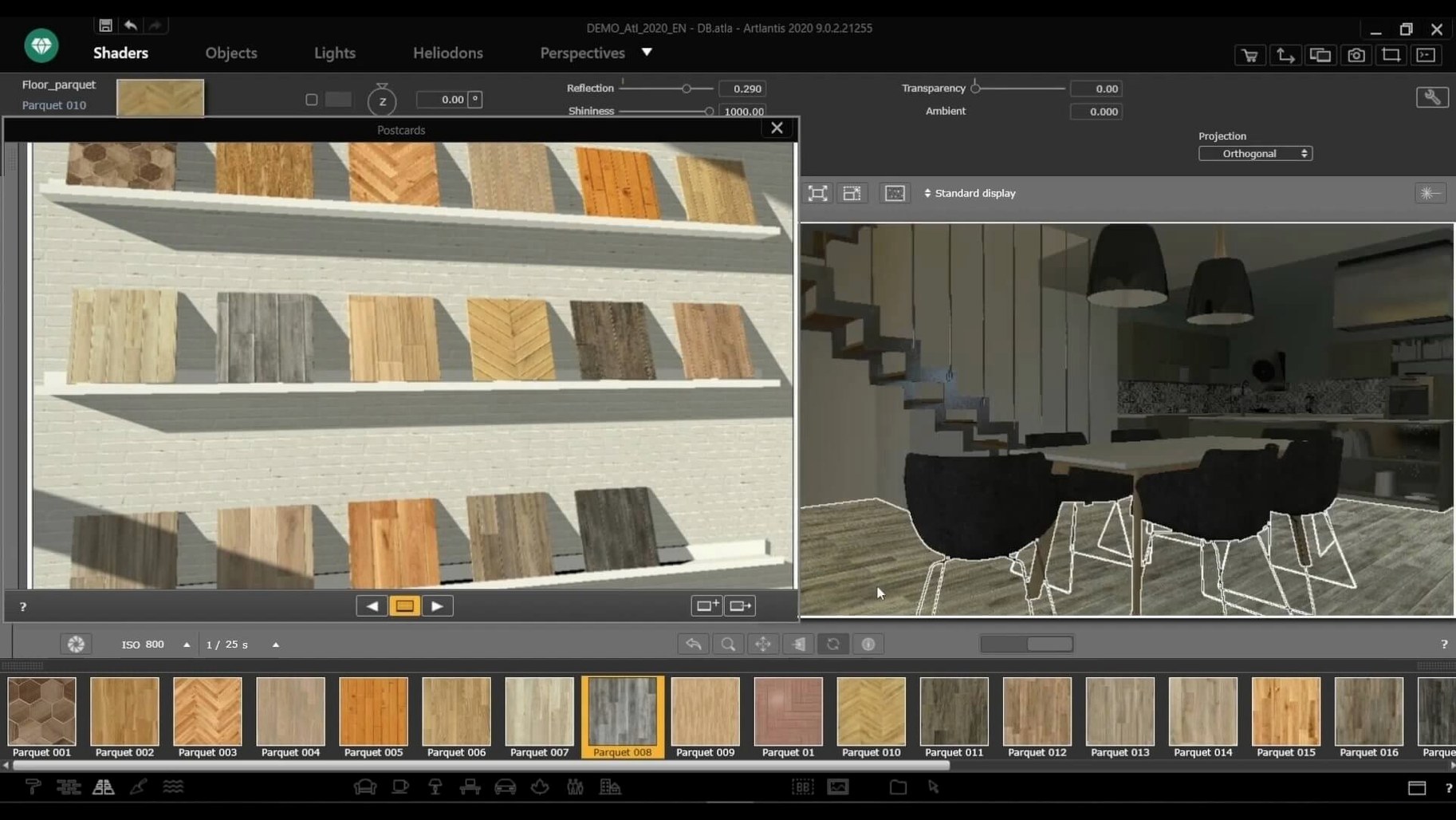
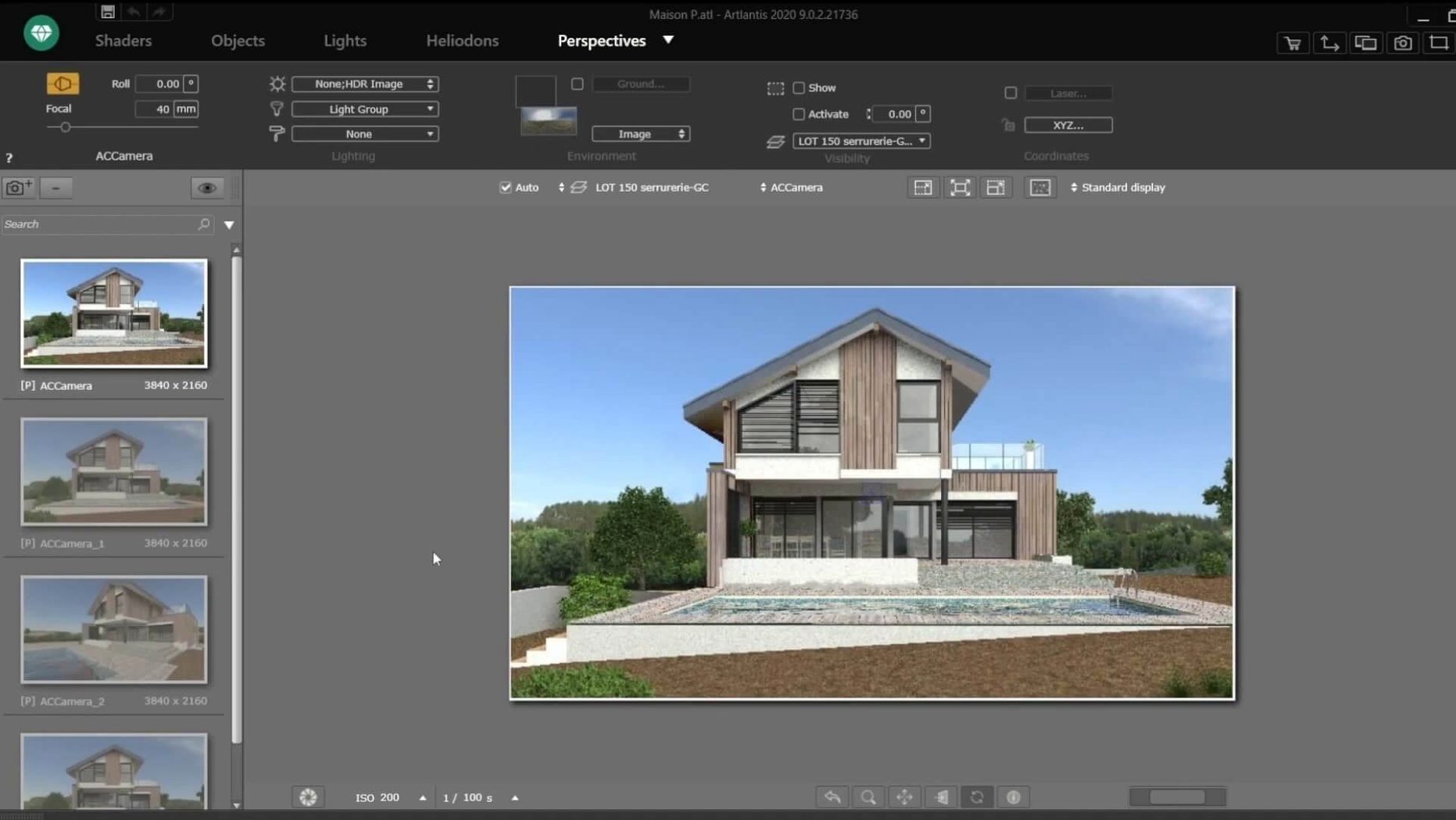
Artlantis handles 3D rendering for architects and designers. It outputs still images, animations and VR panoramas from model data. You can set perspective, place natural and artificial lights, and assign materials by dragging from a catalog.
Import models and adjust renders without leaving the app
Import a model from ArchiCAD, SketchUp, VectorWorks or AutoCAD. Adjust the camera angle, add shaders and textures, then run the render. Post-processing tools let you tweak brightness, contrast and colour tables without leaving the app.
Can I create animations with it?
Yes. You edit motion paths for camera movement, then export the video. It also creates QuickTime VR files for interactive walkthroughs.
How Artlantis compares with other Mac rendering apps
If you work in architectural visualisation, you have a few options on Mac. Artlantis sits in a particular spot — it is not a full modelling environment, but a dedicated renderer that expects a model from elsewhere. That puts it alongside tools like Lumion and Maxwell Render, though each takes a different approach.
Lumion is built for real-time feedback. You see your scene update as you move lights or change materials, which makes it fast for iterative work. Artlantis does not aim for real-time; you set up your scene and then wait for the render. What it offers instead is a wide range of export targets — stills, animations, VR panoramas, QuickTime VR — all from one project file. Lumion focuses more on video and walkthroughs and less on panoramic VR.
Maxwell Render is physically based to a higher degree. It simulates light behaviour with great accuracy, but it is slower per frame and has a steeper learning curve. Artlantis gives you control over natural and artificial light sources without requiring you to understand the full physics engine. For many architecture offices, that balance between speed and realism is the right one.
None of these tools is a replacement for the other. If you already own a perpetual licence of Artlantis and your workflow is built around it, there is little reason to switch. The app still does what it always did — produce high-quality images and animations from CAD models.
Intel-only app on macOS 10.13 or later
Artlantis 9.5.2.32853 runs on macOS 10.13 or later. It is a 64-bit Intel application, so on Apple Silicon Macs it runs through Rosetta 2. That translation layer works well for most 3D apps, but you should know that it is not a native Apple Silicon build. The developer, Abvent, has ceased R&D, so a native version will not appear.
The interface is available in eleven languages: Russian, English, German, Spanish, Italian, Simplified Chinese, Korean, Polish, Portuguese, French and Japanese. That covers most European and Asian markets without extra language packs.
Installation is straightforward. You mount the downloaded disk image and run the standard installer. No online account is required during setup. Once installed, the app loads its material and object collections from local files, so you do not need an internet connection to work.
Shader tools for texture creation are included in the app, along with a post-processing panel for adjusting brightness, contrast, and colour tables. Everything is kept inside one window — no external render engine to launch separately.
Compatibility checks before installing
Can I still get Artlantis if the developer stopped selling it?
Abvent closed its R&D division and distribution has ceased. If you are looking for an Artlantis torrent or an Artlantis Mac torrent, you are probably trying to find an installer for a version you already own or want to evaluate. The app itself remains fully functional on supported macOS versions.
Direct data exchange with ArchiCAD, SketchUp, and more
Artlantis directly transfers information to AutoCAD, VectorWorks, ArchiCAD, Arc+, and SketchUp. It also imports DXF, DWG and 3DS files. If your modelling tool exports one of those formats, you can bring geometry into Artlantis and assign materials, lights and cameras there.
Gentle learning curve with drag-and-drop materials
The learning curve is gentler than unbiased renderers. You can get a decent image out of it after a few hours of practice. The drag-and-drop material catalogue and the preset light types help you avoid manual tweaking. For a student building a portfolio or a freelancer producing client visuals, Artlantis covers the basics without requiring a render farm.
What about the Artlantis 2021 download I see online?
Version numbers can be confusing. The current release is 9.5.2.32853. Earlier builds exist under different naming schemes, but this is the final version from Abvent. If you find an Artlantis 2021 download elsewhere, check whether it matches this build or an older one. The feature set is largely the same — the core rendering engine, material system and VR output have been stable for years.
Artlantis is a 64-bit Intel app. It runs on macOS 10.13 and later via Rosetta 2 on Apple Silicon machines.
- macOS 10.13 or later
- Intel processor (64-bit)
Kit check at a glance
| System | macOS 10.13 or later |
| Chip | Intel 64-bit |
| Download | 370 MB |
| Older pressings | 3 in the crate |





Chat from the booth
Sign in or grab a free account to leave a comment.
Nobody has said a word in the booth yet. If you played a set with this build, tell the next person how it went.