

- Build in the crate
- 15.3.1
- Made by the team at
- Apple
- Menu languages offered
- Russian, English, German, Arabic, Vietnamese, Greek, Danish, Hebrew, Indonesian, Spanish, Italian, Catalan, Chinese (Traditional), Chinese (Simplified), Korean, Malay, Norwegian, Polish, Portuguese, Romanian, Slovak, Thai, Turkish, Ukrainian, Finnish, French, Hindi, Croatian, Czech, Swedish, Japanese
- How you pay for it
- K'ed by Antibiotics x TEAM EDiSO
- macOS it plays on
- macOS 15.6 or later
- CPU it runs on
- Apple Silicon, Intel 64-bit
Screenshots

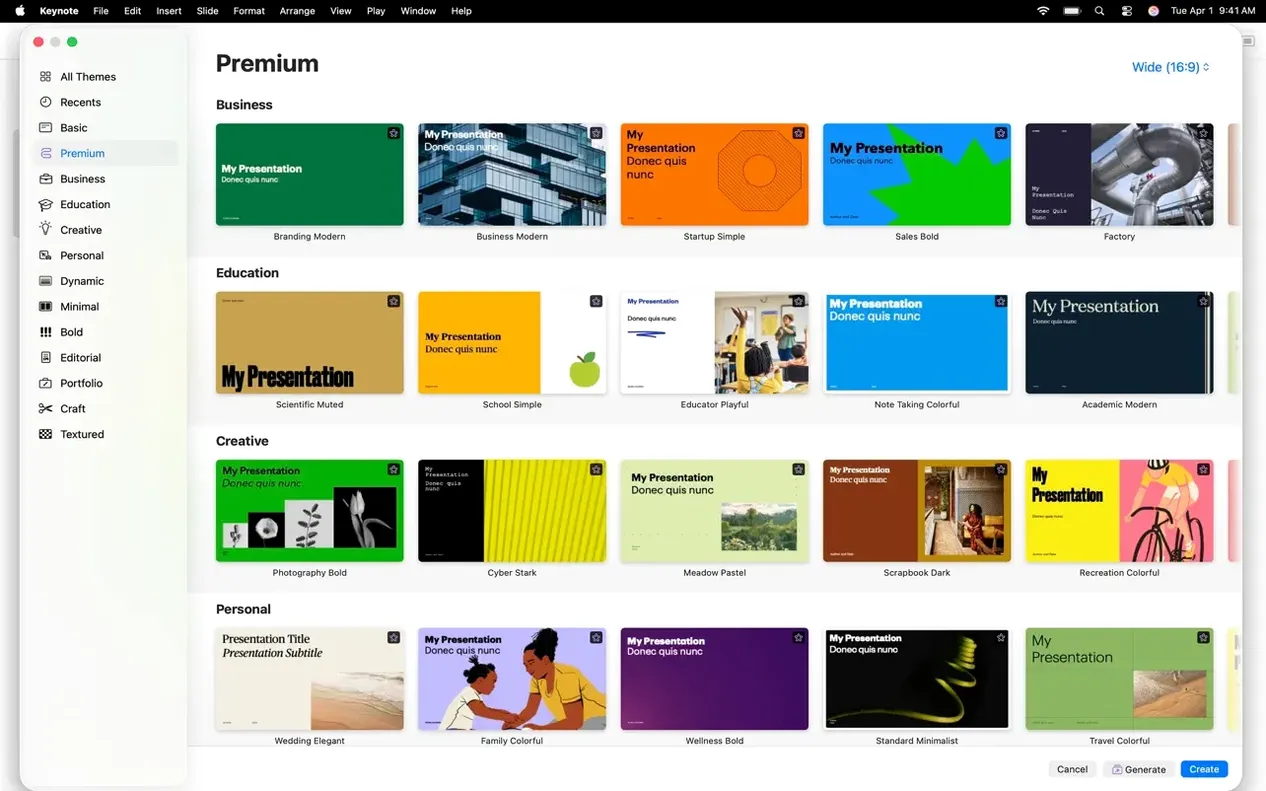
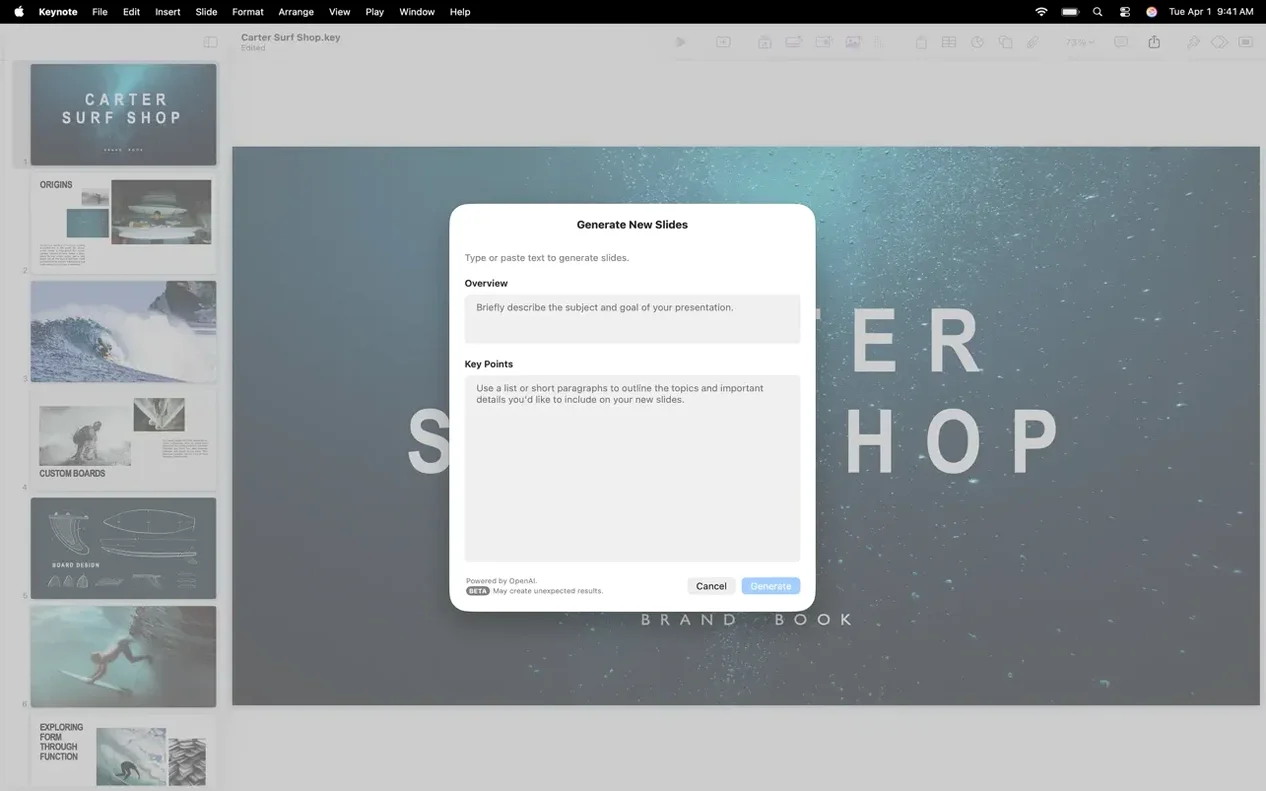
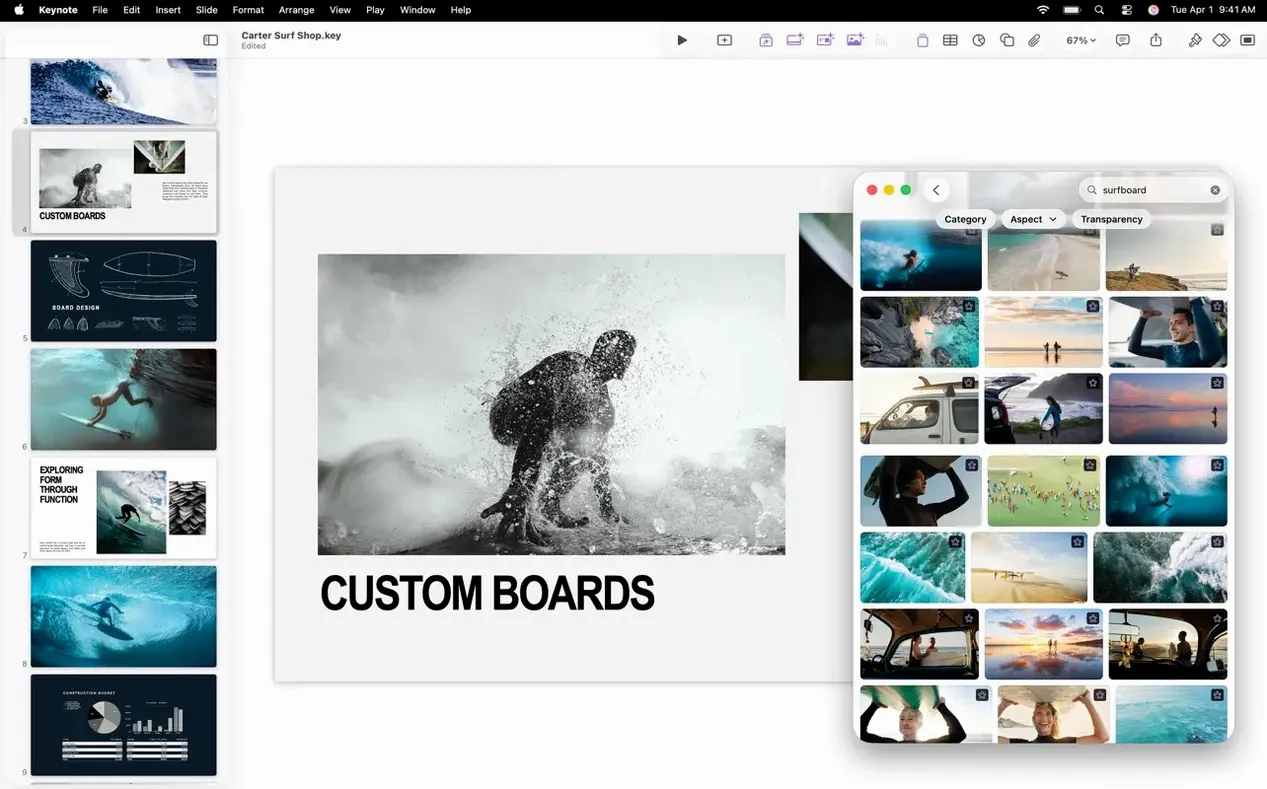
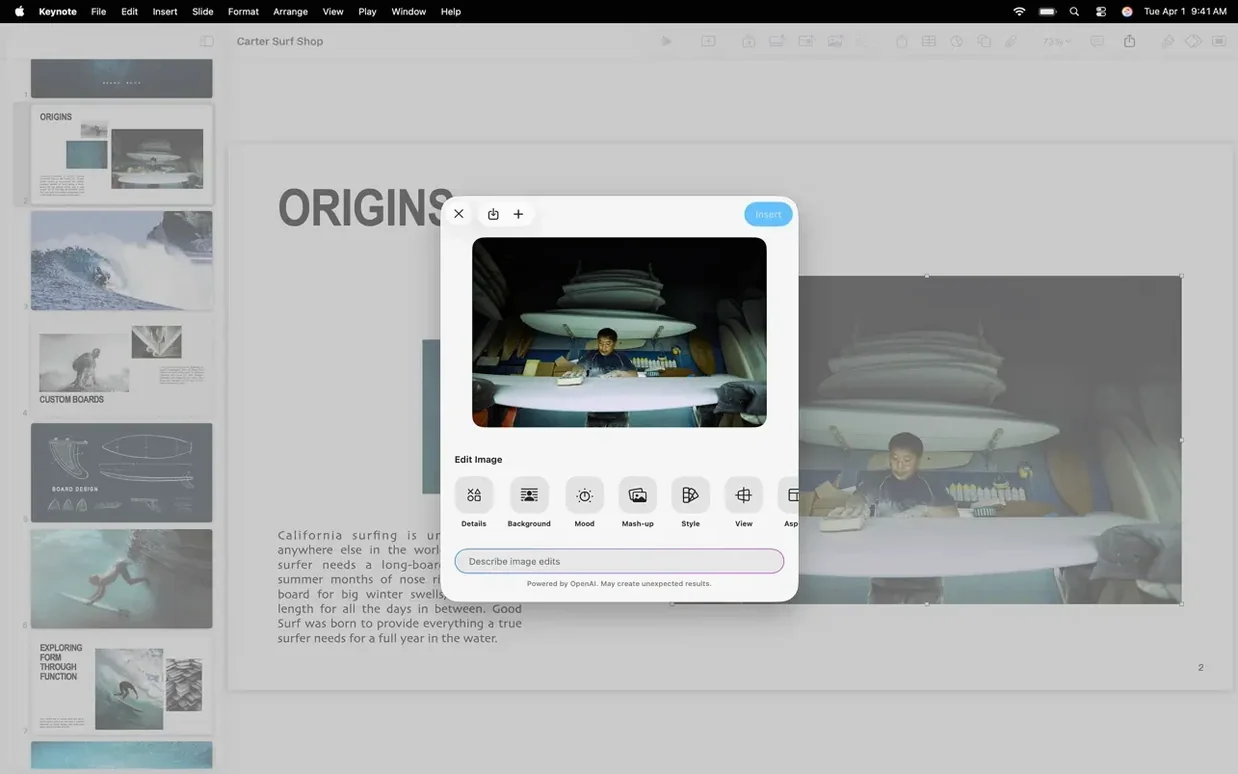
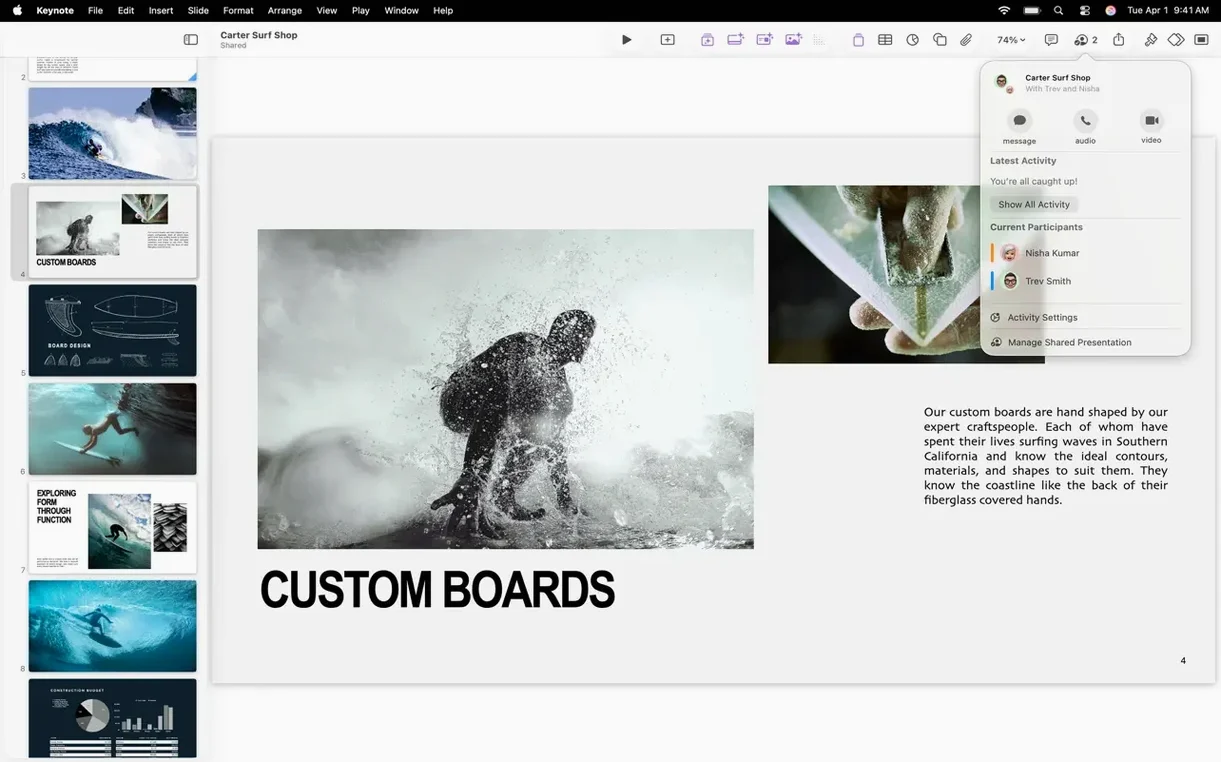
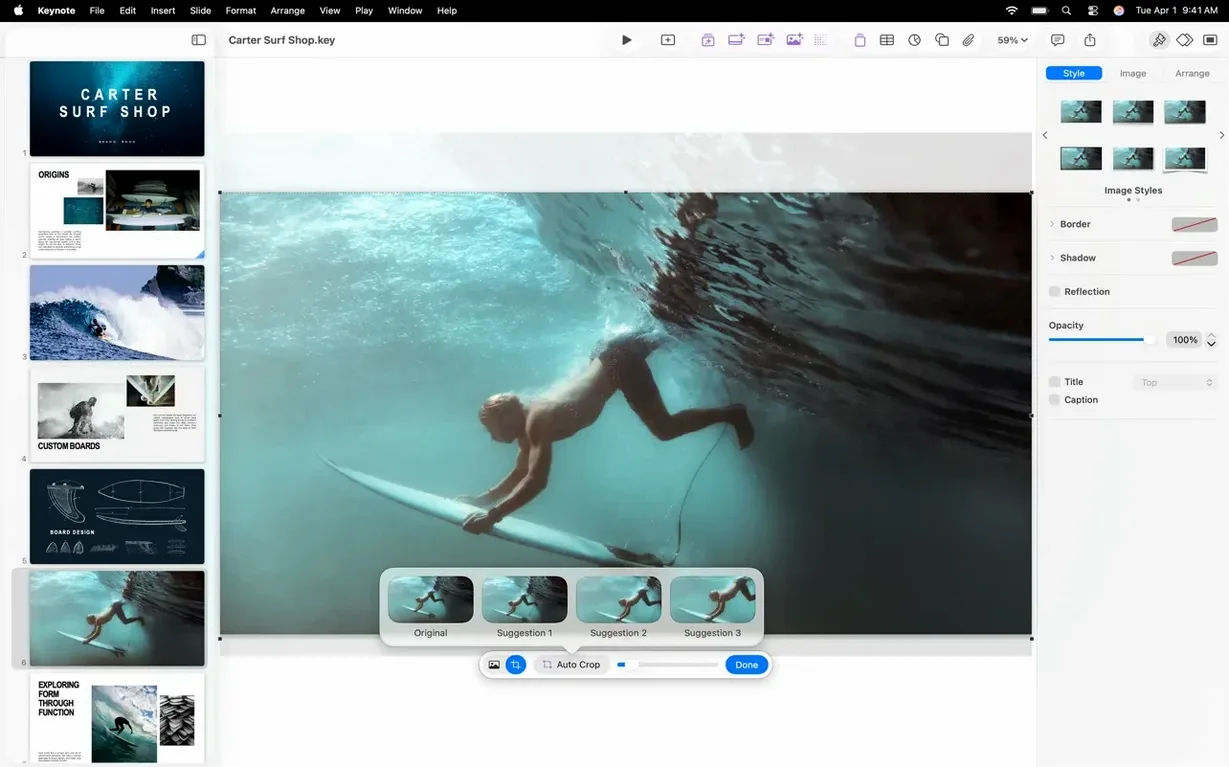
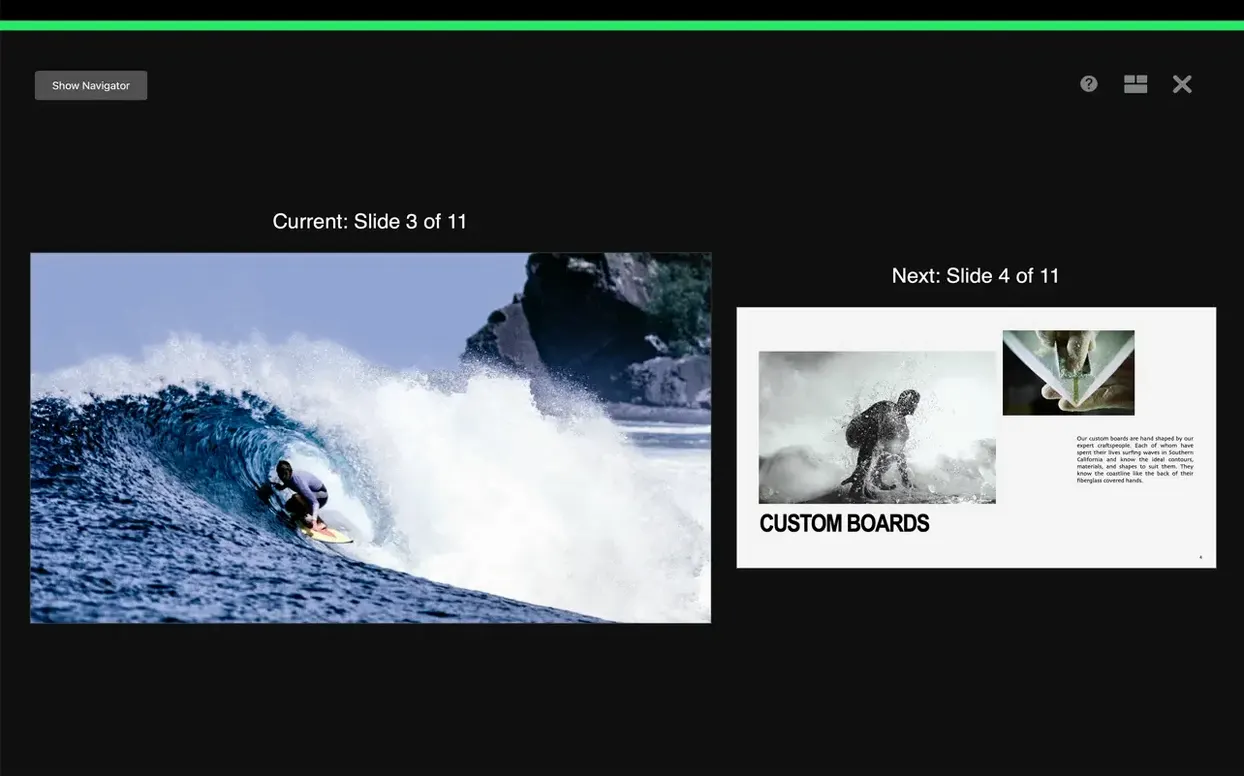
Keynote 15.3.1 brings three new transitions — shift, radial wipe, and character blur — plus the usual bug fixes and performance polish. If you use Apple’s built-in presentation app, these additions make slide-to-slide movement feel a bit more fluid, especially when you want something beyond the classic dissolve.
| Detail | Info |
|---|---|
| Version | 15.3.1 |
| Developer | Apple |
| Category | Apps |
| macOS | macOS 15.6 or later |
| Architecture | Intel and Apple Silicon |
| Languages | 28 including English, German, Spanish, French, Japanese |
Keynote is the straightforward slide builder that ships with every Mac, but it’s no lightweight. You can import and edit PowerPoint files, add audio recordings or image galleries, and use tools like instant background removal and masks. Export to PDF, HTML, movie files, or back to PowerPoint when you need to share. On Apple Vision Pro, the Conference Room and Cinema spaces let you practise your talk in an immersive environment. Whether you’re a student making a lecture deck or someone putting together a client pitch, Keynote 15.3.1 does the job without fuss.
Imports PowerPoint files with some formatting shifts
Keynote sits in a different spot than Microsoft PowerPoint and LibreOffice Impress. PowerPoint is the standard in many workplaces — you can import and edit its files here, but the formatting sometimes shifts on complex slides. Keynote handles text and images well, but heavy PowerPoint charts or SmartArt can lose their look. If your audience expects a .pptx, you can export back, but it pays to check the result.
LibreOffice Impress is free and open-source, and it opens PowerPoint files too. Its transition library is smaller, and it doesn't have Keynote's cinematic animations like Magic Move or the new shift and radial wipe effects. Impress runs fine on older Macs, but it lacks the tight iCloud integration and real-time collaboration you get with Keynote. If you work alone and need something that just opens and edits slides, Impress works. If you present often and want smoother builds and remote editing, Keynote pulls ahead.
There's also Google Slides — web-based, free, and good for team editing. But it needs a constant connection and can't match Keynote's offline performance or its export options to movie files and HTML. Keynote also offers the presenter display with rehearsal tools, which Google Slides doesn't have in the same depth.
Students and teachers save time with built-in themes and background removal
Students and teachers benefit most. A lecture deck with images, charts, and the occasional video clip is quick to build with Apple's built-in themes. The instant background removal saves time when you pull images from the web. Real-time change tracking means group projects don't end with five different versions of the same file — everyone edits in iCloud, and changes show up as you work.
Business users who present regularly also get good value. The customizable presenter display shows your notes, a timer, and the next slide while the audience sees only the current slide. Rehearse with that view, and you can time your talk without extra gear. Export to movie files is handy if someone can't attend — send a recorded version of the deck.
Anyone who uses Apple Vision Pro will find the Conference Room and Cinema spaces useful for practising. You stand in a virtual room and run through your slides, which helps with nerves before the real thing.
Fixes font replacements and layout shifts in imported PowerPoint decks
One frequent issue: imported PowerPoint presentations look different. Fonts that don't exist on your Mac get replaced, and slide layouts can shift. To minimise this, install the same fonts beforehand, or use standard system fonts like Helvetica and Arial. After import, check each slide and adjust text boxes that moved.
Another snag — iCloud sync not updating between devices. This usually happens when your Mac is offline or iCloud Drive is paused. Open System Settings, go to your Apple ID, and make sure iCloud Drive is on for Keynote. A manual refresh (close and reopen the document) often pushes the latest changes.
Some users find the new transitions — shift, radial wipe, character blur — don't appear in older presentations. That's because they only show up in documents created or saved with Keynote 15.3.1. Open an old file, add a new transition, and save again. The older version won't play them, but anyone on the same version will see them fine.
Export to PowerPoint sometimes breaks animations. If you need to share with someone on Windows, export as a PDF or movie instead — those preserve the visual flow without relying on PowerPoint's animation engine.
- Bug fixes and performance improvements
- Fresh transitions and builds, including shift, radial wipe, and character blur
- More easily replace images in presentations from the Content Hub
- macOS 15.6 or later
- Intel or Apple Silicon processor
Kit check at a glance
| System | macOS 15.6 or later |
| Chip | Apple Silicon, Intel 64-bit |
| Download | 356 MB |
| Older pressings | 2 in the crate |








Chat from the booth
Sign in or grab a free account to leave a comment.
Nobody has said a word in the booth yet. If you played a set with this build, tell the next person how it went.