

- Build in the crate
- 3.3.2
- Made by the team at
- Plugin Boutique
- Menu languages offered
- English
- How you pay for it
- K'ed by MORiA
- macOS it plays on
- macOS 10.15 or later
- CPU it runs on
- Apple Silicon, Intel 64-bit
Screenshots
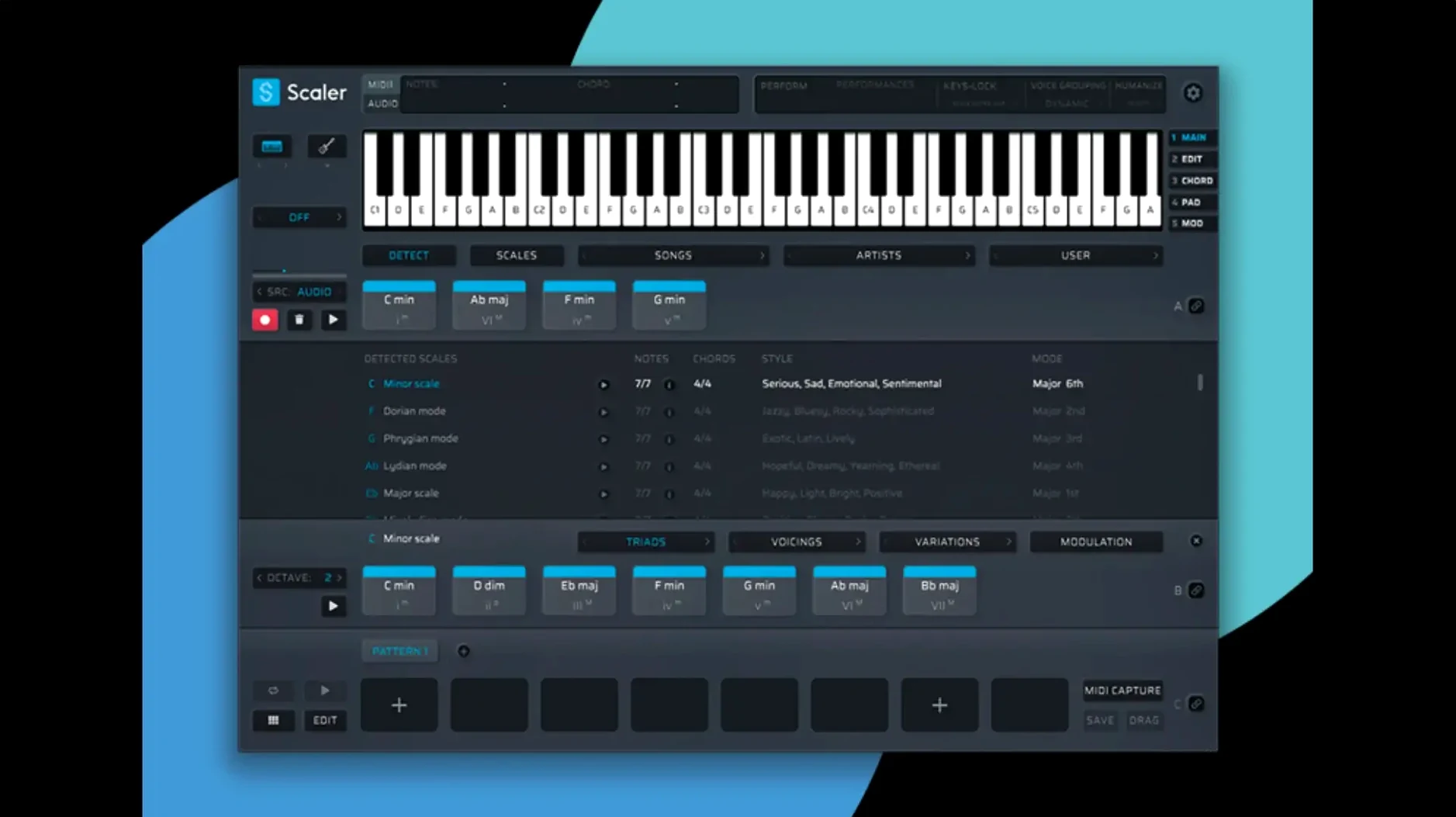
Scaler 3 runs as both a standalone app and a plugin, and it is 64-bit only — no 32-bit hosts, no old Macs. It supports macOS 10.15 and later on Intel and Apple Silicon.
Fits most DAWs and standalone
Plugin Boutique lists Scaler 3 as a music theory tool, which is a fair description. You can use it on its own or inside your DAW as a plugin, so it fits most setups.
Chord, melody, bass and phrase lanes
Standalone and plugin — work alone or inside your host.
Multi-Lane Timeline — chord, melody, bass, and phrase tracks in one view.
Melody, bass, arpeggio generation — in any key, with the theory handled for you.
MIDI Editor fixes — version 3.3.2 corrects display issues that caused missing notes and blank space before chords.
Cleaner exports — exported MIDI now crops empty space at the start.
Multi-Bind for layered track edits
Scaler 3 has a few details that don't make the headlines but matter once you're working. The Multi-Bind feature lets you link several tracks together, which is handy when you've built a layered section and want to edit or move it as a unit. No need to select each lane individually.
If you use external instruments or soft synths, you'll appreciate that Scaler 3 can host VST and AU plugins right on the chord and MIDI sections. That means you can audition sounds without leaving the window — useful when you're still deciding on a tone for a progression.
The chord suggestion library comes with presets grouped by artists and genres. It's not just a random list; you can browse by style and find something that fits the mood you're after. For a producer who works across genres, that saves scrolling through hundreds of unrelated options.
Build a piece from chord library to export
Here's one way to build a short piece in Scaler 3. Open it in standalone mode. Start by picking a key and browsing the chord library for a progression that catches your ear. Drag it onto the chord track in the Multi-Lane Timeline.
Next, use the melody generation tool to create a line that works over those chords. You can tweak the generated notes directly in the timeline or regenerate until something sticks. Do the same for the bass and an arpeggio — the theory is handled for you, so everything stays in key.
Once you have all four lanes (chord, melody, bass, phrase), use Multi-Bind to group them. Now you can shift the whole arrangement together, copy it to another section, or apply edits across all lanes at once. When you're happy, export the MIDI. With version 3.3.2, any silence at the start is cropped automatically, so your sequence starts right where the music begins.
Import that MIDI into your DAW, assign your favourite sounds, and carry on from there. The whole process takes a few minutes once you're familiar with the layout.
Songwriters, producers and film composers
Scaler 3 is built for people who think in chords and progressions. That includes songwriters who want to move beyond the same three or four shapes, producers who need quick harmony ideas in the studio, and composers working to picture who need to generate melodic material fast.
It also suits MIDI users who prefer to work with a timeline that separates chord, melody, bass, and phrase tracks — the Multi-Lane Timeline keeps everything visible and editable in one place. If you tend to layer parts and want to see the full picture without switching windows, that layout helps.
Standalone mode is a bonus for anyone who wants to sketch ideas without opening a full DAW. You can write, edit, and export MIDI directly, then bring it into a host later. That works well for laptop sessions or when you're away from your main rig.
macOS 10.15+, Intel and Apple Silicon
Scaler 3 requires macOS 10.15 or later. It runs on both Intel and Apple Silicon Macs, and it is 64-bit only — so older 32-bit-only hosts won't see it. The installer is a standard disk image: mount it, run the installer, and you're set.
Because it works as both a standalone app and a plugin in VST, VST3, AU, and AAX formats, you can use it with almost any modern DAW on the Mac. The interface is in English only. No other languages are included.
If you're picking up scaler 3 torrent or scaler 3 free download files, make sure you have at least macOS 10.15 and a 64-bit host. Scaler 3 helps musicians generate chord progressions and melodies, ideal for composers and producers. On an Intel Mac or Apple Silicon machine that meets those basics, the app should install and run without extra steps.
- Fixed MIDI Editor display issues that could cause missing notes, incorrect chord representations, and blank space before chords.
- Exported MIDI now automatically crops empty space at the start of the sequence.
- macOS 10.15 or later
- Intel or Apple Silicon
- 64-bit only
Kit check at a glance
| System | macOS 10.15 or later |
| Chip | Apple Silicon, Intel 64-bit |
| Download | 1.4 GB |
| Older pressings | 16 in the crate |




Chat from the booth
Sign in or grab a free account to leave a comment.
Nobody has said a word in the booth yet. If you played a set with this build, tell the next person how it went.