

- Build in the crate
- 6.6.2
- Made by the team at
- Dmitry Obukhov
- Menu languages offered
- Russian, English, German, Hungarian, Greek, Danish, Hebrew, Spanish, Italian, Chinese (Traditional), Chinese (Simplified), Korean, Dutch, Polish, Portuguese, Turkish, Ukrainian, Finnish, French, Czech, Japanese
- How you pay for it
- Included
- macOS it plays on
- macOS 13 or later
- CPU it runs on
- Apple Silicon, Intel 64-bit
Screenshots
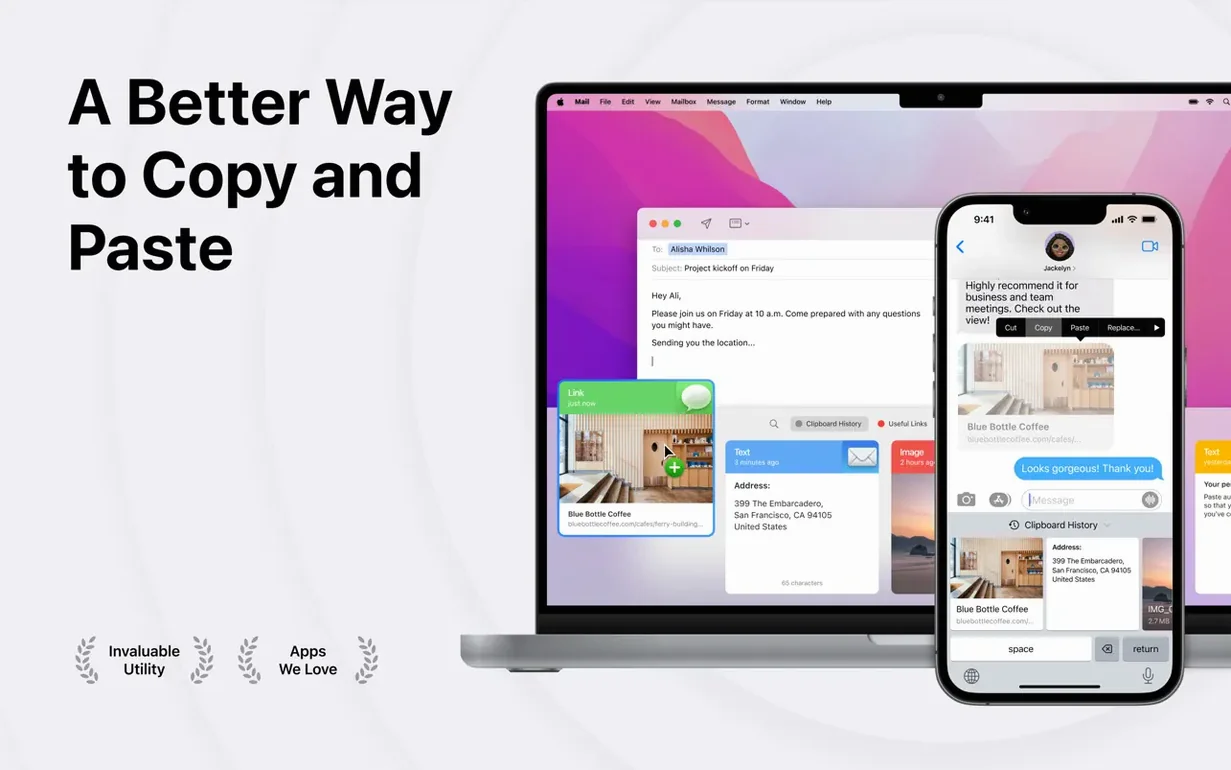
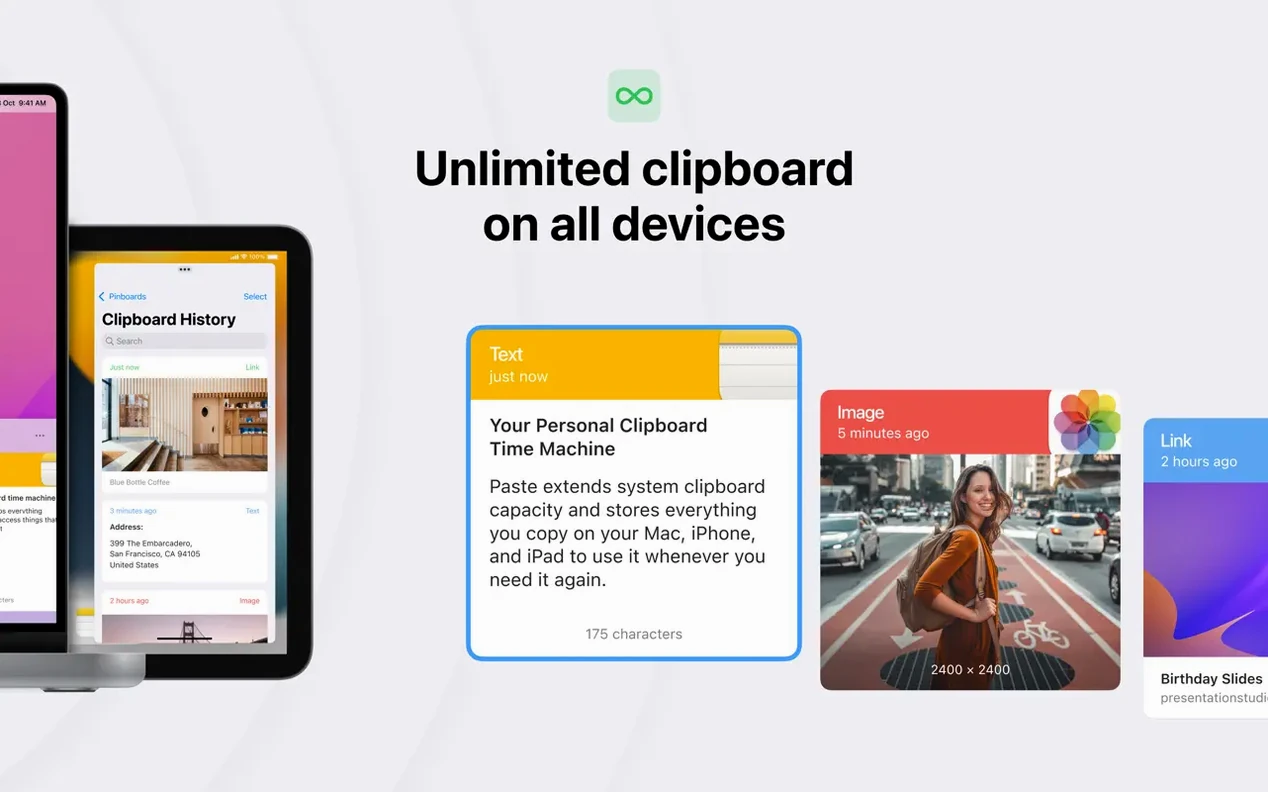
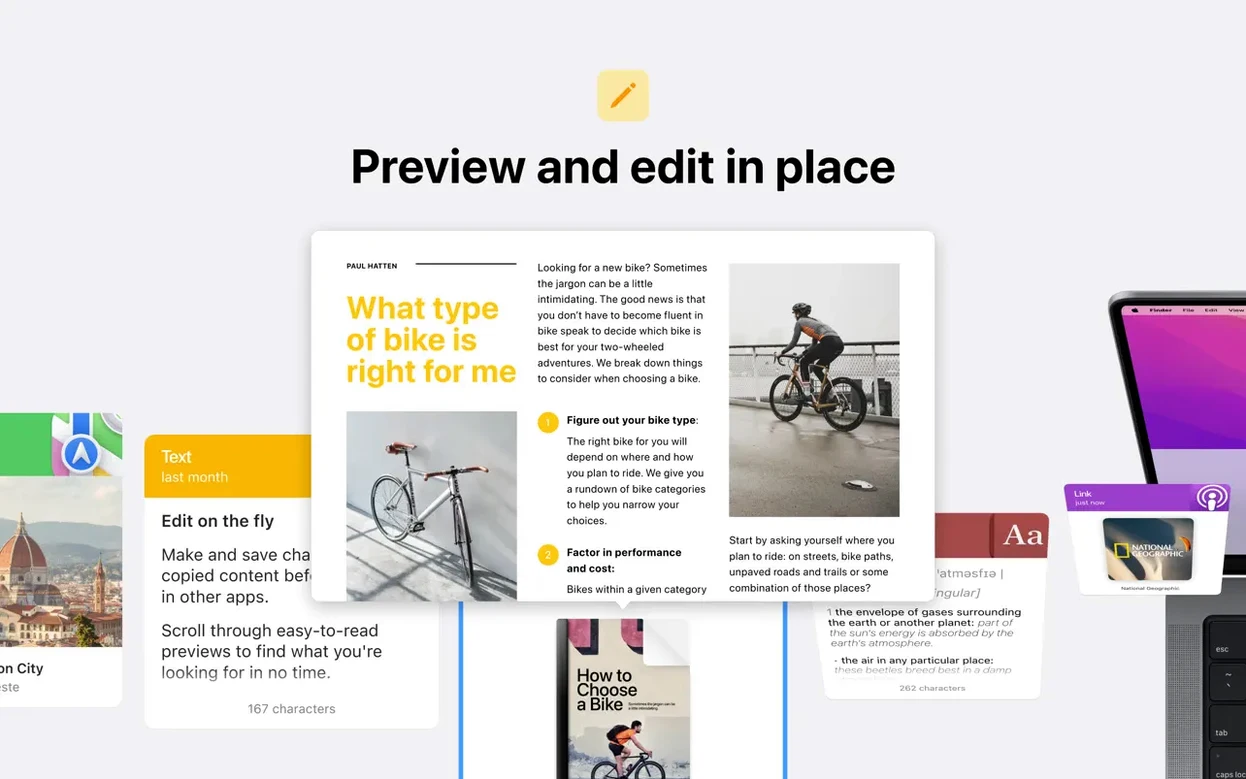
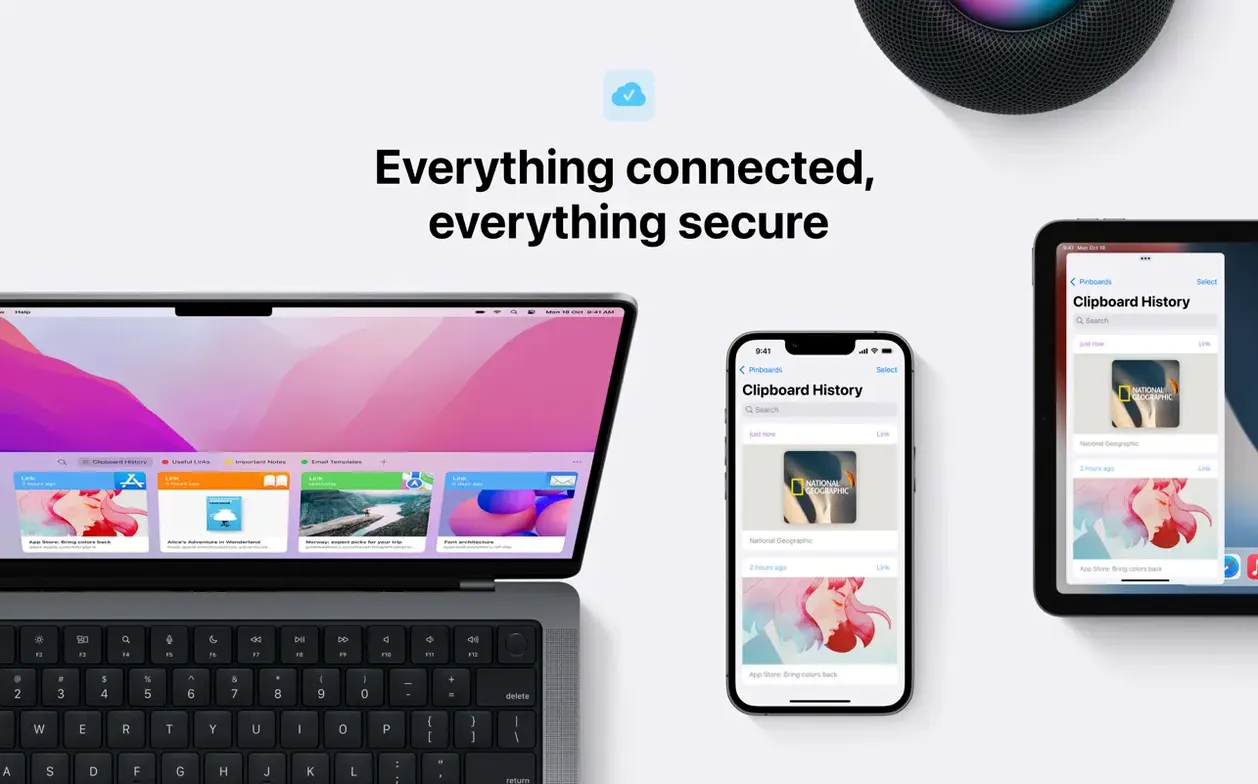
How many times have you copied something, only to lose it the moment you copy the next thing? Paste fixes that by keeping a running history of everything you copy. It saves text, images, screenshots, and links automatically, so nothing slips away.
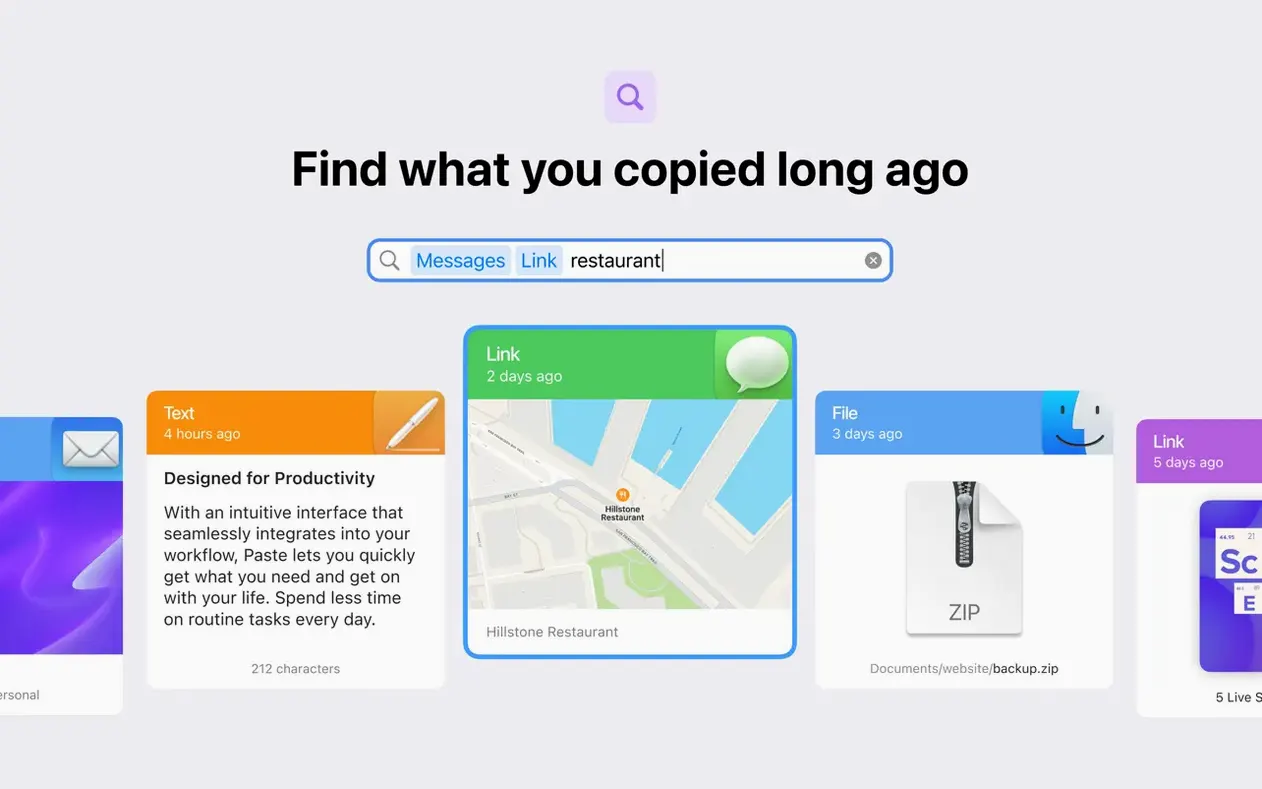
Search old copies and paste several items at once
- Searching through old copies with smart search — great when you need that link from an hour ago.
- Pasting several items at once, without switching back and forth between apps.
- Setting custom keyboard shortcuts for the actions you use most.
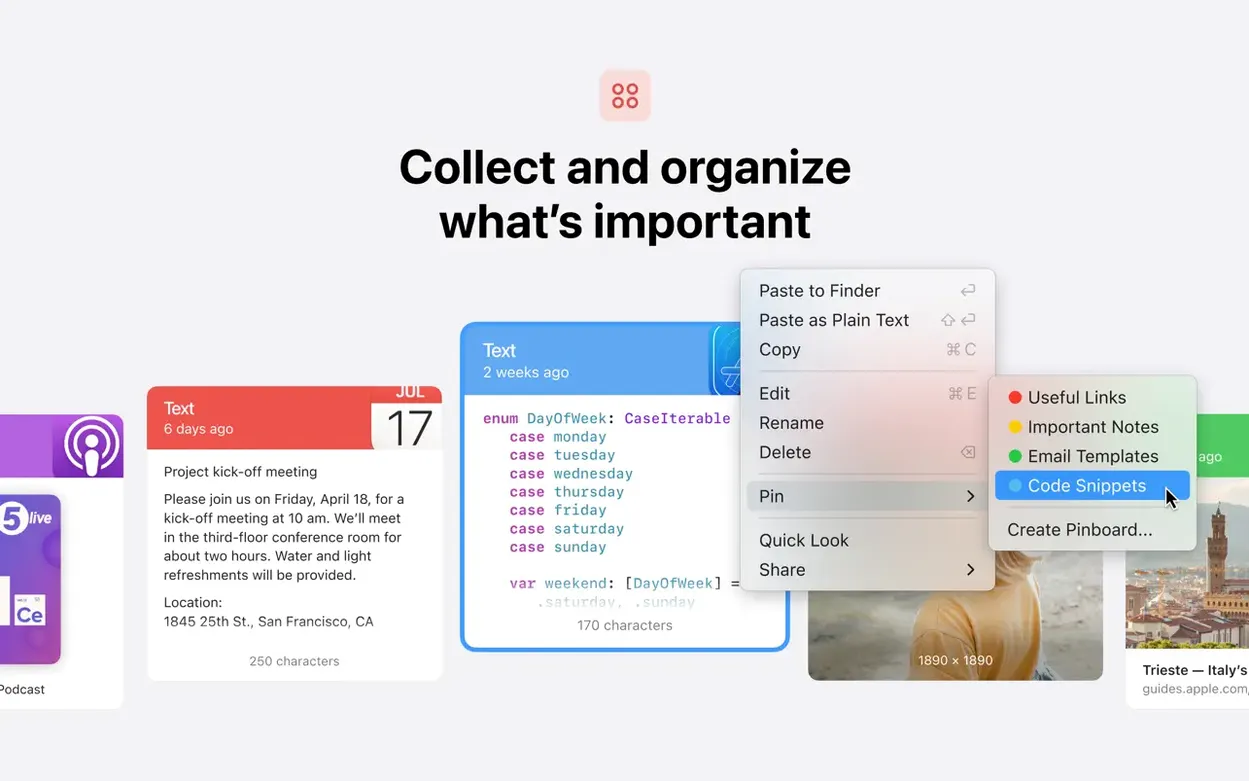
- Keeping different lists for different projects — the app supports an unlimited number of them.
- Syncing clipboard history and pinboards across your Mac, iPhone, and iPad via iCloud.
Requires macOS 13 or later and runs on both Apple Silicon and Intel 64-bit
- Paste requires macOS 13 or later.
- It runs on both Apple Silicon and Intel 64-bit Macs.
- The app is available in 21 languages, including English, German, Spanish, and Japanese.
Set up Paste and grant accessibility access first
After you drag Paste into Applications and launch it, take a moment to set it up the way you work. Here are a few things worth doing early on.
- Give it permission. Paste will ask for accessibility access the first time it runs. This lets it read your clipboard. Go to System Settings > Privacy & Security > Accessibility and tick Paste. Without this, it won't work.
- Set a keyboard shortcut you can actually remember. The default is usually
Cmd+Shift+V. If that clashes with another app, change it in Paste's preferences. Pick something that doesn't make you stretch your fingers. - Start a pinboard for things you reuse. Copy your email signature, a snippet of code you paste daily, or that address you send to clients. Pin it. Now it stays at the top of the list until you unpin it.
- Turn on iCloud sync if you use an iPhone or iPad. Paste syncs your history and pinboards between devices. It means the link you copied on your Mac shows up on your phone without sending it again.
That's it for setup. The app runs in the menu bar and stays out of your way until you need it.
A real workflow: collecting research for a project
Let's say you're putting together a mood board for a design project — or just gathering links and images for a blog post. Here's how Paste helps from start to finish.
- Copy as you browse. Every time you see an image, a colour hex code, a quote, or a link you like, copy it. Paste saves each one silently. Don't worry about overwriting anything.
- Build a dedicated list. Open Paste's history and create a new list called "Mood board" or "Project research." Drag items from your main history into that list. Now your research lives separately from your everyday clipboard clutter.
- Search when you need something specific. Smart search finds items by text content or file name. If you copied a paragraph about colour theory three hours ago, type "colour" and it appears.
- Paste multiple items in one go. When you're ready to assemble the final document, open Paste and select several items at once. Paste them into your file one after another — no switching back to the browser.
- Share the list with someone else. If you're working with a team, you can share clipboard history and pinboards. Send the mood board list to a colleague so they see the same references.
When the project ends, archive the list or delete it. Your main clipboard history stays clean.
Fix blank Paste by enabling accessibility or restarting
Paste is straightforward, but a few things trip people up. Here's what I see most often.
- Paste doesn't show anything after install. Check that you gave it accessibility access in System Settings. If that's already ticked, restart Paste from the menu bar icon. It needs to be running to capture your clipboard.
- History isn't syncing between devices. Make sure iCloud is enabled in Paste's preferences and that you're signed into the same Apple ID on your Mac and iPhone or iPad. Give it a few minutes — sync isn't instant, especially with a lot of items.
- Keyboard shortcut doesn't work. Another app might be using the same shortcut. Open Paste's settings, change the shortcut to something unique, and test it. Common conflicts happen with clipboard managers like Alfred or Bartender.
- Images or files aren't saved. Paste saves images and files by default, but if you're copying from certain apps (like some browsers in private mode), the system clipboard might not send that data. Copy from a regular window instead.
- Too many items in history. You can clear history entirely or delete individual items. Right-click an item and choose delete. For a fresh start, use the clear all option in the menu.
Most of these are one-time fixes. After that, Paste just runs in the background.
- macOS 13 or later
- Apple Silicon or Intel 64-bit
- Built-in purchases
Kit check at a glance
| System | macOS 13 or later |
| Chip | Apple Silicon, Intel 64-bit |
| Download | 28 MB |
| Older pressings | 9 in the crate |



Chat from the booth
Sign in or grab a free account to leave a comment.
Nobody has said a word in the booth yet. If you played a set with this build, tell the next person how it went.