
- Build in the crate
- 1.0.0
- Made by the team at
- OneMoreSystem
- Menu languages offered
- Russian, English, Chinese (Simplified)
- How you pay for it
- Not required
- CPU it runs on
- Apple Silicon, Intel 64-bit
- Played on
- macOS Tahoe, Mac mini 2024 M4
- Dropped on
- 4.08.2026
- Spoken voice in
- Music only
Screenshots
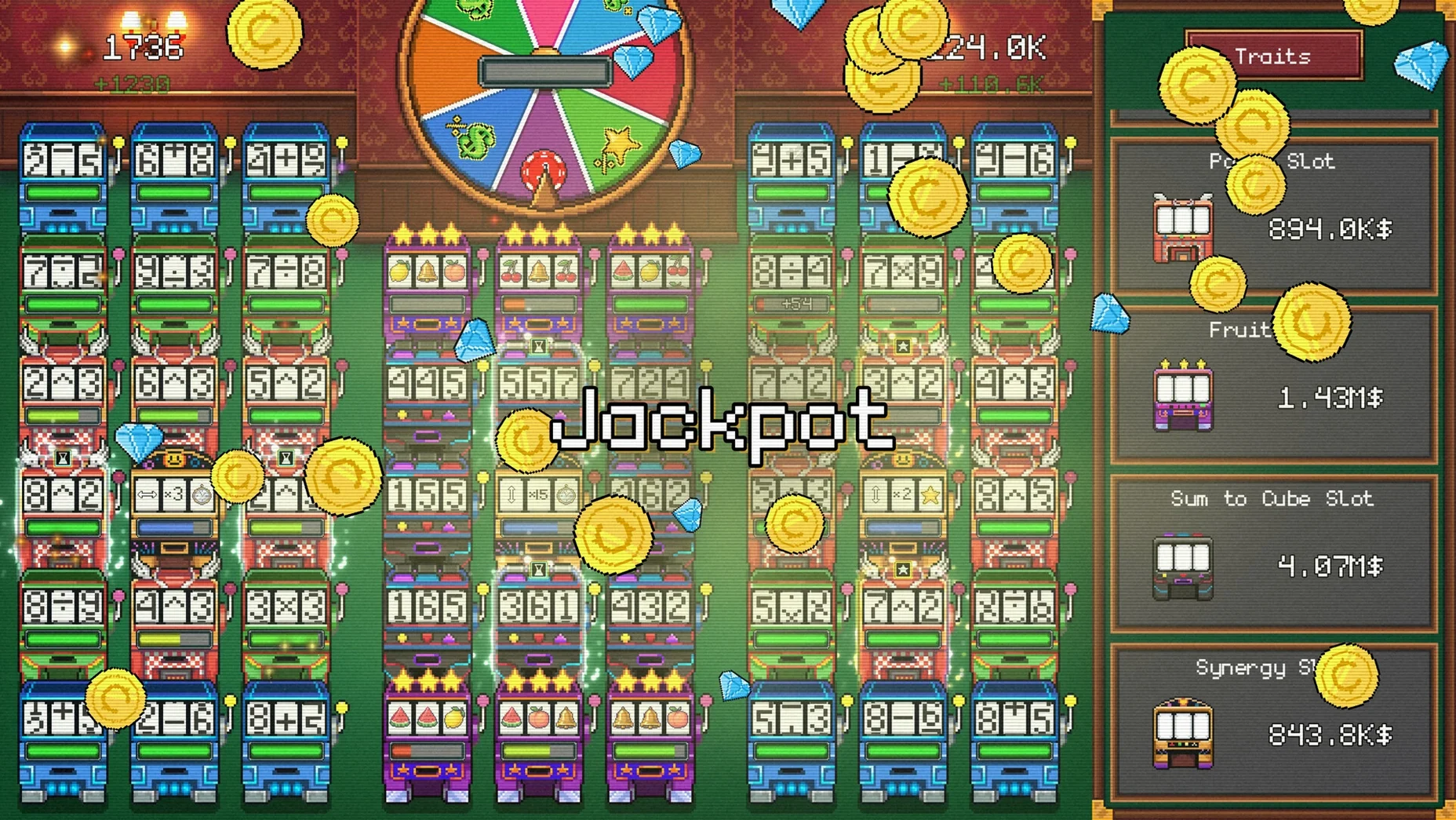
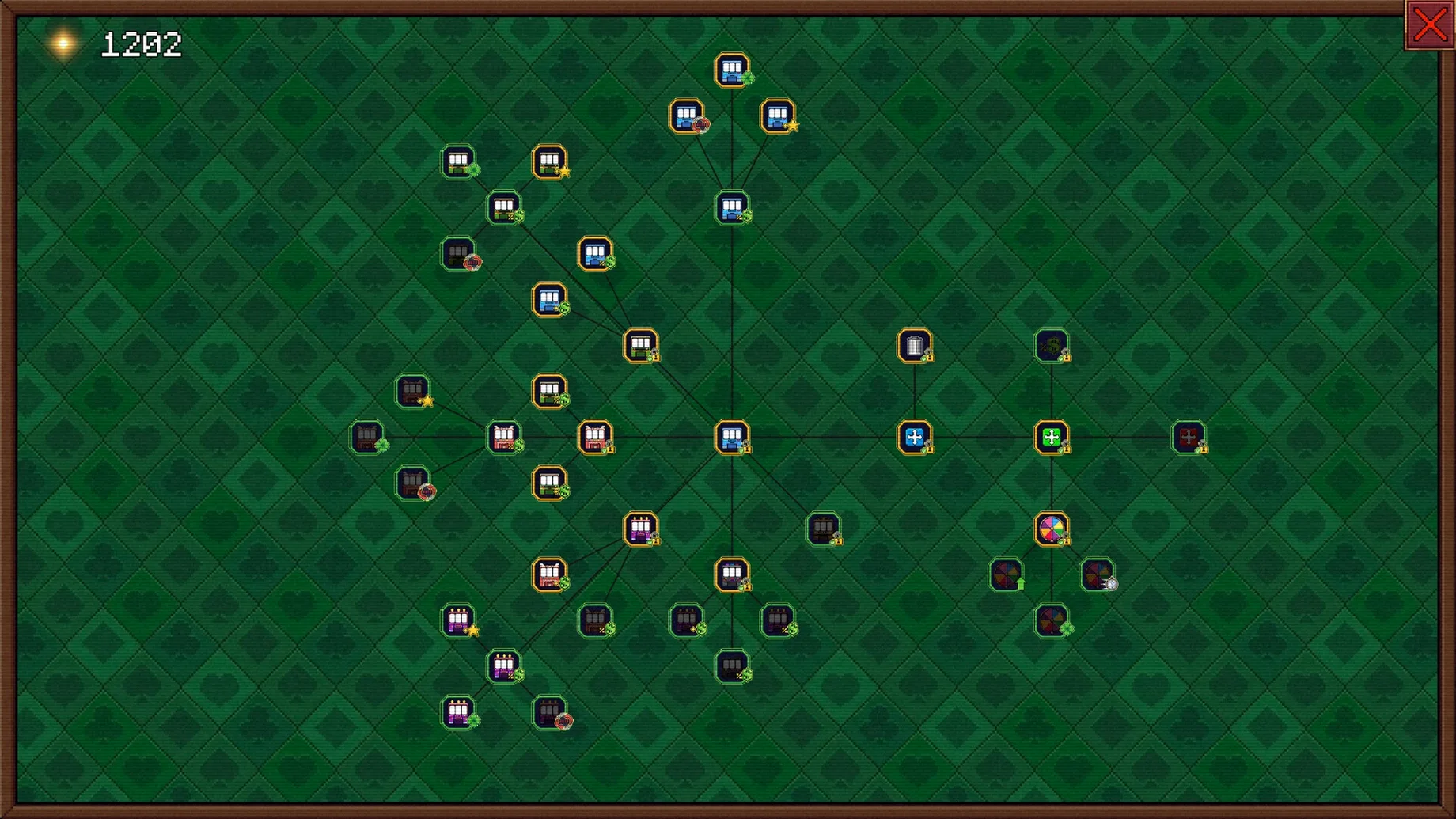
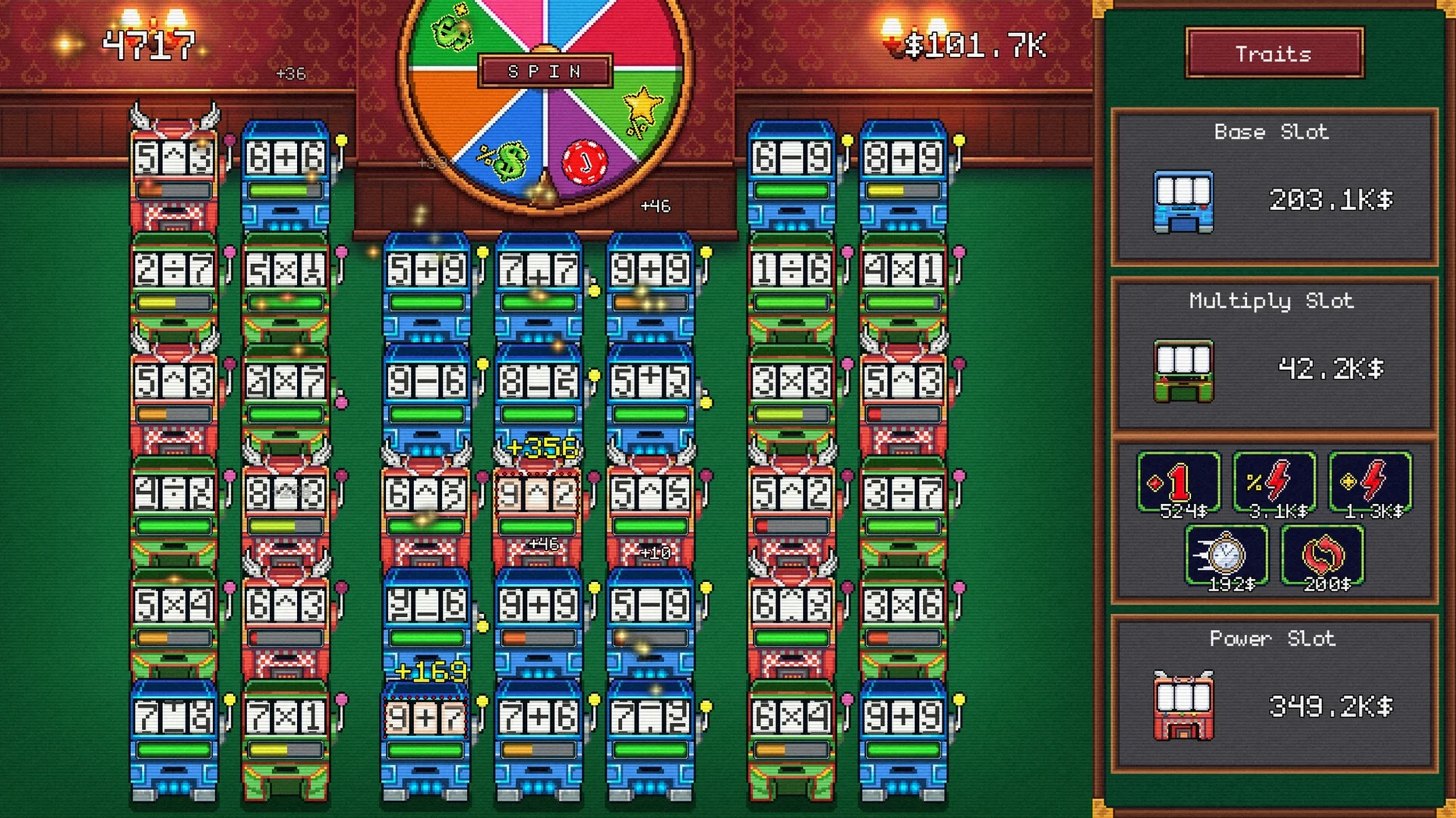
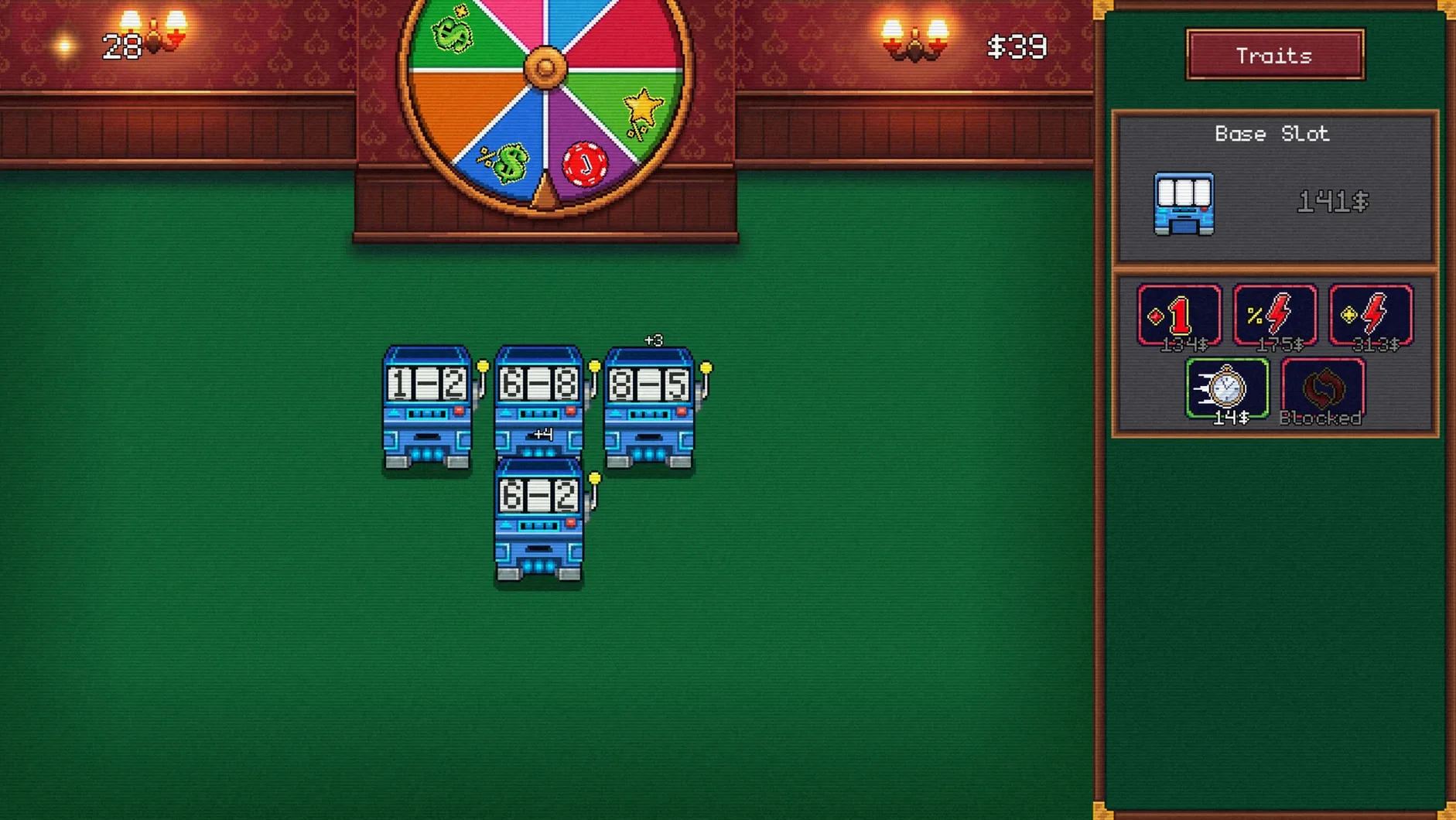
Slot Grind starts you off with a single slot machine. That's the whole premise: spin reels, earn money, and use that cash to improve your setup. The Russian description mentions you can boost spin speed and increase winnings, which turns the early grind into something more manageable.
Progress means opening new slot machines, each adding to your income. It's a classic incremental loop, but with a casino twist.
| Detail | Info |
|---|---|
| Developer | OneMoreSystem |
| Version | 1.0.0 |
| Architecture | Both (Intel and Apple Silicon) |
| Languages | Russian, English, Simplified Chinese |
| Audio | Music |
Tested on macOS Tahoe on a Mac mini 2024 M4, so it runs native on current Apple hardware. If you like idle games about numbers going up, this one fits the slot machine theme nicely.
Runs offline after install
Does it need an internet connection? No, Slot Grind runs offline once it's on your machine. All the progression, upgrades and skill tree live locally.
Can I switch languages mid-game? Yes, the game includes Russian, English and Simplified Chinese. You can change the language from the settings menu without restarting, which is handy if you share the machine with someone who prefers a different language.
Will it work on an older Mac? The build was tested on macOS Tahoe on a Mac mini 2024 M4, but both Intel and Apple Silicon architectures are supported. If your Mac runs a recent macOS version, it should be fine.
Is there any activation or account setup? No activation required. You download the disk image, copy the app and play. No logins, no online checks.
Spin speed reduces early grind
Once you launch Slot Grind, a couple of tweaks can make the early game feel less repetitive. Open the settings panel and look for these:
- Spin speed – bump this up as soon as you can afford it. The Russian description mentions you can improve spin speed, and it makes a real difference. Faster spins mean more rounds per minute, which means more cash flowing in.
- Automation toggles – the game includes automation for your slots. Turn it on when you unlock it, especially for the first machine. That way the reels keep spinning even when you step away to grab a drink or check something else.
After that, spend your early winnings on the skill tree. Focus on anything that increases winnings per spin. The incremental loop accelerates once you stack speed upgrades with higher payouts, and you'll reach the next machine unlock much quicker.
Questions people usually ask before installing
Does the game save automatically? Slot Grind saves your progress as you play, so you don't need to manually save before quitting. Close the app and your cash, upgrades and unlocked machines will be there when you come back.
Can I run it in the background while I do other things? Yes, the game keeps running and earning while minimised or tucked behind other windows. The automation feature means your slots keep spinning even when you're not watching, which is the whole point of an incremental game.
How long does a typical play session last? That depends on you. Some players check in for a few minutes to spend cash on upgrades and let automation run. Others sit down for an hour unlocking new machines and exploring the skill tree. The game doesn't push you one way or the other.
Does it work with external displays or windowed mode? The game runs in a standard window you can resize or move to another screen. No full-screen lock-in, no weird scaling issues on my setup.
Settings worth changing first
Before you start spinning, a couple of settings can improve the feel. Open the preferences screen and look at these:
- Language – set it to English (or Russian or Chinese) from the start so you don't have to navigate menus in a language you don't understand. You can change it later, but getting it right early saves a restart.
- Volume – the game includes music as its audio content. If you prefer your own soundtrack or want silence while grinding, turn the volume down or off here.
Slot Grind Mac Full Version offers a streamlined slot-machine simulation for players who want fast, session-based play.
- macOS version not specified
- Works on both Intel and Apple Silicon Macs
Kit check at a glance
| Chip | Apple Silicon, Intel 64-bit |
| Download | 82 MB |





Chat from the booth
Sign in or grab a free account to leave a comment.
Nobody has said a word in the booth yet. If you played a set with this build, tell the next person how it went.