
- Build in the crate
- 1.006 [Wineskin] Fix 2
- Made by the team at
- Westwood Pacific
- Menu languages offered
- Russian, English
- How you pay for it
- Not required
- CPU it runs on
- Intel 64-bit
- Played on
- macOS Sonoma, MacBook Air (M1. 2020)
- Dropped on
- 23.10.2000
- Spoken voice in
- Russian, English
Screenshots
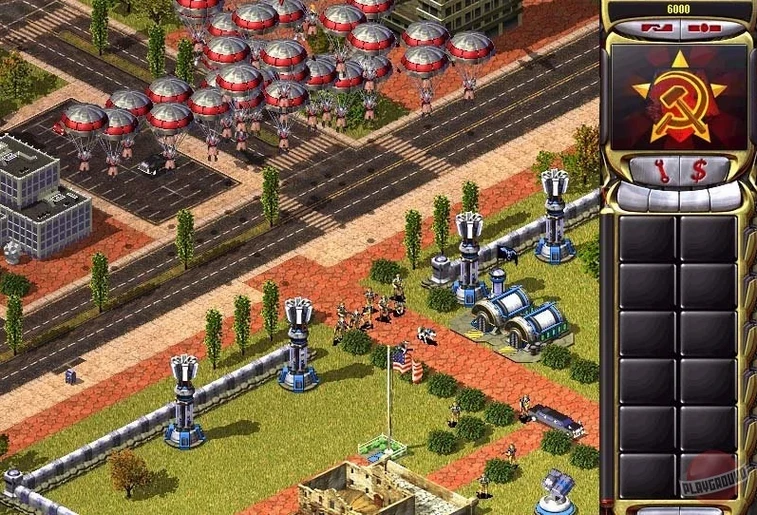
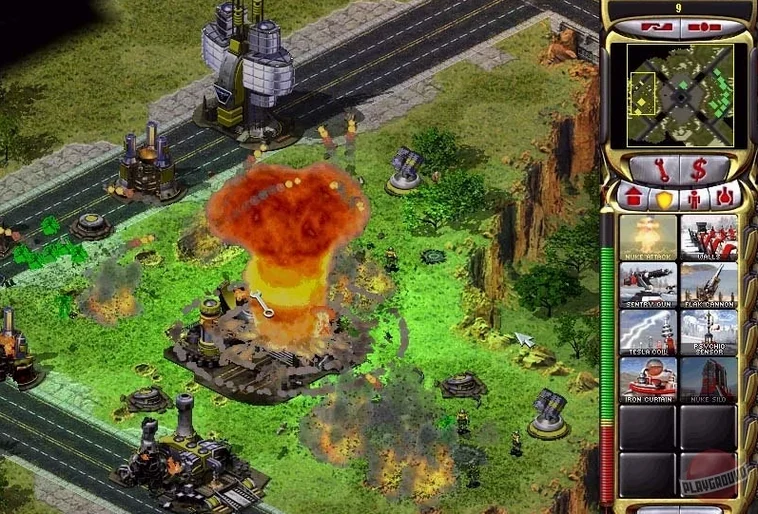
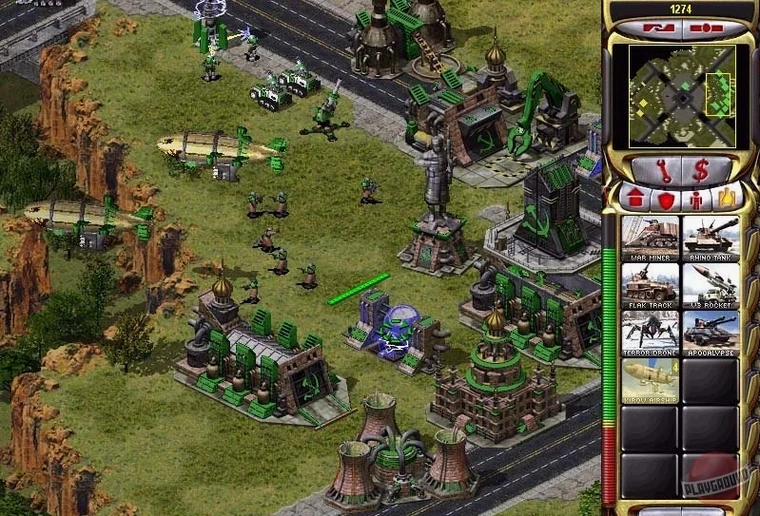
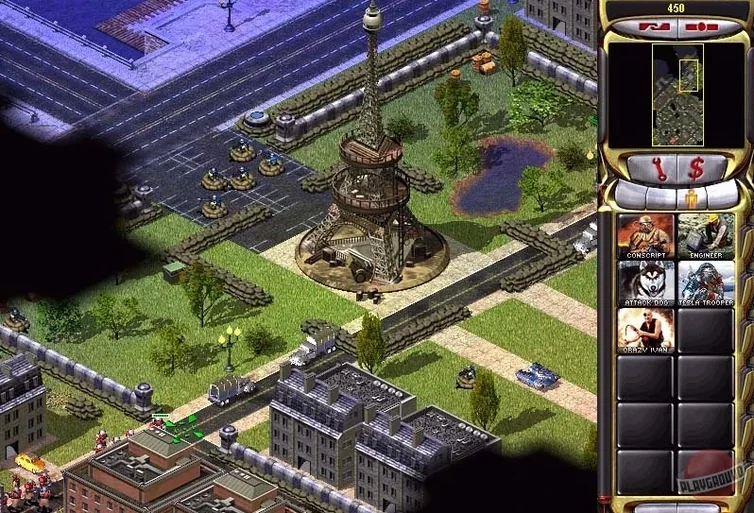
Command & Conquer: Red Alert 2 is a real-time strategy game where you build bases, gather resources, and command armies in an alternate 1971–1972 where the Soviet Union invades the United States.
| Detail | Info |
|---|---|
| Developer | Westwood Pacific |
| Release date | 2000-10-23 |
| Version | 1.006 [Wineskin] Fix 2 |
| Languages | Russian, English |
Minute to minute, you juggle base construction, unit production, and scouting. You place buildings on a grid, send harvesters out for ore, and then push across the map with tanks, infantry, and air power. Each mission mixes defence and offence, so you are always reacting – rebuilding after an ambush, rushing a new tech tree, or launching a surprise assault. The campaign follows the Allied and Soviet sides, with live-action cutscenes between battles. This build runs as an x86 64-bit Wineskin wrapper, tested on macOS Sonoma with an M1 MacBook Air, and it supports both English and Russian text, so you can play the way you remember it.
Check the language setting at first launch
When you first launch Red Alert 2 on your Mac, give yourself a moment to check the language setting. The build ships with both English and Russian text and voice acting. If the menus come up in Russian and you want English, look for a language toggle inside the game’s options screen – it is usually straightforward to switch. Once that is set, start with the Allied campaign. The early missions are gentle: you get a small base, a handful of GIs, and a clear objective. This lets you refamiliarise yourself with the control scheme without the pressure of a full-scale war.
Next, run the Fix file from the disk image if you hit any launch errors. It is a one-time step that sorts out the Wineskin wrapper on modern macOS. After that, the game should open without fuss. Do not skip the first Soviet mission either – it shows off the other side’s units and lets you hear the full voice cast. Yuri’s lines are worth it alone.
A practical tip: save often. The game does not auto-save between checkpoints, and one lost harvester to a Tesla coil can set you back ten minutes. Use quick-save before you attack a new base or try a tricky naval landing.
Mount the disk image and start the Soviet campaign
It is a quiet Saturday afternoon. I mount the disk image, drag the app into Applications, and launch it from Launchpad. The main menu appears with that familiar theme music – still gives me chills. I pick the Soviet campaign, mission five, where you need to capture the Allied tech centre. The briefing video plays, full of over-the-top acting, and then I am dropped onto the map.
First thing: I build a construction yard, a power plant, and a barracks. My harvesters roll out to the nearest ore field while I queue up a few conscripts. The AI starts probing my base with a couple of GIs, so I rush out a Tesla coil for defence. By minute five, I have a war factory up and start producing Rhino tanks. I scout with a dog – fast, cheap, and good for spotting sniper positions. The enemy base is to the north-east, behind a river. I build a few amphibious transports, load them with tanks and flak troopers, and launch a two-pronged assault. One group crosses the river directly, the other circles west to hit their construction yard. The battle is messy – I lose half my tanks – but I capture the tech centre and win. I save the replay to watch later.
After the mission, I check the multiplayer lobby. It is quiet today, so I start a skirmish against a medium AI on a small map. That takes another twenty minutes. By the end, I have a solid hour of play behind me, and the game feels as tight as it did in 2000.
NAT and firewall fixes for online multiplayer
This build is patched to 1.006, the final official update for Red Alert 2. The most noticeable change for daily play is the NAT and firewall support for Westwood Online. On older versions, multiplayer matches could fail if your router blocked certain ports. Now the game handles that more gracefully, so you can actually find and join games without wrestling with port forwarding. The patch also fixed a bug where long in-game chat messages got cut off or displayed incorrectly – useful if you coordinate attacks with allies over text. And the 4-player internet games no longer crash when the host disconnects. The minor Quickmatch client fix is the smallest change, but it makes the lobby less flaky when you search for opponents.
If you play through the campaigns, these fixes do not change the single-player experience much. But if you ever venture into multiplayer, 1.006 makes it work the way it should have at launch. For a game from 2000, that is a welcome polish.
- Minor Quickmatch client bug fix.
- NAT and firewall support added for Westwood Online.
- macOS: not specified
- Architecture: both Intel and Apple Silicon
Kit check at a glance
| Chip | Intel 64-bit |
| Download | 2.1 GB |




Chat from the booth
Sign in or grab a free account to leave a comment.
Nobody has said a word in the booth yet. If you played a set with this build, tell the next person how it went.