
- Build in the crate
- 3.0.8 FIX
- Made by the team at
- Swinsian
- Menu languages offered
- English
- How you pay for it
- Included
- macOS it plays on
- macOS 10.13 or later
- CPU it runs on
- Apple Silicon, Intel 64-bit
Screenshots
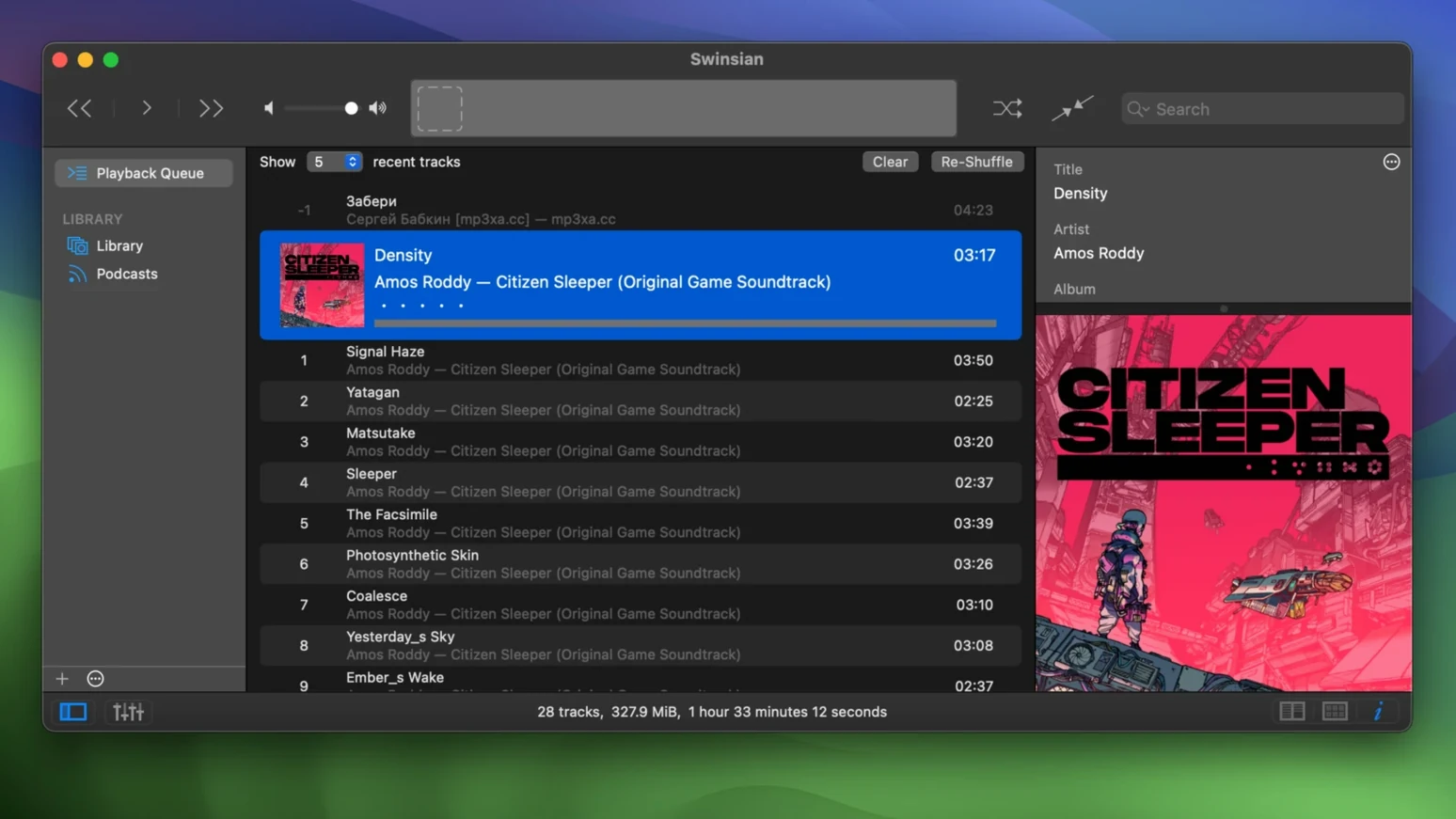
Swinsian 3.0.8 lands with a few welcome fixes, most notably for quadraphonic FLAC files and sorting in the Complete Tags window. It also picks up extra options for art grid labels and hidden settings to enlarge interface text — small touches that keep the player feeling current.
Built for Large Libraries
Swinsian is designed to stay responsive even when your library runs into tens of thousands of tracks. Folder watching means it picks up changes on disk automatically, so you don't have to babysit imports. If you're coming from iTunes, it can bring that library in directly, tags and playlists included.
More Than a Player
Beyond playback, Swinsian handles podcasts on its own, supports gapless playback, and throws in a 10-band or 31-band equalizer. Regular-expression search helps you find tracks by pattern, and global keyboard shortcuts keep control within reach from any app. Library statistics give you a quick look at what you've got. It's a solid middle ground between iTunes and something more barebones — especially if you care about keeping your tags tidy.
A Session with Swinsian
I start a typical listening session by pointing Swinsian at my music folder. The folder watching feature does the rest — any new album I drop in appears without me hitting an import button. The library loads quickly enough that I can start browsing straight away.
From there I might jump into the tag editor. A recent batch of downloads had inconsistent artist names, so I use the find-and-replace tool with a regular expression to clean them up in one pass. That kind of thing saves me from clicking through hundreds of files manually. Once the tags look right, I fetch album artwork and the grid view fills in nicely.
For playback I usually turn on the equalizer — the 31-band option when I'm being picky, the 10-band for quick adjustments. Gapless playback matters for live albums and classical works, and Swinsian handles that without gaps or clicks. If I'm working in another app, global keyboard shortcuts let me skip tracks or pause without switching windows. Playback notifications pop up so I know what's playing without checking the app.
Later in the day I might open a separate playlist window for a specific mood or genre. Smart playlists keep themselves updated based on rules I set once. And because I use Last.fm, scrobbling runs in the background without extra setup.
Ignoring folder watching instead of auto-importing
New users sometimes expect Swinsian to behave like Apple Music out of the box. It doesn't — it's a standalone player with its own logic. The first mistake is ignoring folder watching and manually importing files that would have appeared on their own.
Another one is overlooking the tag editor until a problem forces them into it. A quick pass with find-and-replace early on saves a lot of scrolling through messy libraries later. Beginners also tend to skip regular-expression search, which is a shame because it's one of the most powerful ways to find tracks when you only remember part of a title or a pattern in the metadata.
Some users try to manage playlists the same way they did in iTunes, not realising that smart playlists in Swinsian work differently and need rule-based thinking. And a few forget to check the library statistics view, which gives a clear picture of your collection without any digging.
Customising art grid labels for a cleaner look
Version 3.0.8 doesn't overhaul the interface, but it makes a few things more comfortable. The new art grid label customisation means you can tweak how album titles appear under cover art — useful if you prefer a cleaner look or need more text visible at a glance.
The hidden option for larger interface text is a quiet addition. If you're working on a high-resolution display or just want less strain on your eyes, it's worth finding in the settings. It doesn't change the layout drastically, but it makes the player more readable without forcing you into full-screen mode.
For users with quadraphonic FLAC files, the fix in this release means those tracks play correctly now instead of glitching or failing. And the sorting fix in the Complete Tags window stops columns from jumping around when you click them — a small annoyance that's finally gone. Transcoding rules also save properly again, which matters if you convert files for portable devices.
If you sync an iPod with Swinsian, the fix for removing tracks from iPod playlists is one you'll notice. Previous versions could leave orphaned entries; 3.0.8 handles removals cleanly.
- More customization options for art grid labels.
- Hidden options to make interface text larger.
- Fixes playback of quadraphonic FLAC files.
- Fixes transcoding rules not being saved correctly.
- Fixes problems removing tracks from iPod playlists.
- Fixes sorting in the Complete Tags window.
- macOS 10.13 or later
- Intel or Apple Silicon
- English interface
Kit check at a glance
| System | macOS 10.13 or later |
| Chip | Apple Silicon, Intel 64-bit |
| Download | 24 MB |
| Older pressings | 2 in the crate |







Chat from the booth
Sign in or grab a free account to leave a comment.
Nobody has said a word in the booth yet. If you played a set with this build, tell the next person how it went.