

- Build in the crate
- 1.0.12
- Made by the team at
- Tilo Software AB
- Menu languages offered
- English, German, French, Swedish
- How you pay for it
- Included
- macOS it plays on
- macOS 14 or later
- CPU it runs on
- Apple Silicon, Intel 64-bit
Screenshots
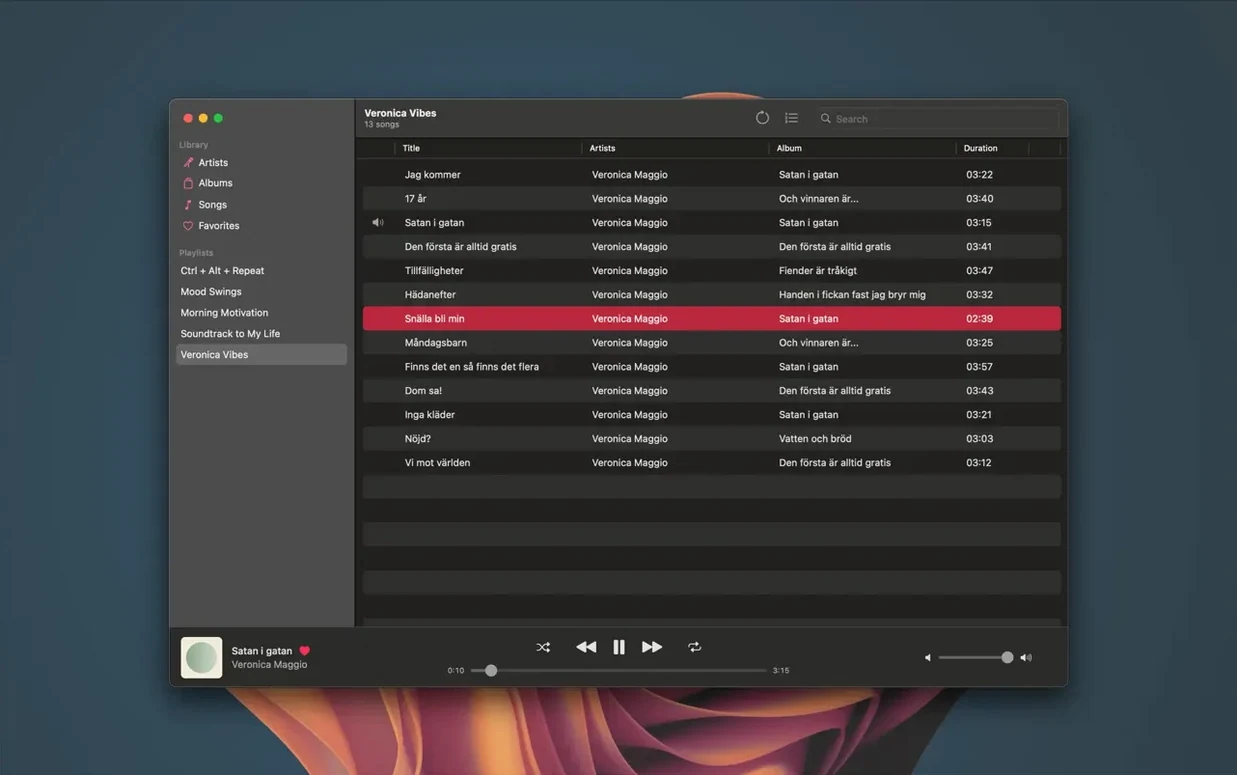
If you run a Jellyfin server for your music collection, finding a dedicated desktop client that feels natural on macOS can be a chore. Most options lean toward web interfaces or generic media players. Manet Music fills that gap: it's a native Mac app built to browse, play, and organise your Jellyfin music library without opening a browser.
For Jellyfin server owners with curated music libraries
Anyone who already has a Jellyfin server with a music library and wants a clean, dedicated player on their Mac. It's especially useful if you manage large collections with playlists or album collections, or if you want offline access to your music.
What does it support?
Manet Music connects to your Jellyfin server and shows your library, playlists, and album collections. It plays FLAC and other formats, and shows synchronized lyrics in real time. An equalizer is available for Manet+ subscribers.
Two types of Mac users who benefit most
It's a natural fit for two kinds of Mac users. First, the Jellyfin server owner who has spent time tagging, organising, and curating a music library — Manet Music treats that library as a first-class collection, not a folder tree. Second, anyone who listens to music in short sessions throughout the day: the widgets and Siri control mean you don't need to open the app to queue a track or check what's playing. CarPlay support extends the same library into the car, so your server-based collection follows you without syncing to a phone first.
People who value lyrics will also appreciate the real-time sync. It makes a difference when you're learning a song, singing along, or just want to see the words without searching separately. And if you switch between headphones, speakers, and CarPlay regularly, the volume normalisation between tracks keeps the levels consistent.
Friday evening jazz and ambient playlist revisit
Friday evening. You open the app on your MacBook, and it connects to your Jellyfin server at home. You want to revisit a playlist you built a few weeks ago — a mix of jazz and ambient tracks. You pick it from the playlist section and hit play. The first track starts, and the lyrics panel shows the words scrolling in time. You leave the app open while you work on something else, controlling playback with the keyboard.
Half an hour later, you want to switch to a new album collection you imported last weekend. You browse the library, pick the album, and add it to the queue. The volume stays consistent when the next track comes on, thanks to the normalisation.
Before closing the laptop, you download a few tracks for tomorrow's train ride. They store on the device, ready for offline mode. You close the app knowing the music will be there when you need it, server or not.
Yes. You can download music for offline playback, which works well for travel or when your server isn't reachable.
- Fix crash on app launch
- macOS 14 or later
- Intel or Apple Silicon
- Jellyfin server
- Active Manet+ subscription
Kit check at a glance
| System | macOS 14 or later |
| Chip | Apple Silicon, Intel 64-bit |
| Download | 8 MB |
| Older pressings | 1 in the crate |








Chat from the booth
Sign in or grab a free account to leave a comment.
Nobody has said a word in the booth yet. If you played a set with this build, tell the next person how it went.