
- Build in the crate
- 9.6 [MAS]
- Made by the team at
- Systweak Software
- Menu languages offered
- English
- How you pay for it
- K'ed by TNT team
- macOS it plays on
- OS X 10.8 or later
- CPU it runs on
- Intel 64-bit
Screenshots
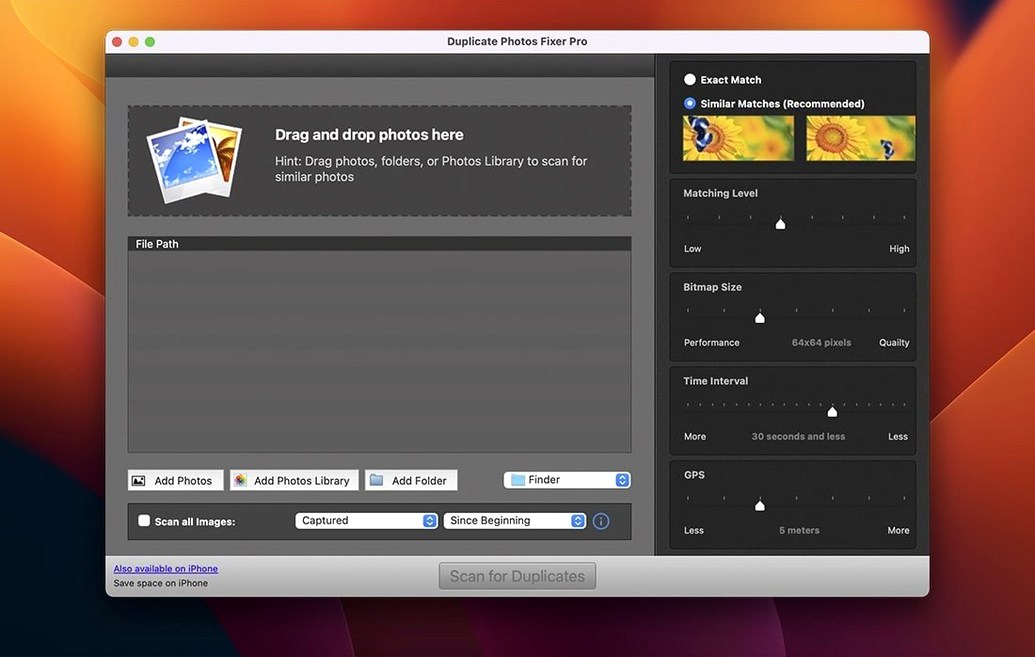
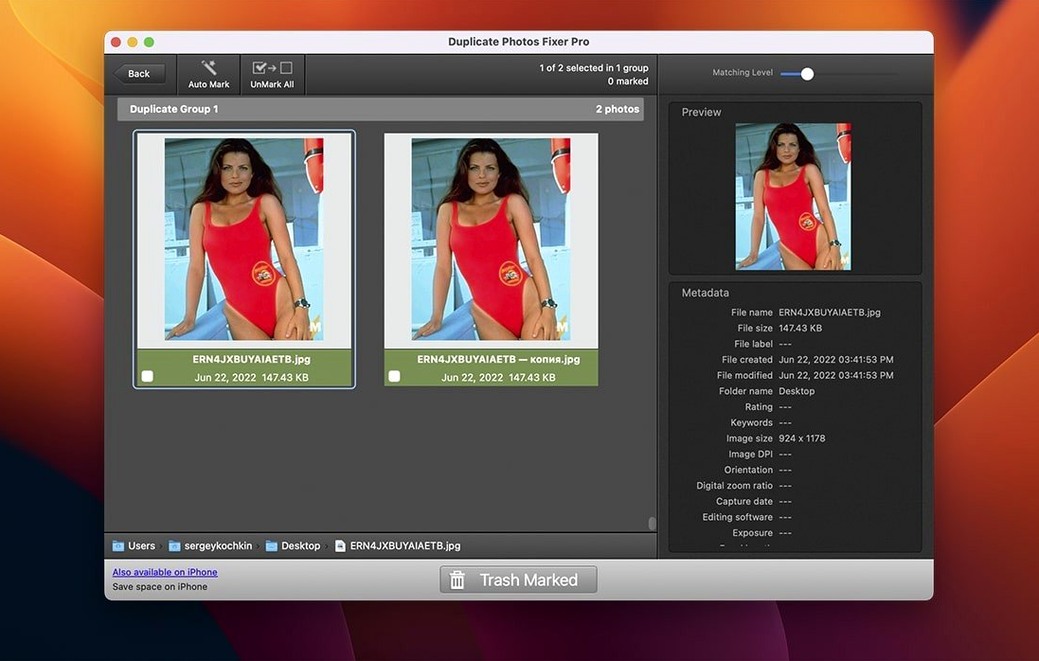
Duplicate Photos Fixer Pro 9.6 is a Mac app from Systweak Software that finds and removes duplicate or similar photos. It scans your Mac or external drives, then groups duplicates by matching level. You get to review and delete what you don’t need.
set matching levels for burst-mode photos
It doesn’t just spot exact copies. You can set a matching level to catch near-identical shots — useful after a day of burst-mode shooting. The app can also identify groups taken within a short time span, so you don’t keep every frame.
scans USB and external drives automatically
Yes. Plug in a USB or external hard drive, and the scan picks it up. Thumbnails generate automatically, making review fast. It runs on Intel Macs with macOS 10.8 or later.
For the right user, Duplicate Photos Fixer Pro 9.6 can save serious time. Who gets the most out of it?
built for libraries with thousands of images
If you manage a large photo library — thousands of images from years of iPhones, DSLRs, and family cameras — this app is built for you. Casual users with a few hundred photos might not need it. But if you have:
- A Mac with limited storage and a bloated Pictures folder
- Multiple external drives full of unsorted image backups
- Hundreds of near-identical burst shots from events
- Duplicate images imported from iCloud, Google Photos, or old backups
…then you’re exactly the person who will benefit. It’s also useful for photographers who batch-import and later want to slim down their archive without losing the best shot.
People who shoot in RAW + JPEG will find it handy too. Those pairs take up twice the space, and while some users keep both, others just want the RAW file. The matching level helps separate them.
picking the right matching level first
First-timers often rush. The most common mistake: picking a matching level that’s too low or too high. A very low matching level flags everything as a duplicate, even photos that just share a similar colour palette. A very high one only catches exact copies, missing the similar shots you came to clean up. Start in the middle, see what the app groups, then adjust.
Another error: scanning the whole drive on the first run. Beginners select the startup disk and wait forever. Better to start with one folder — say, ~/Pictures — and get comfortable with the workflow before scaling up.
Some users also forget to review the grouped results before deleting. The app shows you the groups, but if you click delete without looking, you might lose the only copy of a photo you wanted. Always scan the thumbnails. That’s what the auto-generated preview is for.
A smaller but common slip: not checking external drives before scanning. If you have duplicates scattered between your Mac and a USB drive, scan both at once. Otherwise you clean one folder and miss the other half.
cleaning a full internal SSD with an external drive
Say it’s a Sunday afternoon. You’ve got a 2015 MacBook Pro, a 1TB external drive full of holiday photos, and your internal SSD is groaning. You mount the disk image, open the app, and point it at ~/Pictures and the external volume. Two folders. One scan.
The app runs through the images. You grab a coffee. When you’re back, the results are grouped: exact duplicates in one section, similar images in another, time-span clusters below. The thumbnails load automatically, so you scroll through.
You keep the sharpest one. Further down, the app found a burst of your niece’s birthday: twenty shots taken in four seconds. You pick the two with her eyes open, mark the rest for removal.
After ten minutes of review, you hit the delete button. The app removes the duplicates and sends them to Trash. You empty Trash, check your free space, and see 8 GB back. Not bad for a Sunday.
Next week you might run it again on an old backup drive. For now, the library feels lighter.
- macOS 10.8 or later
- Intel processor
- English interface
Kit check at a glance
| System | OS X 10.8 or later |
| Chip | Intel 64-bit |
| Download | 38 MB |







Chat from the booth
Sign in or grab a free account to leave a comment.
Nobody has said a word in the booth yet. If you played a set with this build, tell the next person how it went.