

- Build in the crate
- 2.1.4
- Made by the team at
- PixelCut
- Menu languages offered
- English
- How you pay for it
- K'ed by TNT team
- macOS it plays on
- macOS 11.5 or later
- CPU it runs on
- Intel 64-bit
Screenshots
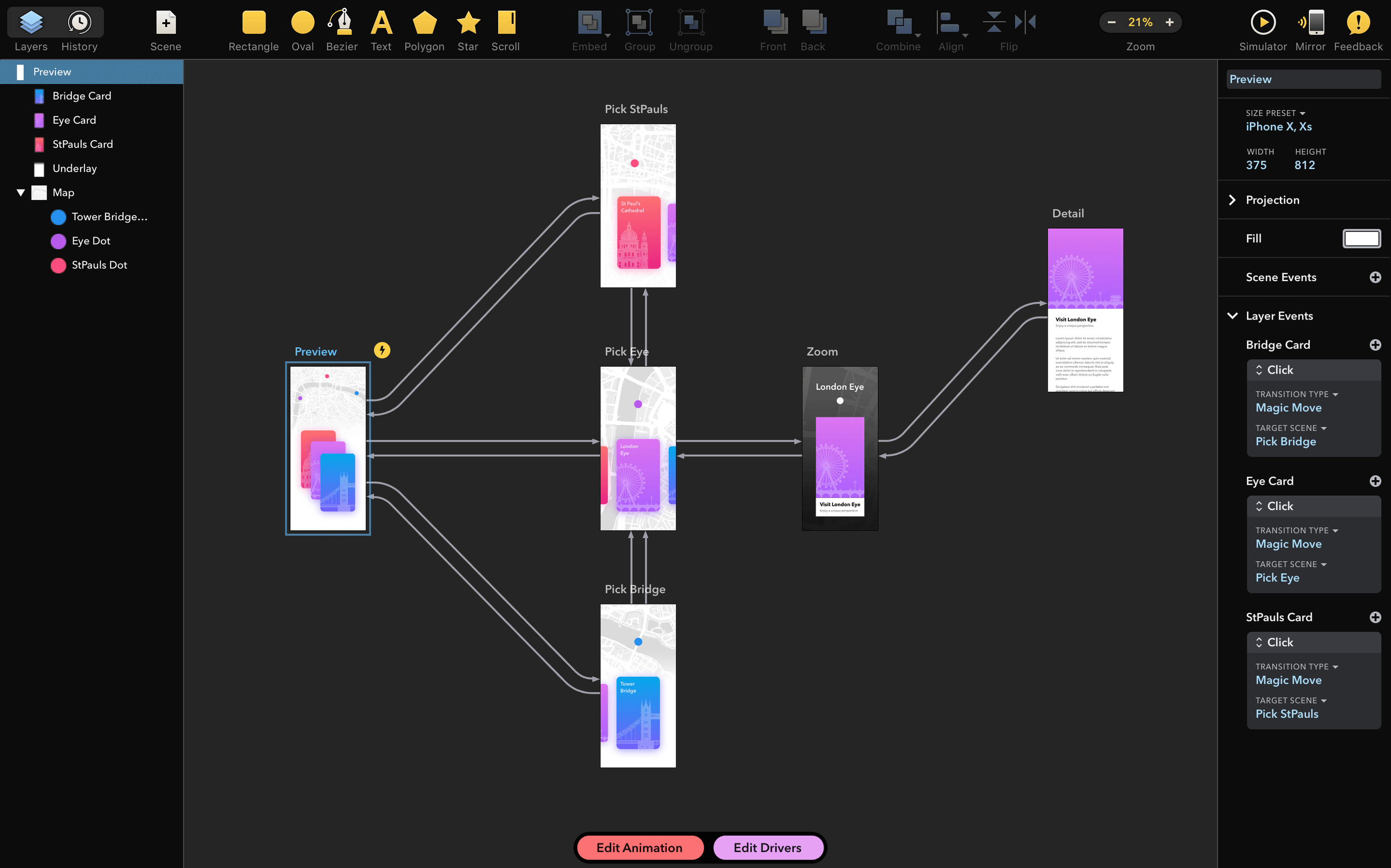
You sketch a screen flow in the morning, animate a transition by lunch, and hand off polished assets before the day ends. Drama makes that sequence one job instead of three.
Prototyping and animation tools for drama
Prototyping — Build interactive previews of your app or website, complete with navigation and transitions, so you can test ideas before writing code.
Animation — Add motion to elements with keyframes or presets, then export the result for use in your project or presentation.
Design — Create vector graphics and layouts with a full set of drawing tools, all in one canvas.
3-in-1 approach — Switch between design, animation, and prototyping without leaving the app, which keeps your workflow contained.
English interface — The entire UI is in English, so no translation layer gets in the way.
- Fixed a crash on start caused by specific installed fonts.
- macOS 11.5 or later
- Intel architecture
Kit check at a glance
| System | macOS 11.5 or later |
| Chip | Intel 64-bit |
| Download | 8 MB |
| Older pressings | 1 in the crate |







Chat from the booth
Sign in or grab a free account to leave a comment.
Nobody has said a word in the booth yet. If you played a set with this build, tell the next person how it went.