

- Build in the crate
- 6.0.10601-personal
- Made by the team at
- Vector 35 Inc.
- Menu languages offered
- English
- How you pay for it
- Included
- macOS it plays on
- macOS 10.15 or later
- CPU it runs on
- Apple Silicon, Intel 64-bit
Screenshots
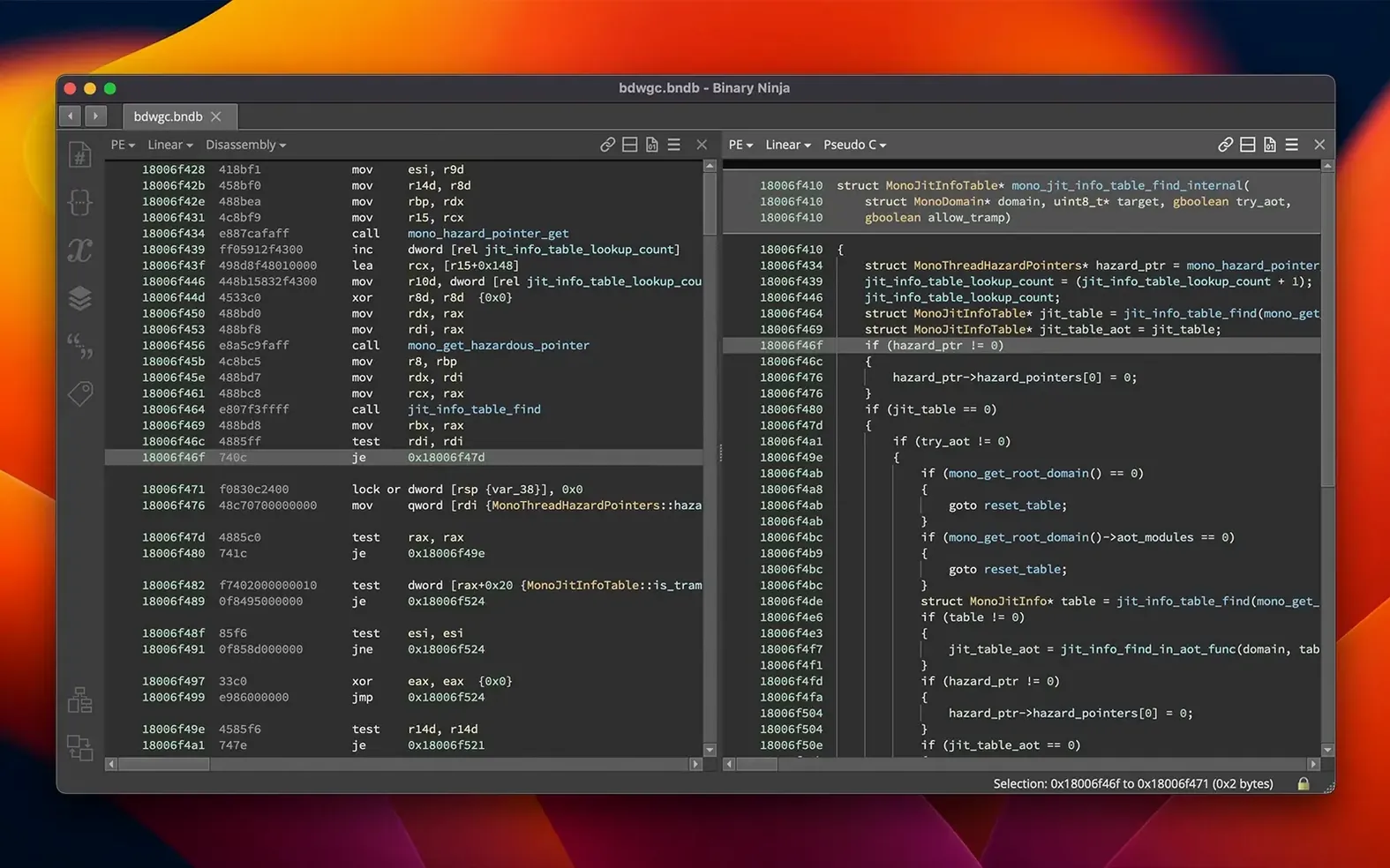
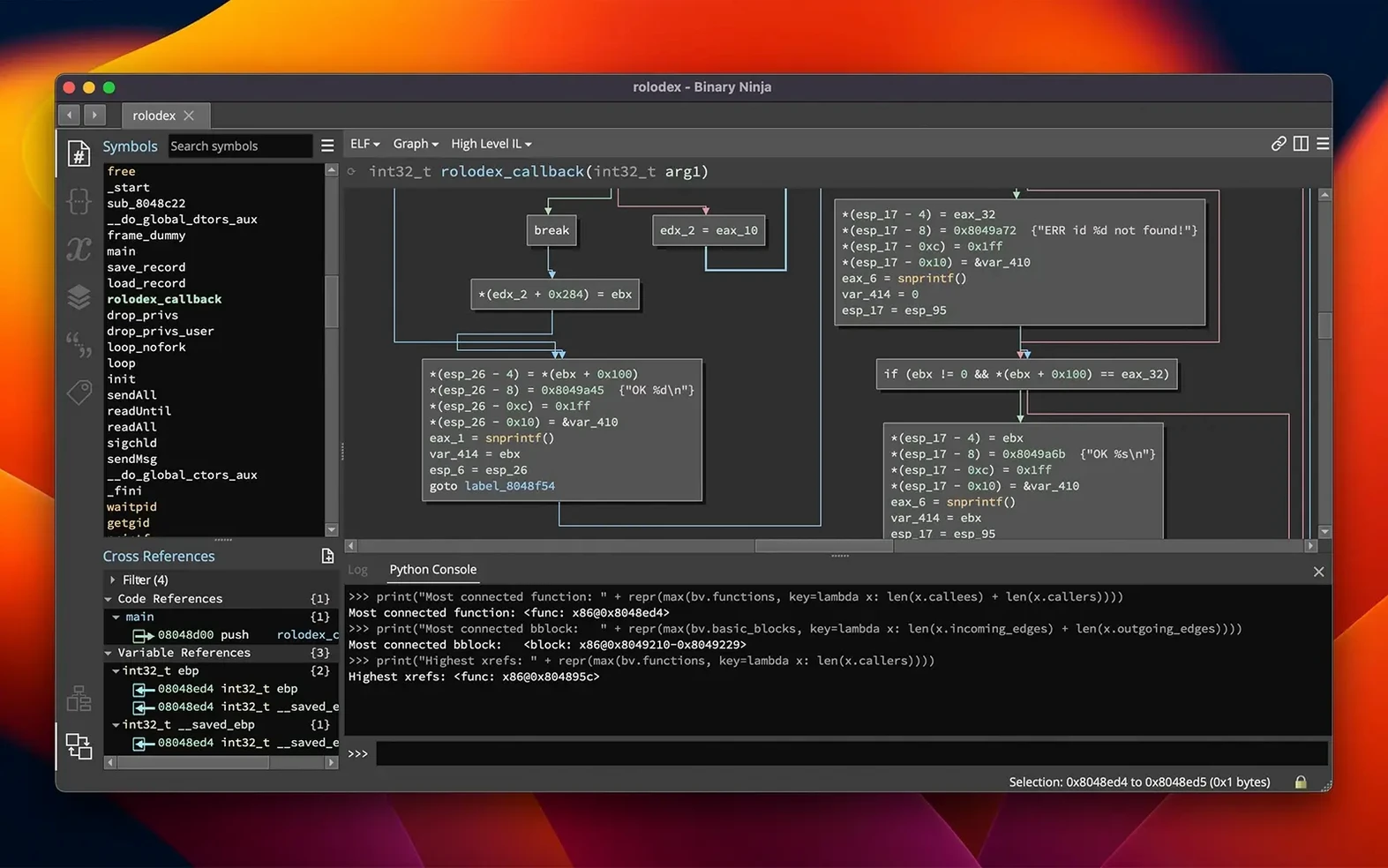
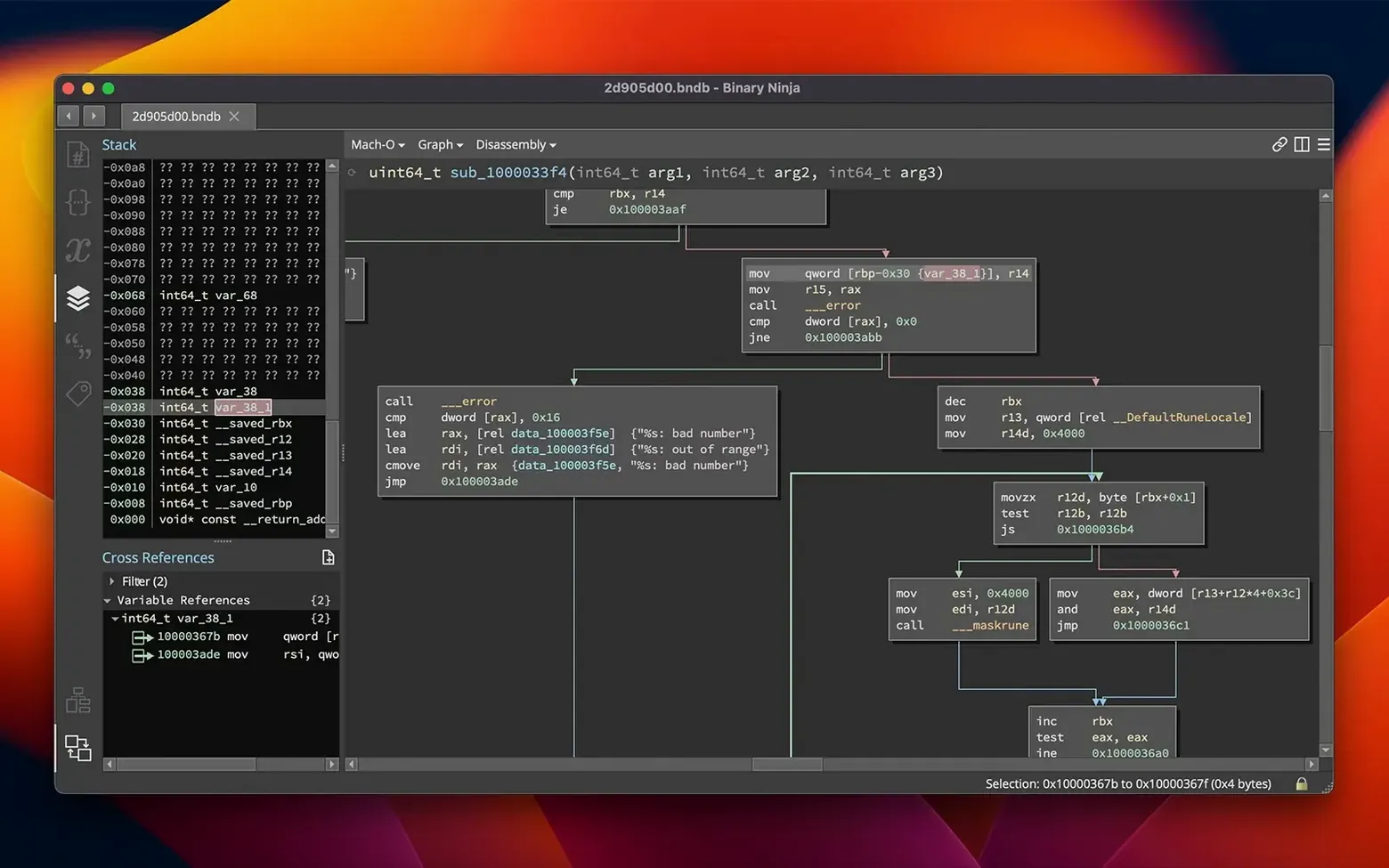
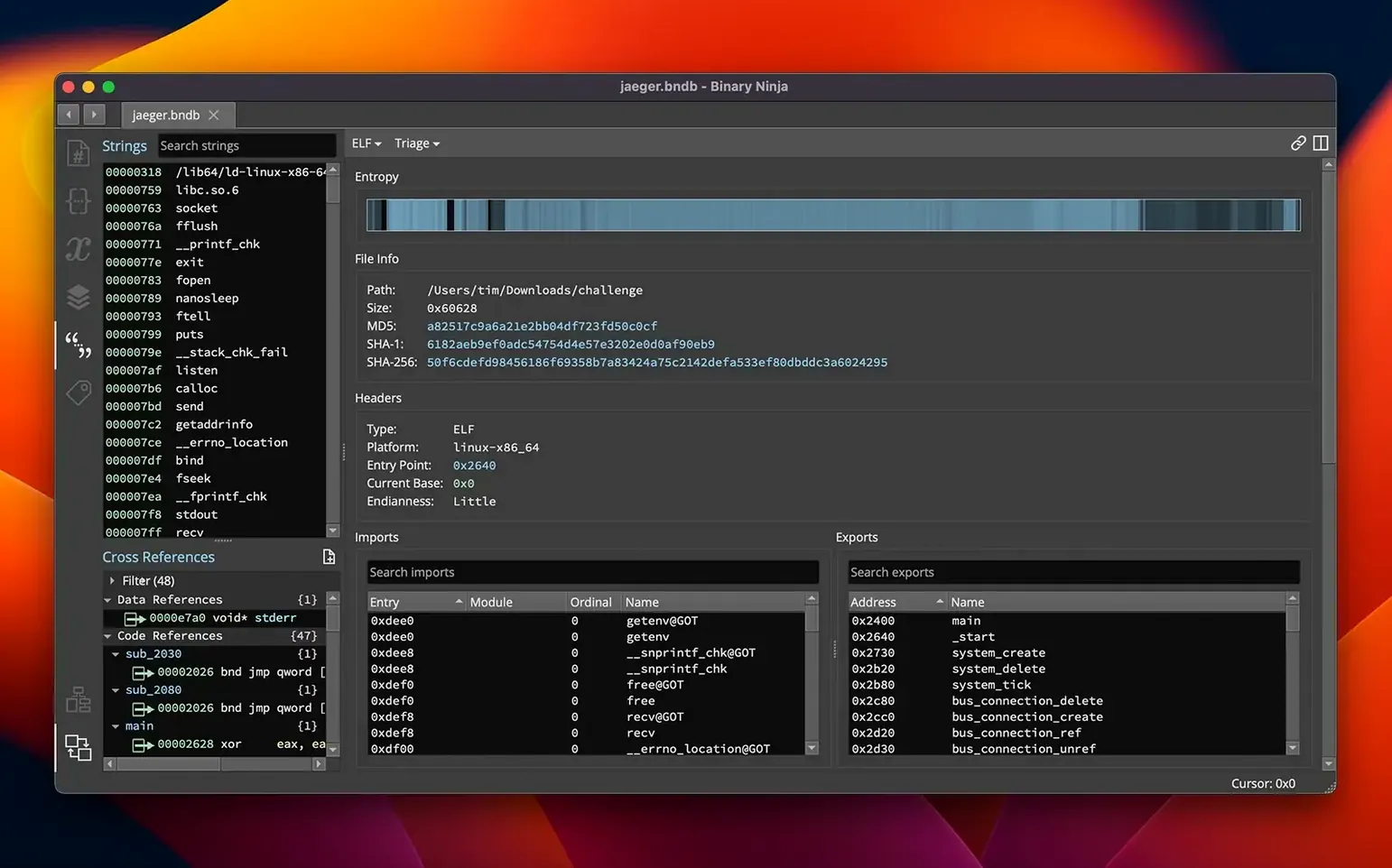
Binary Ninja is a reverse-engineering platform that does disassembly, decompilation, and binary analysis in one application. It’s built for security researchers, malware analysts, and anyone who needs to understand what a compiled binary does without the source code. The tool works on PE, Mach-O, and ELF files across x86, x86-64, ARMv7, ARMv8/AArch64, PowerPC, 6502, Z80, and MIPS architectures.
| Detail | Info |
|---|---|
| Developer | Vector 35 Inc. |
| Version | 6.0.10601-personal |
| macOS requirement | 10.15 or later, Intel and Apple Silicon |
| Interface language | English |
You can disassemble executables and libraries in multiple formats, then decompile code to C or BNIL for supported architectures. Binary patching is straightforward — edit assembly, use preset patches, or work directly in the hex editor. This version 6.0 adds a new MCP server, a Binary Similarity feature, and a redesigned Plugin Manager now called the Extension Manager. It also includes a TMS320C6x architecture and debugger improvements. The tool runs headless too, so you can script analysis jobs without the GUI.
prefer intel syntax for x86-64 disassembly
Before diving into a big analysis, I’d adjust a few defaults. The interface lets you set your preferred disassembly syntax — Intel or AT&T — in the settings panel. If you work mostly with x86-64 code, Intel syntax is usually easier to read. The colour scheme for the control flow graph can be switched to a dark theme if you spend long hours staring at blocks and edges. That’s under the appearance section.
The hotkey mappings are worth a look too. Binary Ninja ships with sensible defaults, but you can rebind navigation actions like jump to cross-reference or go to function start to whatever feels natural on a Mac keyboard. I also enable the option to show instruction bytes alongside the disassembly by default — it helps when you’re comparing patched regions later.
The Extension Manager from version 6.0 makes it easy to browse and install community plugins without leaving the app. I’d go there first and grab a few that match your workflow: maybe a hex editor enhancer or a loader for a niche format you see often. Just don’t overload it on day one.
runs natively on apple silicon
Does it work on Apple Silicon natively? Yes. Binary Ninja runs on both Intel and ARM 64-bit Macs under macOS 10.15 or later. The binary analysis itself is architecture-independent — you can load ARMv8 binaries on an Intel Mac and vice versa. The GUI and the analysis engine both work without Rosetta on an M-series machine.
Do I need to know C or Python to use it? Not for basic browsing. You can open a binary, navigate functions, read the disassembly, and inspect the control flow graph without writing a line of code. The decompiler output is C-like but readable if you’ve seen any programming language. Scripting and plugin development require Python or C++, but that’s optional.
Can I analyse Windows executables on a Mac? Yes. The PE loader handles Windows binaries, and you can disassemble x86 and x86-64 PE files directly. You won’t need a Windows VM just to look at a DLL or an EXE — Binary Ninja unpacks and parses the format on macOS.
How does activation work? The package includes activation instructions. You’ll get a licence key after downloading, and the app checks it on first launch. After that, it works offline for analysis. Headless mode also respects the same licence.
entropy graph reveals packed malware regions
Reverse-engineering platforms tend to be specialised, but Binary Ninja covers a few different user types well. Malware analysts working with packed or obfuscated samples benefit from the entropy graph — it highlights regions with high randomness, which often point to encrypted or compressed payloads. The batch processing feature is useful here too: you can script analysis over a folder of samples and collect results without opening each one.
Vulnerability researchers who spend time auditing binaries for bugs will appreciate the cross-reference navigation and the ability to rename variables and apply types as they go. The decompiled C output makes it faster to spot logic errors than reading raw assembly. The new Binary Similarity feature in version 6.0 helps when comparing patched versions of the same binary — useful for understanding what a fix changed.
Software developers working on legacy code or embedded firmware can use the disassembler to understand compiled output when the original source is lost. The support for 6502, Z80, and MIPS means retro platforms and microcontrollers are covered. And if you maintain a toolchain that produces ELF or Mach-O files, Binary Ninja’s headless API lets you integrate analysis into a build pipeline — check for unexpected symbols or validate linking order without a GUI session.
- New MCP server and Binary Similarity feature
- Plugin Manager redesigned as the Extension Manager
- Added TMS320C6x architecture
- Performance and memory usage improvements
- Debugger improvements and refactored calling convention
- macOS 10.15 or later
- Intel or Apple Silicon processor
Kit check at a glance
| System | macOS 10.15 or later |
| Chip | Apple Silicon, Intel 64-bit |
| Download | 584 MB |
| Older pressings | 4 in the crate |








Chat from the booth
Sign in or grab a free account to leave a comment.
Nobody has said a word in the booth yet. If you played a set with this build, tell the next person how it went.