
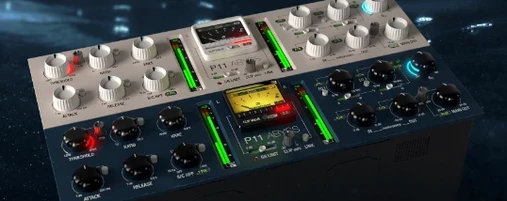
- Build in the crate
- 2.2.2
- Made by the team at
- Pulsar Modular
- Menu languages offered
- English
- How you pay for it
- K'ed by MORiA
- macOS it plays on
- macOS 10.14 or later
- CPU it runs on
- Apple Silicon, Intel 64-bit
Screenshots
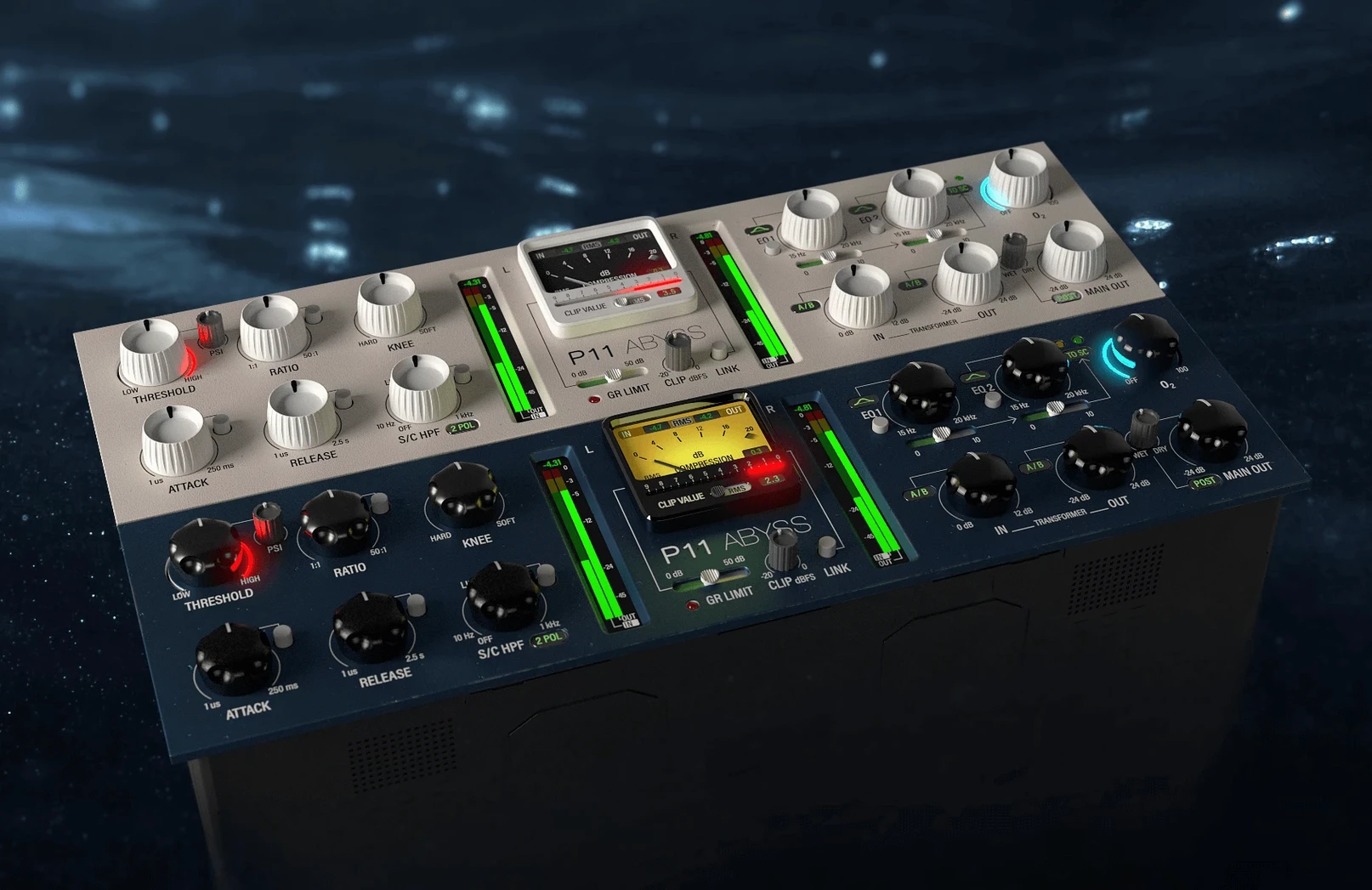
Pulsar Modular P11 Abyss runs on any Mac from macOS 10.14 onwards, supporting both Intel and Apple Silicon processors natively. It’s an audio compressor plugin that claims to cover the sound of all compressor topologies, and at version 2.2.2 it’s as solid as ever.
- Three circuit designs — SOUL, PSI, and O2 — let you dial in anything from clean compression to aggressive clipping and brickwall limiting.
- Zero sample latency and CPU usage below 1% mean it won’t slow your session or mess with timing.
- All parameters are available for DAW automation; the limiter gain reduction reading was fixed in 2.2.2.
- Log(x) mode gives a smoother transition between uncompressed and compressed states.
- Available in VST, AU, and AAX formats for your preferred host.
Three circuit designs change compression character
The three circuit designs — SOUL, PSI, and O2 — aren’t just presets. Each one changes the character of the compression, so you can stay inside one plugin rather than loading a different compressor for every track. SOUL leans clean, PSI adds colour, and O2 handles the aggressive side. Worth flicking between them on the same material to hear how the plugin shifts.
Clipping and brickwall limiting routing are built into the same interface. That means you don’t need a separate limiter after the compressor on your master bus or drum group. One instance handles both jobs if you want it to.
All parameters are exposed for DAW automation. You can automate the circuit switch, the threshold, the ratio — everything. That’s handy for changing compression character mid-track without reaching for another plugin.
Start with SOUL circuit and moderate ratio
If you’re new to P11 Abyss, start with the SOUL circuit and a moderate ratio. Keep the input low and listen to how the compressor grabs the signal. Then switch to PSI on the same settings — the colour difference is immediate. O2 works best when you want the plugin to act more like a clipper or limiter.
The Log(x) option, added in version 2.2.2, changes how the compressor transitions from uncompressed to compressed. If you find the standard attack behaviour too abrupt on certain material, enable Log(x) for a smoother onset. It’s not a dramatic effect, but on vocals or bass it can make the compression feel more natural.
Native Apple Silicon support, no Rosetta needed
P11 Abyss runs on macOS 10.14 or later and supports both Intel and Apple Silicon natively — no Rosetta needed on an M-series Mac. The plugin formats are AU, AAX, and VST3, so it fits into Logic Pro, Pro Tools, Ableton Live, Cubase, and most other modern DAWs without conversion.
CPU usage is stated below 1%, and the plugin has zero sample latency. That makes it viable for tracking as well as mixing; you can insert it on a recording channel without worrying about delay compensation. The installer is a standard disk image mount and run procedure — nothing unusual.
The language is English only, and the current version is 2.2.2, updated June 2025. The user guides were refreshed with that update, so the documentation matches the Log(x) behaviour and the fixed limiter gain reduction reading.
If you need a single compressor that covers transparent dynamics and heavy limiting without switching plugins, this is a clean, light option for your Mac.
- Log(x) provides a smoother transition between uncompressed and compressed states.
- Limiter gain reduction reading was fixed.
- User guides were updated.
- macOS 10.14 or later
- Intel or Apple Silicon processor
- English interface language
Kit check at a glance
| System | macOS 10.14 or later |
| Chip | Apple Silicon, Intel 64-bit |
| Download | 85 MB |
| Older pressings | 3 in the crate |






Chat from the booth
Sign in or grab a free account to leave a comment.
Nobody has said a word in the booth yet. If you played a set with this build, tell the next person how it went.