
- Build in the crate
- 1.0.0
- Made by the team at
- Orra Audio
- Menu languages offered
- English
- How you pay for it
- K'ed by MORiA
- macOS it plays on
- macOS 10.13 or later
- CPU it runs on
- Apple Silicon, Intel 64-bit
Screenshots
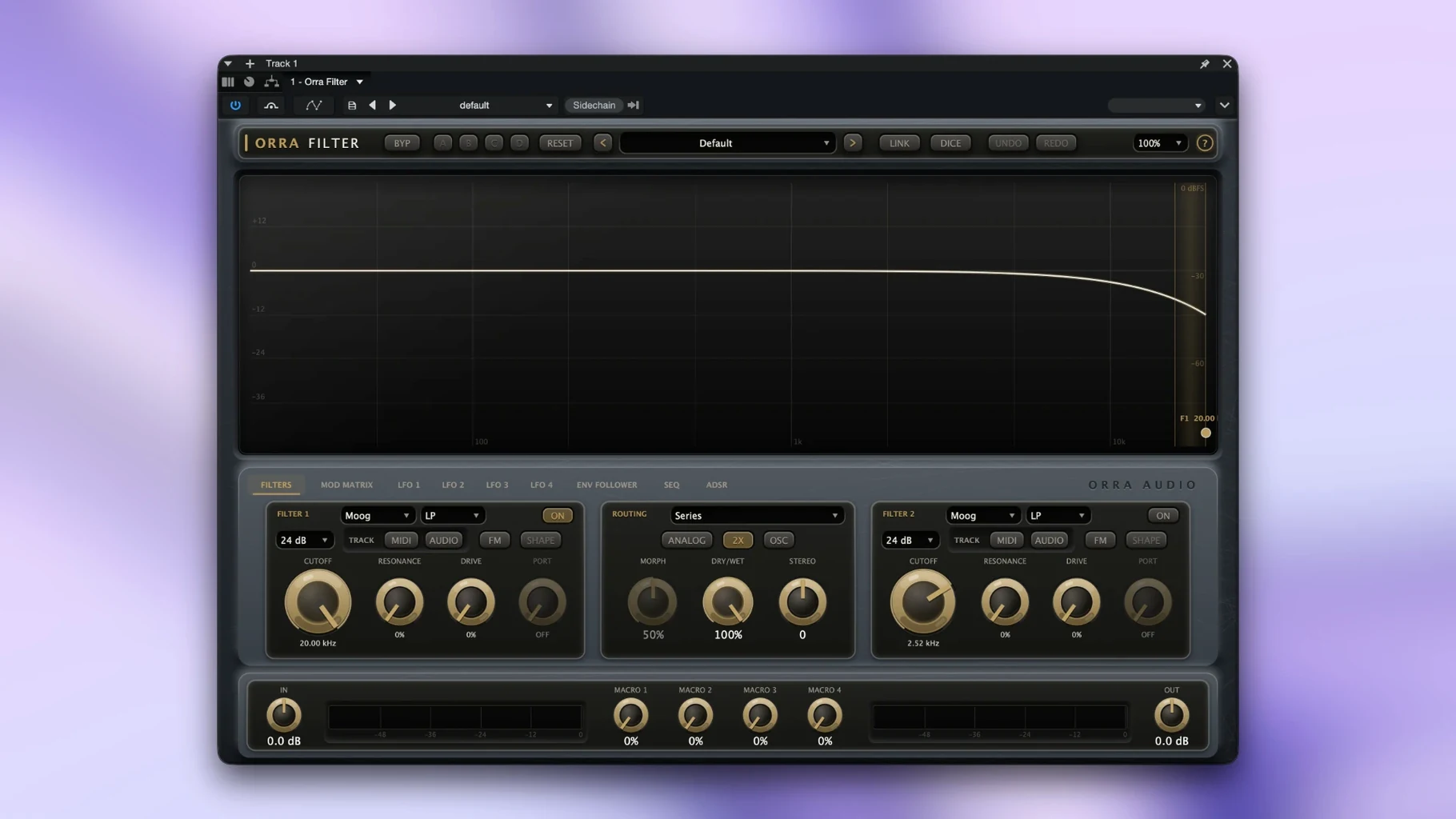
When a single filter just isn't enough, Orra Filter steps in with two cells and a modulation matrix that lets you bend sound in ways a basic low-pass never will.
Shape a sound in six steps
- Start with the routing. The two cells can be connected in six ways, so you can go serial, parallel, or something in between depending on the texture you're after.
- Set the slope on each cell. Choose 12, 24, 36, or 48 dB per octave. Steeper slopes carve harder, gentler ones leave more body.
- Add movement with the modulation sources. Four LFOs, an ADSR, a sequencer, an envelope follower, and MIDI velocity are all on tap.
- Track pitch if you want the filter to follow your playing. Key tracking works from MIDI notes or the input audio pitch, with portamento for smooth glides.
- Push resonance into OSC mode. Ladder filters self-oscillate above 95% resonance, which turns the filter into a sound source of its own.
- Route other tracks in through Orra Link to use them as modulation sources, too.
That matrix is the heart of it. You can tie the cutoff to the sequencer, the resonance to velocity, and the slope to a macro, all at once. The interface scales from 75% to 200%, and tooltips come in seven languages if you need them. Four preset banks give you a place to store what you find.
Orra Filter vs other filter plugins
Compared to something like FabFilter Volcano 3, Orra Filter is more direct. Volcano gives you a huge multi‑stage layout with endless routing possibilities, but it can feel like you need a map. Orra Filter keeps the routing to two cells and six connections, which is enough for most creative filtering without the head‑scratching.
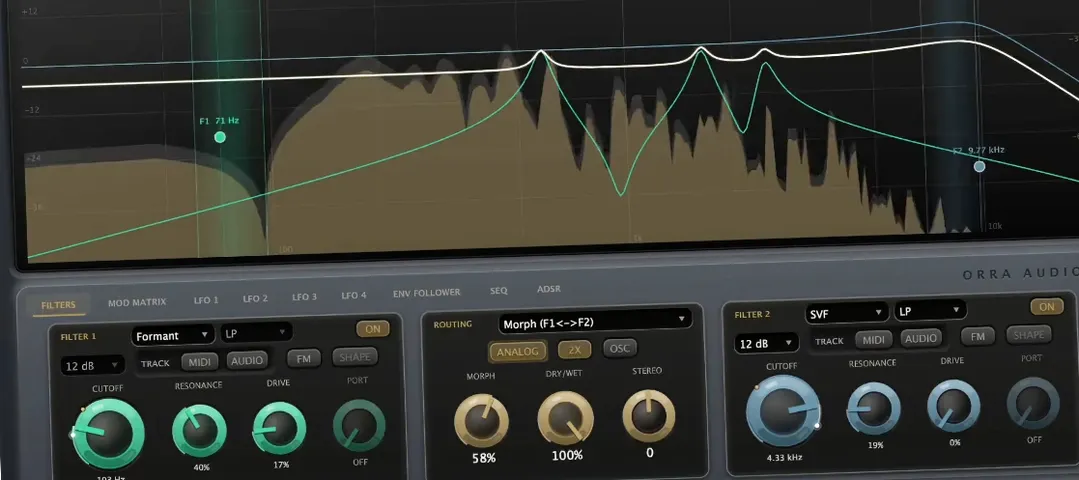
Then there's u‑he Uhbik‑G. It's a single filter with a lot of character, but it doesn't have a modulation matrix or multiple filter circuits to swap between. Orra Filter gives you eight circuits – Moog, SVF, comb, formant, diode, MS‑20, resonator, and Spectral – so you can switch from a gritty ladder to a glassy comb without loading a different plugin.
Kilohearts Disperser is specialised: it does one thing (phase‑based filtering) very well. Orra Filter is broader. You can get a subtle band‑pass from the SVF, a vocal‑shaped sweep from the formant, or a metallic ring from the resonator. Disperser is a scalpel; Orra Filter is a Swiss Army knife.
A session with Orra Filter
Last week I was working on a pad sound that felt flat. The synth patch was rich, but it sat in the mix like a grey box. I dropped Orra Filter on the track and set both cells to serial: cell A as a low‑pass Moog at 24 dB, cell B as a formant filter.
I dragged the envelope follower onto the cutoff of cell A, so the pad breathed with its own dynamics. Then I mapped LFO 2 to the morph control, which let me fade between the two cells over a four‑bar cycle. The pad started moving – it swelled, then opened into a vowel‑shaped resonance, then closed again.
For the bridge, I flipped the routing to parallel and set cell B to a comb filter with high resonance. The pad turned into something metallic, almost like a music box. I saved it to bank C and moved on to the next track. The whole thing took maybe ten minutes, and the pad went from flat to the centrepiece of the arrangement.
- Initial 1.0.0 release.
- macOS 10.13 or later
- Intel or Apple Silicon
Kit check at a glance
| System | macOS 10.13 or later |
| Chip | Apple Silicon, Intel 64-bit |
| Download | 29 MB |






Chat from the booth
Sign in or grab a free account to leave a comment.
Nobody has said a word in the booth yet. If you played a set with this build, tell the next person how it went.