
- Build in the crate
- 3.5.4
- Made by the team at
- Native Instruments
- Menu languages offered
- English
- How you pay for it
- K'ed by TEAM HCiSO
- macOS it plays on
- macOS 12 or later
- CPU it runs on
- Apple Silicon, Intel 64-bit
Screenshots
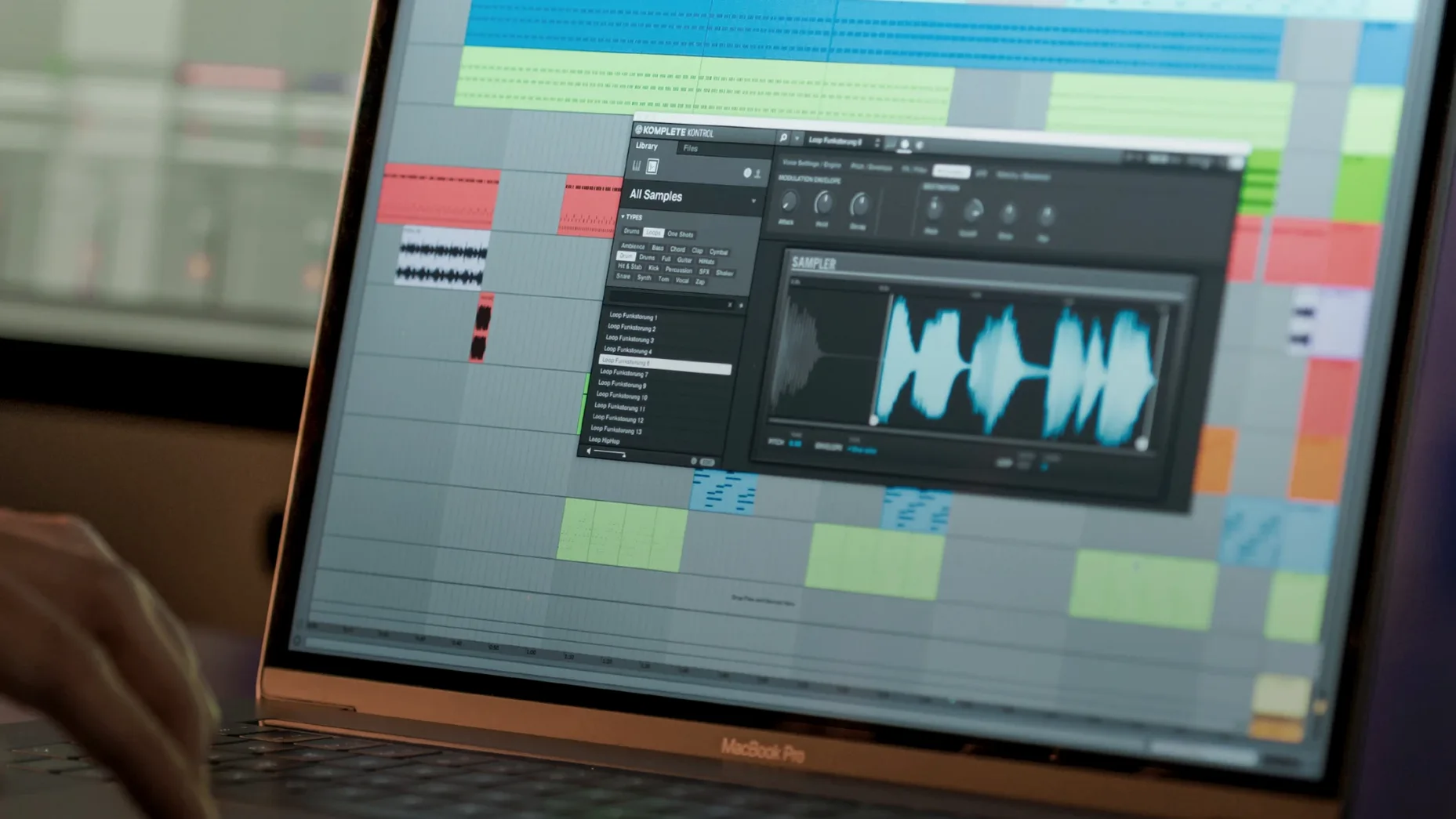
The Light Guide is what gets me every time. You scroll through presets on a Kontrol S-Series keyboard and the coloured keys show you exactly where the playable range sits. It turns a browser window into something you feel with your fingers, not just your eyes.
Komplete Kontrol 3.5.4 sits between you and your sounds. It organises instruments, effects, presets, loops and samples in one workflow, so you are not digging through five different folder structures mid-idea. The built-in sampler lets you play sounds straight away, and Native Kontrol Standard mapping means supported plug-ins respond to the hardware without you assigning every knob by hand.
Browsing 750+ plug-ins from 90 developers
- Browsing more than 750 third-party plug-ins from 90 developers
- Dragging loops and one-shots straight to the DAW timeline
- Working standalone or as a plug-in inside your sequencer
- Syncing collections with Sounds.com
NKS Mode for compatible controllers
- Version 3.5.4 adds NKS Mode for compatible NKS Connect controllers
- It fixes level meter issues with Kontrol S-Series MK2 in Cubase on Windows
- Interface is in English
Tag system for loops and samples
A few things in Komplete Kontrol don't shout for attention but save time once you know them. The tag system for loops and samples runs through NKS, so you can filter by mood, key or instrument type without renaming a single file. It works for third-party content too, as long as the developer has tagged it with NKS metadata.
The drag‑and‑drop from the browser to the DAW timeline is another one. You grab a loop or a one‑shot and pull it directly into your arrangement — no exporting, no bouncing, no extra window. It keeps the session moving when you are layering percussion or testing drum fills.
Smart Play with more than 100 scales and modes is easy to overlook if you do not use a keyboard. But even with a mouse, you can trigger chords with one finger. It is not just for live playing; it works for sketching chord progressions fast while you keep the other hand on the mouse.
Syncing with Sounds.com means the sounds you save or collect online appear in the browser without manual importing. It is a small link, but it keeps your library consistent across machines.
Use it without Native Instruments hardware
Can I use it without Native Instruments hardware? Yes. You can browse, load and play everything with a mouse and keyboard. The Light Guide and knob mapping are designed for S‑Series keyboards, but the plug‑in itself works in any DAW on its own.
Does it work on both Intel and Apple Silicon Macs? Yes. Version 3.5.4 runs on macOS 12 or later, and the installer includes both architectures.
Will it scan all my existing plug‑ins? It browses more than 750 third‑party plug‑ins from 90 developers through NKS. If your plug‑in is NKS‑ready, Komplete Kontrol picks it up. For others, you can still load them, but the parameter mapping and tagging may not be automatic.
What is the difference between standalone mode and the plug‑in? Standalone lets you play and browse without a DAW running — good for sound design or practice. The plug‑in version sits inside your sequencer like any other instrument, so the browser and the Light Guide stay part of your session.
Searching and loading libraries in your DAW
You open Komplete Kontrol as a plug‑in inside your DAW, on a new MIDI track. The browser shows your libraries on the left, sorted by instrument type, mood or key. You start typing "piano" in the search bar, and results appear before you finish the word.
You load a grand piano preset. The built‑in sampler plays the first note as soon as you click, so you do not wait for a sample to stream. You play a few chords, then scroll through the next five presets using the arrow keys. Each one loads in under a second.
You want a pad underneath, so you open a second instance on another track. This time you filter by "strings" and "slow" tags. You find a layered ensemble patch and drag a loop from the browser straight into the timeline for reference. No export step, no extra window.
Later you switch to a bass sound. You hold down one key while Smart Play adds the right chord notes. You record that as a loop, then move on. By the end of the session you have three instrument tracks, a handful of loops in the arrangement and no time wasted hunting through folders.
- Added NKS Connect support in Komplete Kontrol
- Added NKS Mode integration for compatible NKS Connect controllers
- Fixed performance issues when changing plug-in parameters from Kontrol S-Series MK3
- macOS 12 or later
- Intel or Apple Silicon
Kit check at a glance
| System | macOS 12 or later |
| Chip | Apple Silicon, Intel 64-bit |
| Download | 785 MB |
| Older pressings | 11 in the crate |






Chat from the booth
Sign in or grab a free account to leave a comment.
Nobody has said a word in the booth yet. If you played a set with this build, tell the next person how it went.