

- Build in the crate
- 10.15.0
- Made by the team at
- YT Saver
- Menu languages offered
- Russian, English, German, Indonesian, Spanish, Italian, Chinese (Traditional), Chinese (Simplified), Korean, Portuguese, French, Japanese
- How you pay for it
- K'ed by TNT team
- macOS it plays on
- OS X 10.10 or later
- CPU it runs on
- Intel 64-bit
Screenshots
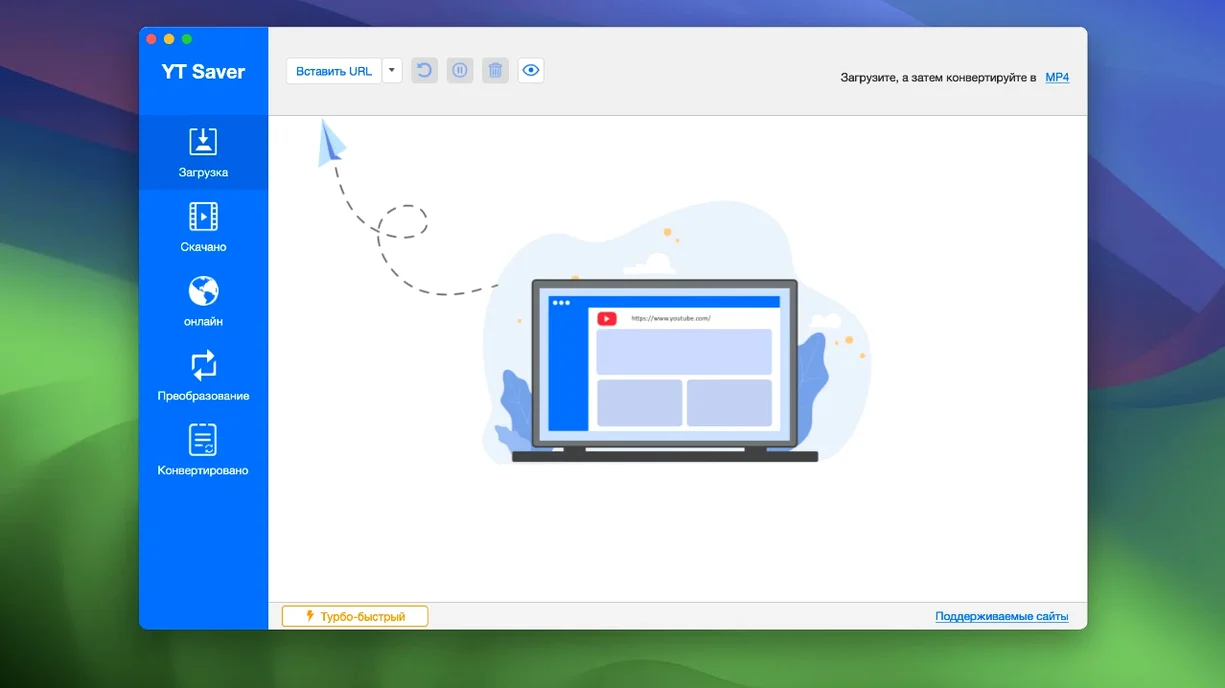
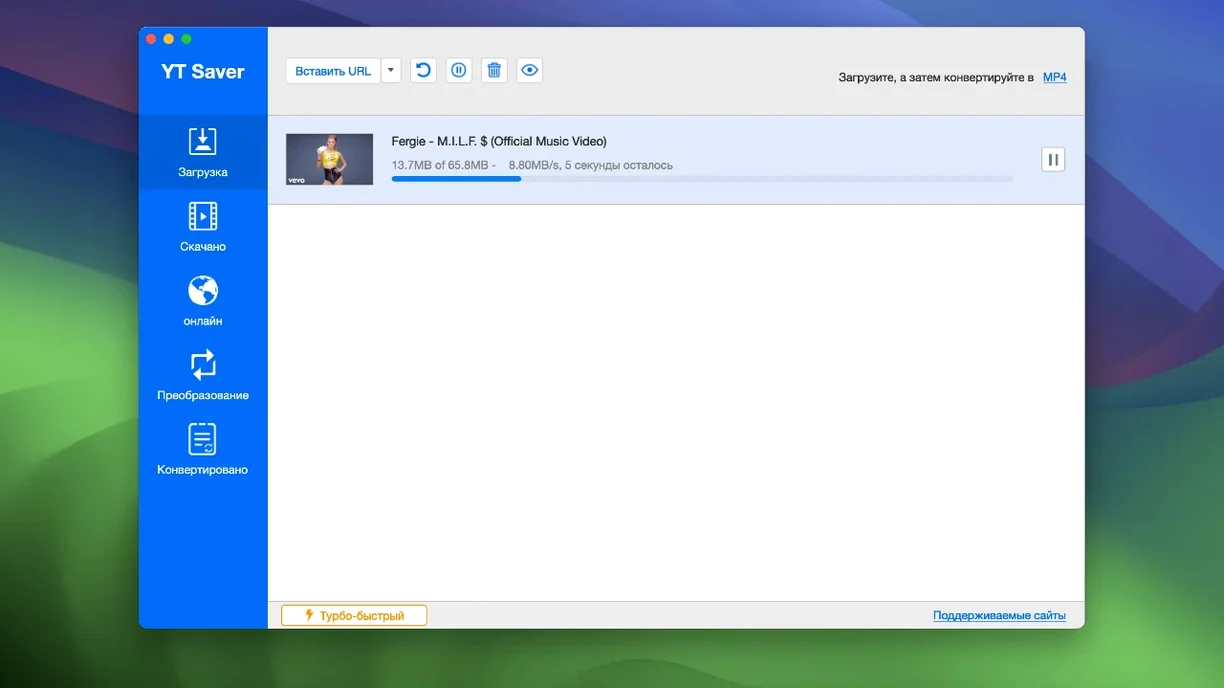
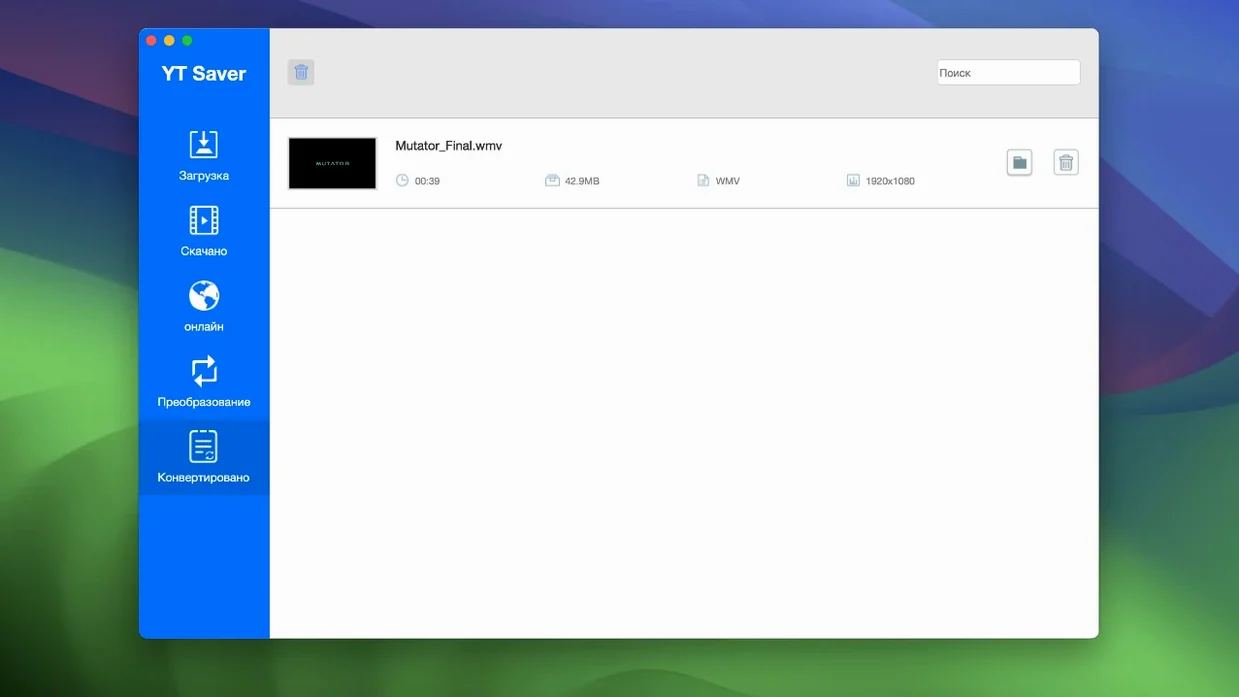
YT Saver Pro is a Mac downloader that pulls video, audio, and playlists from streaming sites and converts them to the format you need.
Downloader — fetches clips from more than 10,000 websites, not just the big names.
Format conversion — output audio in AAC, FLAC, M4A, WAV, OGG, OPUS, and a dozen more codecs.
Built-in browser — visit video and audio sharing sites inside the app without juggling tabs.
Batch downloads — run multiple video downloads at once.
Speed — downloads faster than a standard browser save, per the app's description.
Version 10.15.0 brings no feature changes. The same Intel-only build, the same OS X 10.10 floor, and the same twelve interface languages from Russian to Japanese. If you need a straightforward downloader that you already know, this version just keeps it working.
Private mode for shared Macs
A few things in YT Saver aren't obvious at first glance but save time once you know them.
- Private mode — downloaded content goes into a password-protected folder inside the app. Handy if you share your Mac or just want certain clips separate from your main library.
- The built-in browser remembers where you were — it keeps your session open, so you don't have to log into sites again between downloads.
- Format presets stick — once you pick an output format (say, MP4 or FLAC), the app remembers it for the next download. No re-selecting every time.
- Simultaneous downloads don't block browsing — the built-in browser stays usable while files are coming in. You can queue a few clips and keep searching for more.
Set a default output folder first
Before you start downloading, it's worth opening the preferences and making a couple of quick tweaks.
- Default output folder — set it to a dedicated folder (like
~/Movies/YT Saveror~/Downloads/YT Downloads). That way you're not hunting through your Downloads folder later. - Output format — if you mostly save audio, set the default to M4A or FLAC right away. If you need video for an iPhone or iPad, pick the iPhone/iPod or iPad preset from the export list.
- Private mode — enable it if you want password protection from the start. You'll be prompted to set a password the first time.
- Language — the app ships with twelve languages. Switch to your preferred one in settings before you get used to the default.
These are one-time changes. After that, downloads are just paste the link and pick the format.
Quick Look previews in Finder
YT Saver doesn't try to replace your media player or file manager. It hands you standard files that work anywhere.
- Quick Look — downloaded MP4 and MOV files preview in Finder with a spacebar press, no extra software needed.
- Drag to other apps — drag finished files straight from the download list into iMovie, GarageBand, or a messaging app. No need to locate them in Finder first.
- Automator and Shortcuts — because YT Saver saves to a normal folder, you can build a folder action that converts new files automatically, or add them to a music library with a Shortcut.
- AirPlay — once a video is in MP4 or MOV, you can AirPlay it from the QuickTime Player to an Apple TV without re-encoding.
- Batch export — if you downloaded a playlist as video but later need the audio, convert the whole batch in one go using the conversion tool.
Bypass Gatekeeper on first launch
A few things trip people up. Here's what to do when they happen.
- Gatekeeper blocks the app on first launch — the install step mentions bypassing Gatekeeper via Terminal. If the app won't open, right-click it in Applications and choose Open, or run
xattr -d com.apple.quarantineon the app file in Terminal. That clears the quarantine flag. - Downloads stall or don't start — sometimes the site you're downloading from changes its player. Try refreshing the page in the built-in browser and copying the link again. If it still fails, the site may need an update from YT Saver.
- Private mode password forgotten — there's no recovery option built in. If you set a password and forget it, the only fix is to delete the app's preferences folder (
~/Library/Preferences/com.ytsaver.mac.plist) and start fresh. Your downloaded files stay safe, but private mode resets. - Audio file sounds wrong or silent — double-check that you selected an audio-only format like M4A or FLAC, not a video format with audio. If you picked MP4, the file is a video container even if it plays only sound.
- Playlist downloads skip some videos — the app downloads what's available at the time. If a video is geo-restricted or removed, it will be skipped. No error pops up, so check the completed list after the batch finishes.
- macOS OS X 10.10 or later
- Intel x86 64-bit architecture
- Interface languages: Russian, English, German, Indonesian, Spanish, Italian, Traditional Chinese, Simplified Chinese, Korean, Portuguese, French, Japanese
Kit check at a glance
| System | OS X 10.10 or later |
| Chip | Intel 64-bit |
| Download | 115 MB |
| Older pressings | 2 in the crate |




Chat from the booth
Sign in or grab a free account to leave a comment.
Nobody has said a word in the booth yet. If you played a set with this build, tell the next person how it went.