
- Build in the crate
- 2.1.6
- Made by the team at
- VideoByte
- Menu languages offered
- English, German, French, Japanese
- How you pay for it
- K'ed by TNT team
- macOS it plays on
- OS X 10.10 or later
- CPU it runs on
- Intel 64-bit
Screenshots
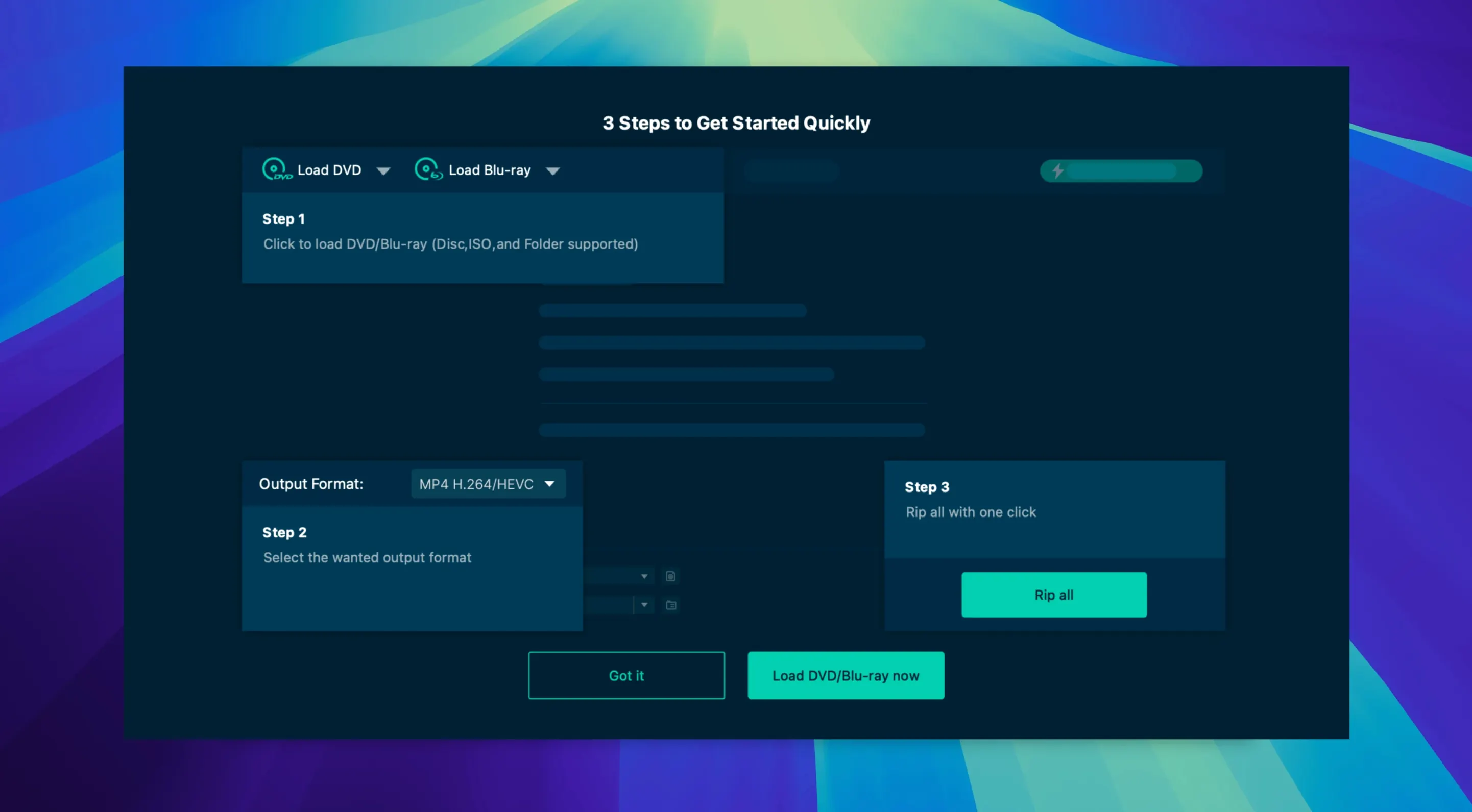
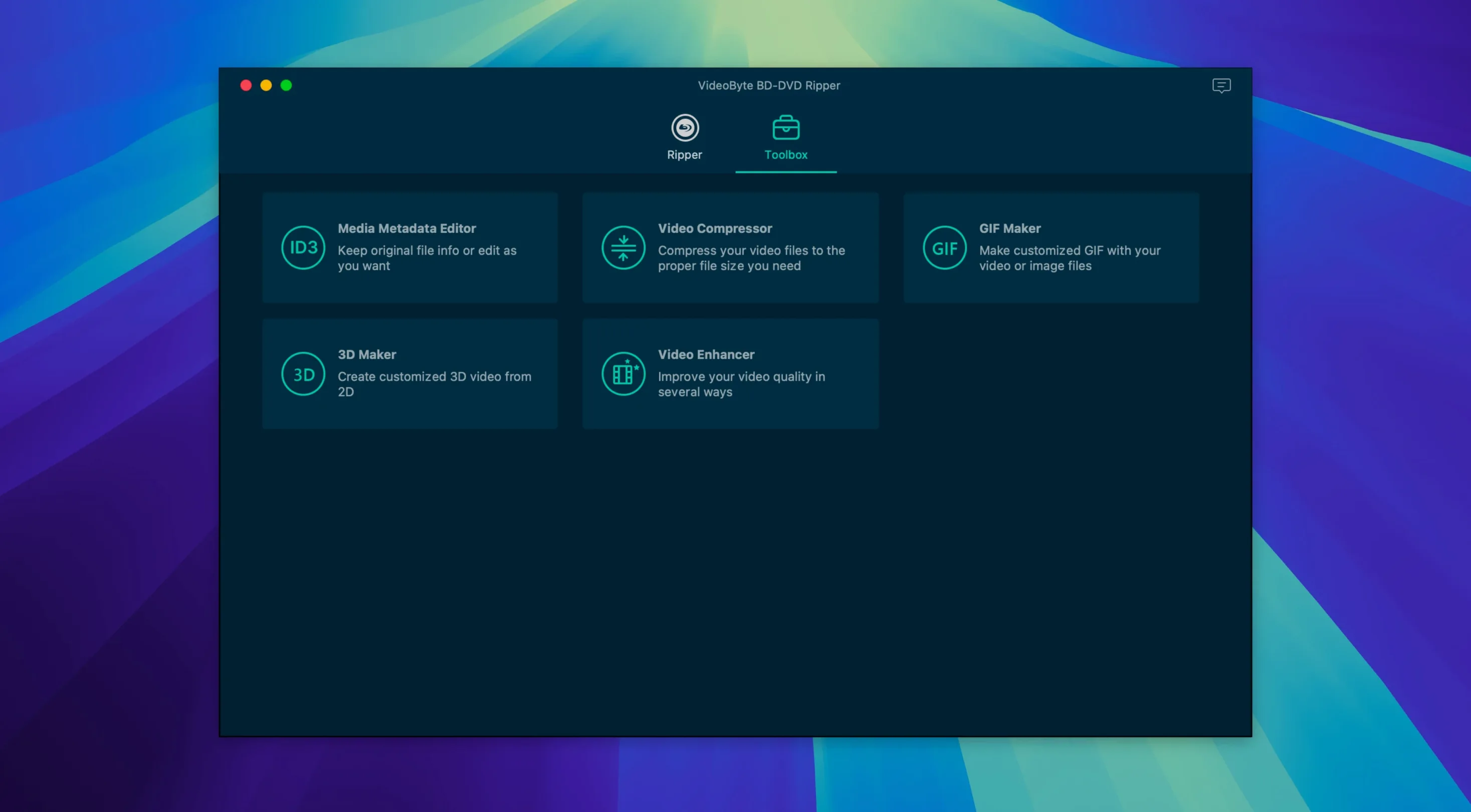
VideoByte BD-DVD Ripper is for anyone with a shelf of Blu-rays or DVDs who wants those films on a laptop or phone. If you are new to ripping on a Mac, this app keeps the early steps simple.
First rips
Mount the disk image, drag the app into Applications, and open it. Then put a disc in the drive. The main screen shows the title, and you pick an output from MP4, MKV, MOV, WMV, MP3, or AAC. Presets for Apple, Samsung, and Sony devices mean you can skip the manual settings and just match your phone or tablet.
Handy extras
Before you rip, try the trimming, cropping, rotate, and filter tools. They are useful for cutting out trailers or fixing a sideways video. Hardware acceleration with NVIDIA, Intel, or AMD keeps the process moving on older Macs too.
Protected disc handling
Can it handle protected discs? Yes. VideoByte BD-DVD Ripper removes CSS, AACS, BD+, Cinavia, APS, and CPRM protections from commercial Blu-rays and DVDs. That covers most discs you would buy or rent. No extra software or workarounds needed.
Does it work with folders and ISO files? Yes, not just physical discs. If you already have a BDMV or VIDEO_TS folder on your drive, or an ISO image, the app reads those too. Handy for ripping a backup you made earlier or a file you downloaded.
What languages does the interface come in? English, German, French, and Japanese. The app menus and settings switch between those four. No other languages are listed.
Is it only for Intel Macs? The published specs say architecture x86 64-bit and macOS OS X 10.10 or later. But the developer's own page now says it supports both Intel and Apple Silicon processors on macOS 10.12 through 15.x. So if you have a newer Mac with an M-series chip, the app should run through Rosetta 2 if needed.
macOS compatibility range
The current version is 2.1.6. The main change you notice is the wider macOS compatibility. Earlier builds might have stopped at older system versions, but 2.1.6 works on macOS 10.12 up to 15.x. That means it runs on recent Macs without hunting for an older build.
Another difference: Apple Silicon support. Older versions were Intel-only. Now you can install it on an M1 or M2 Mac and expect it to open and rip discs the same way. No separate download for ARM Macs.
The protection removal list also grew over time. Earlier rippers from VideoByte struggled with Cinavia on some discs. Version 2.1.6 includes Cinavia removal as a listed feature, so those problematic Blu-rays should convert without audio dropouts.
For everyday use, the interface and output options stayed similar. You still get the same preset profiles for Apple, Samsung, and Sony devices, and the same trimming and filter tools. The upgrade is mostly under the hood: broader macOS range, Apple Silicon compatibility, and more protection schemes.
Hardware acceleration support
The app needs macOS OS X 10.10 or later. It runs on Intel Macs natively and on Apple Silicon Macs through Rosetta 2. No special drivers or additional frameworks are required beyond what macOS already has.
Hardware acceleration uses NVIDIA, Intel, or AMD technologies. If your Mac has a discrete GPU or an Intel Quick Sync capable chip, the app can offload some encoding work to it. That helps when converting long movies or multiple discs in a row.
The installation involves a Gatekeeper step. You mount the disk image, run a launcher that asks for Terminal permission, press Enter to bypass Gatekeeper, then drag the app into Applications. After that, you open it from Applications like any other program.
It supports more than 300 output formats. The common ones you will use are MP4, MKV, MOV, WMV, MP3, and AAC. For device-specific conversions, the Apple, Samsung, and Sony presets handle resolution and codec choices automatically. You can also keep original audio tracks and subtitles embedded in the output file.
- macOS OS X 10.10 or later
- Intel processor
- Interface languages: English, German, French, Japanese
Kit check at a glance
| System | OS X 10.10 or later |
| Chip | Intel 64-bit |
| Download | 124 MB |

Chat from the booth
Sign in or grab a free account to leave a comment.
Nobody has said a word in the booth yet. If you played a set with this build, tell the next person how it went.