

- Build in the crate
- 6.2.2
- Made by the team at
- Rick Cranisky
- Menu languages offered
- English, German, Spanish, Italian, Portuguese, French
- How you pay for it
- K'ed by TNT team
- macOS it plays on
- macOS 26 or later
- CPU it runs on
- Apple Silicon, Intel 64-bit
Screenshots
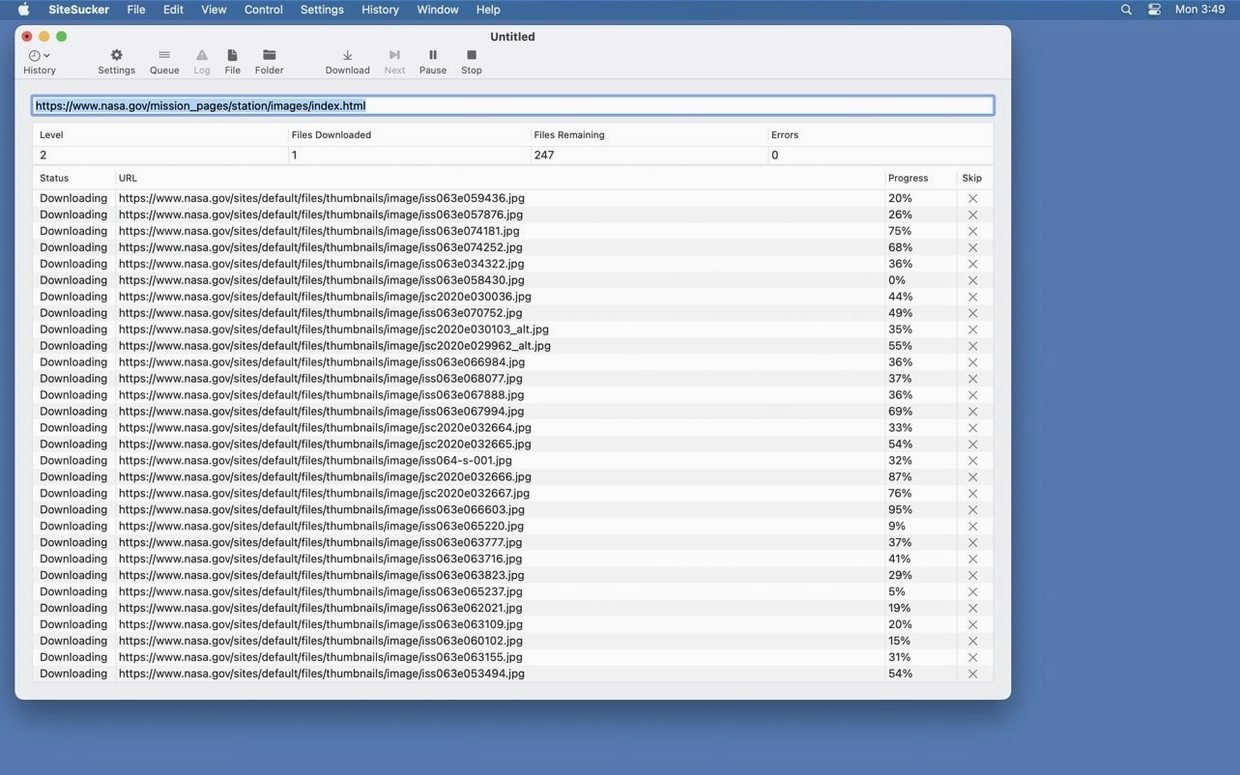
Anyone who archives sites for research, design references or just offline reading knows the difference between a basic grabber and a tool that gives you control. SiteSucker Pro is for the person who wants that control.
Session logs and robots.txt override
- Operation log — every download session is logged from start to finish. You can open the log in Console if you need to dig into details.
- robots.txt override — by default the app obeys robots.txt, but you can turn that off in settings and download files that some crawlers skip.
- File type filtering — download everything, or restrict to specific content types. Handy when you only need images, stylesheets or PDFs.
- Video downloading — the Pro edition includes embedded-video support, something the standard version leaves out.
- Directory structure — the site’s folder layout is mirrored on your disk, so local links stay intact.
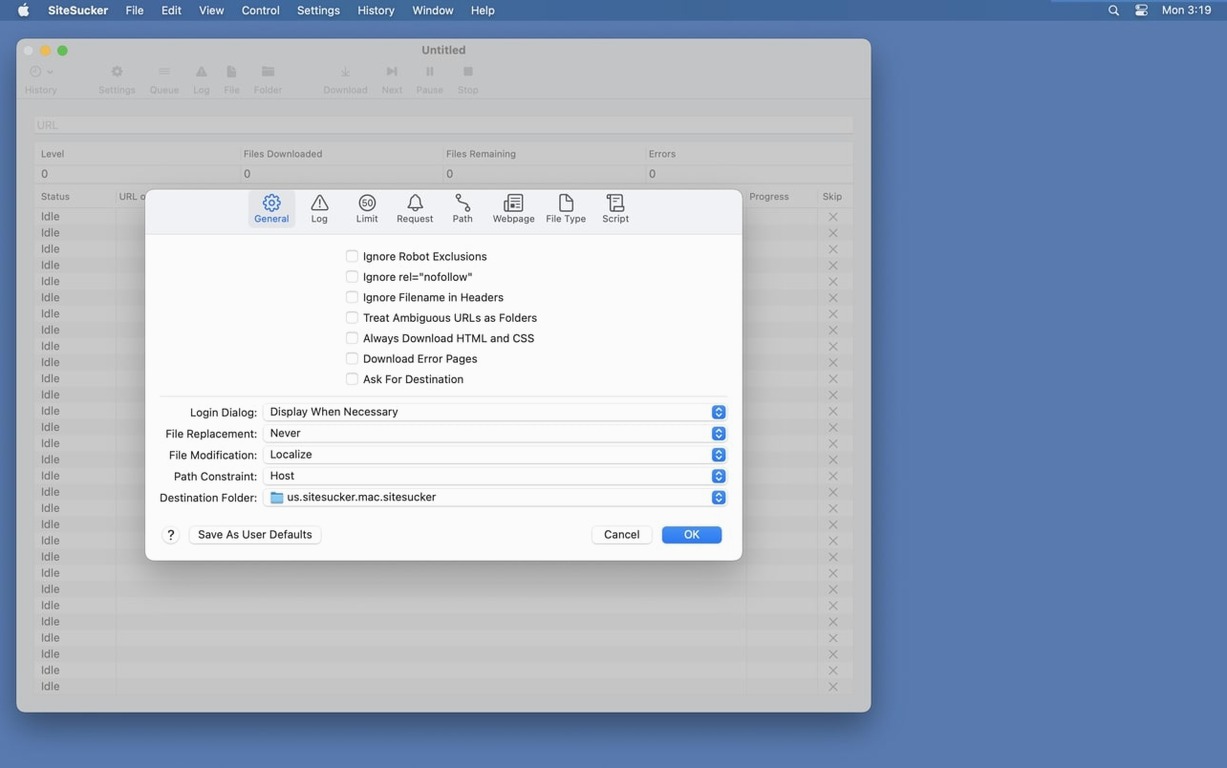
- Advanced settings — General, Logs, Limits, File Types, Paths, Advanced. Each section lets you fine-tune how the app works.
Settings and control
SiteSucker Pro organises its options into six settings panels. The File Types section, for example, lets you pick which file extensions to download or block. The Limits section stops the app from running too long or grabbing too many files. And the Logs section keeps a record of everything, so if something goes wrong you can trace it. Version 6.2.2 also fixes PDF creation bugs and adds a Format HTML option under Webpage settings. It runs on macOS 26 and up, on both Intel and Apple Silicon Macs.
Use case: saving a client’s portfolio site
Say you’re a freelance designer who needs to show a client how their current site looks before you redesign it. You don’t want to ask for FTP access or take screenshots of every page. SiteSucker Pro can pull the whole thing down in one go — pages, stylesheets, images, embedded Vimeo showreels. You end up with a local copy that looks and works like the live version. The client can browse it offline, click around, point out what they want changed. No internet required, no “can you reload that page?” back and forth.
One‑click log and user‑agent options
A few details in SiteSucker Pro make daily use smoother than you’d expect.
- Open Log on the toolbar — one click shows the session log. No digging through menus to find out what was downloaded or skipped.
- User-agent switching — the Advanced section lets you set a custom user-agent. You can make the app appear as Safari or Firefox, which helps with sites that serve different content to different browsers.
- Force paths — the Paths section can force specific files or pages to be downloaded or skipped. Useful when a site loads content from a separate subdomain or CDN.
- File size limits — in the Limits panel, you can set minimum and maximum file sizes. That way you don’t waste time downloading tiny tracking pixels or huge video files you don’t need.
These aren’t flashy features, but they save time when you’re working on a big site and need to be precise about what lands on your disk.
Interface in six languages
SiteSucker Pro is available in English, German, Spanish, Italian, Portuguese and French. If your workflow or team works in another language, the interface adapts without extra setup.
- Fixed bugs related to creating PDFs.
- Added a Format HTML option to Webpage settings.
- macOS 26 or later
- Intel or Apple Silicon processor
Kit check at a glance
| System | macOS 26 or later |
| Chip | Apple Silicon, Intel 64-bit |
| Download | 6 MB |
| Older pressings | 4 in the crate |








Chat from the booth
Sign in or grab a free account to leave a comment.
Nobody has said a word in the booth yet. If you played a set with this build, tell the next person how it went.